



Simulating molecular systems effectively is a common challenge for molecular modelers. The Universal Force Field (UFF) implemented in SAMSON provides a systematic way to compute molecular interactions, helping researchers model systems with precision. In this post, we’ll explore how to set up and run UFF simulations efficiently using SAMSON, offering insights into a process that simplifies a traditionally complex task.
What is UFF?
The Universal Force Field (UFF) interaction model, proposed by Rappe et al., provides a force field capable of working with all elements of the periodic table. Its implementation in SAMSON is particularly user-friendly, offering automatic perception of molecular systems to compute bonds, bond orders, and atom types—making it straightforward to start simulations with minimal initialization.
Setting Up UFF in SAMSON
Here’s a step-by-step guide to setting up UFF for your molecular simulation:
- Open a document containing the molecular system you want to simulate with UFF.
- Navigate to
Edit > Simulate > Add simulator, or use the shortcut Ctrl + Shift + M (Cmd + Shift + M for macOS users). - Select Universal Force Field from the list of interaction models available.
- Choose a state updater for the simulation, such as the FIRE algorithm.
- Press the OK button.
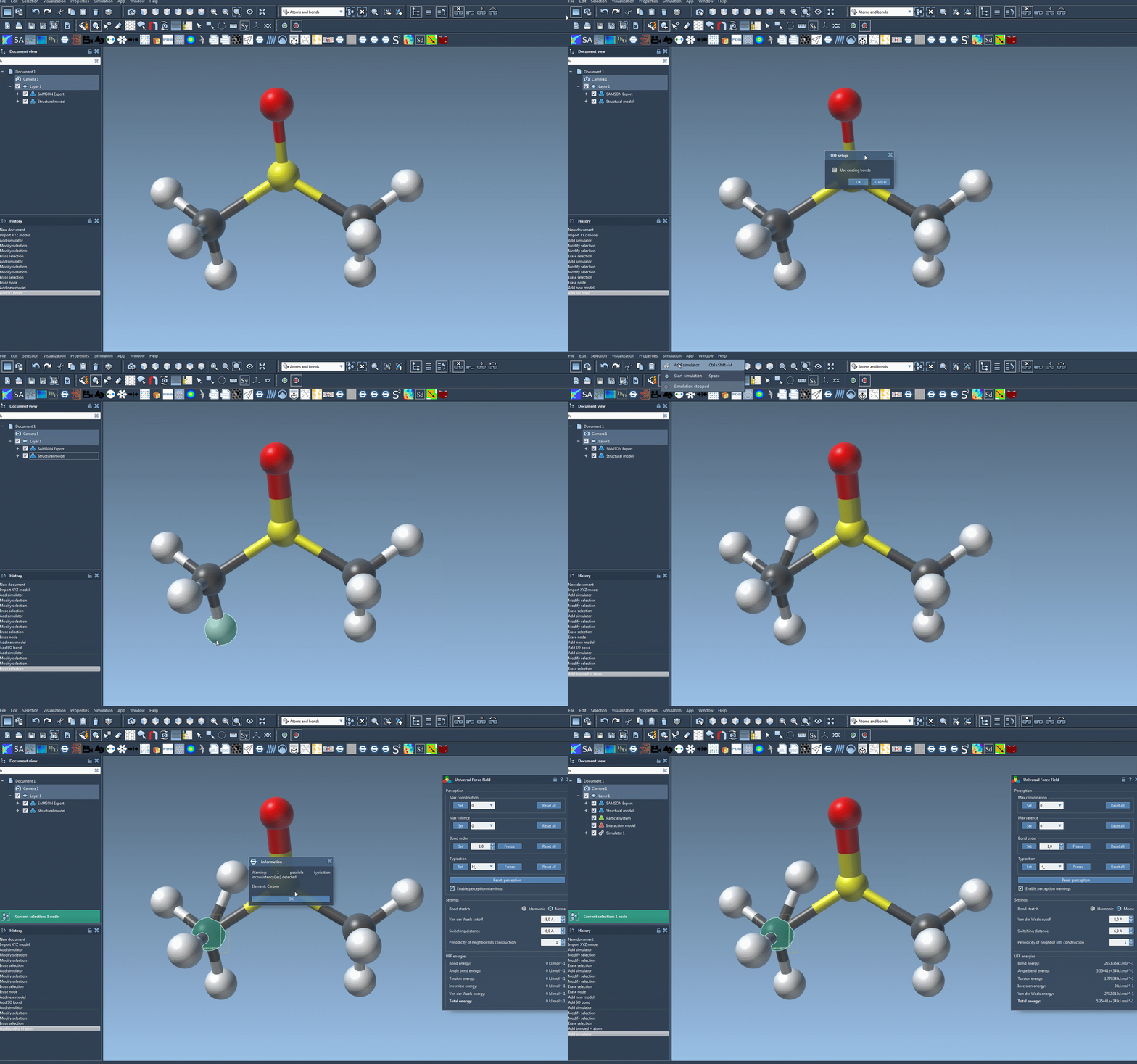
At this stage, a UFF setup window will appear. You may enable Use existing bonds if you want the simulation to rely on the existing bonds of the model. Otherwise, UFF will recompute bonds automatically based on atom types and positions. Once your preferences are set, click OK to initialize the system.
During initialization, the following processes take place:
- Covalent bonds are computed (if Use existing bonds wasn’t checked).
- Bond orders are determined.
- Atom types are assigned.
If inconsistencies in the molecular system are detected, a descriptive warning will alert you to resolve potential issues.
Running the Simulation
After configuring UFF, you can begin the simulation with the following steps:
- Press the Edit > Simulate > Start button.
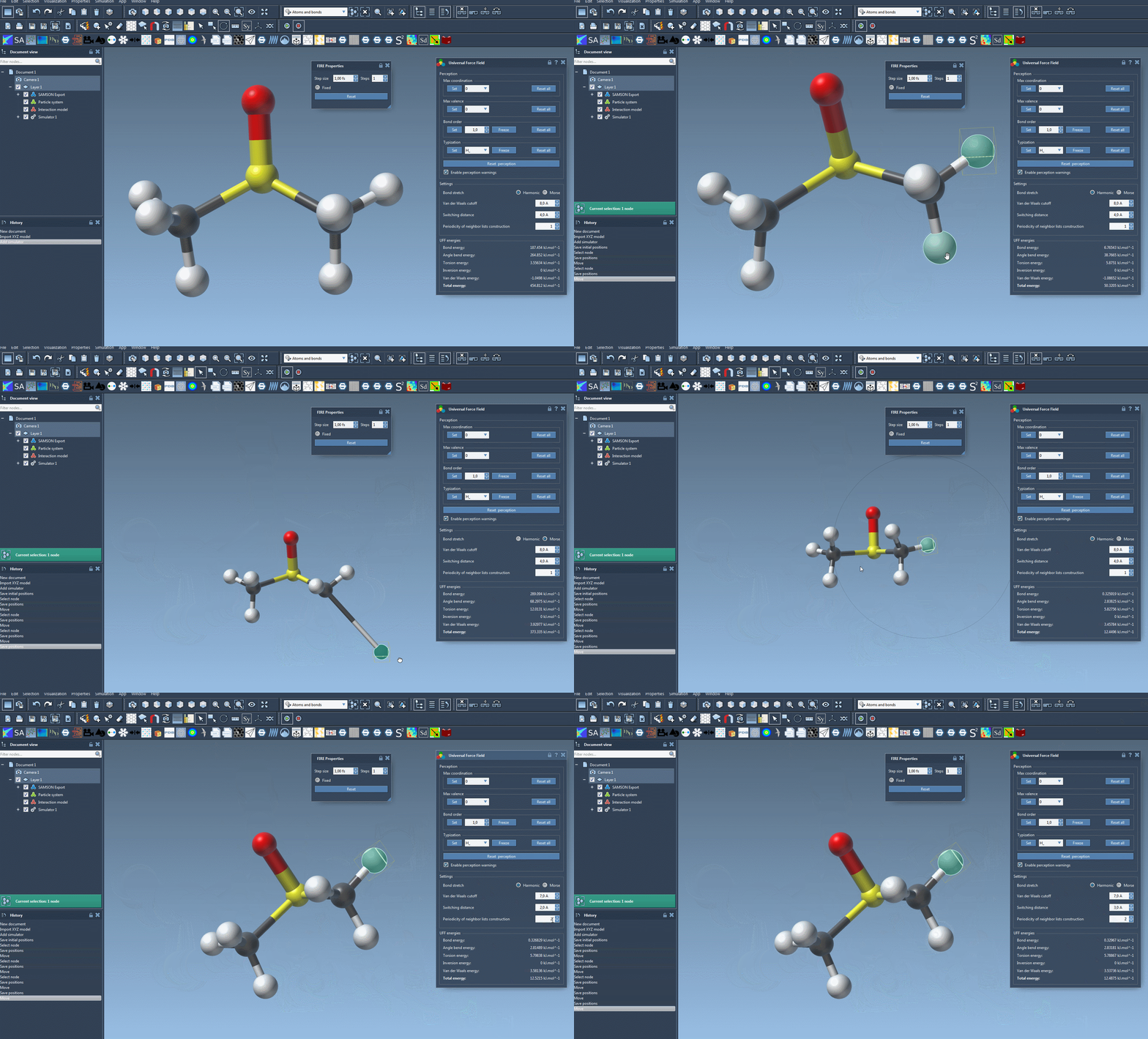
Once the simulation is running, the UFF window will display the energy contributions from each term and the total UFF energy. A standout feature of UFF in SAMSON is its interactivity—you can move atoms manually and observe how the UFF model immediately adjusts neighboring atoms to maintain consistency.
Moreover, UFF in SAMSON allows modelers to customize critical parameters such as:
- Bond stretch interactions: Switch between Harmonic and Morse modes.
- Van der Waals cutoff: Define the distance limit for considering vdW interactions.
- Neighbor list periodicity: Adjust how often neighboring atoms are revised during simulations.
Interactive and Efficient Modeling
The combination of ease of setup, interactivity, and parameter flexibility makes the UFF implementation within SAMSON a powerful tool for researchers. Whether you’re modeling large molecular assemblies or fine-tuning smaller systems, UFF enables you to simulate efficiently and adjust key parameters intuitively.
To dive deeper into UFF and its powerful features, visit the original documentation at this link.
Note: SAMSON and all SAMSON Extensions are free for non-commercial use. Download SAMSON today at https://www.samson-connect.net.