



Carbon nanotubes (CNTs) are pivotal in molecular design and nanotechnology, offering applications in fields like electronics, drug delivery, and materials science. However, building accurate, customizable CNT models is often a time-consuming and cumbersome task. If you are a molecular modeler, you might have faced the hassle of creating these structures with precise parameters. SAMSON's Nanotube Creator extension aims to simplify this with its interactive and graphical tools.
Why Custom Carbon Nanotubes Matter
Carbon nanotubes' remarkable properties, such as their high strength-to-weight ratio and outstanding electronic characteristics, make them indispensable in cutting-edge research. Whether designing molecular transport channels, modeling nanoelectromechanical systems (NEMS), or exploring nanostructures for simulations, having precise nanotube models tailored to your needs can accelerate your workflows.
With SAMSON's Nanotube Creator, creating CNTs becomes intuitive. You can interactively generate single-walled or multi-walled nanotubes with a blend of control and visual feedback. Here’s how you can make the most of this extension.
Two Ways to Build CNTs
Nanotube Creator lets you choose between two modes, depending on your preference and workflow requirements:
Method 1: Interact in the Viewport
For a quick, hands-on approach, use the viewport to design CNTs with these simple steps:
- Define axis and length: Click and drag the left mouse button in the viewport to set the nanotube’s axis and length. Adjustable live feedback on parameters such as tube length is displayed in the status bar for precision:

- Adjust the radius: Release the mouse button, then move the mouse to set the desired radius before confirming your choice by clicking again. Feedback on the radius (inner
mvalue) is also visible. Here’s an example: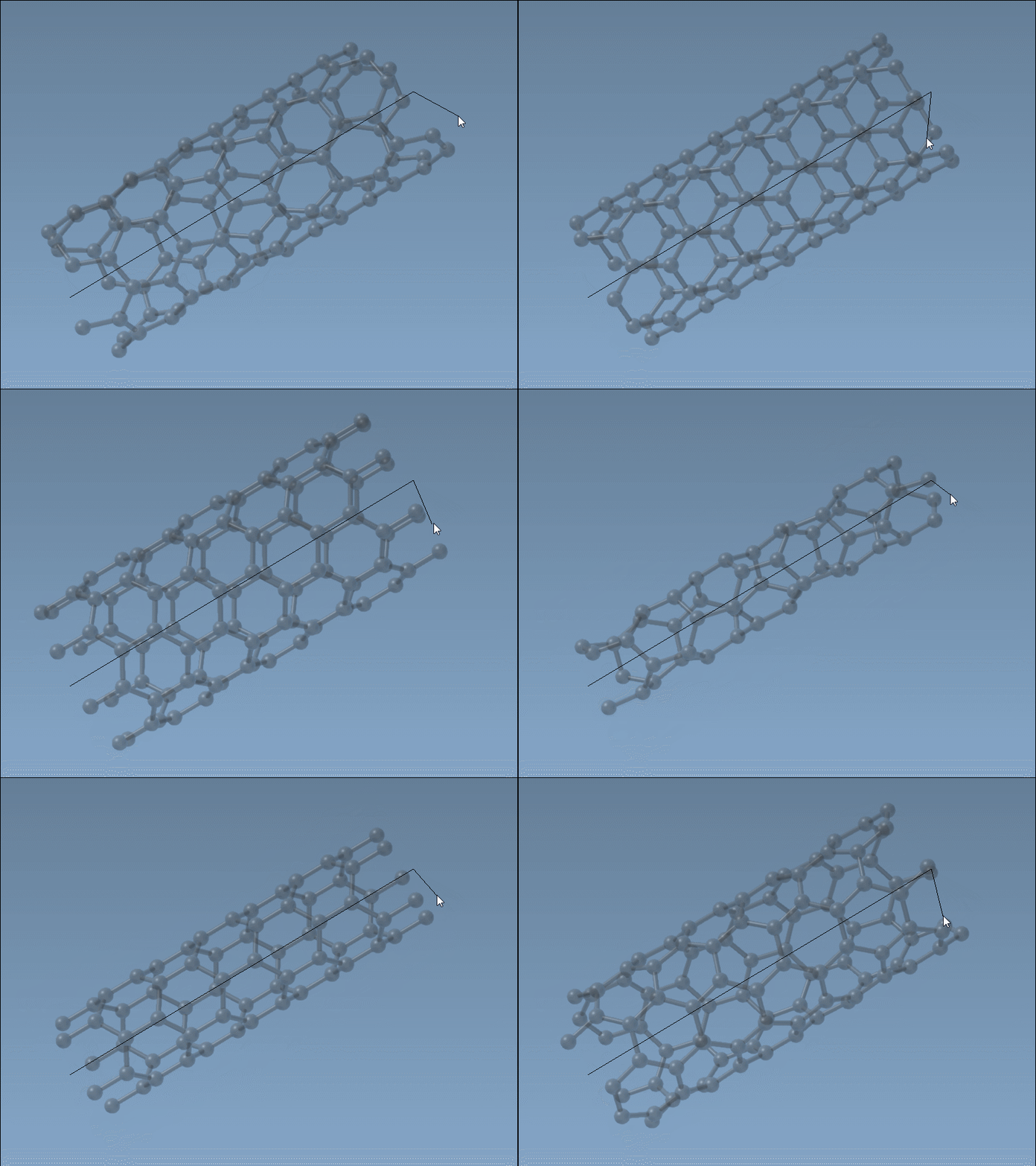
In this mode, building CNTs feels like a tangible process, especially with live visual data and previews.
Method 2: Use the Graphical Interface
If precision is critical, the graphical interface is ideal for you. Activate the interface by selecting the editor, ensuring full manual control over parameters such as start/end positions, and n and m values. This method is especially useful for creating multi-walled nanotubes (MWNTs):
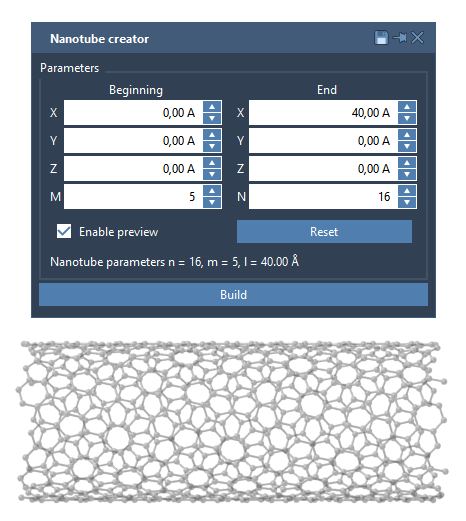
You can carefully customize geometric details while the tool handles the complexity of the nanotube structure.
Example: Building a Multi-Walled Nanotube
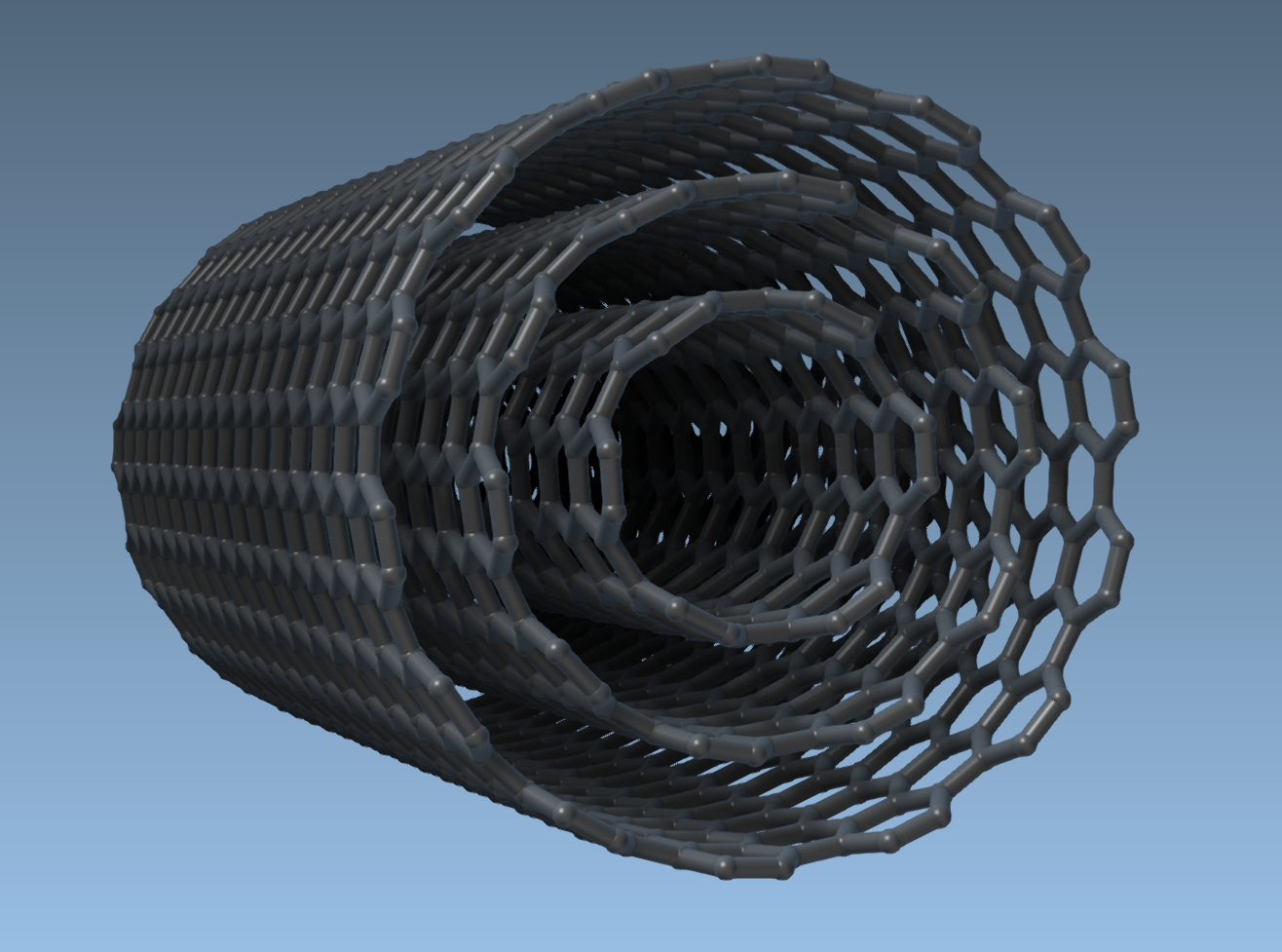
Let’s say you want to design three concentric CNTs. In the graphical interface, perform the following:
- Set the start position to
(0, 0, 0)and the end position to(40, 0, 0), creating a tube length of 40 Å along the x-axis. - Create CNT 1 with parameters:
n = 6,m = 6, then click Build. - Create CNT 2 with parameters:
n = 10,m = 10, and build again. - Create CNT 3 with parameters:
n = 14,m = 14, and finalize.
This generates a seamless multi-walled carbon nanotube as shown here:
Start Exploring CNT Applications
Once your CNTs are built, you can experiment further by exporting visuals, simulating their properties (e.g., with Brenner potential), or integrating them into hybrid structures. Applications range from understanding molecular behavior to designing new materials for real-world challenges.
Learn more about building carbon nanotubes with more details at SAMSON’s official documentation.
Note: SAMSON and all SAMSON Extensions are free for non-commercial use. Get SAMSON today at https://www.samson-connect.net.