



When working on molecular modeling tasks, one common bottleneck is optimizing transition paths between conformational states. This is particularly challenging when the initial paths are rough or unrefined — a scenario many molecular modelers face when striving to predict physically meaningful transitions such as ligand unbinding or molecular conformational changes.
This post introduces you to the Parallel Nudged Elastic Band (P-NEB) method, a solution that can help optimize your transition paths efficiently. Integrated into the SAMSON platform, the P-NEB app offers molecular modelers a tool to refine transition pathways and reduce computation inefficiencies.
Why Use P-NEB?
The P-NEB app leverages the NEB method, which optimizes intermediate structures and keeps neighboring states evenly distributed using spring forces. While it may sound complex, its purpose is straightforward: refining rough paths or sets of conformations into transitions that are physically meaningful and aligned with energy landscapes.
This method can be particularly helpful for finding paths between energy minima (e.g., relaxed states determined using the FIRE minimizer). The app also supports a climbing image approach to locate saddle points, further improving the results in certain scenarios.
Typical Workflow
Follow these key steps with the P-NEB tool:
- Add the P-NEB extension and the FIRE state updater to SAMSON.
- Load or generate input models, such as a molecular path or a set of conformations. (You can generate conformations using interpolation tools or SAMSON Extensions like Ligand Path Finder.)
- Open the P-NEB app via the “Apps” menu or the search box in SAMSON.
Once your input is ready, configure the following settings in the P-NEB app:
- Spring constant: Controls the spring coefficient (suggested value: 1.00).
- Number of loops: Determines the optimization cycles (suggested value: 100).
- Force field: Choose an energy and force calculation model such as “Universal Force Field” for versatility.
- Optimizer: Specify an optimization algorithm, e.g., FIRE.
- Climbing image method: Decide whether to include saddle point refinement (try leaving it unchecked initially).
- Parallel execution: Enable for faster calculation (runs one thread per conformation).
Examples in Action
The P-NEB app supports two main scenarios: paths and sets of conformations. Here’s a highlight of what you can expect:
Optimizing Molecular Paths
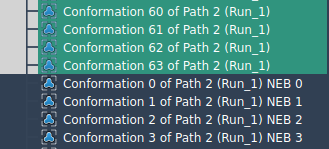
If you already have a predefined path, simply select it in the document view and click the Run button in the P-NEB app. After optimization, the refined path will be displayed in the document view for further analysis.

Optimizing Conformation Sets
When working with sets of conformations, you can optimize their transition by selecting the group in the document view and running the P-NEB app. Note that this process typically takes longer than optimizing a predefined path. To speed up workflows, you can first convert conformations into a path via Conformation > Create path from conformations.
Additional Resources
This tutorial just scratches the surface. To dive deeper and access step-by-step details, visit the full documentation at Optimize transition paths with the Parallel Nudged Elastic Band method.
SAMSON and all SAMSON Extensions are free for non-commercial use. You can download SAMSON at https://www.samson-connect.net.