



For molecular modelers, achieving stable and realistic 3D structures is a critical step before diving into simulations or detailed analyses. Geometry optimization serves this exact purpose, but the efficiency of the process can sometimes hinder productivity—especially when working with large molecular systems or complicated interaction models. This is where the FIRE Minimizer (Fast Inertial Relaxation Engine), available in SAMSON, becomes a valuable tool. It offers a more efficient alternative to traditional methods such as steepest descent.
What Makes the FIRE Minimizer Special?
The FIRE Minimizer stands out for its speed and flexibility when optimizing molecular structures. Unlike steepest descent, the FIRE algorithm excels in handling cases where collective or large-scale molecular motions are involved. This can significantly cut down on the time needed to reach energy minima, making it ideal for tasks such as:
- Pre-simulation cleanup of molecular systems.
- Fine-tuning molecular geometries during interactive modeling workflows.
- Working with assorted SAMSON interaction models for more complex systems.
How to Get Started with the FIRE Minimizer
Integrating the FIRE Minimizer into your molecular modeling workflow is straightforward. Here’s a quick-start guide:
Step 1: Install the FIRE Minimizer Extension
- Log into SAMSON Connect.
- Head to the FIRE Minimizer Extension page and click Add.
- Restart SAMSON to activate the extension.
Step 2: Load a Molecular System
Import your molecular system into SAMSON. The platform supports various input file formats like PDB and MOL2. If you’re new to SAMSON’s loading workflows, you can find a detailed guide here.
Step 3: Add a Simulator
To begin optimization:
- Navigate to Edit > Add Simulator.
- Select the interaction model suited for your molecular system.
- In the State Updaters list, choose FIRE.
Tip
New to simulators? Check out the Simulators Overview for more insights.
How Does FIRE Compare to Steepest Descent?
The FIRE algorithm outperforms steepest descent in many scenarios, particularly when potential energy changes are minor but structural adjustments (like large-scale atomic motions) are significant. It ensures faster convergence, which can save considerable time during long workflows.

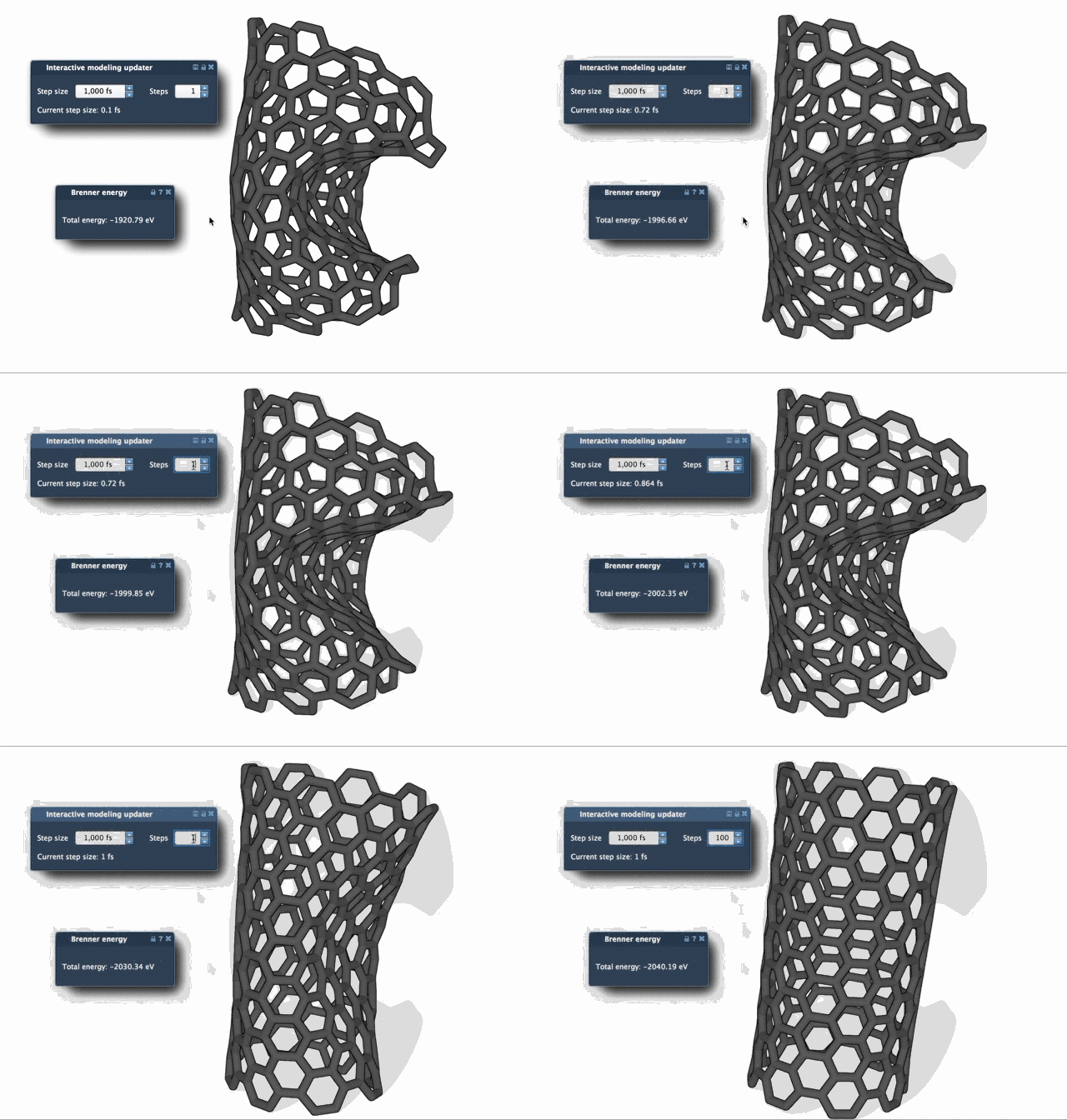
To better understand how these similarities play out visually, consider increasing the Steps parameter during the FIRE minimization process. This will make the progress of the optimization clearer by slowing down the viewport updates.
Optimize Your Workflow
The FIRE Minimizer can be effortlessly integrated into SAMSON-based workflows. For example, it’s used within the Molecular Restrainer Extension to optimize structures derived from experimental nuclear magnetic resonance (NMR) data.
Learn More
Make your molecular cleanup tasks faster and more efficient with the SAMSON FIRE Minimizer. To explore its settings in detail and learn other tips, visit the full documentation at https://documentation.samson-connect.net/tutorials/fire/ready-set-fire/.
SAMSON and all SAMSON Extensions are free for non-commercial use. Get SAMSON today at https://www.samson-connect.net.