



Molecular dynamics simulations reveal intricate details of molecular motion over time. However, understanding collective movements such as ligand unbinding or domain conformational changes can feel overwhelming when dealing with large datasets. Here’s an interesting solution for molecular modelers: SAMSON’s Pathlines visual model enables you to track the center-of-mass (COM) of selected atoms along predefined paths for intuitive and efficient visualization.
Make Molecular Motion Intuitive
With SAMSON’s Pathlines, you can visualize the trajectory of molecular components’ COMs, making it simpler to analyze ligand unbinding, protein domain shifts, or atomic diffusion patterns. This tool caters to computational-modeling pain points by enabling focused tracking of motion, helping researchers resolve complex questions quickly and effectively.
How It Works
Let’s dissect its workflow step-by-step:
Step 1 – Load a Sample System
Before exploring Pathlines, load the sample system. Specifically, you can download the structural model of Lactose permease (1PV7) and its ligand TDG, an example available through this link. This document incorporates pre-generated unbinding paths, ideal for practice and examination:

Step 2 – Select the Relevant Atoms
Using the Document view, choose the atoms or groups you’d like to analyze. You can opt for the entire system by keeping all atoms unselected. Similarly, by default, all paths within the document will be used unless certain ones are explicitly selected:

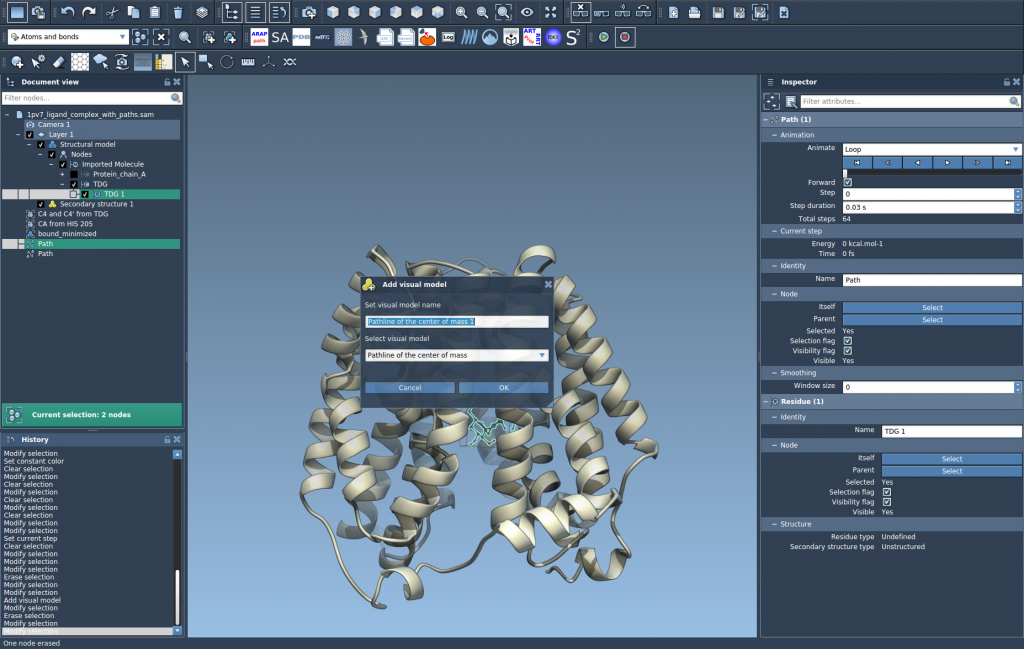
Step 3 – Create a Pathline Visual Model
With your selections done, navigate to Visualization > Visual model > More…, and in the appearing dialog, choose Pathline of the center of mass. Shortcut aficionados can use Ctrl / Cmd + Shift + V. Upon clicking OK, the COM motion for the target atoms along your path(s) appears as a visual pathline:
Step 4 – Explore and Customize
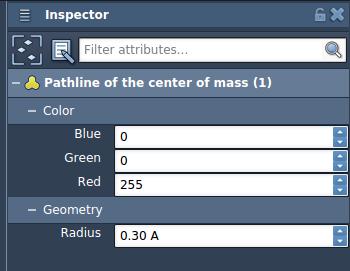
Pathlines are not static. You can explore paths by double-clicking them to play/stop. Adjust their visual attributes—like colors or thicknesses—using the Inspector (Ctrl/Cmd + 2). Right-click for additional contextual menu options. This customization ensures your data visualization aligns with the analysis goals.
Addressing Pain Points
Pathlines effectively reduce the computational noise typical in dynamic molecular analysis. Instead of overwhelming yourself with each atom’s trajectory, now observe key movement summaries and explore important biomolecular insights like diffusion or domain shifts.
Next Steps
When you’re ready to go beyond visualization, consider optimizing these trajectories using SAMSON’s complementary P-NEB (Parallel Nudged Elastic Band) app. This app allows you to refine transition paths for better simulation precision and energy-efficient pathways.
Start your exploration of Pathlines and molecular motion today by visiting the original documentation page: https://documentation.samson-connect.net/tutorials/pathlines/pathlines/.
Note: SAMSON and all SAMSON Extensions are free for non-commercial use. Learn more and download SAMSON at https://www.samson-connect.net.