



For molecular modelers, creating smooth and realistic transition paths between different protein conformations is often critical in applications such as conformational analysis, transition state modeling, and free energy simulations. However, constructing these paths manually can be time-consuming and computationally intensive. Enter the As-Rigid-As-Possible (ARAP) Interpolation, a practical and efficient tool available through SAMSON.
With ARAP Interpolation, building a continuous structural transition path takes only seconds and integrates seamlessly into various workflows. This blog post will walk you through creating these paths using the ARAP Interpolator extension in SAMSON while addressing potential roadblocks and best practices.
Why Consider ARAP Interpolation?
The ARAP Interpolator allows you to:
- Compute continuous transition paths in seconds.
- Visualize and export intermediate conformations for downstream analysis.
- Generate biologically meaningful reaction coordinates for simulations.
Here’s an example use case: visualizing the opening motion of the SARS-CoV-2 spike protein. By interpolating between the open and closed states, researchers gained valuable insights into the protein’s structural transitions, enabling targeted studies.
Step-by-Step: Generating a Transition Path
1. Load and Prepare Protein Structures
Start by loading the protein conformations into SAMSON:
- Navigate to Home > Fetch in SAMSON.
- Input PDB IDs, e.g.,
1DDT 1MDT, and click Load.
Both PDBs represent the Diphtheria Toxin. You’ll focus on chain A. To do so, delete chain B in 1MDT. Then proceed to Home > Prepare to clean the structures by removing residual water, ligands, and alternate locations.
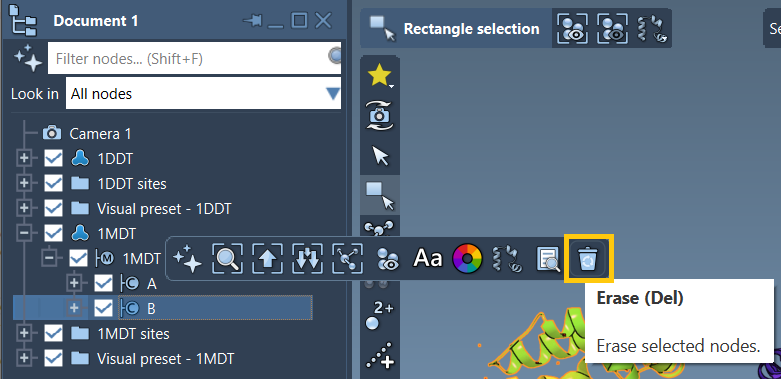
Once cleaned, your structures will represent the start and goal conformations.
2. Create Conformations
Make sure your cleaned structures are formalized as conformations:
- Select the first structure (e.g.,
1DDT) in the Document view. - Go to Edit > Conformation, then name it (e.g.,
1DDT A).
Do the same for the second structure (e.g., 1MDT). These conformations will now act as the interpolation start and goal points.
3. Run ARAP Interpolation
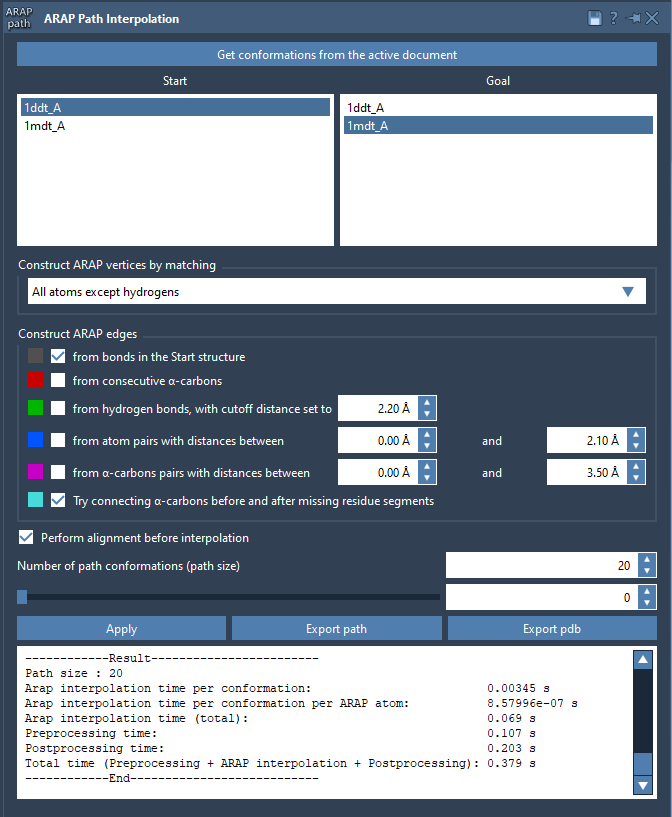
Open the ARAP Interpolation app under Home > Apps > Biology > ARAP Path Interpolation. Select your starting and goal conformations using Get conformations from active document.
To align the structures before interpolation, enable Perform alignment before interpolation. A recommended tip is to set the Number of path conformations to around 20 for granularity in your transitions.
For optimal results, use the following atom-matching settings:
- Matching Atoms: All except hydrogens.
- Construct ARAP edges: From bonds in the Start structure; Try connecting α-carbons before and after missing residue segments.
Once all settings are confirmed, click Run. The ARAP Interpolator calculates the transition path within moments, producing a series of intermediate conformations.
4. Analyze and Export Results
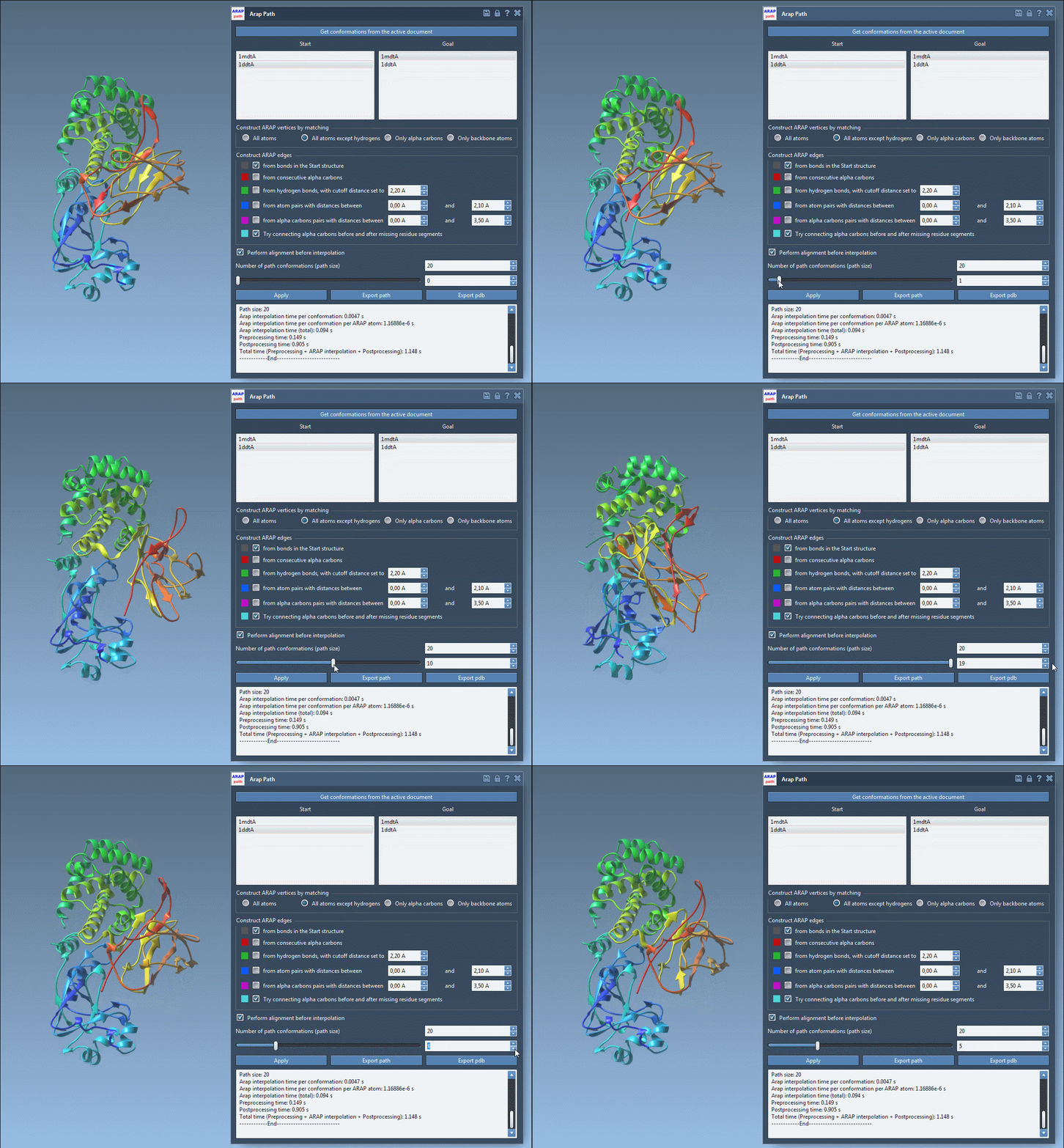
After computation, explore your transition path using the built-in slider to visualize intermediate conformations. The app also lets you toggle the visibility of ARAP edges. You can export the path in various formats, including a continuous trajectory object or PDB files for downstream workflows.
Here is a visual overview of ARAP results, illustrating dynamic changes along the path:
Troubleshooting Common Issues
If the app raises an error like “Cannot proceed because the structure does not make one connected component,” ensure both structures are properly prepared. Use the Home > Prepare tool to address connectivity issues by removing excess residues, alternate locations, and ions.
Final Thoughts
By using the ARAP Interpolator in SAMSON, molecular modelers can bypass the challenges of manually generating transition paths, saving significant time and effort. Whether it’s for visualizing molecular dynamics or preparing complex sampling workflows, ARAP Interpolation provides accuracy and efficiency.
Learn more by visiting the official documentation page.
SAMSON and all SAMSON Extensions are free for non-commercial use. You can download SAMSON at https://www.samson-connect.net.