



For molecular modelers handling large biological assemblies like protein complexes or viral capsids, identifying symmetry can be a game-changer. Symmetry accelerates workflows, reduces computational resources, and brings clarity to intricate structures. However, detecting and visualizing symmetry axes isn’t always straightforward. This is where SAMSON’s Symmetry Detection extension comes into play, offering a guided process to detect and utilize symmetry in biological assemblies.
Why Symmetry Matters in Molecular Modeling
Molecular symmetry is more than just an organizational feature—it’s a tool for efficient design and analysis. Symmetry can help:
- Identify functional interfaces: These often repeat across symmetric copies in assemblies.
- Validate experimental structures: Confirm whether a structure aligns with expected symmetry elements.
- Reduce computational costs: Focus simulations on the unique asymmetric unit rather than the entire structure.
- Guide molecular design: Use symmetry to design symmetric nanomaterials or improve protein engineering workflows.
How It Works: Quick Steps to Detect Symmetry
The Symmetry Detection extension in SAMSON makes it easy to uncover symmetry axes. You can start by opening your molecular structure (e.g., using the PDB codes 3NQ4, 1CHP, or 1B4B). Here’s a quick guide:
- Open SAMSON and load your desired biological assembly. If using a PDB file, ensure it includes biological assembly information based on the importer options.
- Navigate to Home > Apps > Biology > Symmetry Detection and launch the Symmetry Detection extension.
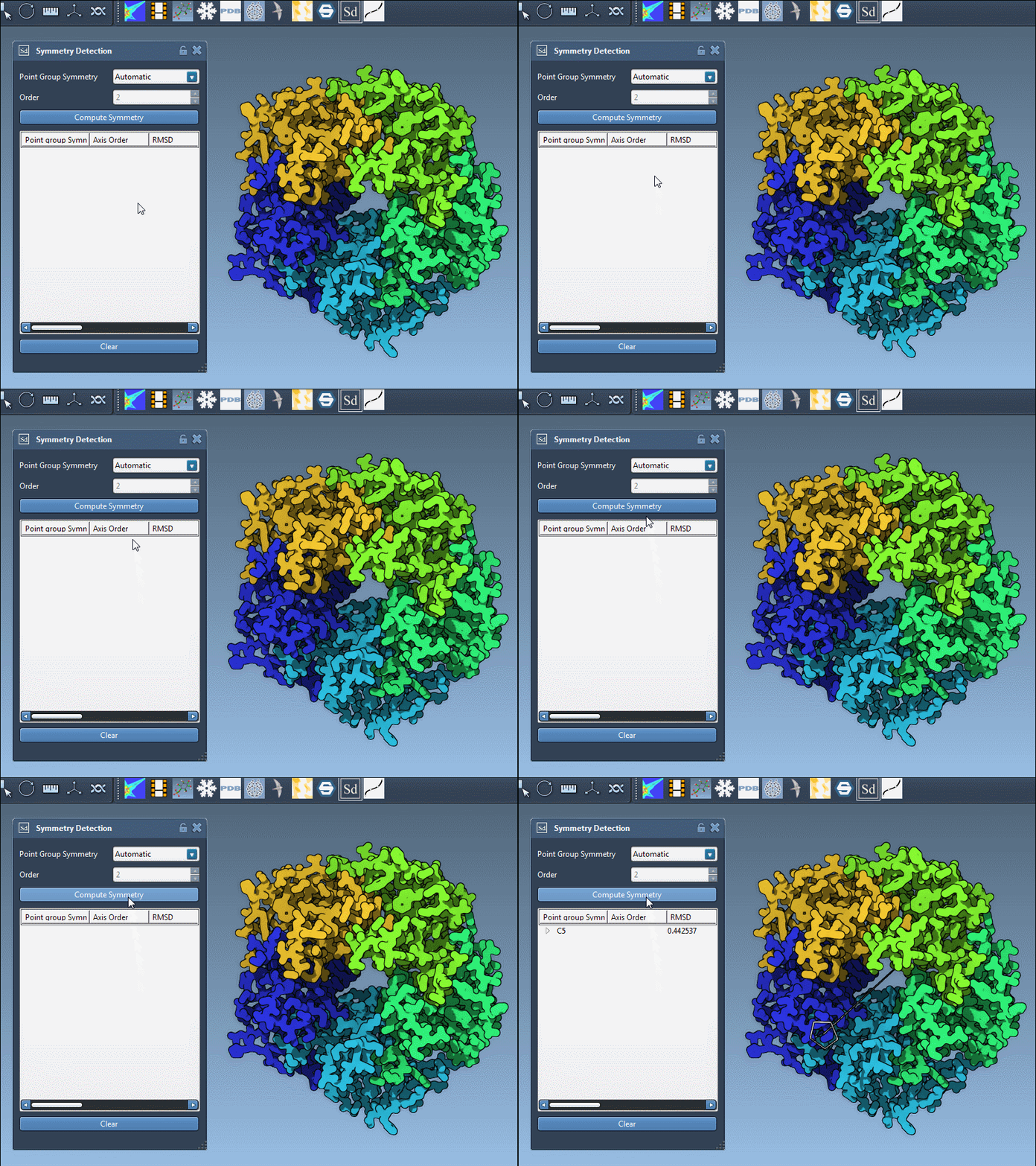
- Click on Compute symmetry. The extension will analyze the assembly and propose symmetry groups.
- Review the detected symmetry groups and highlight the axes of interest directly in the viewport for further inspection.
Exploring Detected Axes and Symmetry Types
The Symmetry Detection extension supports multiple symmetry types, classified into categories:
| Category | Supported symmetry types |
|---|---|
| Cyclic (Cn) | Any order (C2, C3, …) |
| Dihedral (Dn) | Any order (D2, D3, …) |
| Cubic | Tetrahedral, Octahedral, Icosahedral |
Note: In complex cases, the app may detect multiple symmetry groups simultaneously, offering flexibility in identifying the most relevant axes for your research.
Case Studies: Icosahedral Capsids and Large Complexes
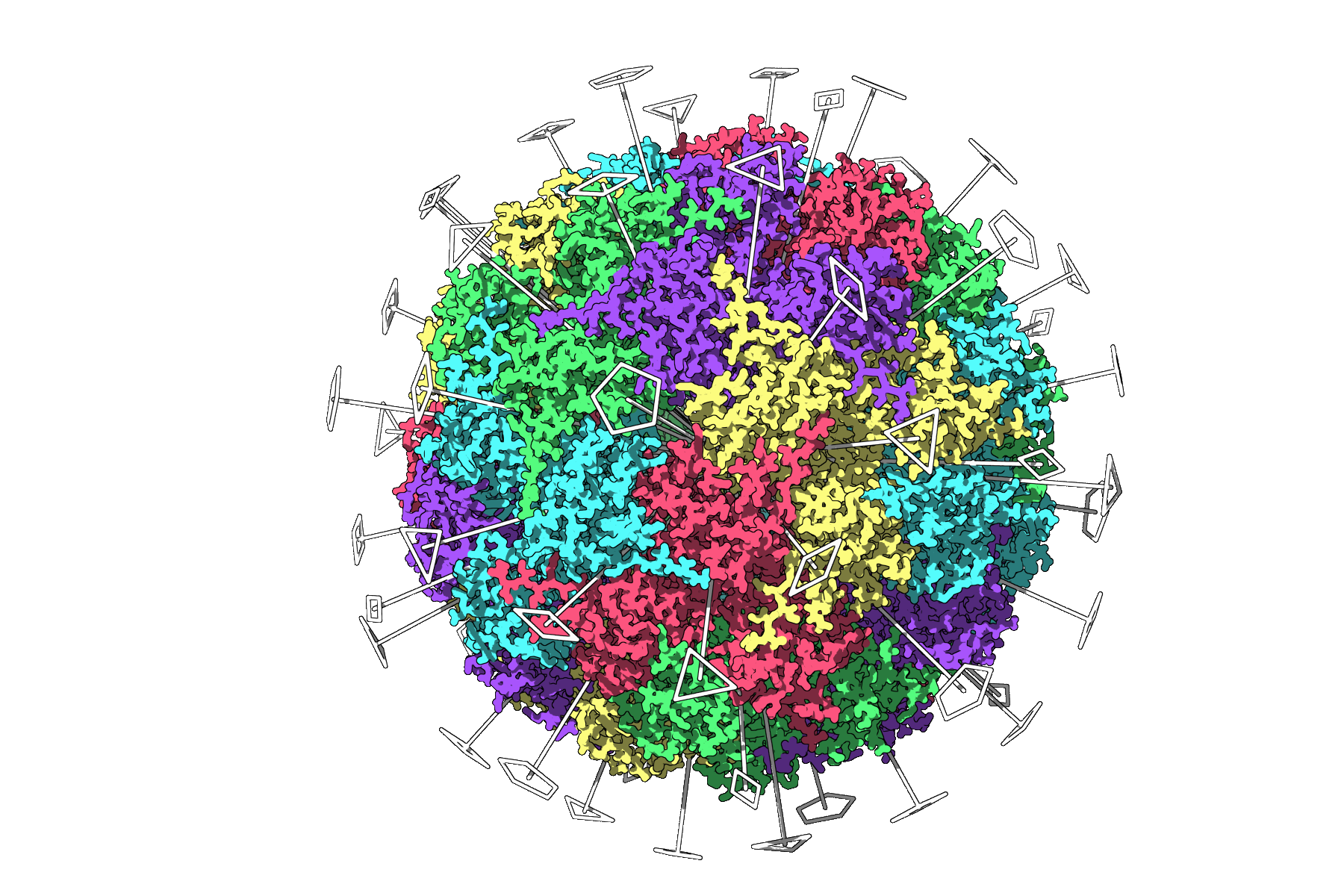
Example 1: Icosahedral Capsid (3NQ4)
The extension displays the full icosahedral symmetry of 3NQ4, including all 2-, 3-, and 5-fold axes. This visualization simplifies selecting a unique asymmetric unit for simulations, enabling faster and more efficient workflows.
Example 2: Large Assembly (1CHP)
For more complex systems like 1CHP, the extension proposes multiple plausible symmetry groups, providing options to fine-tune modeling and analysis.
Tips for Better Visualization
To extract the most insights from symmetry visualizations, consider the following tips:
- Use Ribbons or Surface models alongside symmetry axes for added structural clarity.
- Color asymmetric units differently (e.g., colorizing by chain) to highlight repeats and patterns.
- Take advantage of Viewport snapshots to create publication-ready images and presentations.
By leveraging these tools, you can customize your views and enhance the interpretability of results, no matter the complexity of your assembly.
Ready to Dive Deeper?
For a more comprehensive tutorial on detecting and working with symmetry in SAMSON, visit the original documentation at this link.
Note: SAMSON and all SAMSON Extensions are free for non-commercial use. You can download SAMSON at www.samson-connect.net.