



For molecular modelers exploring synthetic polymers, repetitive polymer sequences can often be a sticking point. SAMSON’s Polymer Builder offers a streamlined way to register these repeating patterns and incorporate them into your designs efficiently. Let’s take a deeper dive into this functionality, focusing on registering monomer sequences to solve this common challenge with precision and ease.
What is Sequence Registration and Why is it Essential?
When designing polymers, many consist of recurring sequence patterns of monomer units. Without a proper strategy, manually creating these sequences can be both tedious and error-prone. SAMSON’s Polymer Builder addresses this by allowing you to register such patterns as reusable sequences, saving time and adding flexibility to the design process.
How to Register Sequences
To register a new sequence in Polymer Builder, follow these simple steps:
- Start by clicking on Add new sequence.
- Input your sequence using the unique IDs of registered monomers in the desired order. For instance,
ABBAcreates a sequence consisting of monomerA,B,B, andA.
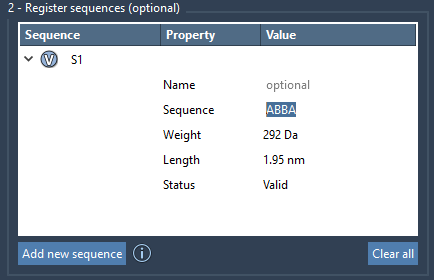
The V button linked to the sequence highlights the corresponding monomers in the table, allowing you to visualize and verify your entry.
Validation and Error Checking
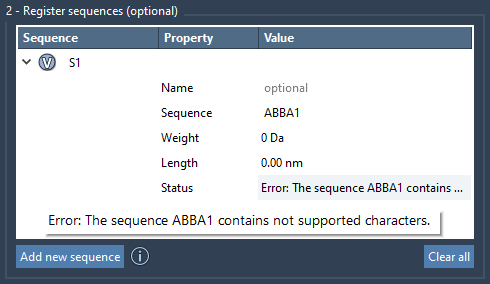
To ensure seamless connectivity, the Polymer Builder offers real-time error checking for sequences. If your sequence contains any mistakes, an error message will appear in the Status column. When all is as it should be, the status changes to Valid, giving you the green light to proceed.
Customizing Bonds Between Monomers
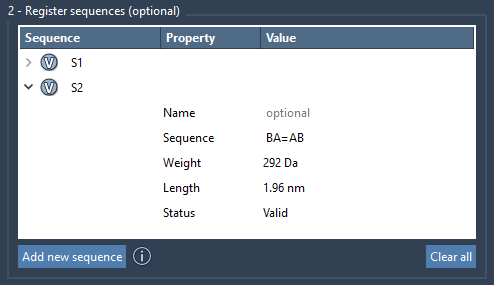
By default, sequences are created with single bonds between monomers. However, customizing bond types is easy. Use the following syntax to indicate your preference:
=for double bonds (e.g.,A=B).#for triple bonds (e.g.,A#B).
For example, A=B connects monomer A to B using a double bond, and A#B connects them with a triple bond. This flexibility enables more advanced polymer designs.
Automatic Labeling and Properties
Each sequence receives a unique identifier, such as S1 or S2, allowing you to refer back to them during polymer generation. Additionally, Polymer Builder calculates approximate molecular weights and lengths for each sequence, providing insight into the resulting polymer’s attributes.
Modify or Remove Sequences
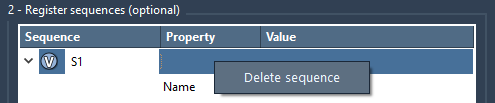
The flexibility of the Polymer Builder lies in its editable sequence table. You can modify registered sequences directly in the table by adjusting their names or their monomer order. If a sequence is no longer needed, simply right-click on the entry and select Delete sequence. To start fresh, you can also clear the entire table by clicking Clear all.
Ready to Build?
With your sequences registered, you’re primed to move forward and integrate these elements into custom-designed polymers. This structured, easy-to-follow process not only eliminates repetition but also enables tailored construction to meet specific design needs.
To learn more, visit the full documentation on the Polymer Builder at this link.
Note: SAMSON and all SAMSON Extensions are free for non-commercial use. Get started now by downloading SAMSON at https://www.samson-connect.net.