



As a molecular modeler, you know that optimizing molecular geometries is a critical step in simulations and molecular design. Achieving stable and realistic structures is paramount, but finding the right tool for this task can be a challenge, especially when working with large-scale molecular systems or motions. Enter the FIRE (Fast Inertial Relaxation Engine) Minimizer, a fast and efficient algorithm specifically designed to handle these challenges.
What Makes FIRE Stand Out?
The FIRE Minimizer is celebrated for its performance, particularly when optimizing systems involving significant collective molecular motions. Compared to the traditional steepest descent algorithm, FIRE converges faster, making it ideal for pre-simulation cleanup and structural relaxation. Here are a few key benefits:
- Faster processing: The FIRE algorithm outpaces steepest descent, especially when large-scale motions are involved.
- Broad compatibility: Works with any SAMSON interaction model.
- Efficiency: Tailored for pre-simulation structure cleanup and interactive molecular modeling workflows.
Optimizing with FIRE in SAMSON
Using the FIRE Minimizer in SAMSON is straightforward. Follow these steps to start optimizing your molecular systems efficiently:
Step 1 – Load Your Molecular System
Begin by loading a molecular system into SAMSON. Supported file formats include PDB, MOL2, among others. If you are unsure of the process, check out the Loading Molecules Guide.
Step 2 – Add a Simulator
Setting up the simulator is the next crucial step. From the SAMSON menu, select Edit > Add Simulator. Choose the interaction model that suits your project, and simply activate the FIRE Minimizer by selecting it from the State Updaters list. For more guidance, consult the Simulators Overview.
Step 3 – Fine-tune FIRE Settings
To get the best results, customize the FIRE Minimizer settings according to your needs. Parameters like Step size, Steps, and Fixed options can be adjusted to achieve optimal performance. For example:
- Step size: Defines the initial integration step for minimization.
- Steps: Determines the number of FIRE steps between updates to the viewport.
- Fixed: Allows maintaining a constant step size if needed.
FIRE vs. Steepest Descent
FIRE significantly outperforms steepest descent in scenarios where geometry evolves considerably despite relatively small changes in potential energy. Here’s a comparison:
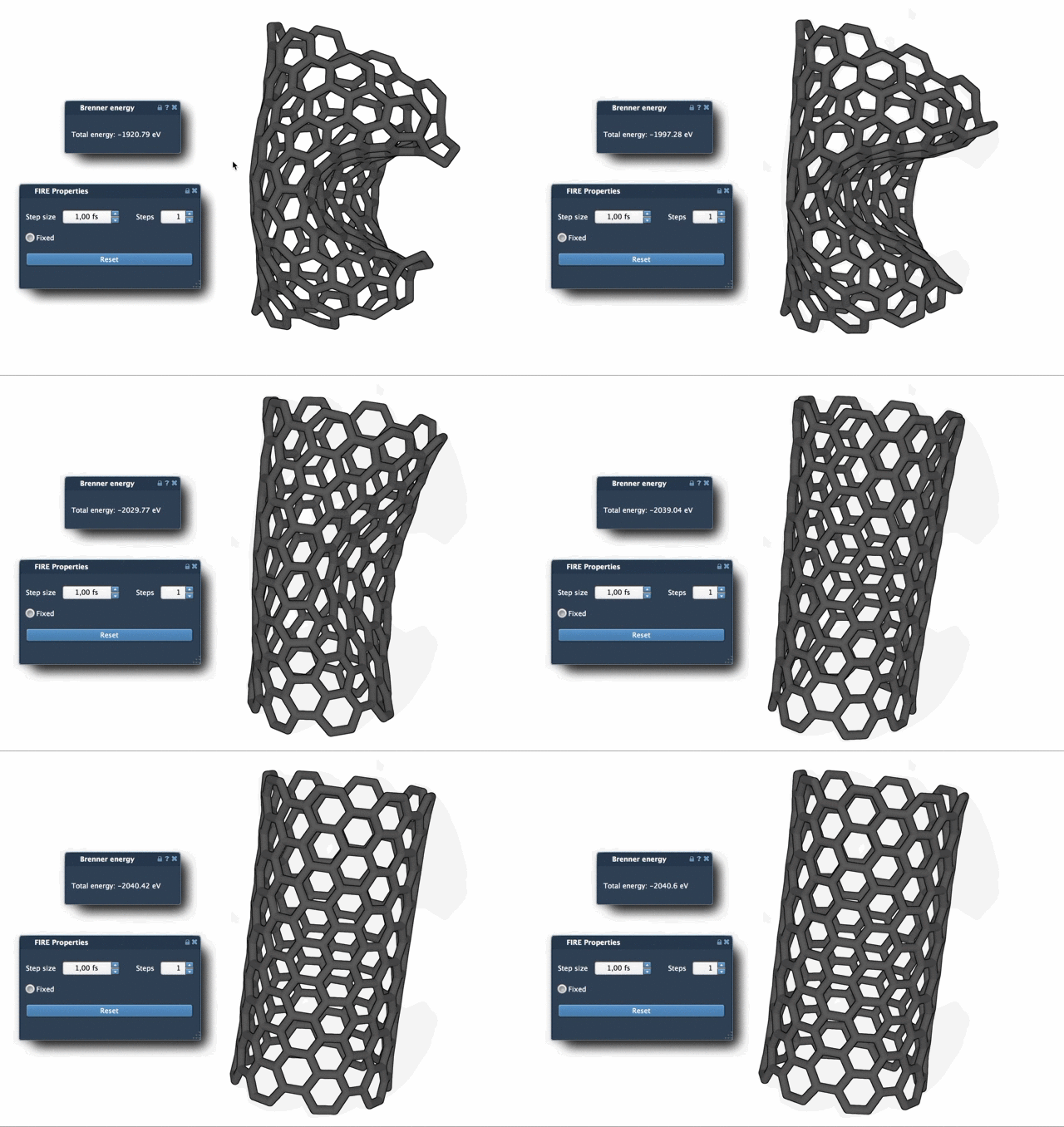
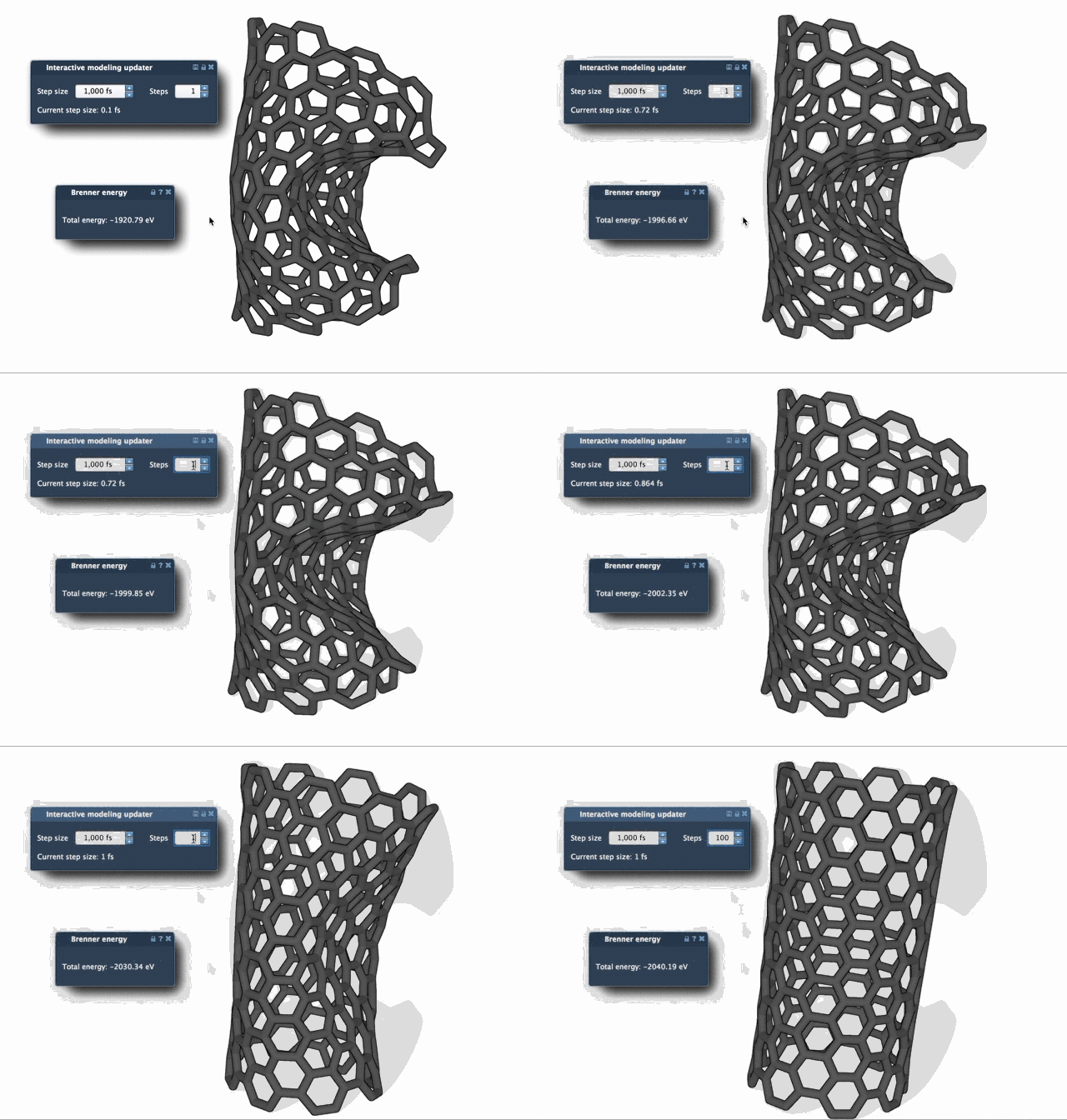
Notice how the FIRE algorithm achieves convergence with far fewer steps, especially for large-scale changes. To better visualize the progress during optimization, consider increasing the Steps value for more distinct updates during the process.
Start Optimizing Molecular Systems Today
Integrating the FIRE Minimizer into your SAMSON workflows for tasks like molecular simulations or structural refinement is a decision that can save time and provide precise results. Learn more about how to use it and customize settings in the detailed documentation at https://documentation.samson-connect.net/tutorials/fire/ready-set-fire/.
SAMSON and all SAMSON Extensions are free for non-commercial use. Get started with SAMSON today by downloading it from SAMSON Connect.