



Molecular modelers often face the challenge of smoothly editing molecular topologies while ensuring simulations remain physically meaningful. For instance, breaking or creating bonds, changing bond orders, or adjusting atom typization can cause significant disruptions in a traditional modeling workflow. This can be time-consuming and lead to inconsistency when trying to achieve accurate representations. The Interactive Modeling Universal Force Field (IM-UFF) in SAMSON provides an elegant solution, allowing for seamless topology changes during interactive molecular editing. Here’s how IM-UFF can help you tackle this issue efficiently.
The Power of IM-UFF
The IM-UFF interaction model extends the Universal Force Field (UFF) by enabling on-the-fly updates to molecular topology during simulations. Unlike the static UFF, which assumes fixed connections and bond orders, IM-UFF allows for the dynamic creation and breaking of bonds. This is particularly useful for tasks such as modeling reaction mechanisms or constructing and customizing molecular systems step-by-step.
IM-UFF is driven by interatomic forces and physics-based simulations, which guide the system during editing. Atoms can be moved with precision, and the system adapts continuously by updating bonds and other topological elements, reflecting current atomic arrangements.
Getting Started with IM-UFF
To begin using IM-UFF in SAMSON:
- Add the IM-UFF extension from SAMSON’s extension library.
- Open a molecular system you want to edit interactively.
- Go to
Edit > Simulate > Add simulator, or use the shortcut Ctrl+Shift+M (Cmd for macOS). - Select IM-UFF as your interaction model and configure your preferred state updater (e.g., FIRE for geometry optimization).
- Disable the “Static topology” option and start your simulation by clicking Edit > Simulate > Start.
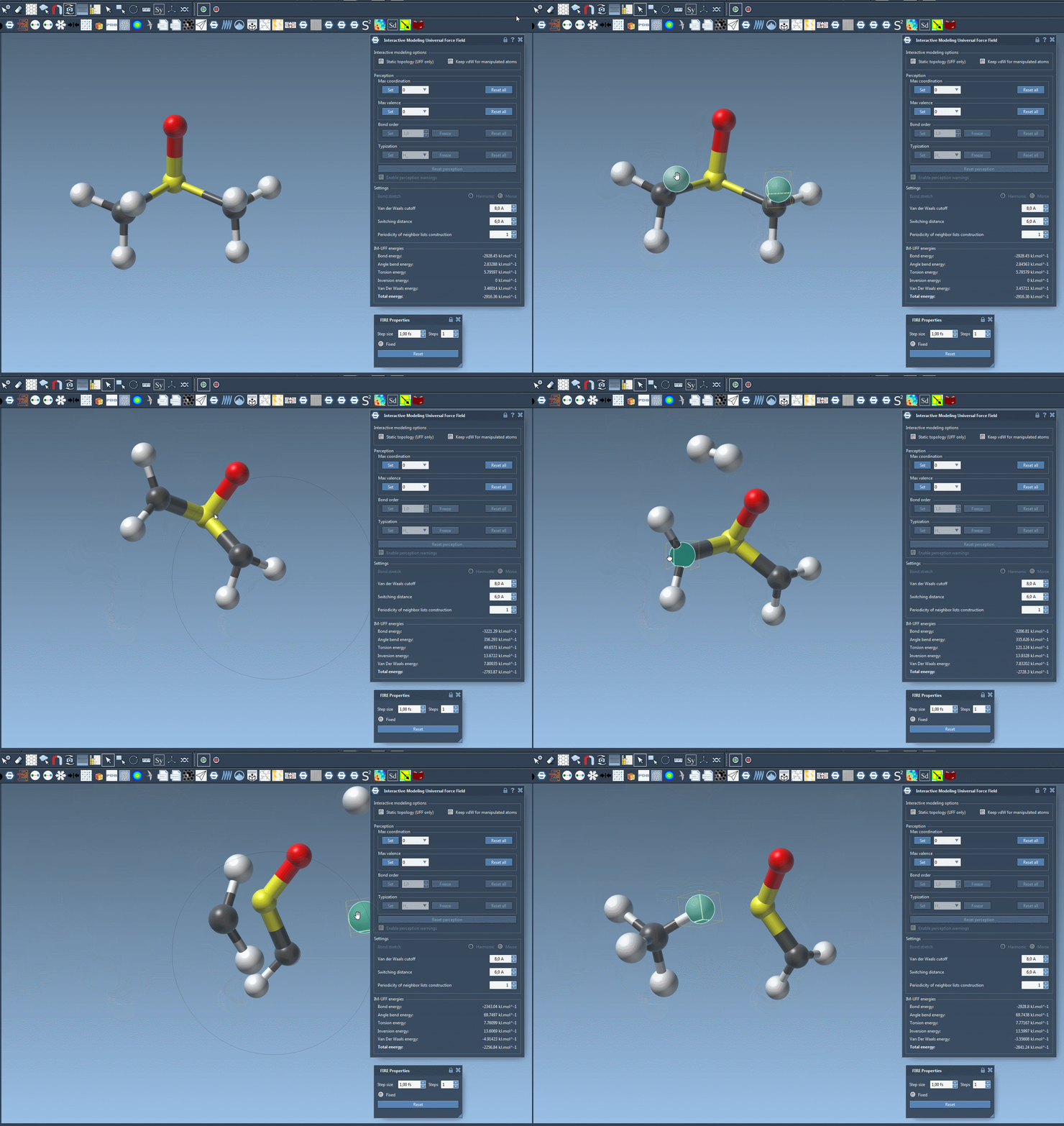
Once the simulation starts, you can manipulate atoms interactively. For small adjustments, the system preserves the existing topology, but larger displacements may cause bonds to break and form automatically, ensuring the system remains physically valid.
Customizing Topology Behavior
While the default settings of IM-UFF provide smooth transitions in topology, you can further refine its behavior:
- Static topology: This option, when activated, reverts to standard UFF behavior. If unchecked, topologies adjust dynamically during modeling.
- Keep vdW for manipulated: This option determines whether van der Waals (vdW) forces for manipulated atoms are considered. Deactivating it might make manual adjustments easier by ignoring repulsive vdW interactions for atoms being moved.
With these options, you can control how IM-UFF handles topological changes and the forces acting on your system. Moreover, IM-UFF accommodates parameters such as van der Waals cutoffs, neighbors list periodicity, and more, ensuring flexibility in customizing simulations.
Conclusion
The IM-UFF interaction model is a powerful tool for molecular modelers, addressing the pain of managing molecular topology changes during simulation. By providing real-time updates and allowing customized settings, IM-UFF makes editing and developing molecular systems easier and more reliable.
If you’re ready to dive deeper into interactive molecular modeling with IM-UFF, visit the official documentation.
Note: SAMSON and all SAMSON Extensions are free for non-commercial use. You can download SAMSON at SAMSON Connect.