



For molecular modelers, reconstructing biological assemblies and crystal structures often feels like a painstaking challenge. Dive into PDB files, manually identify symmetry relationships, and somehow recreate a structural representation—it's a process far easier said than done. If you've ever wished for a quicker and more intuitive way, the Symmetry Mate Editor in SAMSON is here to help.
Simplifying Symmetry Generation
The Symmetry Mate Editor extension enables users to generate symmetric replicas of proteins directly from PDB files with symmetry metadata. By accessing these symmetry transformations, you can reconstruct how proteins are organized within crystal structures and biological assemblies. This functionality is particularly useful for workflows involving quaternary structure modeling, protein design, and molecular dynamics simulations.
Opening the Symmetry Mate Editor
Once you've installed the extension (via Symmetry Mate Editor), you can activate it seamlessly:
- Use the Find everything bar: Press Shift+E and type "Symmetry Mate Editor."
- Navigate through the editors menu: Left-side viewport menu … > General > Symmetry Mate Editor.
Upon activation, control nodes appear in the SAMSON viewport, revealing symmetry transformation options for your structure, whether they come from **CRYST1 records** or **BIOMT biological assembly data**.
Interactive Workflow for Symmetry Generation
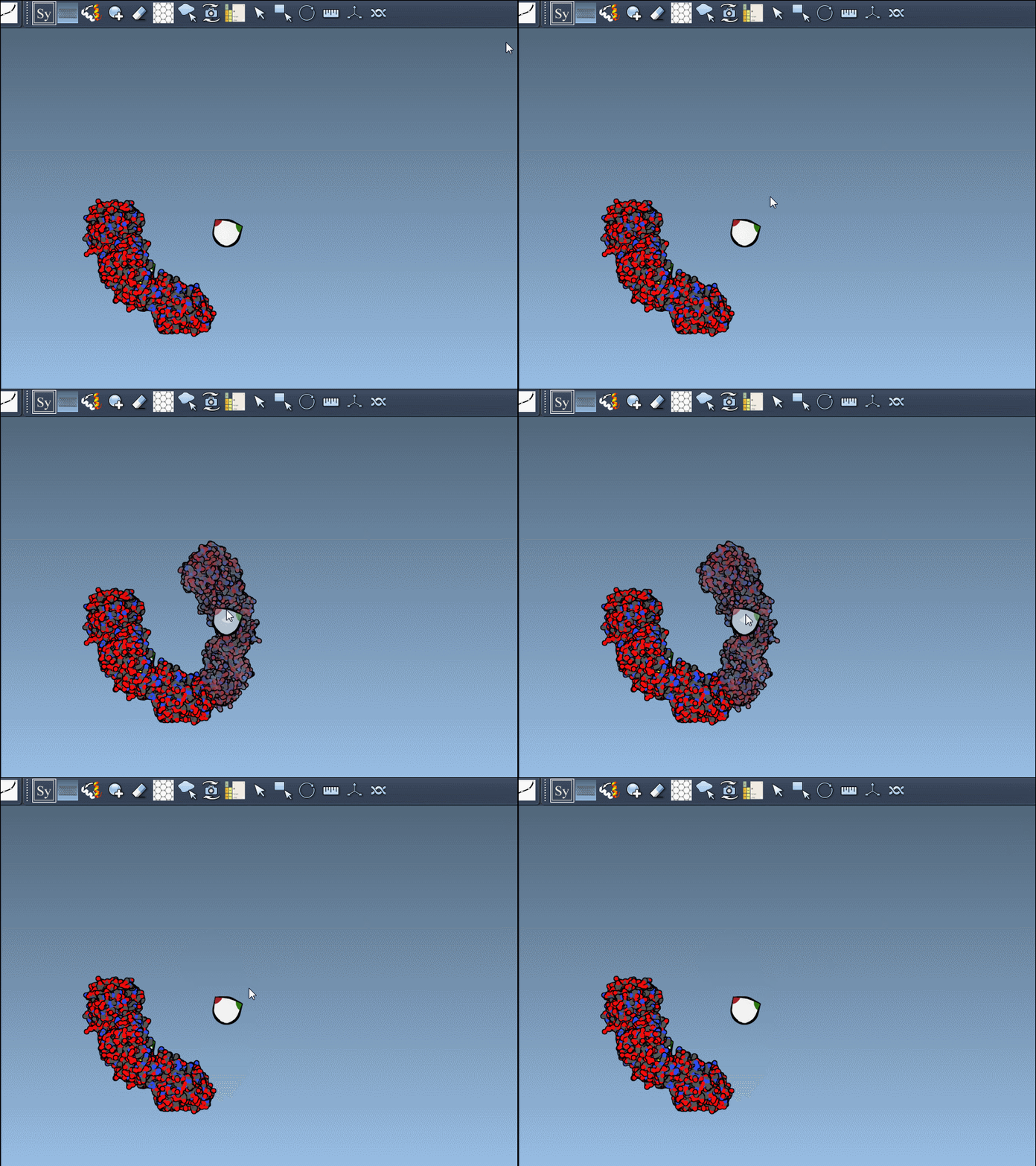
To generate symmetric replicas, hover over control nodes. If you'd like to preview replicas in real time, simply hover above specific nodes. SAMSON dynamically displays potential symmetry mates, helping you visualize biological assemblies before finalizing.
Click the node to permanently generate a replica and repeat the process for a complete structure reconstruction. You can also scale the number of visible control nodes by holding Ctrl/Cmd and using your mouse wheel. Need to undo a mistake? Press Ctrl/Cmd + Z to remove unwanted replicas.
Advanced Capability: Generating All Replicas at Once
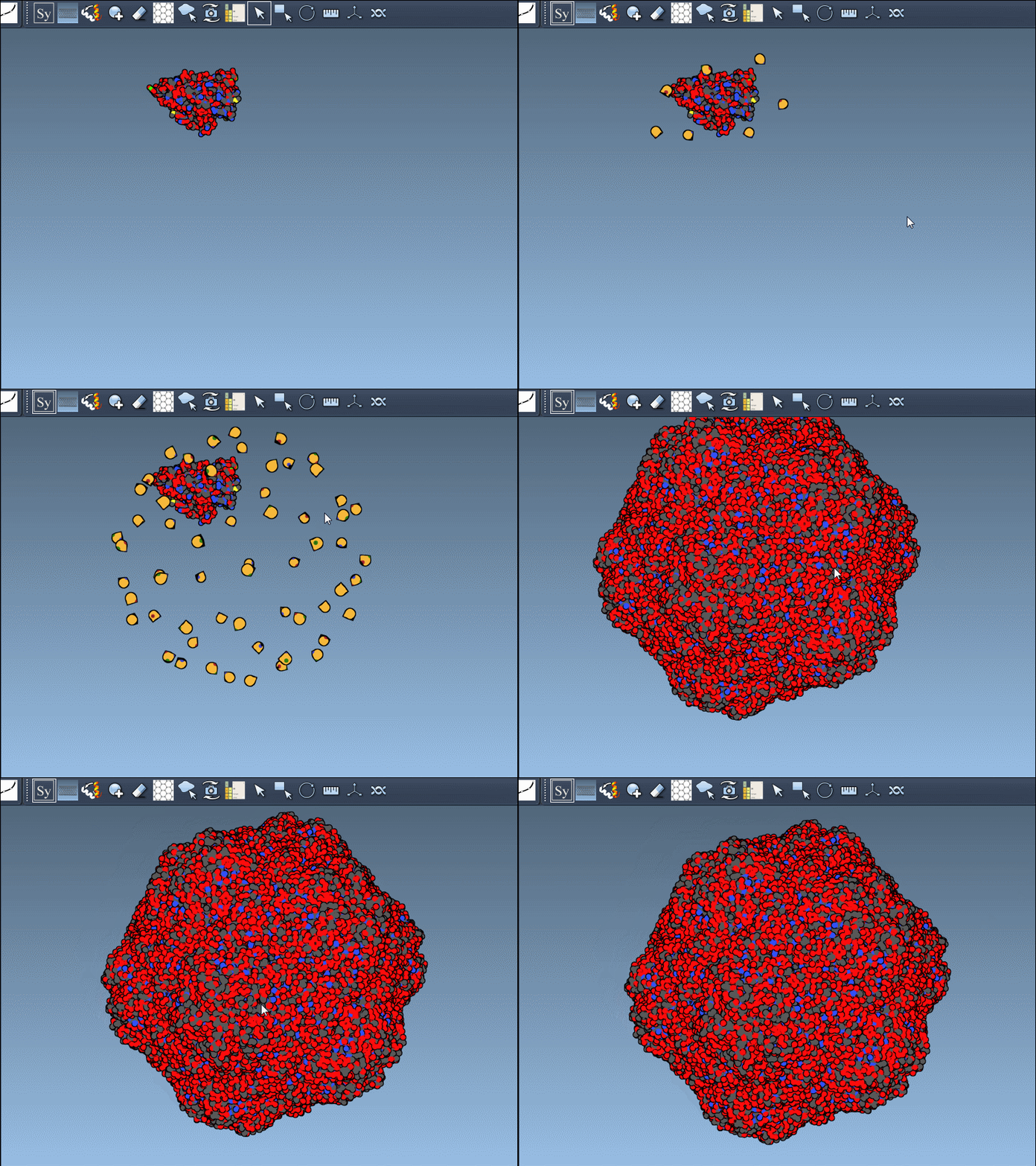
Speed up your workflow and generate all replicas simultaneously by holding down Ctrl (or Cmd on macOS) before interacting with a control node. This method is useful if your goal is a full assembly reconstruction.
CRYST1 vs. BIOMT: Which One to Use?
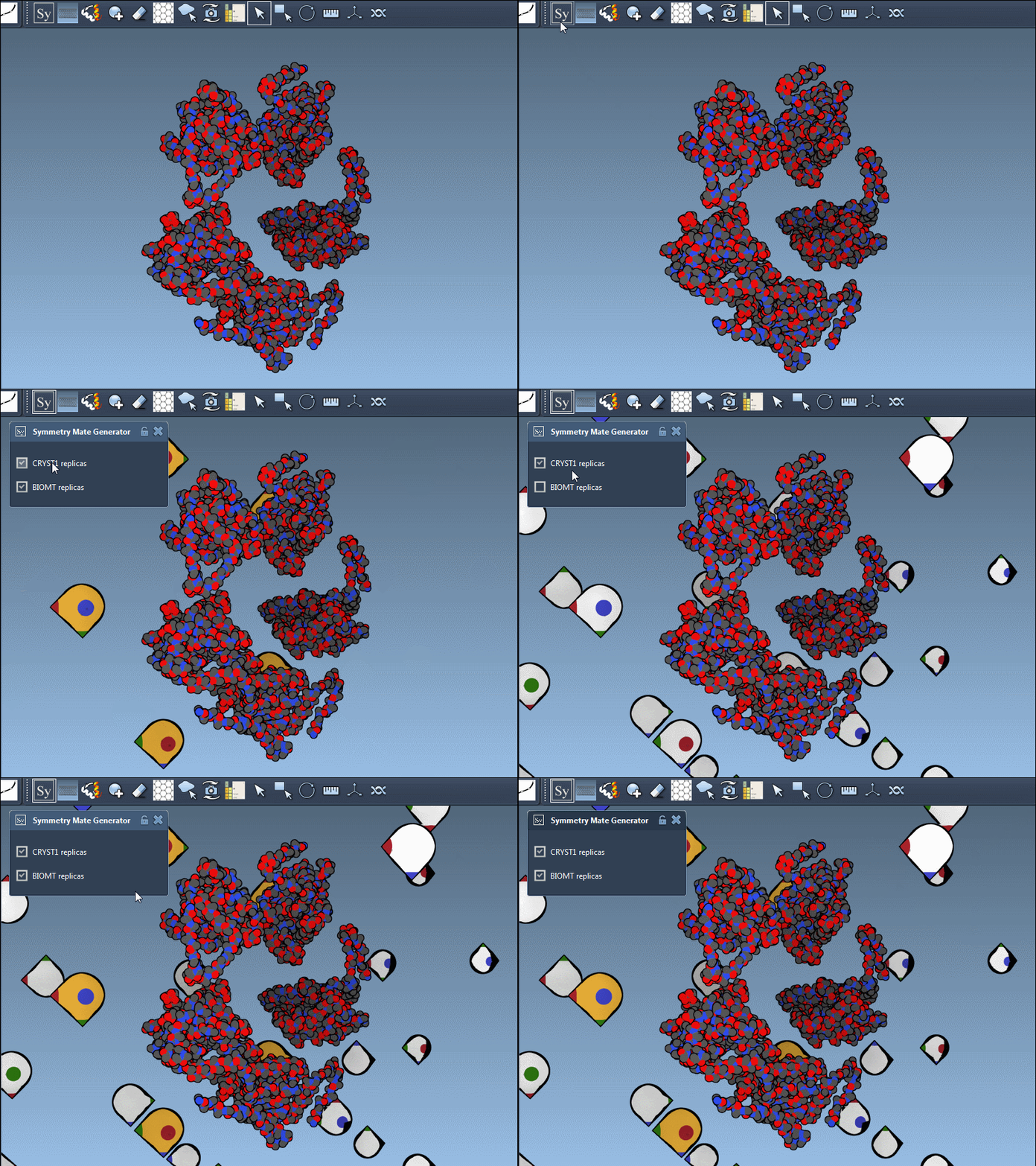
The Symmetry Mate Editor supports symmetry derived from both CRYST1 and BIOMT records:
| Record type | Description | Widget color |
|---|---|---|
| CRYST1 | Symmetry from crystal lattice | White |
| BIOMT | Symmetry from biological assembly annotations | Yellow |
Switch between these options seamlessly in the editor. A quick example with the PDB structure 1B5S demonstrates the difference below:
Why Symmetry Matters
The power of reconstructing symmetry mates extends far beyond visualization. Symmetry plays a critical role in molecular design, enabling professionals to:
- Analyze protein-protein interfaces and their binding sites.
- Recreate quaternary structures for realistic molecular simulations.
- Design symmetric assemblies, such as protein cages or scaffolds.
These features make the Symmetry Mate Editor a vital tool for anyone working on nanostructures and biological assembly processes.
Learn and Explore Further
The Symmetry Mate Editor is a game-changer for protein modeling, with its interactive control, real-time previews, and batch generation options. Whether you're exploring symmetry in biological assemblies or designing intricate protein complexes, this tool saves time and adds precision to your workflow.
For more details, visit the official documentation here.
SAMSON and all SAMSON Extensions are free for non-commercial use. Download SAMSON from here.