



Molecular modelers often face the challenge of exploring structural analogs of a molecule to analyze its properties, improve molecular docking studies, or evaluate potential interactions with a target protein. Instead of manually editing molecules to generate analogs, wouldn’t it be nice to have a streamlined workflow that automates this process? SAMSON’s SMILES Manager offers a solution with its Positional Analogue Scanning mode, helping users easily create an analogue series starting from one molecule.
What Is Positional Analogue Scanning?
Positional analogue scanning is a workflow that allows you to take a single molecule structure, define a pattern (such as an atom or group of atoms), and generate analogs by replacing or attaching new substituents to the defined pattern. This approach is essential for exploring substitutions, comparing analogue properties, or preparing optimized structures for docking experiments and interaction studies.
Getting Started
To use this feature, ensure the SMILES Manager extension is installed in your SAMSON environment. Once installed, switch to the Positional Analogue Scanning tab within the tool. From here, follow these key steps:
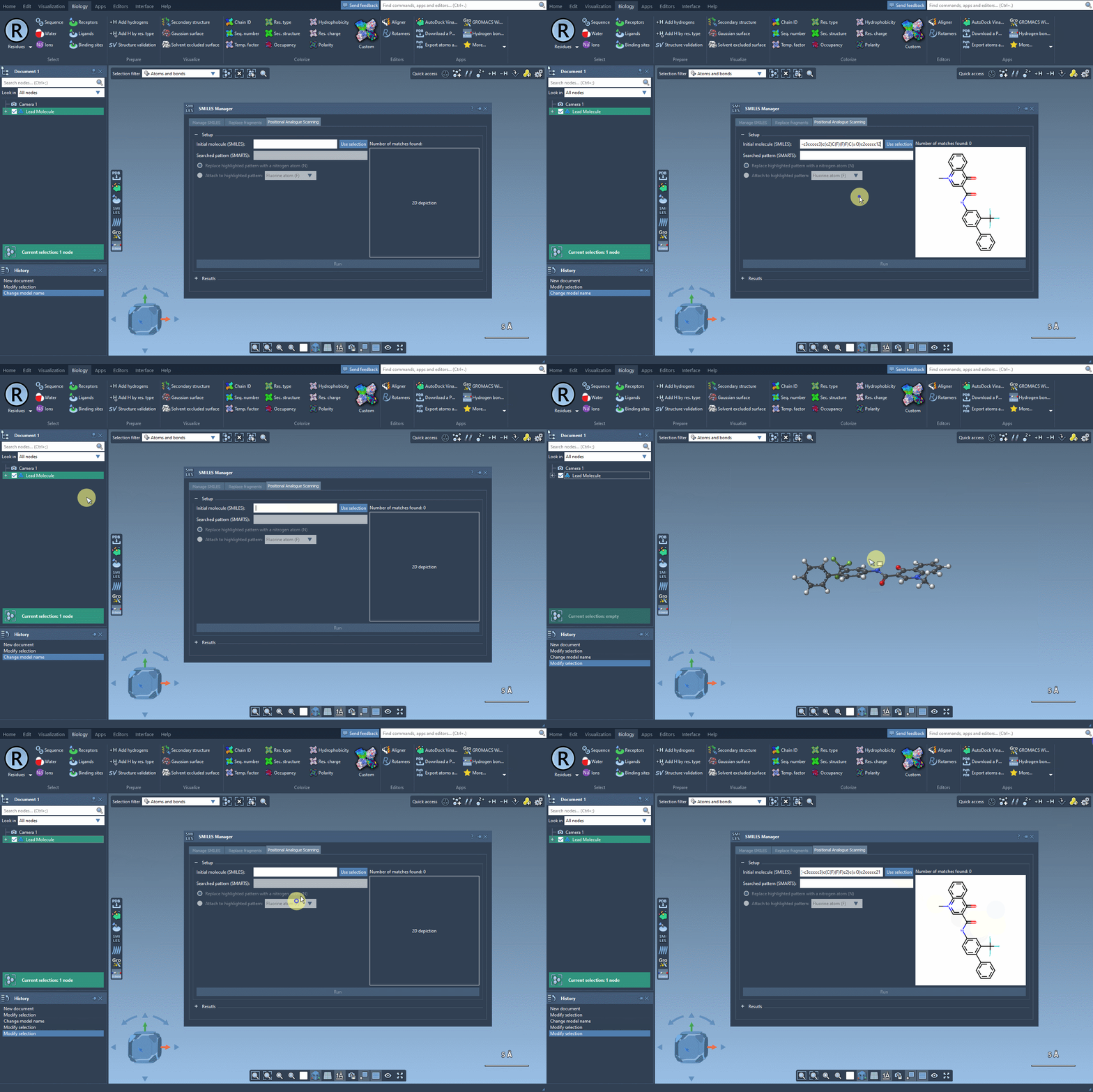
Step 1: Provide a Starting Molecule
You can input the SMILES string of your molecule directly or select a molecule from the SAMSON workspace and click the Use selection button. This initializes the structure and sets it as the base for your analogue series. The process is visually shown below:
Step 2: Define a Pattern
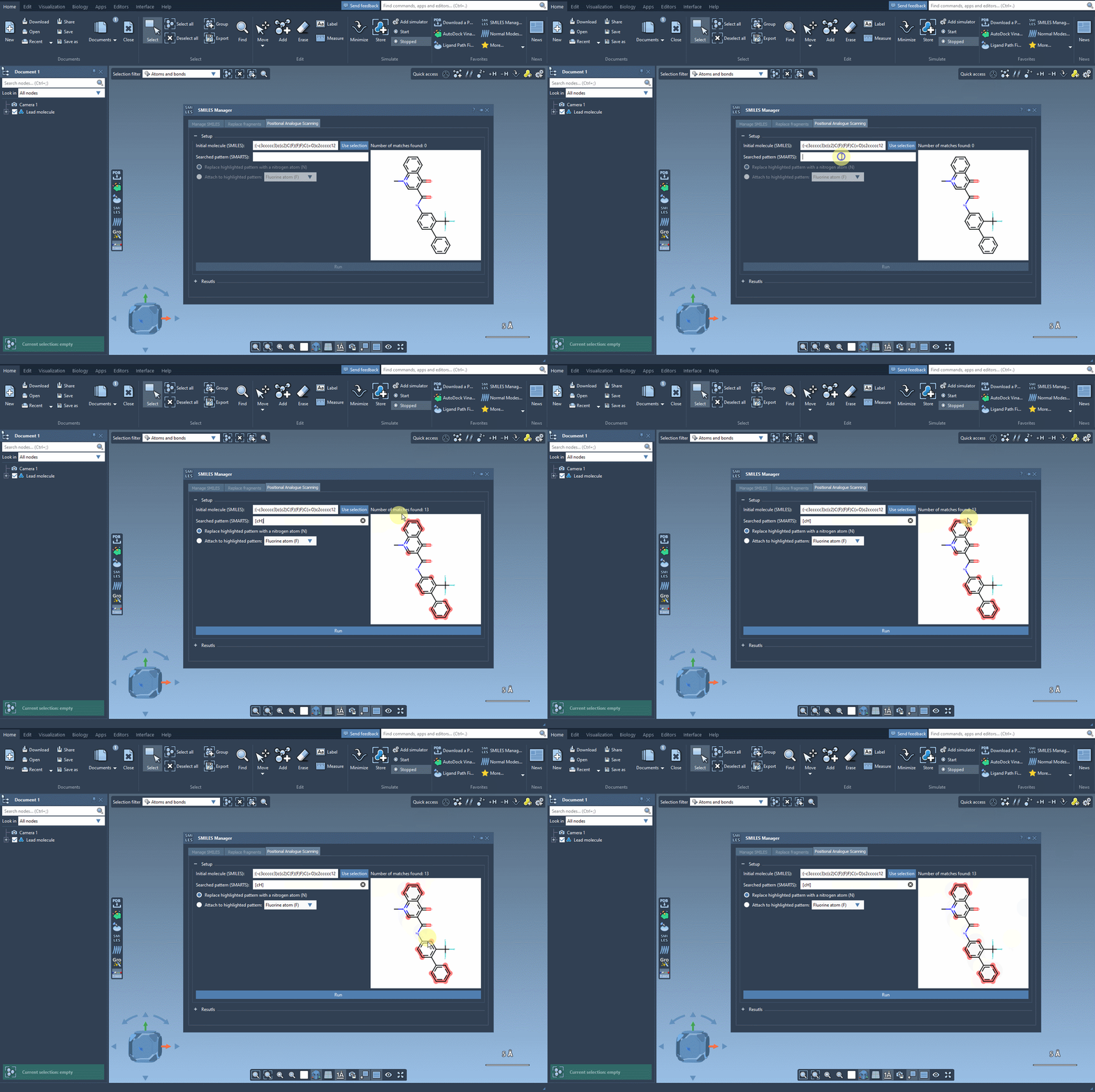
The next step is to search for the pattern in your molecule that you wish to modify. This is done by entering a SMARTS pattern. For instance, if you want to replace aromatic carbons, you can input the code [cH]. The selected pattern matches are highlighted in the structure, helping you visually confirm their locations:
Step 3: Replace or Attach
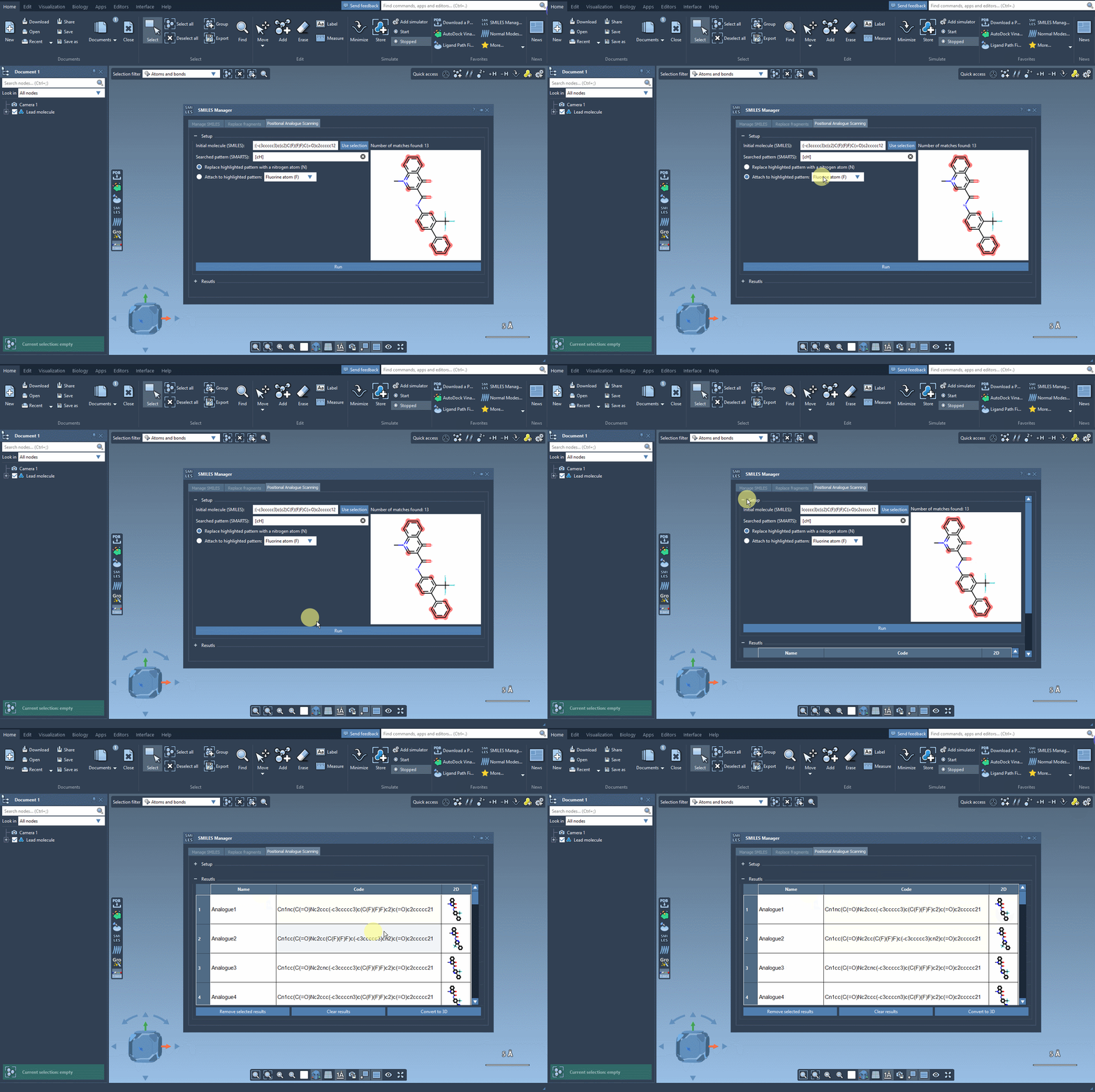
Once you have identified your pattern, you can choose to replace it with an atom like nitrogen (N), attach a group like fluorine (F), or experiment with other modifications. Select your desired substituents and hit Run. Instantly, the SMILES Manager generates and displays analogs’ SMILES codes and 2D depictions:
Fine-Tuning the Results
The results table offers flexible modification options, allowing you to:
- Rename analogs or edit their SMILES codes by double-clicking in the table.
- Open or hide 2D depictions with a simple click.
- Generate a 3D structure for any selected analogue.
- Filter results by removing specific analogues or clearing the entire table.
These options make it easy to manage and refine the analogs for further analysis, ensuring the workflow adapts to specific modeling goals.
Convert Analogues to 3D Structures
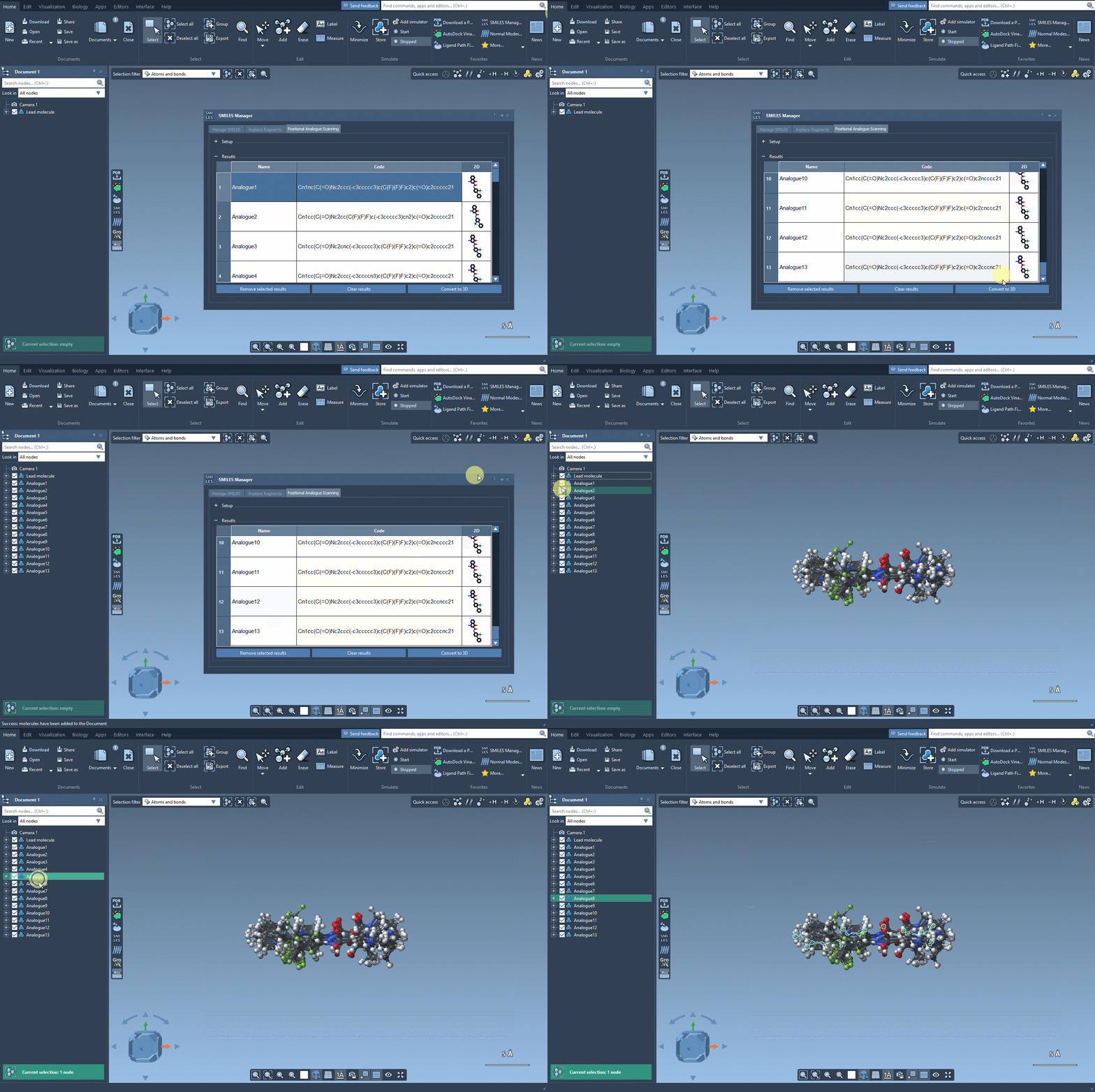
Ready to move beyond the 2D analogues? Use the Convert to 3D button to generate 3D structures. These 3D models can then be further analyzed or subjected to docking experiments to evaluate key molecular interactions:
How This Solves a Modeler’s Pain
This automated workflow significantly saves time compared to manual modifications. Quickly generating and fine-tuning a series of analogs can be crucial when exploring chemical diversity or optimizing a lead compound. Moreover, integrating these features with SAMSON’s other extensions, such as docking tools like AutoDock Vina Extended, ensures a seamless design and discovery pipeline.
Learn More
Ready to dive deeper into positional analogue scanning? Check out the comprehensive documentation here.
Note: SAMSON and all SAMSON Extensions are free for non-commercial use. Get started today by downloading SAMSON from here.