



One of the key challenges in molecular modeling and drug design is efficiently exploring structural variations of a molecule to identify modifications that improve desired properties. This is often an iterative and time-consuming process, requiring trial and error to find optimal candidates. Enter positional analogue scanning, a feature in SAMSON’s SMILES Manager, designed to simplify and accelerate this task directly within the SAMSON platform.
If you’re new to positional analogue scanning, this method involves making systematic substitutions or attachments at specific positions on a given molecule. It allows researchers to rapidly generate analogues and compare their properties, saving valuable time in the molecule design workflow.
Why Positional Analogue Scanning Matters
Imagine you’re working on a lead compound and want to examine how substituting an aromatic carbon with different functional groups affects binding affinity to a target protein. Traditional approaches often require significant manual effort, especially if you are working with a single 2D molecule as your starting point. With SAMSON’s positional analogue scanning feature, you can quickly define the positions of interest, make replacements, and generate an entire series of analogues—complete with SMILES codes and 2D depictions—within seconds.
Breaking Down the Workflow
The step-by-step workflow is straightforward enough for both novice and advanced molecular modelers:
1. Start from a Single Molecule
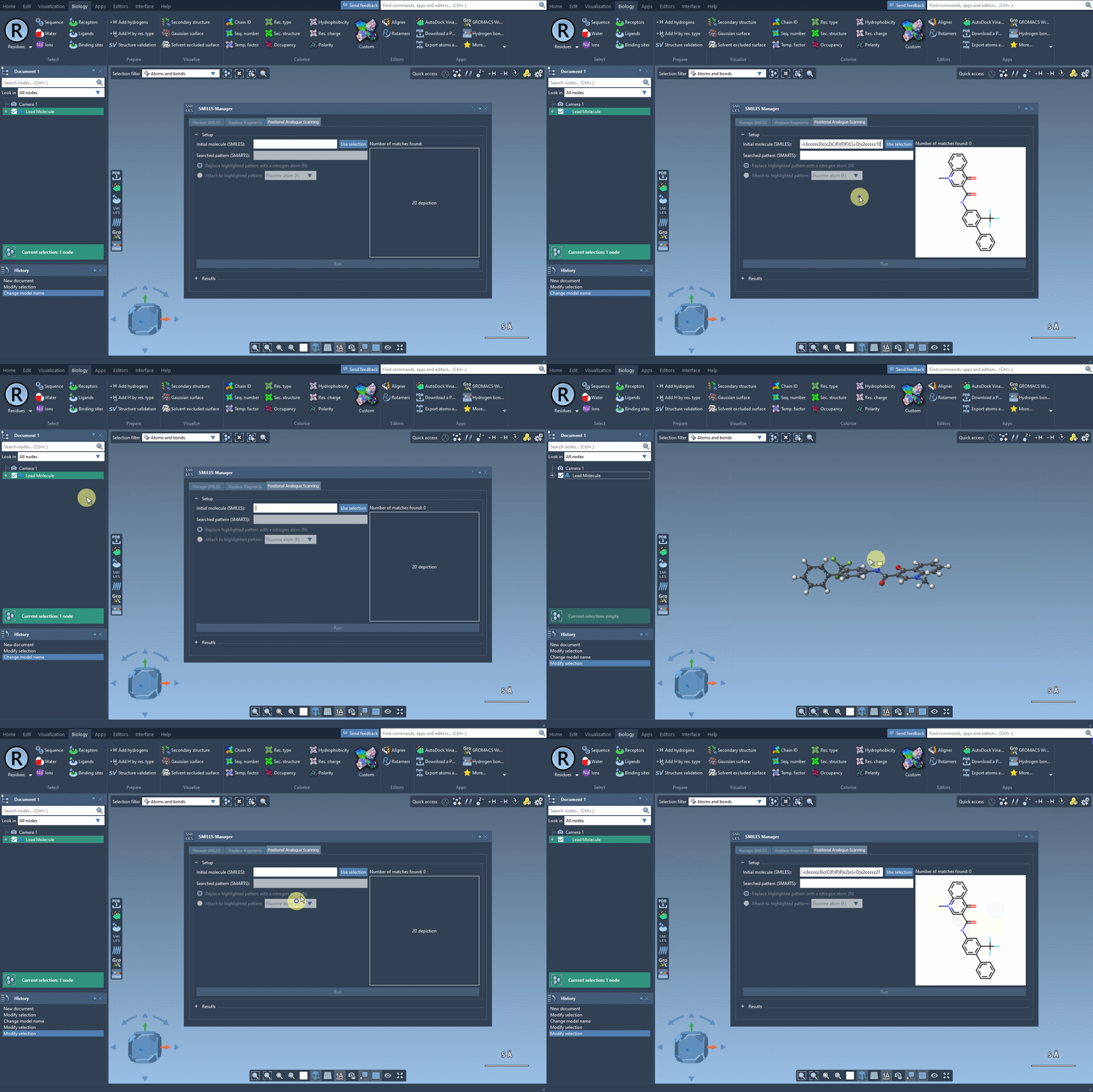
You can use the SMILES code of your starting molecule or select the molecule directly from within the SAMSON interface. A simple click on the Use selection button establishes your starting point, as demonstrated in the following animation:
2. Define Your Pattern of Interest
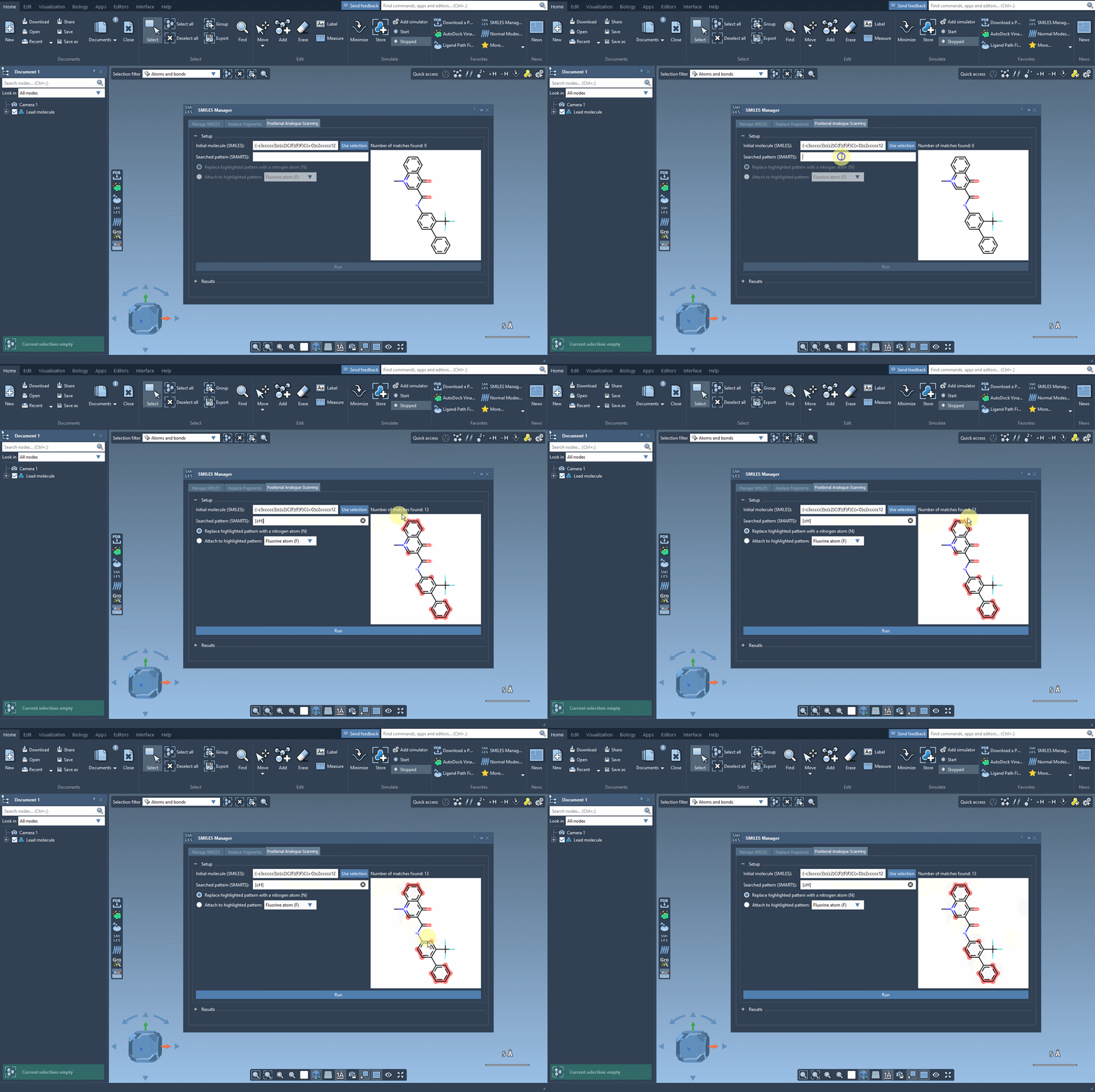
Specify the part of the molecule you want to scan for changes using a SMARTS pattern. For example, to search for aromatic carbons, you can input [cH]. The software will automatically highlight occurrences of the specified pattern within the molecule, giving you a clear visual representation of possible substitution sites:
3. Replace or Attach
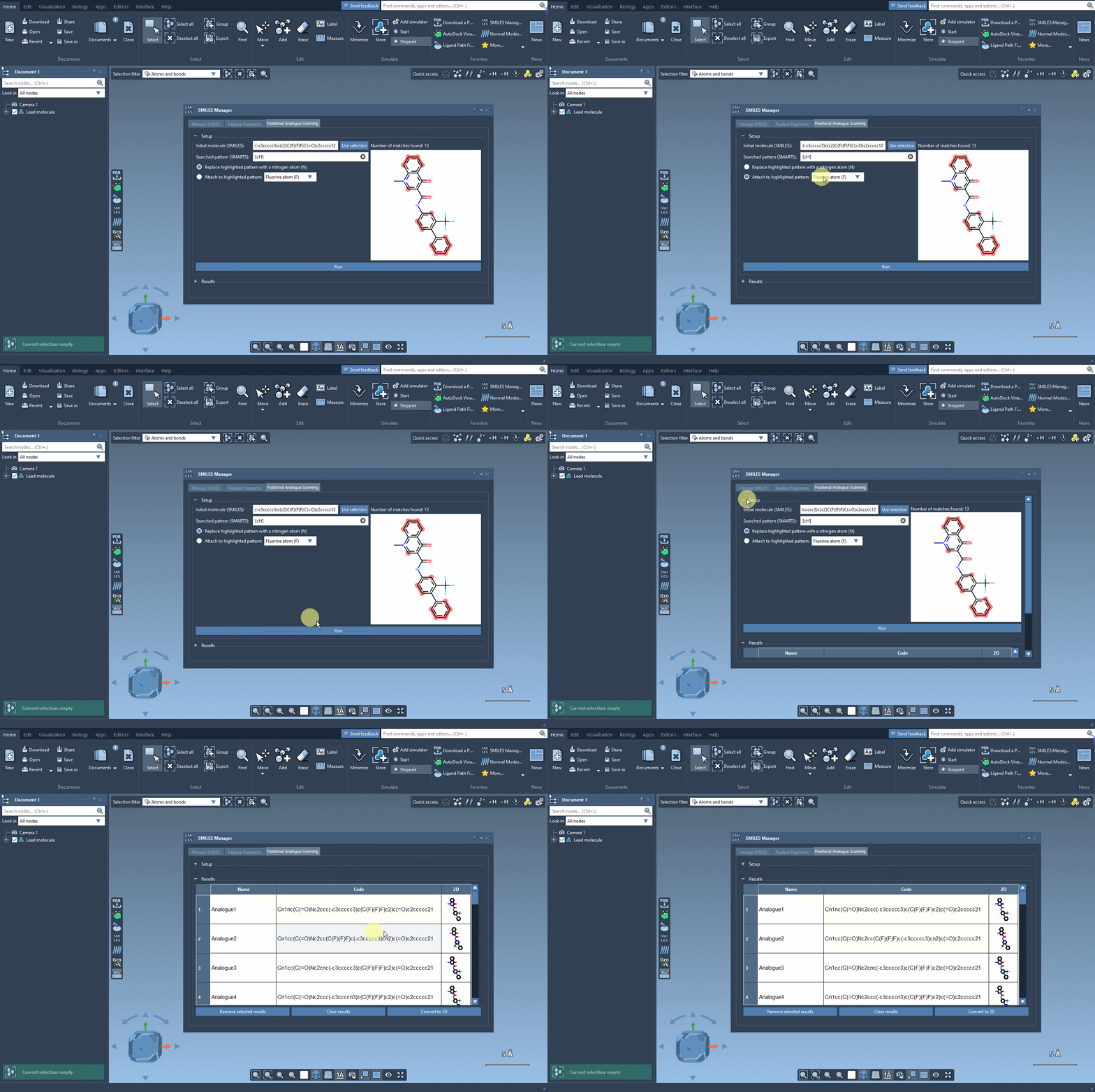
Once you’ve identified the pattern, you can choose whether to replace it (e.g., substitute an aromatic carbon with nitrogen) or attach a group (e.g., a fluorine atom or methyl group). After making your choices, simply click Run. Within moments, the software generates a list of analogues, initializes their SMILES code, and provides 2D depictions:
How This Simplifies Your Work
- Speed: Generate analogues in seconds instead of hours of manual editing.
- Flexibility: Create multiple variations with minimal user input, making the exploration of chemical space more comprehensive.
- Convenience: Start from your existing molecule inside SAMSON and seamlessly integrate with 2D-to-3D conversion or further analysis tools.
What Comes Next?
After generating your analogues, the SMILES Manager allows you to:
- Edit analogues directly in the results table (e.g., adjust SMILES codes or names).
- Visualize 2D and 3D structures.
- Dock the analogues using additional extensions such as AutoDock Vina Extended to study interactions with your target protein.
You can effortlessly trace how changes in molecular structure impact interactions with your protein of interest, illuminating key design insights for your next iteration.
Conclusion
The positional analogue scanning feature in the SMILES Manager makes exploring chemical modifications faster and more intuitive. By removing the bottlenecks of manual efforts, you can focus more on understanding and optimizing molecular interactions. To dive deeper into this feature and see step-by-step instructions, visit the official documentation page.
SAMSON and all SAMSON Extensions are free for non-commercial use. You can download SAMSON at SAMSON Connect.