



One common challenge molecular modelers face is achieving stable and realistic molecular structures that are ready for simulations. Minimizing energy and optimizing geometry are essential to ensure that molecules are in a stable state, yet traditional methods can be slow and inefficient, especially for systems with complex or large-scale motions. Enter the FIRE Minimizer in SAMSON—a modern, efficient solution for fast geometry optimization.
What is the FIRE Minimizer?
FIRE stands for Fast Inertial Relaxation Engine. It is an advanced algorithm designed to optimize molecular geometries rapidly, particularly useful for large-scale molecular motions where traditional approaches like steepest descent struggle to converge efficiently. By fine-tuning the 3D geometries of molecular systems, FIRE prepares structures for subsequent interactive modeling and simulations, saving valuable time while preserving accuracy.
Why Choose FIRE Over Traditional Methods?
Steepest descent, the conventional approach to energy minimization, is robust but can be slow when dealing with systems exhibiting collective molecular motions. In contrast, FIRE is:
- Significantly faster for such tasks, allowing the system to converge more quickly.
- Compatible with any SAMSON interaction model, ensuring flexibility across workflows.
- Ideal for use in pre-simulation cleanups and structural relaxations, making it a versatile tool for molecular modelers.
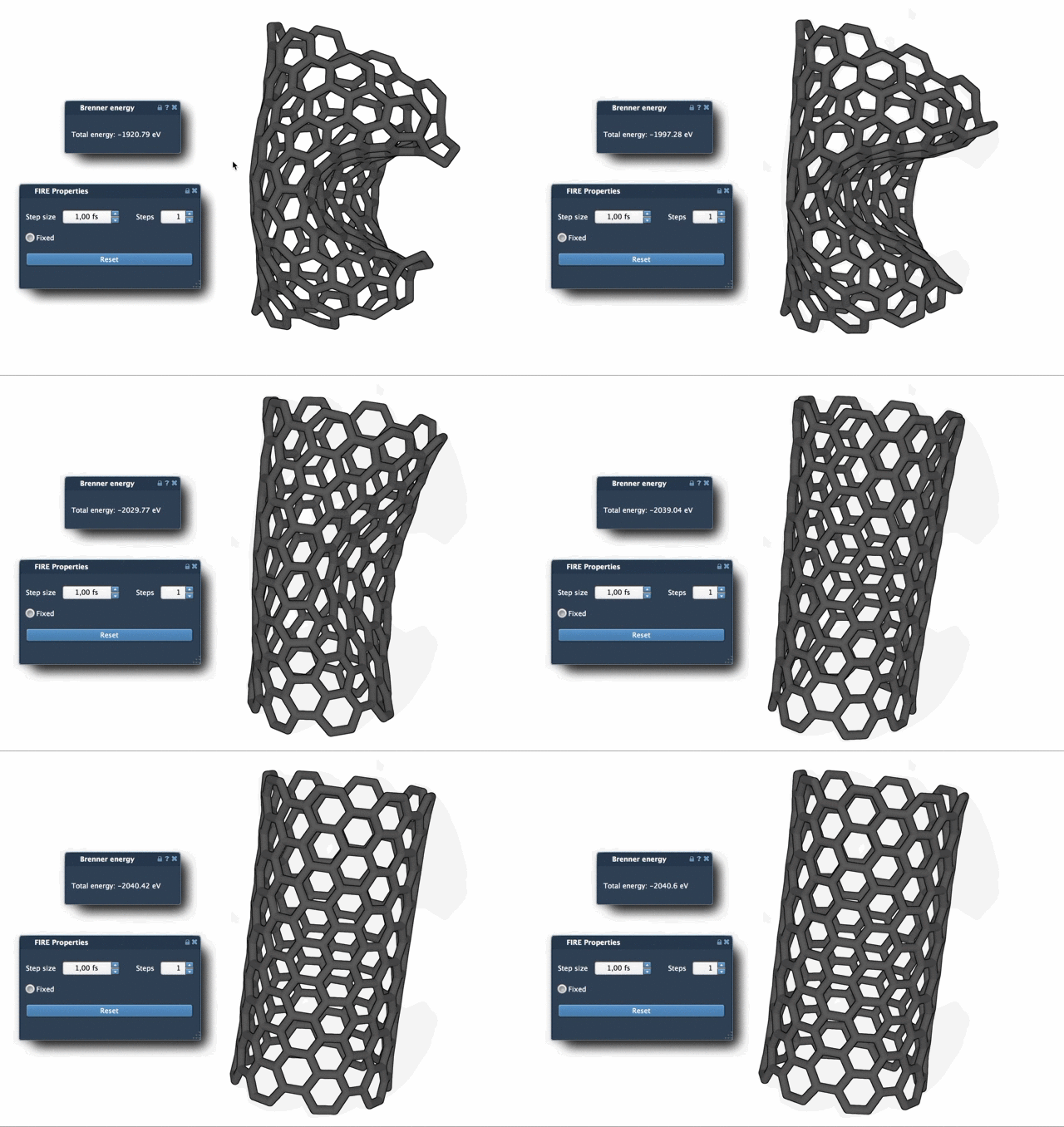
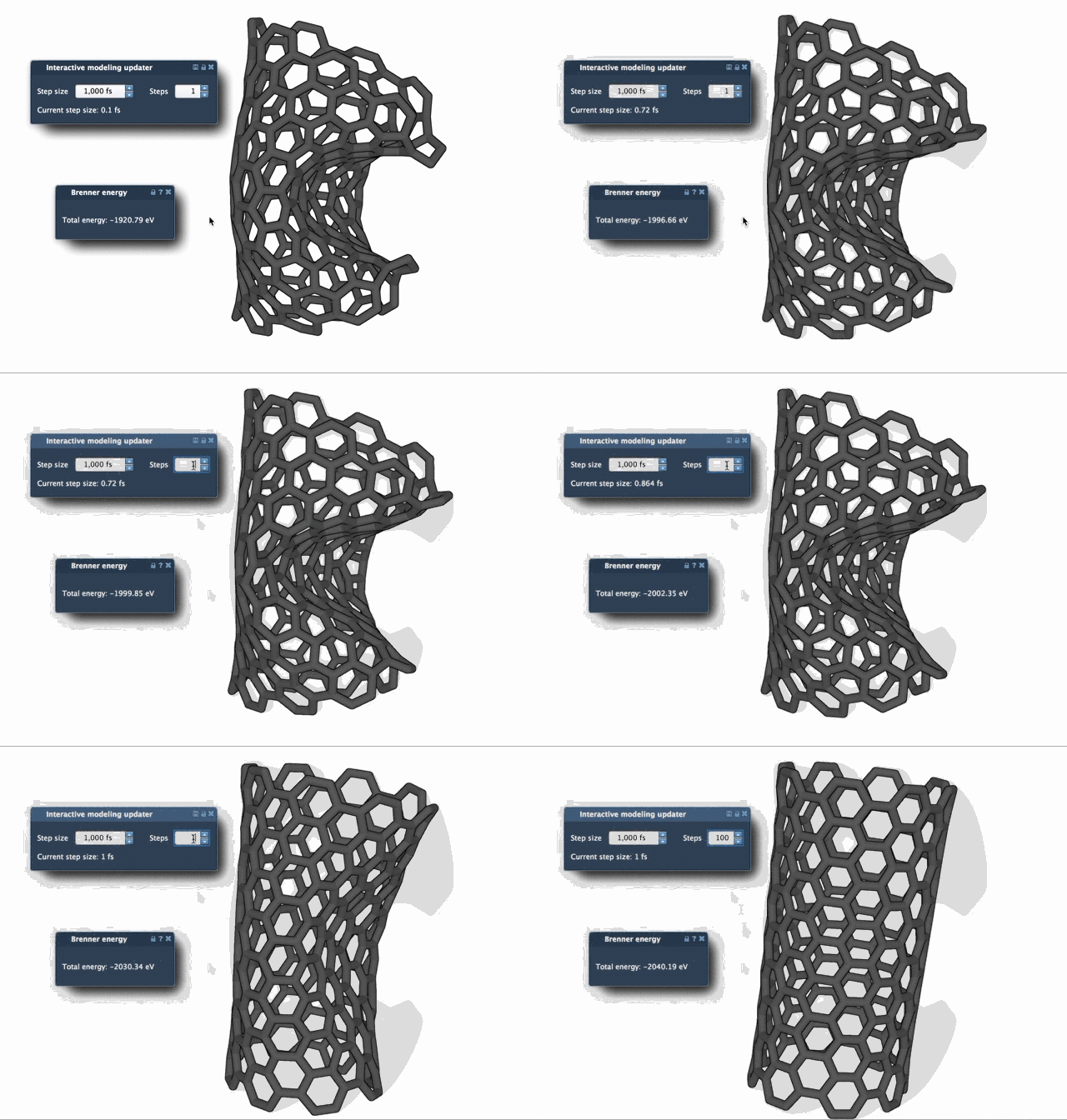
To illustrate the speed difference, the following visual comparisons show the relaxation processes using FIRE versus steepest descent. You can clearly see the faster convergence of FIRE in cases with significant geometry evolution:
Getting Started with the FIRE Minimizer in SAMSON
1. Install the FIRE Minimizer Extension
To begin, log into your SAMSON Connect account and download the FIRE Minimizer extension from its dedicated extension page. Once downloaded, restart SAMSON to activate the extension.
2. Prepare Your Molecular System
Before diving in, load a molecular system into SAMSON. Accepted formats include PDB, MOL2, and others—check SAMSON’s supported formats guide for a complete list. For new users, starting with a small test system can help visualize the impact of FIRE settings more clearly.
3. Use the FIRE Minimizer
- Navigate to Edit > Add Simulator in SAMSON.
- Select the preferred interaction model.
- In the State Updaters list, select FIRE to activate the minimizer.
Adjust parameters like step size and step count for optimal results. You can even fix the step size during minimization if specific configurations require it. If you manually intervene by moving atoms during the process, use the Reset option to clear the FIRE history and restart with a clean slate.
Application in Advanced Molecular Workflows
FIRE’s versatility extends beyond basic minimization. Integrated as a SAMSON State Updater, it supports a variety of simulations and applications. For example, the Molecular Restrainer extension leverages FIRE to minimize energy in NMR-derived structures. Its seamless integration into larger SAMSON workflows makes it an indispensable tool for molecular design and computational chemistry projects.
Learn More
For a step-by-step walkthrough and additional details, visit the official documentation: https://documentation.samson-connect.net/tutorials/fire/ready-set-fire/.
Note: SAMSON and all SAMSON Extensions are free for non-commercial use. Get started today by downloading SAMSON at https://www.samson-connect.net.