



As a molecular modeler or nanotechnology researcher, creating accurate carbon nanotube (CNT) models can be a time-consuming task. Fortunately, SAMSON offers the Nanotube Creator, an intuitive extension that simplifies the process, saving you valuable time and allowing you to focus on your core tasks. This guide walks you through practical steps to build single-walled and multi-walled nanotube models efficiently while explaining key features and parameters.
Why Carbon Nanotubes Matter in Modeling
Carbon nanotubes are essential in molecular designs for nanodevices, sensors, molecular transport systems, and more. Their mechanical and electronic properties make them versatile for various applications. However, creating high-precision models tailored to a project’s needs can be challenging without specialized tools. The Nanotube Creator in SAMSON addresses this challenge by offering both interactive and precise controls for building nanotube structures.
Two Ways to Create Nanotubes
The Nanotube Creator provides two modes for creating CNTs, so you can choose the one that best suits your workflow:
- Interactive Mode: Build your nanotube directly in the viewport using your mouse.
- Graphical Interface Mode: Predefine parameters for greater control and precision.
Below, we explore both methods:
Method 1: Interactive Nanotube Creation
This mode is ideal if you prefer hands-on adjustments in real time. The process involves two simple steps:
-
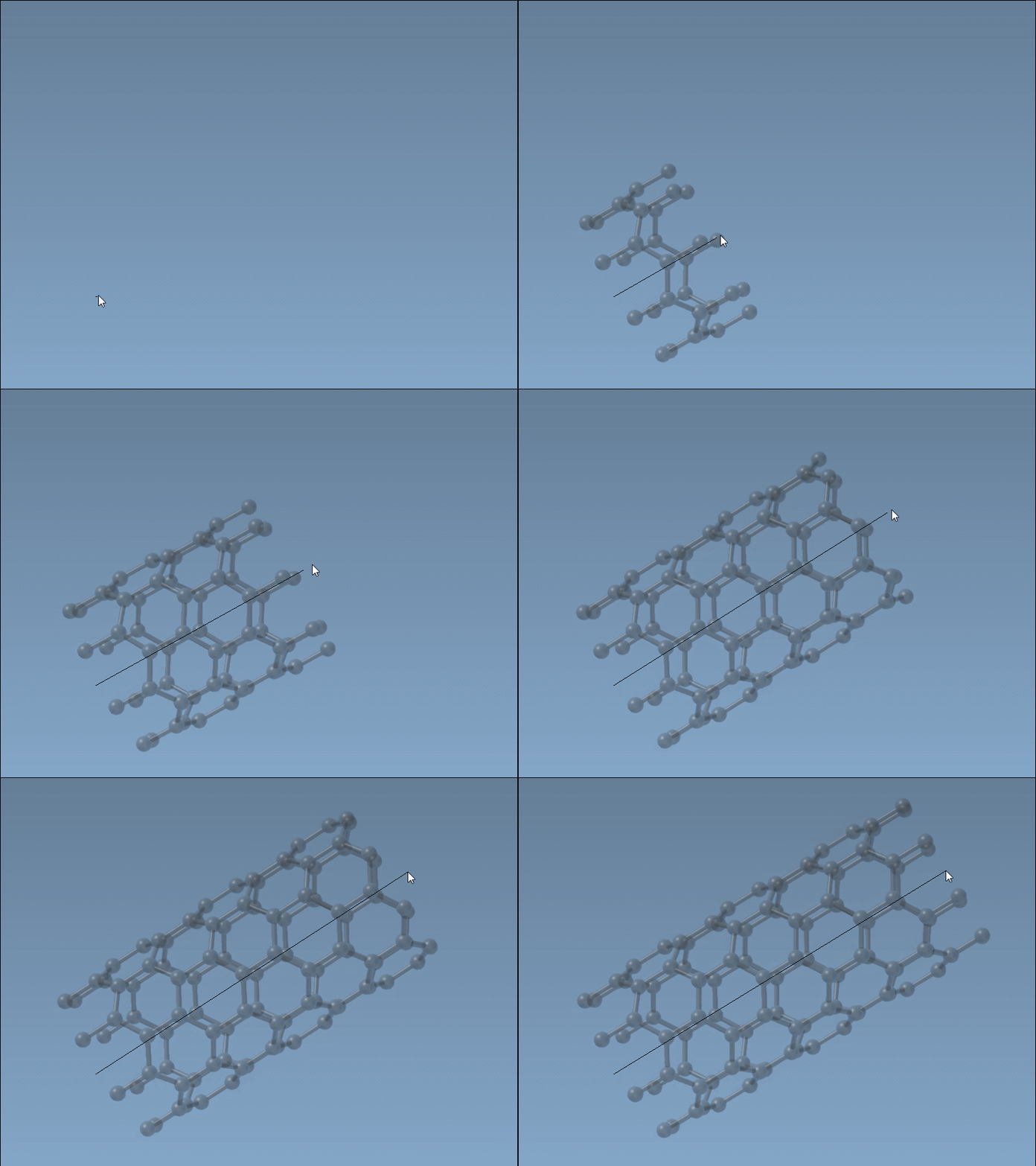
Set the nanotube axis and length:
Press and drag the left mouse button in the viewport to define the nanotube axis and n-parameter (which characterizes its length). The status bar provides live feedback on the orientation of the axis and the tube’s length.
-
Set the nanotube radius:
Release the mouse button, then move the mouse to adjust the radius (m-parameter). Click the left mouse button again to confirm. The status bar helps you monitor the values for fine adjustments.
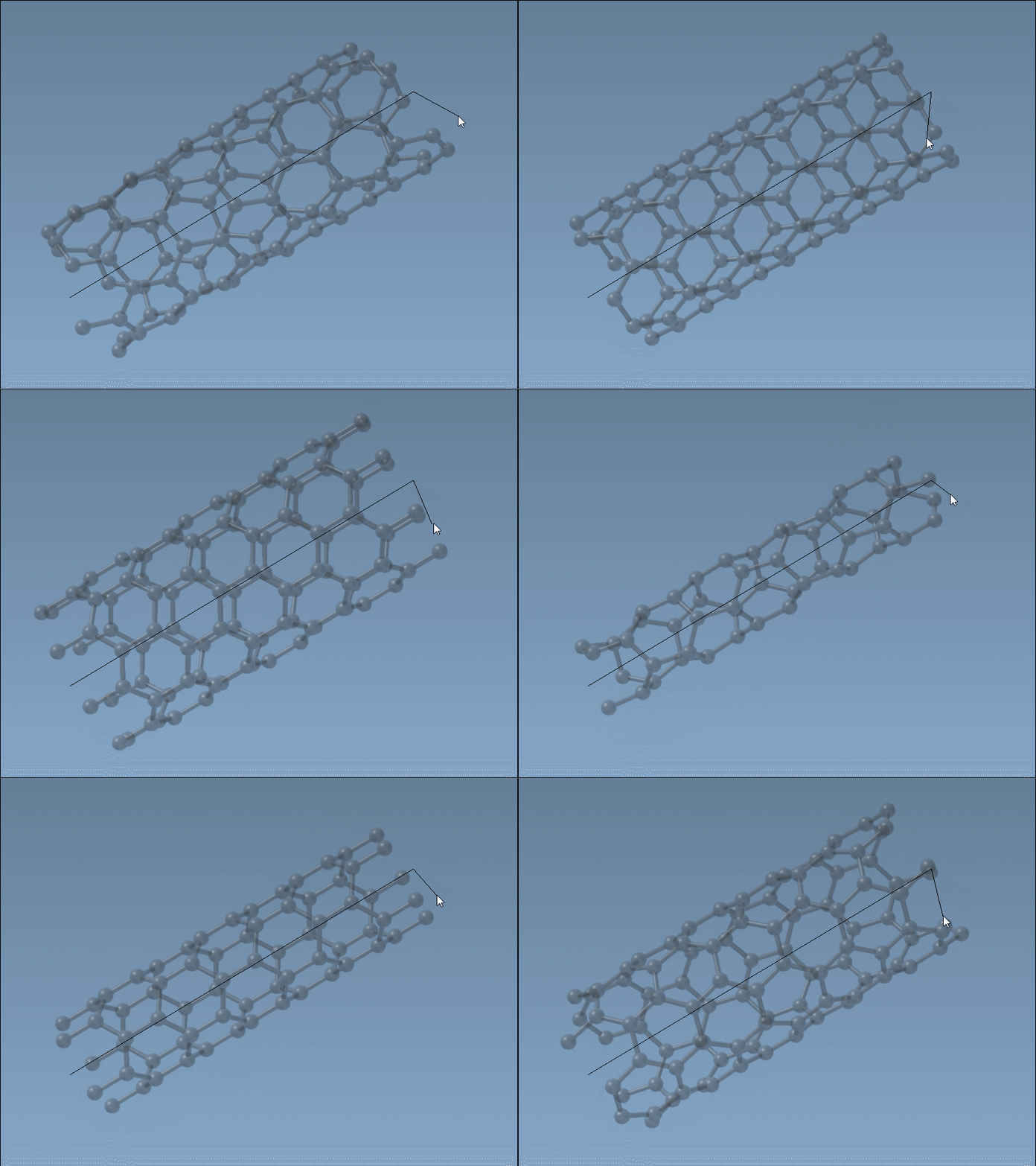
This method is quick and provides immediate visualization of the nanotube in your workspace.
Method 2: Graphical Interface Mode
If you require precision or want to create more complex designs like multi-walled nanotubes, the graphical interface mode is the way to go. To access it, activate the Nanotube Creator editor from the viewport’s left-side menu (… > Materials > Nanotube Creator), or use the shortcut (Shift+E) and search for “Nanotube Creator.”
Once activated, the GUI allows you to:
- Define start and end positions in 3D.
- Set the
nandmparameters, which control the structure and radius of the nanotube.
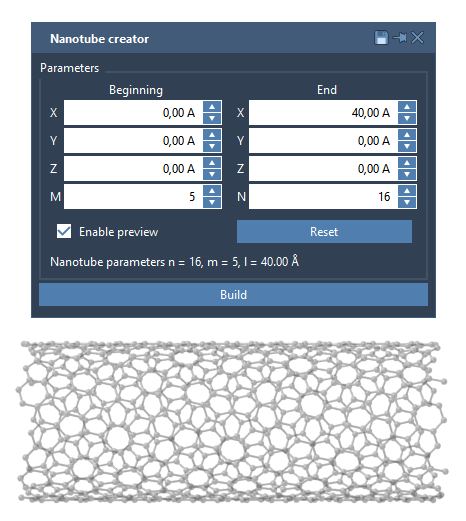
After configuring the parameters, click Build to generate the model. This mode is particularly helpful for designing concentric multi-walled carbon nanotubes with varying n and m values.
An Example: Multi-Walled Nanotube
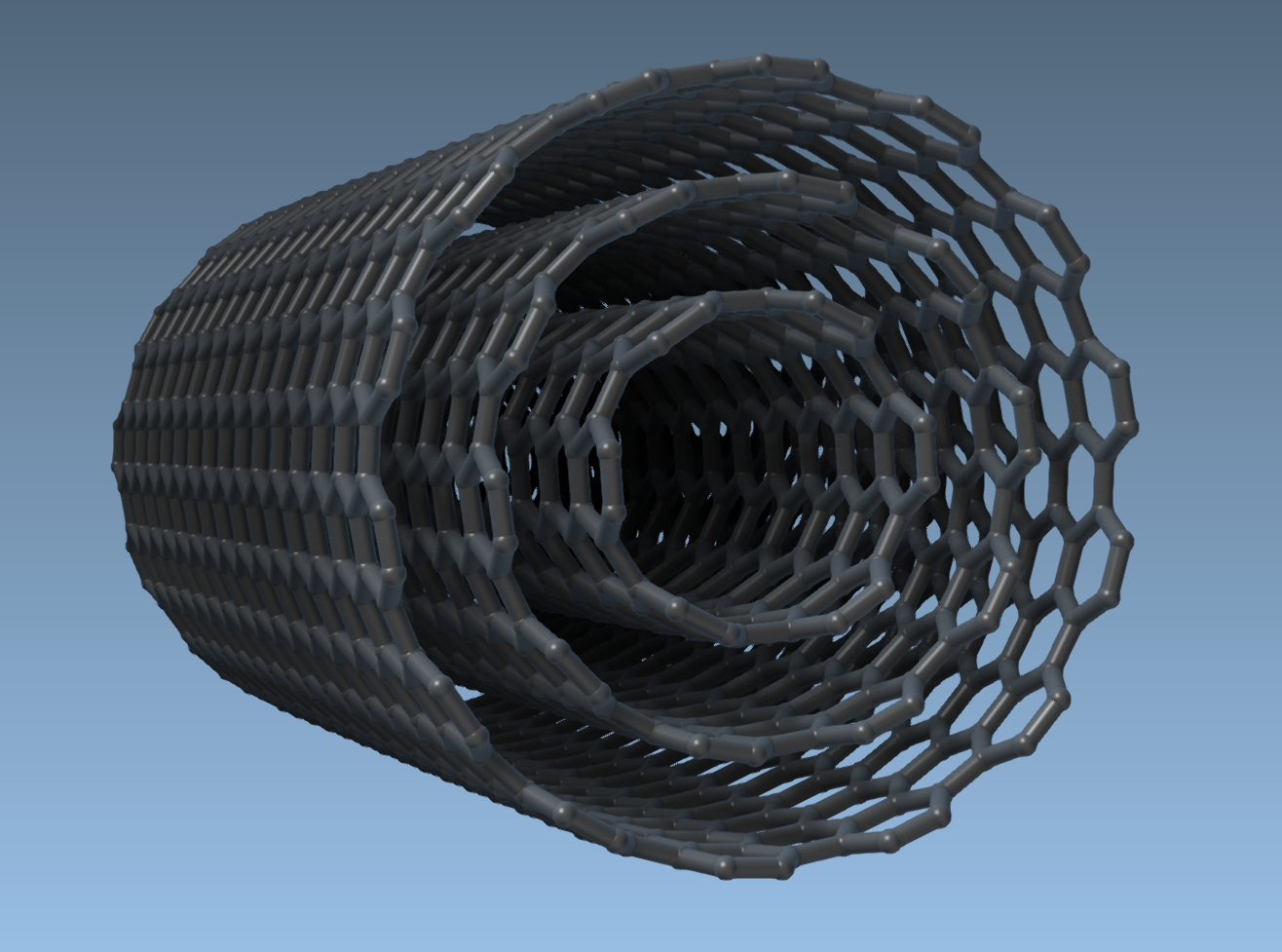
To illustrate the graphical interface’s capabilities, let’s create a three-layered nanotube:
- Set start/end positions:
(0, 0, 0)to(40, 0, 0). - Layer 1:
n = 6,m = 6. Click Build. - Layer 2:
n = 10,m = 10. Click Build. - Layer 3:
n = 14,m = 14. Click Build.
This produces a multi-walled nanotube model, shown in the image below:
Final Thoughts
The Nanotube Creator offers flexibility and precision to meet diverse modeling needs, whether for quick builds or detailed, multi-layered CNT models. Use it to save time and explore novel molecular structures in your research.
To learn more about creating carbon nanotube models, visit the official documentation page: Building Carbon Nanotube Models in SAMSON.
Note: SAMSON and all SAMSON Extensions are free for non-commercial use. Start exploring molecular modeling and design today by getting SAMSON at https://www.samson-connect.net.