



For molecular designers and protein modelers, visualizing protein arrangements in their natural configurations is often a fundamental step. However, recreating complex crystal structures or biological assemblies from raw protein data can seem daunting without the right tools. If you’ve ever struggled with reconstructing protein symmetry from PDB files, SAMSON’s Symmetry Mate Editor offers a straightforward and flexible solution.
Why Reconstruct Symmetry Mates?
Symmetry mates enable researchers to delve deeper into how proteins are organized in both their crystal lattices and biological assemblies. These insights are instrumental for tasks like:
- Visualizing biological assemblies derived from crystallographic units.
- Exploring protein-protein interfaces or discovering potential binding sites.
- Reconstructing quaternary structures for molecular simulations or rational design.
- Designing symmetric nanostructures or protein complexes for applied research.
Instead of manually reconstructing these formations, the Symmetry Mate Editor lets you leverage the metadata already stored in PDB files (e.g., CRYST1 or BIOMT records) to automate the process.
Activating the Symmetry Mate Editor
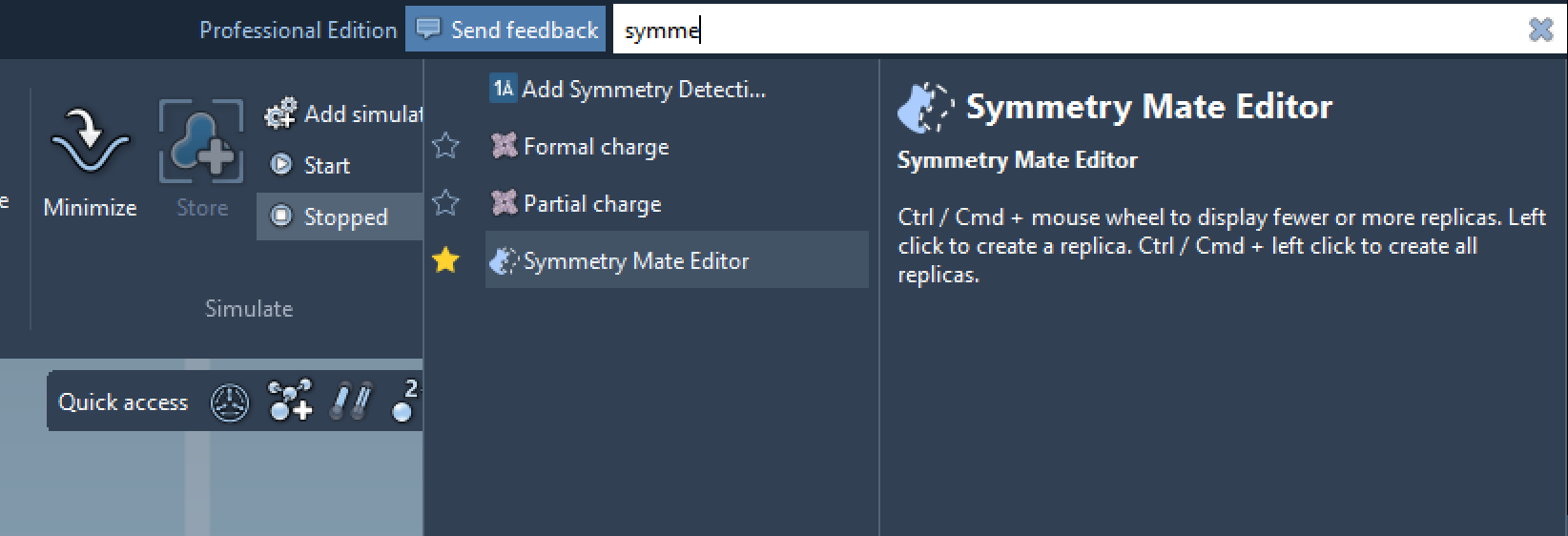
Ready to start? Activating the editor is simple:
- Find everything: Press Shift+E, search for “Symmetry Mate Editor,” and select the tool from the results.
- Editors menu: Navigate through the left-side viewport menu (> General > Symmetry Mate Editor).
Once activated, the editor introduces control nodes to the viewport, which represent individual symmetry transformations. These nodes allow you to inspect, scale, and generate symmetry mates interactively.
Interactive Exploration of Symmetry Mates
The Symmetry Mate Editor is designed with interactivity in mind. Here’s how it simplifies your workflow:
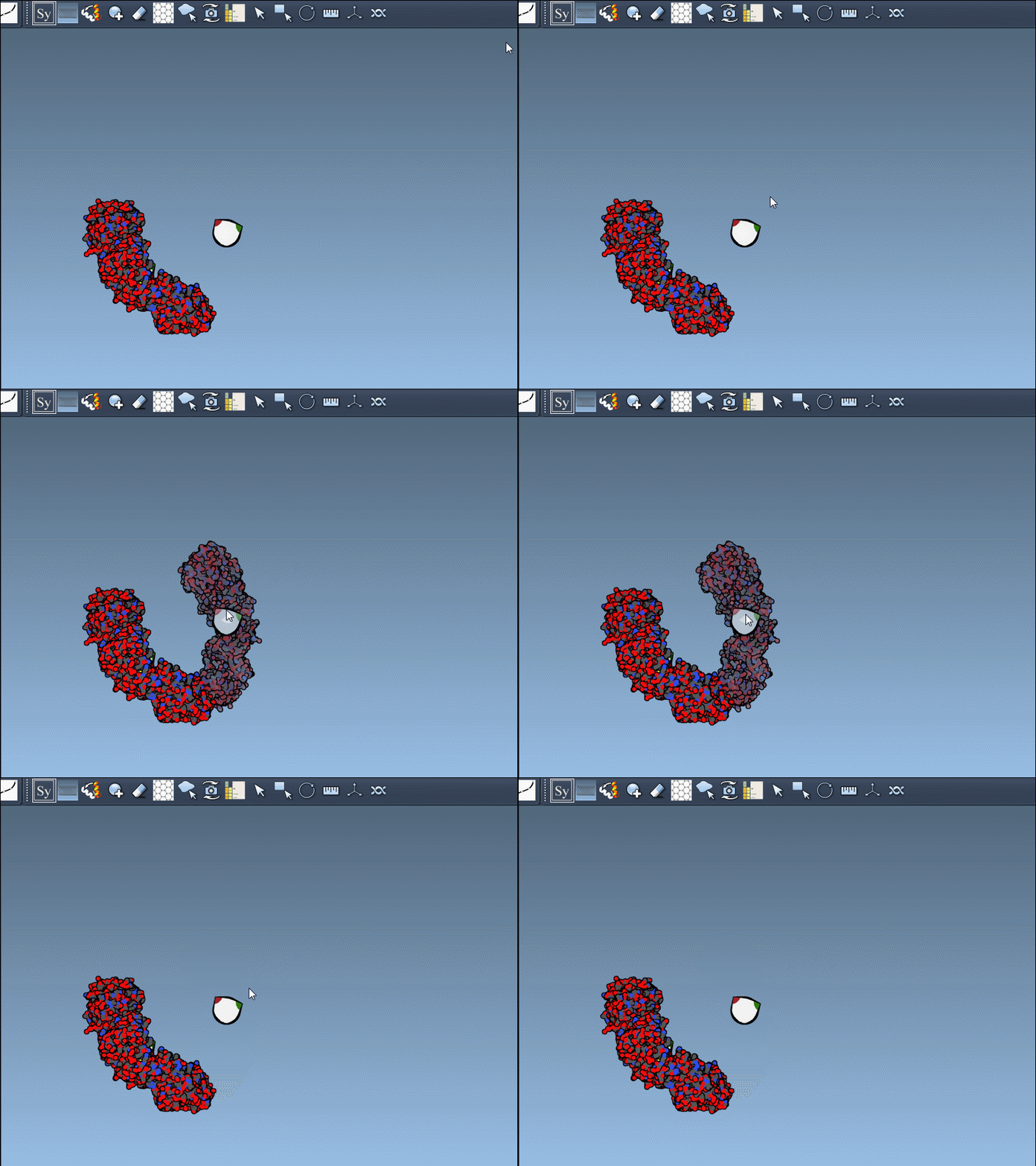
- Adjust the number of visible control nodes using Ctrl/Cmd + mouse wheel for scaling. This enables a real-time overview of potential symmetry placements.
- Hover over control nodes to preview replicas and gain immediate feedback on their impact on assembly construction.
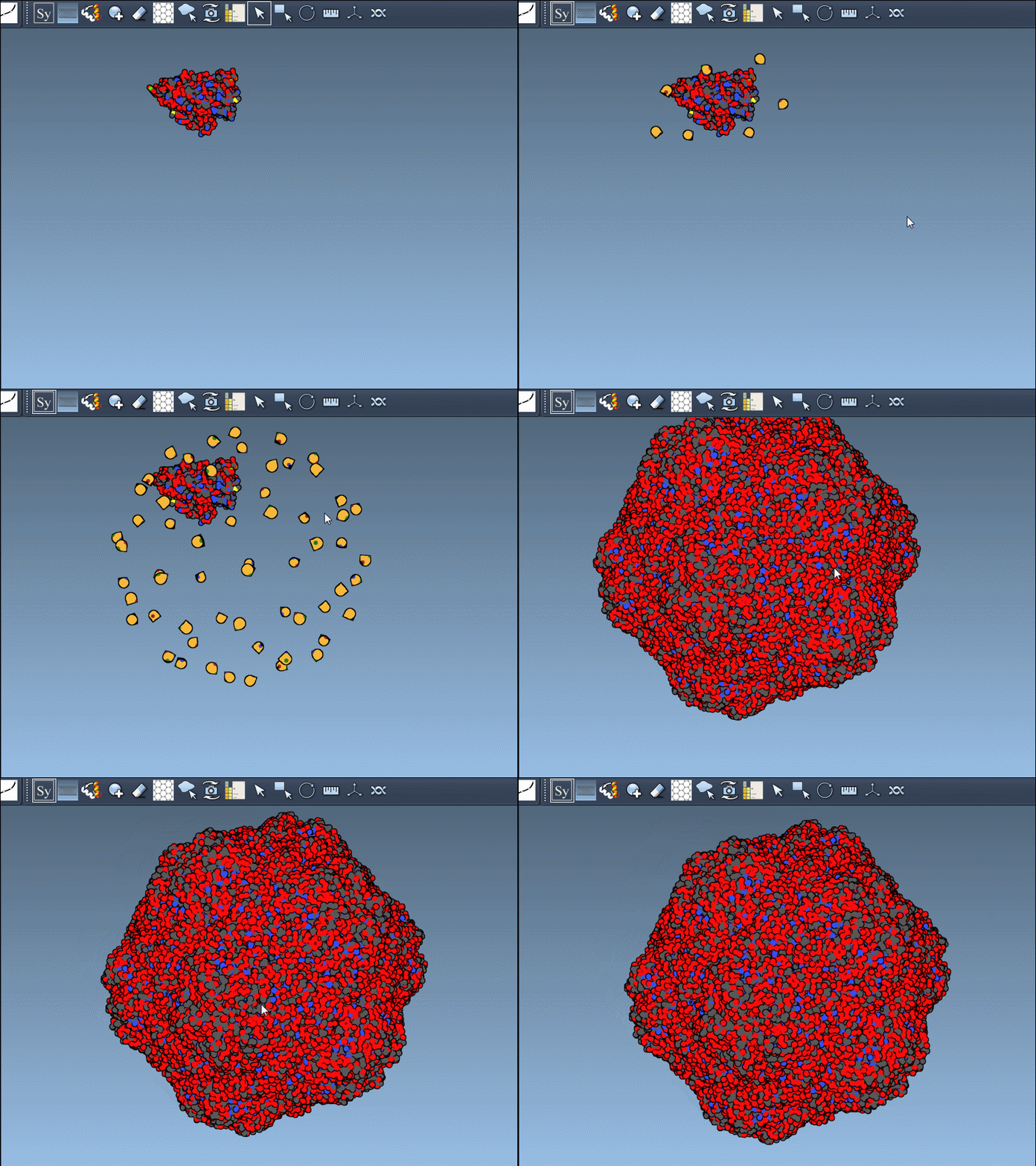
Need permanent modifications? Simply left-click a node to generate symmetry-based replicas. Generating an entire complex structure can take mere clicks:
For larger structures, you can hold Ctrl/Cmd while hovering and clicking a node to simultaneously generate all replicas for a complete assembly—a major time-saver for comprehensive designs!
CRYST1 vs. BIOMT Data
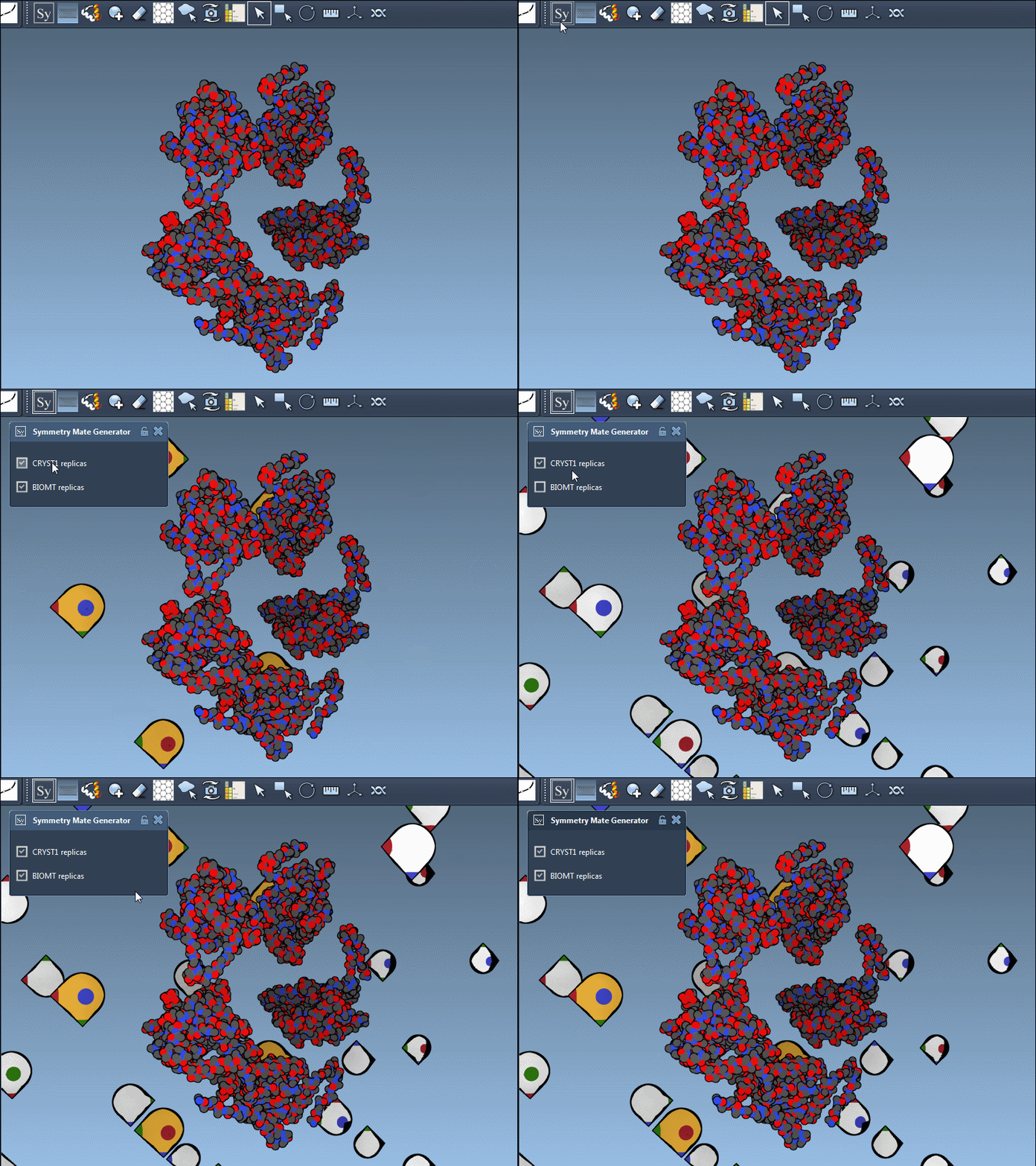
The editor accommodates two primary sources of symmetry data:
| Record type | Description | Widget Color |
|---|---|---|
| CRYST1 | Symmetry derived from the crystal lattice | White |
| BIOMT | Biological symmetry annotations included in the PDB file | Yellow |
This dual compatibility extends the tool’s applications to a range of molecular workflows—from understanding basic crystal packings to replicating assemblies annotated for biological functions.
Applications in Molecular Design
There is a myriad of use cases for symmetry mates in molecular design:
- Building complete oligomeric assemblies from asymmetric units.
- Studying patterns of binding sites across symmetrical arrangements.
- Simulating molecular interactions between symmetric chains in dynamics workflows.
- Designing symmetric protein cages or scaffolds for advanced material or drug discovery projects.
Tying It All Together
By streamlining the generation of symmetry mates, the Symmetry Mate Editor reduces repetitive manual tasks, enabling you to focus on designing, visualizing, or simulating complex molecular assemblies. The tool’s interactivity and integration with PDB data simplify workflows, whether you’re reverse-engineering a crystal packing or creating a protein-based nanostructure.
To dive deeper into symmetry mate generation, visit the official documentation page for step-by-step guidance: https://documentation.samson-connect.net/tutorials/symmetry/generating-symmetry-mates/.
SAMSON and all SAMSON Extensions are free for non-commercial use. Get SAMSON today at https://www.samson-connect.net.