



In molecular modeling, understanding the arrangement of proteins within their crystal structures or biological assemblies helps scientists untangle biological processes and design tailored molecular systems. However, interpreting these symmetric arrangements from raw PDB files can be a daunting task. Thankfully, SAMSON’s Symmetry Mate Editor offers a user-friendly way to generate and explore symmetry mates from PDB data, empowering modelers in their workflows.
The Challenge of Symmetry Analysis
Many protein structures are deposited in public databases as single asymmetric units, while their biologically relevant formations may involve multiple symmetric mates. The ability to visualize and reconstruct these symmetric complexes is essential for:
- Studying protein-protein interactions, including potential drug-binding sites.
- Simulating assembled quaternary structures for intricate molecular dynamics experiments.
- Designing symmetric protein nanostructures or scaffolds.
But how do we make symmetry analysis approachable and efficient? That’s where SAMSON’s Symmetry Mate Editor comes into play.
Generating and Exploring Symmetry Mates
With the Symmetry Mate Editor, you can quickly generate symmetric replicas of proteins using transformation data directly extracted from PDB files. To begin:
- Activate the Editor: Use Shift + E to find “Symmetry Mate Editor” or access it from the Editors menu in the left-side viewport.
- Start visualizing control nodes: Once activated, nodes representing symmetry transformations appear in the viewport, allowing you to interact with symmetry mates in real time.
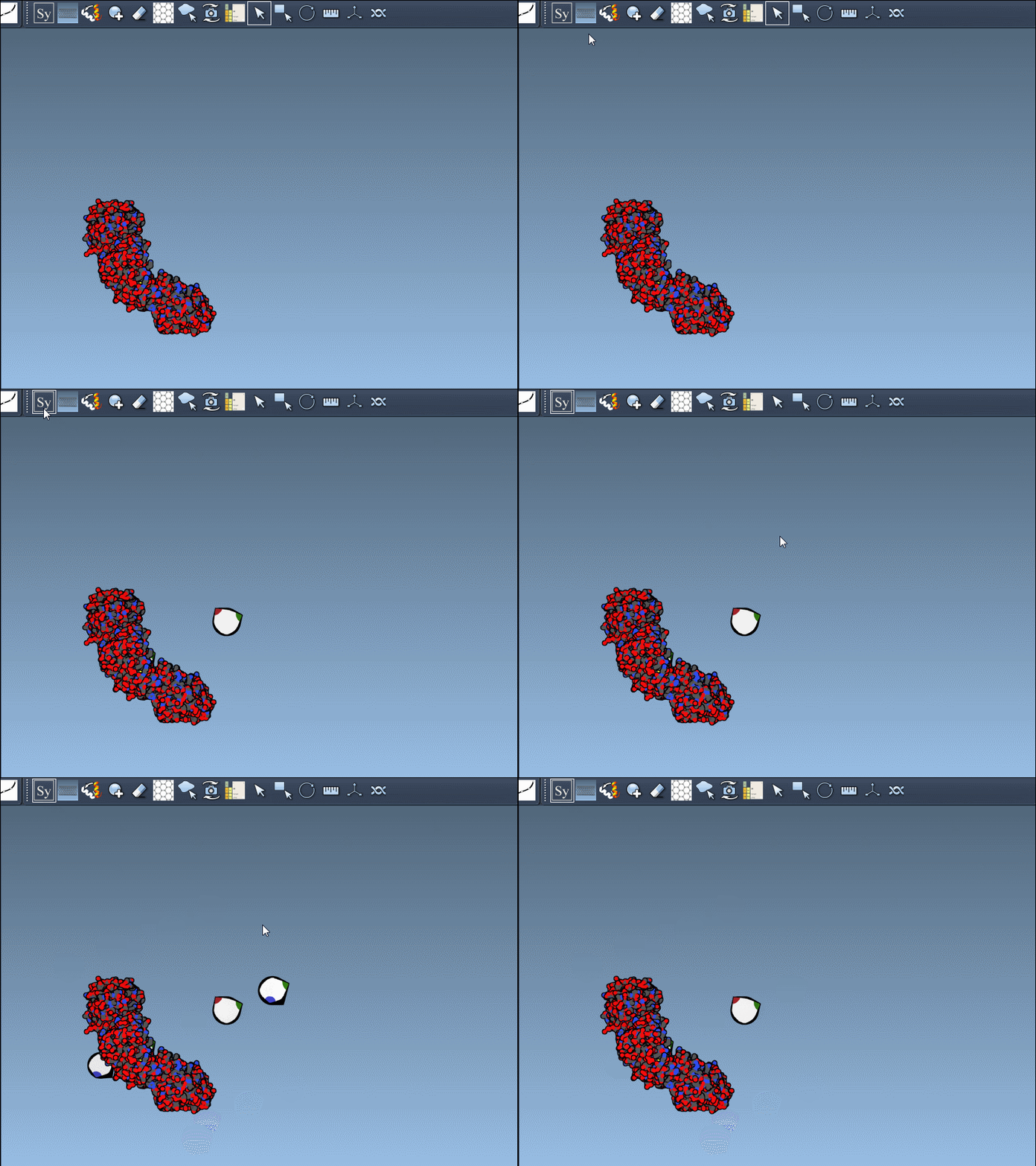
Hovering over a control node provides a live preview of the corresponding replica, making it easy to interpret protein symmetry without committing to permanent changes. Simply left-click on a node to generate a replica. If you wish to quickly preview and generate all replicas in one go, hold Ctrl (or Cmd on macOS) while interacting with the control nodes.
The process is both precise and flexible. You can scale the number of visible control nodes using Ctrl/Cmd + mouse wheel, ensuring you keep your viewport manageable.
Understanding Symmetry: CRYST1 vs. BIOMT
The Symmetry Mate Editor accommodates two main sources of symmetry data found in PDB files:
| Record Type | Description | Widget Color |
|---|---|---|
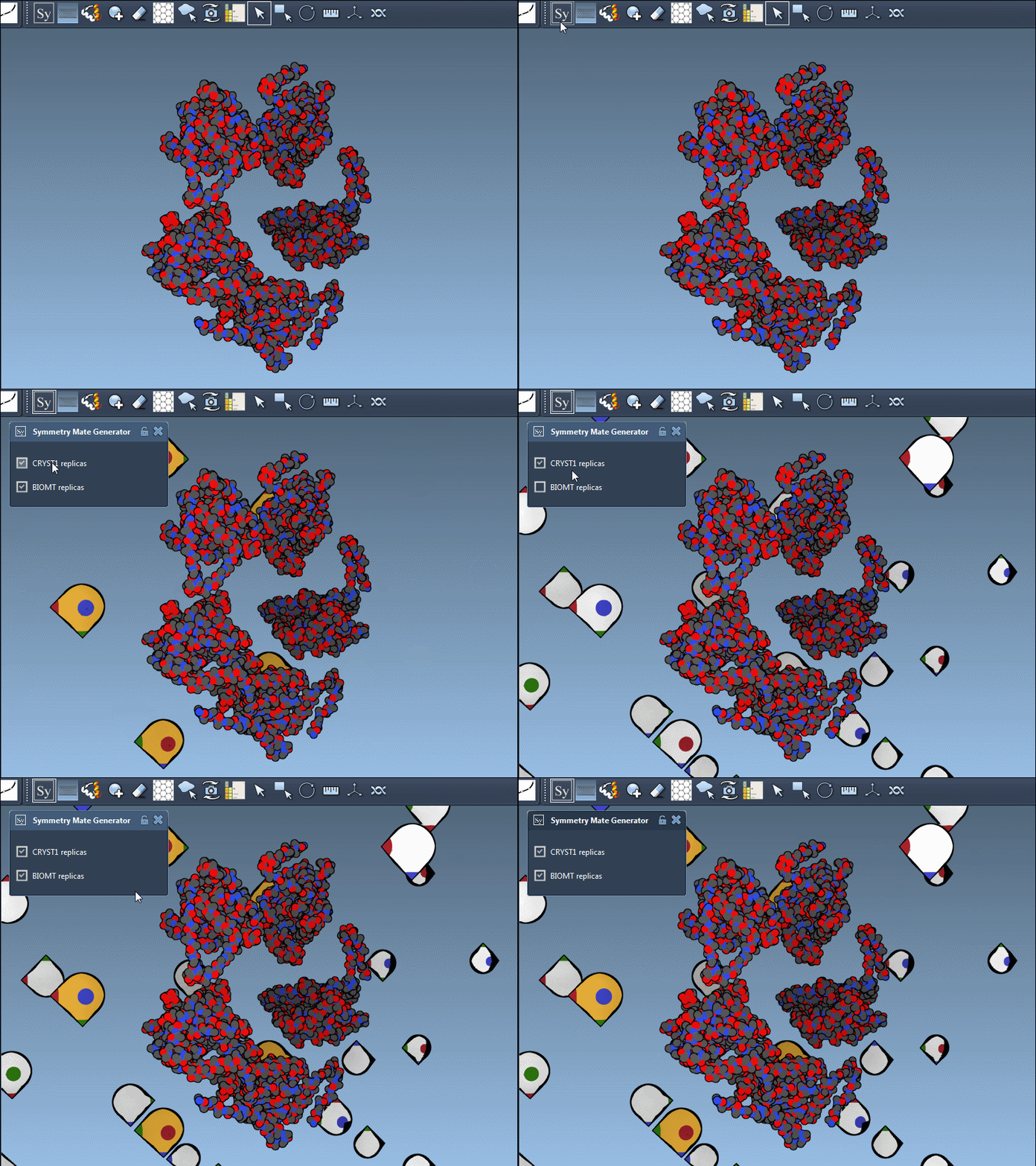
| CRYST1 | Symmetry derived from the crystal lattice. | White |
| BIOMT | Symmetry based on biological assembly annotations. | Yellow |
You can seamlessly toggle between CRYST1 and BIOMT data using the editor’s interface, allowing you to decide which representation is most relevant to your analysis. Here’s an example in action:
Practical Applications
By unveiling symmetry within protein structures, the Symmetry Mate Editor paves the way for a range of applications in molecular design:
- Construct complete oligomeric assemblies from asymmetric units.
- Design symmetric proteins for material and therapeutic applications.
- Simulate repetitive binding sites and interactions across symmetric chains.
Start Your Exploration
The Symmetry Mate Editor simplifies symmetry generation and makes it actionable, empowering molecular modelers in numerous workflows. Whether you’re reconstructing biological assemblies or preparing quaternary structures for simulations, this tool ensures you can work efficiently and accurately.
To learn more about generating symmetry mates and explore additional features, visit the full documentation at https://documentation.samson-connect.net/tutorials/symmetry/generating-symmetry-mates/.
SAMSON and all SAMSON Extensions are free for non-commercial use. Start your molecular design journey and get SAMSON today at https://www.samson-connect.net.