



Molecular modeling can often be a challenging task, particularly when dealing with systems that require frequent edits to chemical bonds or topology. For researchers and modelers, finding an intuitive way to modify molecular structures interactively without losing physical accuracy has been a longstanding challenge. The Interactive Modeling Universal Force Field (IM-UFF) in SAMSON offers an elegant solution to this common pain point.
Why Choose IM-UFF?
Unlike traditional tools, where bond manipulation and topology adjustments can be manual and tedious, IM-UFF extends the Universal Force Field (UFF) to include interactive modeling capabilities. This enhancement allows users to create and break covalent bonds in real time, adjust bond orders, and retypify atoms as needed—all while being guided by physically-based inter-atomic forces.
The beauty of IM-UFF lies in its ability to smoothly handle topological changes. When an atom is displaced significantly, bonds to its neighbors are broken, and the molecular system updates its topology accordingly. Conversely, as atoms are moved closer, new bonds are formed automatically. This flexibility makes IM-UFF an invaluable tool for building and refining molecular systems interactively.
Getting Started with IM-UFF
To start using IM-UFF in SAMSON, follow these steps:
- Open a molecular system in SAMSON that you want to simulate with IM-UFF.
- Add a simulator by navigating to Edit > Simulate > Add simulator or using the shortcut
Ctrl + Shift + M(Cmd + Shift + Mon macOS). - Select Interactive Modeling Universal Force Field from the list of interaction models.
- Choose a state updater suitable for your simulation, such as FIRE.
- Press OK to launch the simulation.
This easy setup provides instant access to IM-UFF’s key features, allowing you to interact with molecular structures dynamically while observing real-time feedback.
Interactive Features that Make a Difference
Two standout options in IM-UFF empower users to customize the interactivity:
- Static Topology (UFF only): This checkbox allows switching between standard UFF and IM-UFF. It’s particularly useful for transitioning between reactive (interactive) and non-reactive workflows.
- Keep vdW for Manipulated: When checked, this option ensures that van der Waals interactions are computed for all atoms. When unchecked, any atom being manipulated is excluded from vdW calculations, making it easier to perform bond connections during editing.
These options provide users with the ability to fine-tune the simulation settings depending on their requirements, whether they need a fully reactive model or just quick adjustments to molecular topology.
Seeing IM-UFF in Action
Watch IM-UFF bring interactive modeling to life. In the following example:
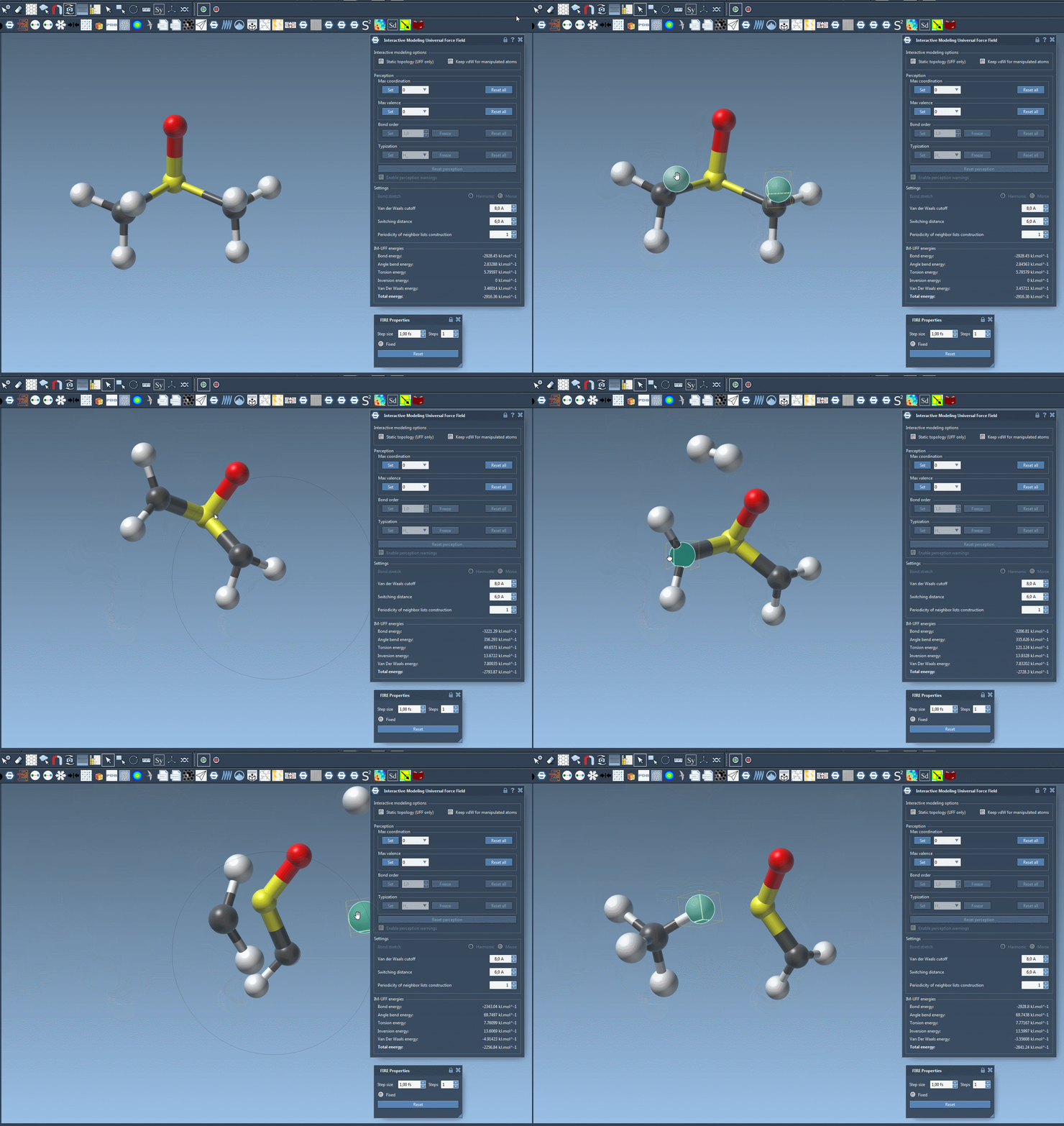
Drag atoms with your mouse, and observe how the topology adapts on the fly. Slight displacements cause local adjustments without breaking bonds, while significant movements result in bond breaking and reformation as the atom’s distance to new neighbors changes. This flexibility offers an intuitive and efficient way to refine molecular systems interactively.
A Better Way to Build Molecular Models
IM-UFF not only simplifies the process of molecular editing but also helps users reach topologies that reflect the system’s current organization. By combining real-time feedback with physically-accurate force fields, IM-UFF ensures that you can focus on the science rather than the tools.
To explore more detailed customization options and simulation parameters, visit the original documentation on IM-UFF.
Note: SAMSON and all SAMSON Extensions are free for non-commercial use. Download SAMSON today at SAMSON Connect.