



Have you ever encountered the challenge of analyzing molecular interactions at a fine-grained level, such as understanding solvation structures or interaction distances within your molecular models? The Radial Distribution Function (RDF) analysis could be the tool you’ve been searching for. In this blog post, we’ll guide you through the RDF functionality available in the Path Analyzer of the SAMSON platform.
What is RDF and Why Does it Matter?
RDF, or Radial Distribution Function, is a fundamental analysis method used to compute the spatial distribution of atoms or molecules around a reference group. This analysis is particularly useful for:
- Investigating local packing in molecular systems.
- Exploring solvation structure and how solvent molecules organize around solutes.
- Identifying characteristic interaction distances, giving insights into the nature of molecular interactions.
Whether you’re modeling solvent behaviors, ligand-binding interactions, or working with complex molecular assemblies, RDF offers a practical way to gain insight into the spatial organization of your system.
How to Add an RDF Plot with Path Analyzer
Generating an RDF plot in SAMSON is straightforward. Here’s how you can perform this analysis step by step:
- Open the Path Analyzer app within SAMSON.
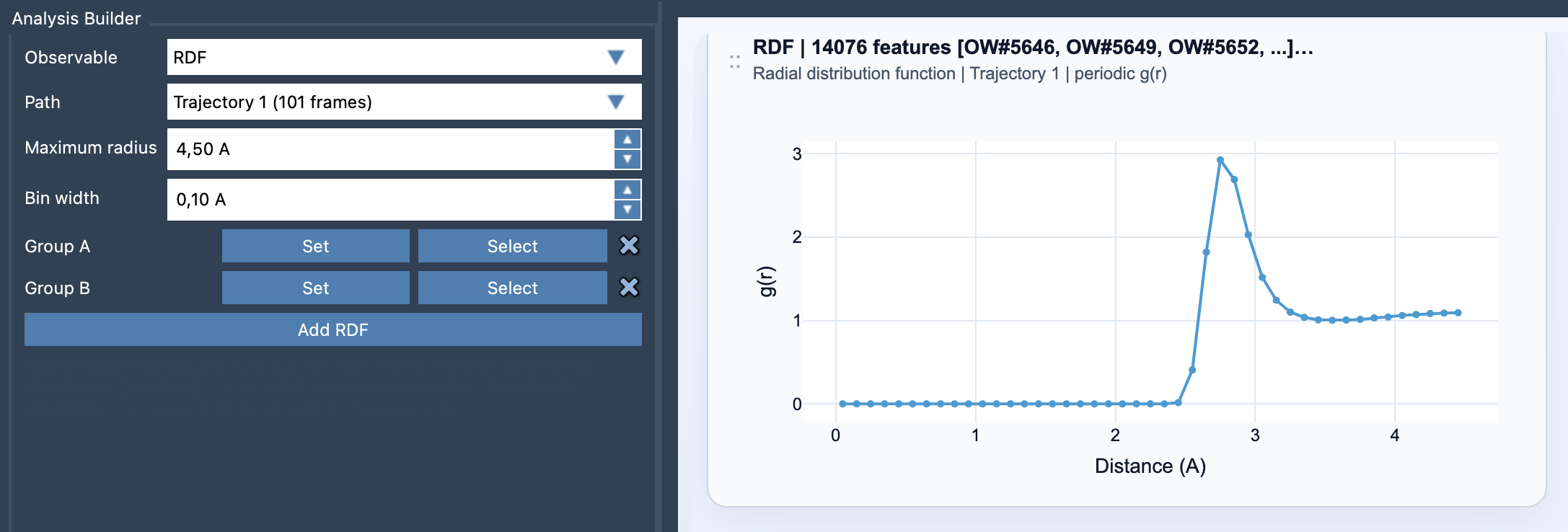
- From the ‘Observable’ dropdown menu, select RDF.
- Choose a Path for analysis, representing the dataset or trajectory that you want to examine.
- Define your atom-containing selections: Group A and Group B. These are the two groups between which the RDF will be computed.
- Specify the analysis parameters:
Maximum radius: This determines how far out the distribution is sampled.Bin width: This controls the radial resolution. Select a value that balances detail and noise.
- When everything is set, click Add RDF. The RDF plot will then appear in your Path Analyzer interface.
Here’s an example visualization of an RDF plot generated within SAMSON:
Tips for Effective Analysis
To make the most of your RDF calculations, consider the following tips:
- Choose chemically meaningful groups for your selections, such as solute-solvent, ligand-pocket, or residue-residue pairings. This ensures that your insights are relevant to your study.
- Adjust the bin width carefully. A smaller bin width resolves finer details but may introduce noise, while a coarser bin can smooth out important features.
- If your system includes periodic boundary conditions, the Path Analyzer automatically normalizes the RDF against the ideal-gas shell occupancy, providing properly scaled results.
Learn More and Streamline Your Analysis
The ability to visualize and quantify local interactions can significantly accelerate your understanding of molecular behaviors. If you’re interested in diving deeper into RDF analysis or other features of the Path Analyzer, visit the detailed documentation here: Radial Distribution Function (RDF) Documentation.
SAMSON and all SAMSON Extensions are free for non-commercial use. Get your copy of SAMSON today at https://www.samson-connect.net.