



Molecular modelers often face the challenge of creating and modifying molecular systems interactively while ensuring the modifications respect the laws of physics and atomic forces. Handling tasks like forming or breaking bonds, updating atom types, and maintaining realistic topology can be daunting, especially when striving for both precision and fluidity in simulations. This is where the Interactive Modeling Universal Force Field (IM-UFF) in SAMSON provides a solution.
What is IM-UFF and Why Does It Matter?
IM-UFF is an extension of the Universal Force Field (UFF) designed for interactive molecular modeling. Unlike static force fields, IM-UFF smoothly manages topological changes in molecular systems, allowing users to:
- Create or break covalent bonds.
- Change bond orders and atom types.
- Edit molecular structures dynamically while guided by inter-atomic forces.
For modelers, this means a more accessible and intuitive process to build and refine molecular systems with precision.
Getting Started With IM-UFF
To use IM-UFF, start with a molecular system you want to simulate. Here’s a simplified step-by-step setup guide:
- Add the IM-UFF extension to your SAMSON workspace via Edit > Simulate > Add simulator or the shortcut:
- Select Interactive Modeling Universal Force Field from the list of interaction models.
- Choose a desired state updater for simulation, such as FIRE.
- Press OK, and you’re ready to interactively manipulate molecular systems.
|
1 |
Ctrl + Shift + M</code> or <code>Cmd + Shift + M |
Key Features of IM-UFF
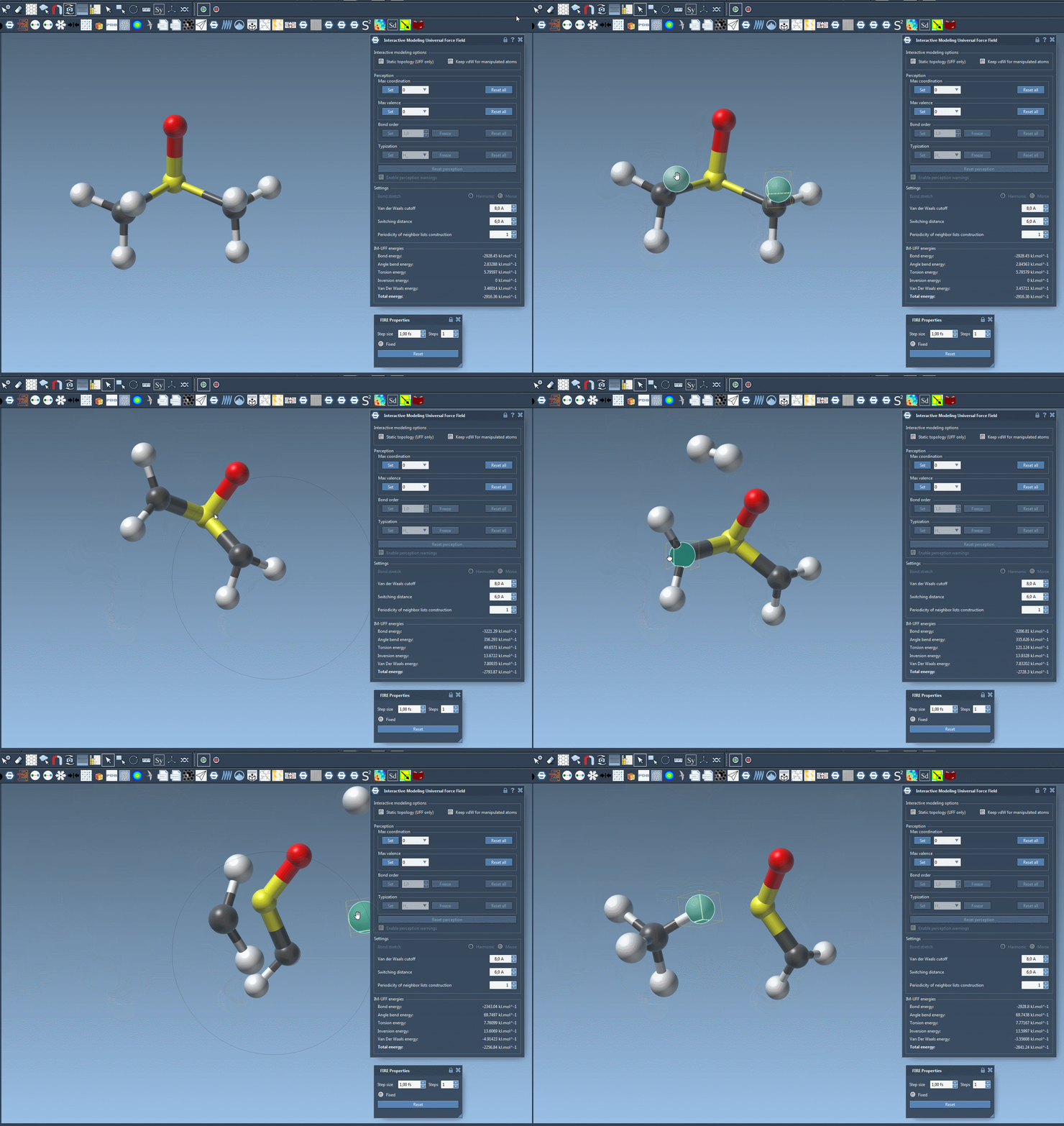
The hallmark of IM-UFF is its ability to adapt the topology dynamically. Users can simply drag atoms with their cursor:
- When Static topology is unchecked, bonds form or break based on proximity and energy changes.
- The Keep vdW for manipulated option provides smoother manipulations by controlling van der Waals interactions when editing molecules.
Structural organization reacts in real-time to these changes, making IM-UFF a versatile tool for experimenting with different molecular configurations. Whether you’re assembling new structures or editing existing ones, this interactivity eliminates repetitive back-and-forth steps.
Customizing IM-UFF for Better Results
The IM-UFF interaction model also offers customization to match specific modeling goals, including:
- Tuning van der Waals parameters like cutoff distances and switching distances.
- Configuring automatic typization settings during dynamic topology updates.
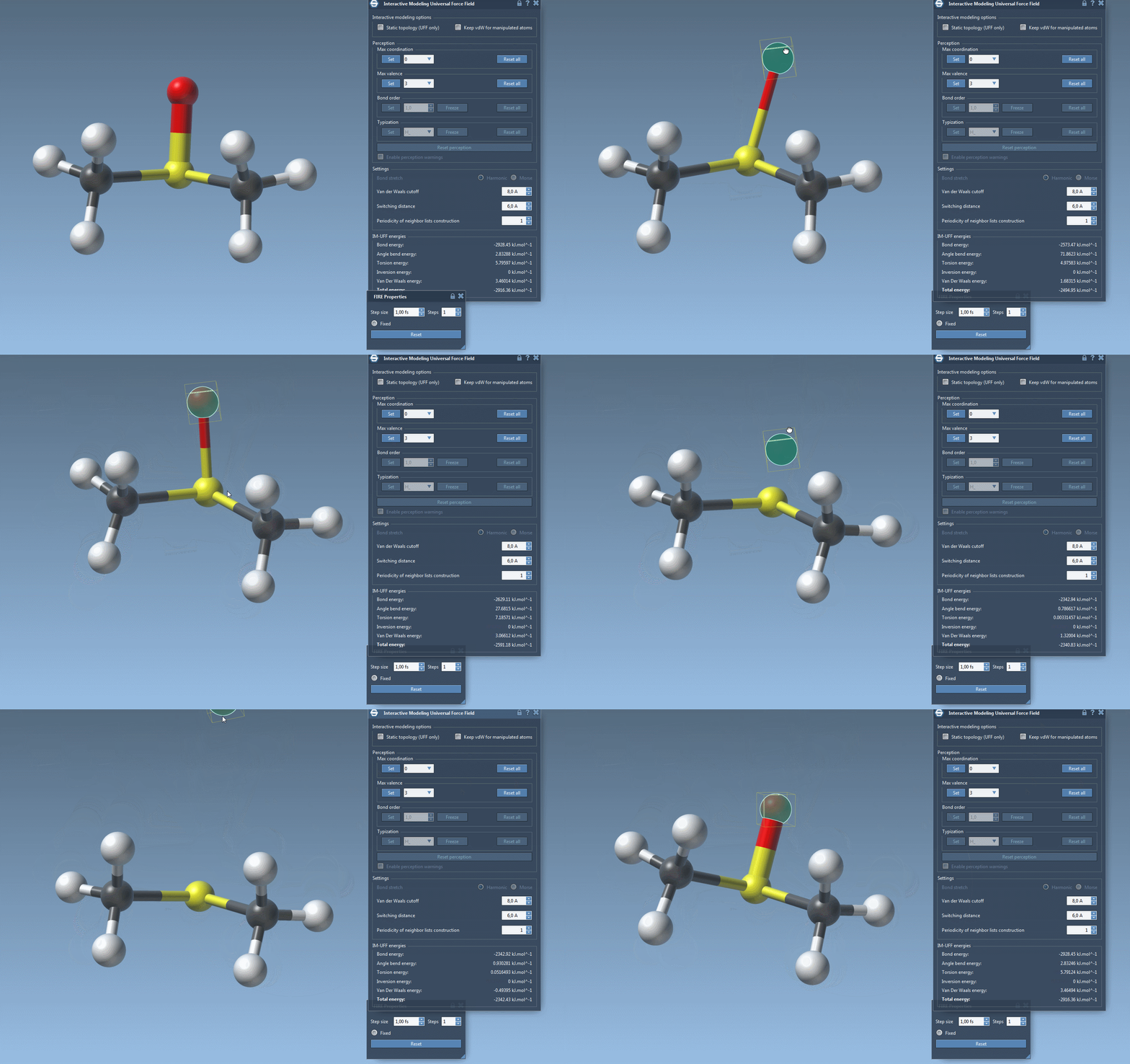
While running IM-UFF, parameters like maximum coordination or maximum valence can be adjusted, enabling smooth transitions between topologies. This flexibility ensures that even complex systems with frequent changes remain computationally stable and realistic.
Experience a More Fluid Workflow
IM-UFF provides a significant advantage in real-time modeling workflows. Edits are no longer confined to rigid static structures, offering flexibility to:
- Explore multiple configurations of a system in one session.
- Rapidly prototype molecular designs without external setups.
- Ensure physical accuracy in molecular systems automatically.
Learn More
IM-UFF provides an intuitive approach to molecular modeling, enabling dynamic adjustments in real-time without sacrificing computational accuracy. To learn more about setting up and using IM-UFF in SAMSON, read the full documentation here.
Note: SAMSON and all SAMSON Extensions are free for non-commercial use. Get SAMSON at https://www.samson-connect.net.