



Molecular modelers often face a significant challenge: how to efficiently edit molecular structures while ensuring that changes reflect physical reality. Traditional methods might involve tedious, step-by-step structure updates, hindering workflows. However, SAMSON’s Interactive Modeling Universal Force Field (IM-UFF) offers a solution that simplifies this process by enabling interactive molecular editing with dynamic topology adjustments.
What is IM-UFF?
IM-UFF is an extension of the Universal Force Field (UFF) developed to empower users to perform real-time, physically-guided modifications of molecular systems. With IM-UFF, you can create and break covalent bonds, shift bond orders, and adapt atom typizations on-the-fly, all while the system is simulated in real-time. This makes it especially useful for molecular design and interactive modeling workflows.
One of IM-UFF’s key features is its ability to handle topological changes smoothly. This means that significant structural adjustments—such as bonding transformations—are computed and updated automatically, enabling molecular systems to reach configurations that better reflect the current arrangement of atoms.
How Does It Work?
Here’s a step-by-step look at setting up and utilizing IM-UFF to edit molecular structures interactively:
- Open your molecular system in SAMSON.
- Add the IM-UFF interaction model via
Edit > Simulate > Add simulator(or use the shortcut Ctrl + Shift + M on Windows or Cmd + Shift + M on Mac). - Select Interactive Modeling Universal Force Field from the listed interaction models.
- Choose a state updater—such as the FIRE minimizer—depending on your goals.
- Press OK to apply these settings.
Unlike the standard UFF model, IM-UFF eliminates the need for a separate setup window. Once configured, the parameter window for IM-UFF will appear. Through this, you can adjust essential settings and enable specific interactive options to fine-tune your editing experience.
Real-Time Simulations and Customizable Settings
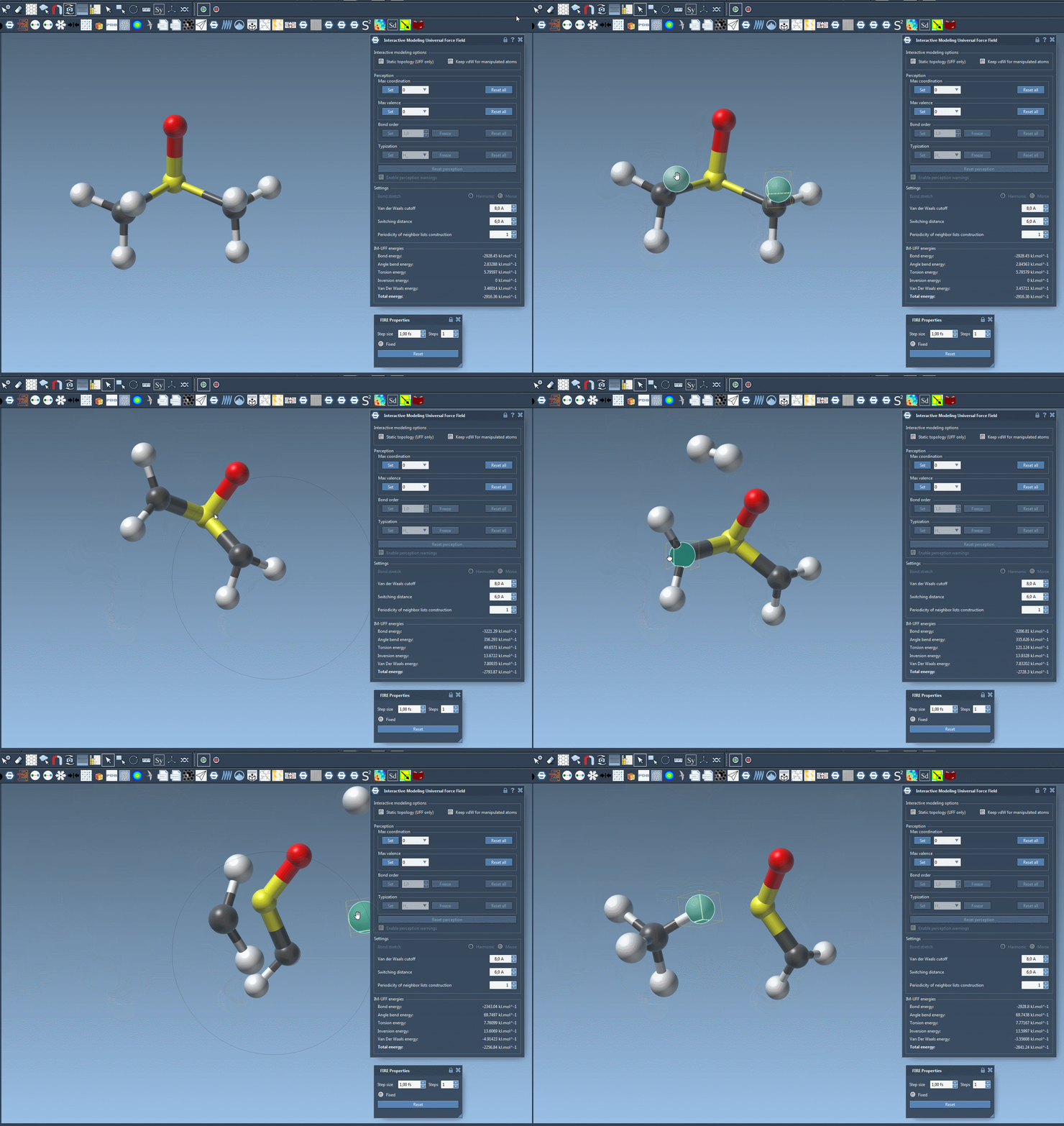
Once an IM-UFF simulation begins, you can manipulate atoms directly with your mouse. As you reposition atoms, the system dynamically updates:
- Atoms moved slightly will preserve their bonds while the structure adjusts locally.
- Atoms displaced significantly will break their bonds, and the topology will be updated.
- Atoms moved closer to others can form new bonds, reflecting new molecular arrangements.
Such interactions make it straightforward to construct and edit molecular systems, all while remaining guided by physically-based inter-atomic forces and energy terms. Here’s a glimpse of IM-UFF in action:
Enhanced Control Over Molecular Editing
IM-UFF also includes customization options for improving workflows:
- Static topology: Toggle between standard UFF (static topology) and IM-UFF (dynamic topology) based on the checkbox setting.
- Keep vdW for manipulated: Decide whether manipulated atoms are excluded from van der Waals interactions, allowing easier control over complex systems.
These settings provide enhanced flexibility and pave the way for tailored molecular editing approaches.
Who Can Benefit?
IM-UFF is ideal for researchers and professionals who need to design new molecular structures or modify existing systems interactively. Whether exploring reaction mechanisms, constructing novel materials, or editing complex biochemical systems, the dynamic capabilities of IM-UFF can significantly improve productivity.
Learn more about IM-UFF and begin implementing it in your workflows today.
Note: SAMSON and all SAMSON Extensions are free for non-commercial use. You can get SAMSON at SAMSON Connect.