



For molecular modelers aiming to simulate biological membranes, creating a lipid layer around a protein can be a daunting task. With SAMSON’s Molecular Box Builder, the process becomes straightforward and intuitive, saving you time and effort. In this guide, we’ll explore how you can create a single lipid layer around a protein and even extend this to a full lipid bilayer.
Understanding the Workflow
A common challenge for researchers is placing lipid molecules around proteins without overlaps, while ensuring accurate alignment. SAMSON’s Molecular Box Builder simplifies this through systematic steps that allow placement of lipids in a customizable 3D box around a protein. Here’s how you can do it:
Step 1: Align the Protein
To start, you need to align your protein correctly for optimal lipid placement:
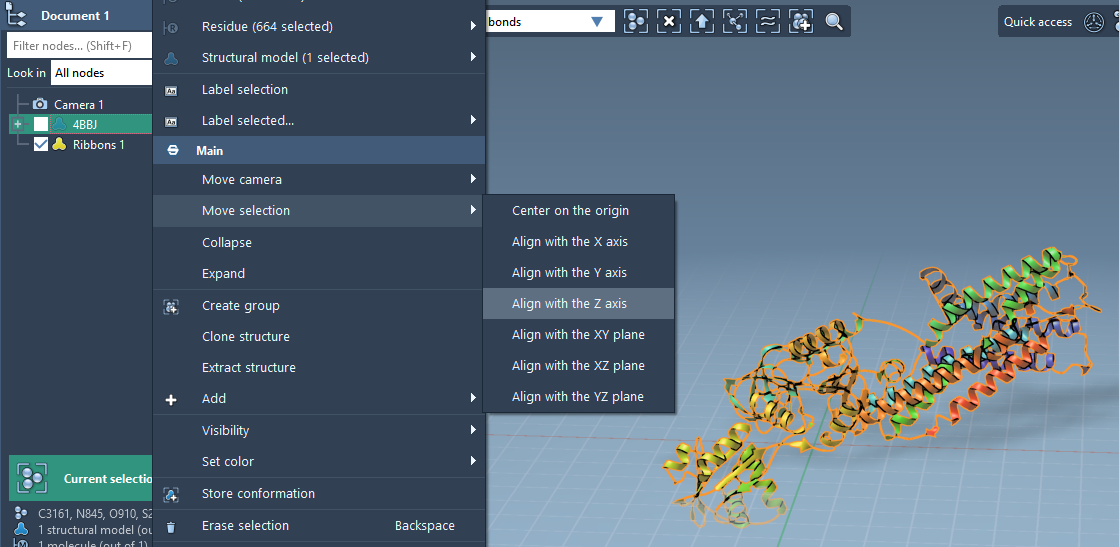
- Right-click the protein in the Document view.
- In the context menu, select Move selection > Align with Z axis.
- Then, choose Move selection > Center on the origin.
Proper orientation along the Z axis ensures that the lipids are placed in the intended layer configuration.
Step 2: Select the Lipid Molecule
Next, you’ll need a lipid molecule to populate the surrounding layer:
- Import a lipid molecule into your project.
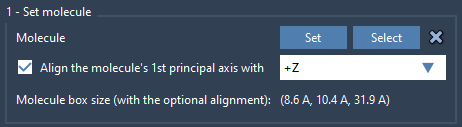
- Select the lipid and use the Molecular Box Builder’s Set button to define it for layer construction.
- Align the lipid’s principal axis with the
+Zaxis for consistency in orientation.
This ensures that all lipids in the layer are properly aligned. The Molecular Box Builder automatically calculates bounding box dimensions based on the aligned lipid.
Step 3: Configure the Box
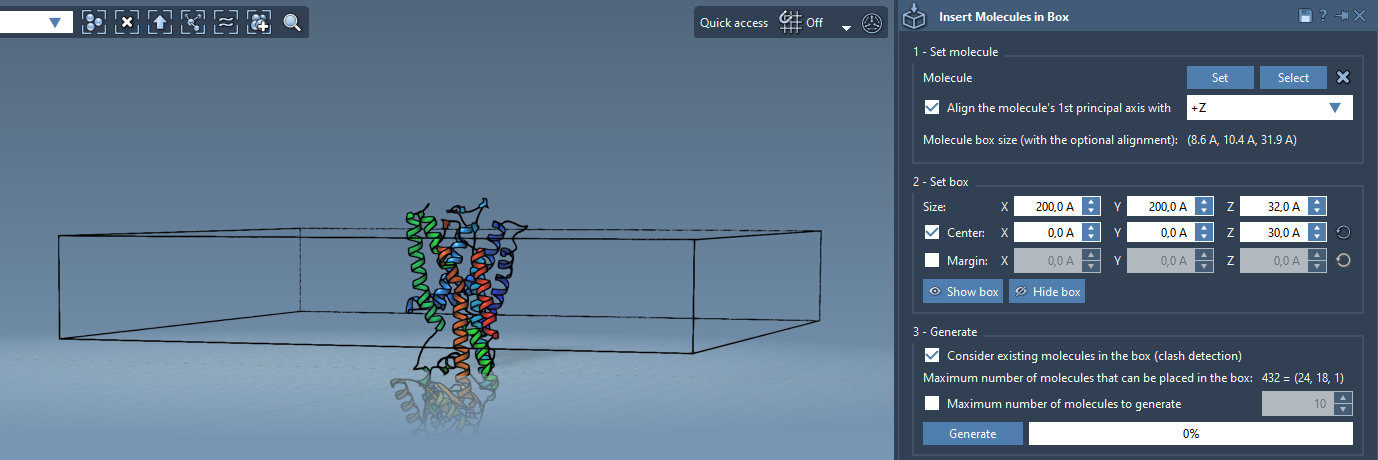
Now it’s time to define the 3D box where the lipid layer will be generated:
- Center the box around your protein to ensure it covers the desired area.
- Adjust the dimensions of the box so that it contains a single lipid layer without excess space.
- If necessary, specify marginal spacing between inserted lipid molecules for an accurate packing density.
Step 4: Generate the Lipid Layer
The final step is to populate the box with lipids:
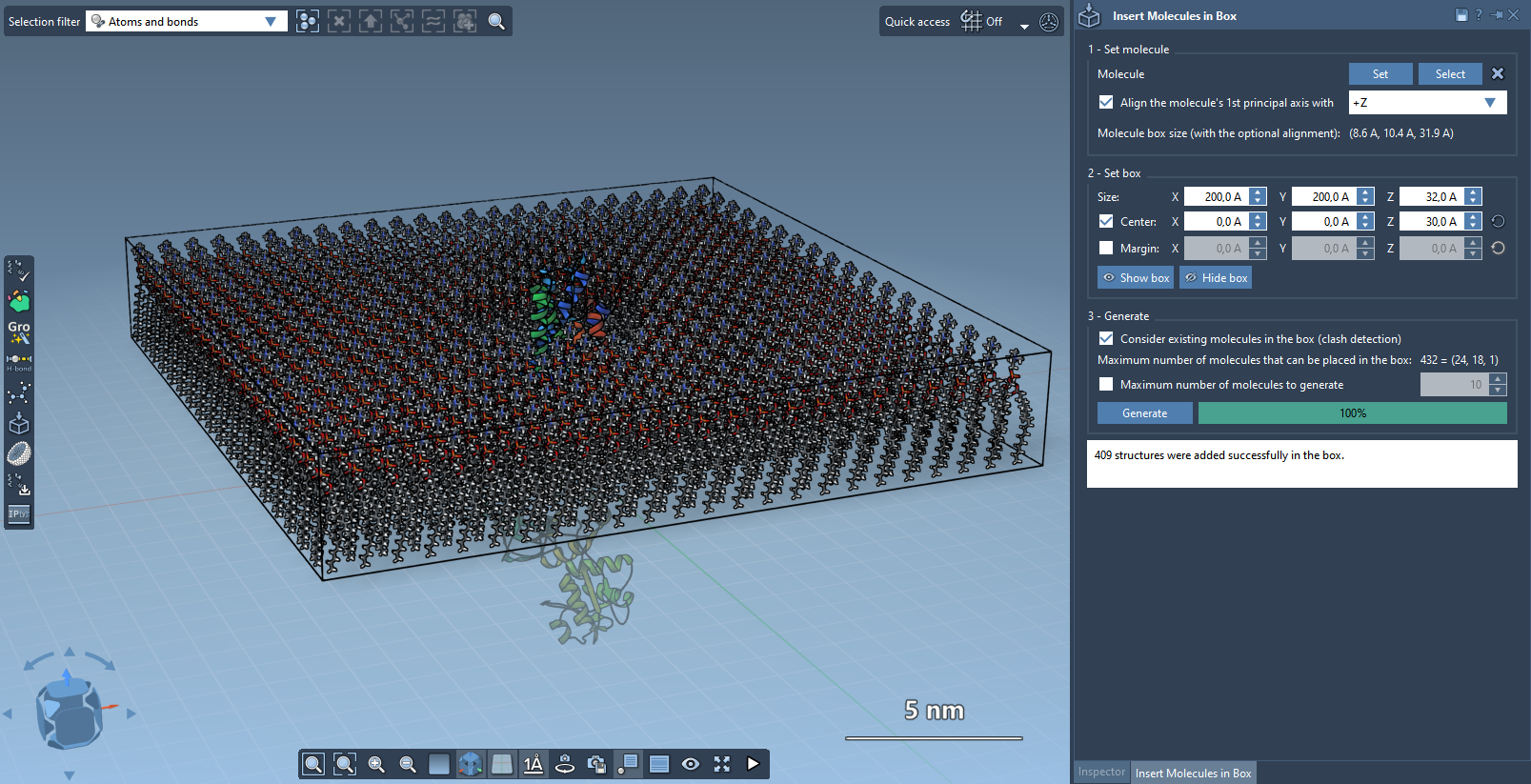
- Enable the setting Consider existing molecules in the box to avoid overlaps with the protein.
- Click Generate. The Molecular Box Builder will fill the space with lipids around your protein, ensuring precise configuration.
Within seconds, you’ll have a single layer of lipids perfectly arranged around your protein:
Optional: Build a Full Lipid Bilayer
If your research requires a full lipid bilayer, follow these steps to create an additional layer:
- Generate the first layer using
+Zalignment as described above. - Shift the center of the box in the
Z-direction to leave space for the second layer. - Generate the second layer with
-Zalignment using the same lipid molecule.
With these steps, your setup will include a fully functional lipid bilayer ready for molecular dynamics simulations.
To learn more about building lipid membranes in SAMSON, visit the official Molecular Box Builder documentation page.
Note: SAMSON and all SAMSON Extensions are free for non-commercial use. You can download SAMSON at https://www.samson-connect.net.