



Are you struggling to create realistic molecular assemblies for your research or simulations? The Molecular Box Builder in SAMSON is here to simplify your life. Whether you’re preparing solvent boxes, lipid layers, or customized molecular systems, this tool offers an intuitive way to populate a 3D box with molecules in just a few clicks.
Traditional methods for constructing molecular assemblies often involve manual, time-consuming processes in which molecule placement and orientation are frustratingly tedious. Here’s how the Molecular Box Builder transforms that experience into an efficient and seamless workflow, while saving you considerable time and effort.
Streamlined Assembly in Three Simple Steps
Step 1: Define Your Molecule
- Select the molecular structure (or structures) you want to insert into your assembly. This can include atoms, residues, or even more complex systems such as proteins or lipid molecules.
- Use the “Set” button within the app to define the molecule to be replicated.
- If needed, specify the orientation of your molecule. You can let it maintain its original alignment or align it along specific axes (+X, -X, +Y, -Y, +Z, -Z). For example, aligning the molecule to the +Z axis ensures it fits specific directional purposes in your assembly.
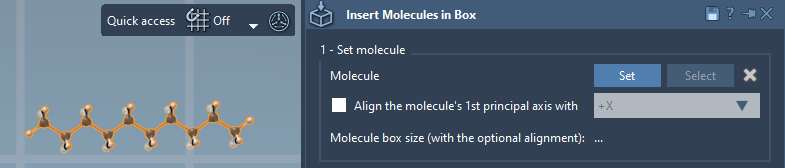
Tip: SAMSON automatically calculates the bounding box of the selected molecule, accounting for its alignment.
Step 2: Define Your Box
- Specify the box dimensions using precise
(X, Y, Z)coordinates. - Want your box centered around specific points? Simply enable the “Center” option and adjust its position.
- Don’t forget to define the margin between molecules to avoid overlaps. You can even include negative margins for tighter packing or positive margins to leave space between structures.
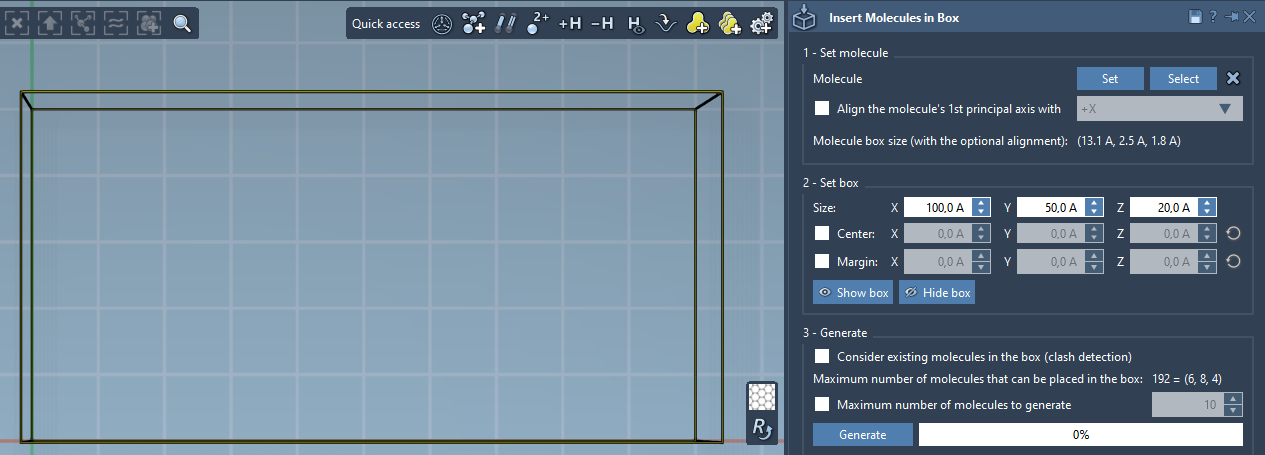
As you configure the box, the Molecular Box Builder dynamically predicts how many molecules can fit in each dimension as well as the total number of molecules. This prediction updates in real-time whenever changes are made to the box dimensions or molecule margins. Visualize and adjust placements comfortably to suit your modeling needs.

Step 3: Generate Your Assembly
Once your setup is ready, press “Generate.” Molecular Box Builder inserts non-overlapping copies of your molecule, capping the number if a maximum limit is set. A few seconds later, your completed system is ready for further analysis or simulation.
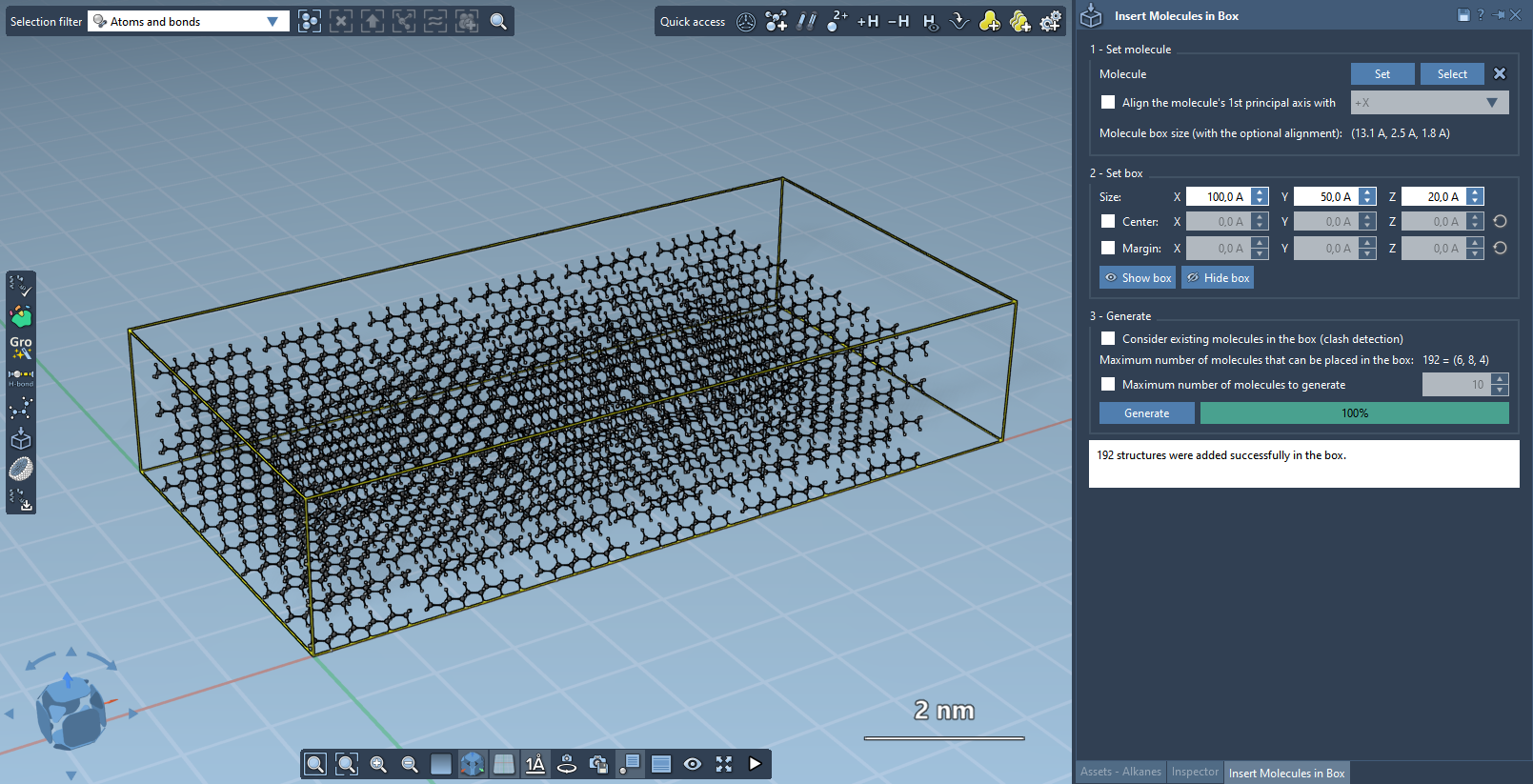
The result? A fully-packed box of molecules tailored to your specific dimensions—ready for minimization, equilibration, and simulation workflows. Use this same workflow to construct solvent boxes, single or double lipid layers, and more.
Practical Applications: From Membranes to Solvents
One of the Molecular Box Builder’s most practical uses is creating lipid layers around proteins for biomedical research. For instance, you can align a protein to the +Z axis, center the box around the protein, and then generate a membrane-like lipid layer in moments. You can even add an additional plane with flipped alignment (e.g., -Z axis) to form complex bilayer systems.
Effortless Assembly for Accurate Models
The Molecular Box Builder takes the complexity out of molecular assembly tasks—particularly for researchers who need to concentrate on analysis, not setup. Whether it’s populating simulation boxes or building membrane scaffolds, this tool simplifies your modeling.
Don’t hesitate to explore all of the possibilities the Molecular Box Builder offers. To dive deeper into its features, visit the official Molecular Box Builder documentation and take your molecular modeling to the next level!
Note: SAMSON and all SAMSON Extensions are free for non-commercial use. You can download SAMSON at https://www.samson-connect.net.