



Molecular modeling often involves working with complex biological assemblies such as protein complexes or viral capsids. For molecular modelers, understanding the symmetry of these assemblies is crucial. Symmetry not only helps identify functional interfaces but also reduces computational costs by enabling the analysis of only unique asymmetric units. In this post, we’ll explore how the Symmetry Detection extension in SAMSON can empower modelers to detect and work with symmetry axes effectively.
Accelerating Protein-Modeling Workflows
The Symmetry Detection extension in SAMSON is a powerful tool designed to find and visualize symmetry axes within biological assemblies. By identifying symmetry in protein complexes, viral capsids, or other large assemblies, it simplifies tasks like:
- Detecting functional interfaces: Understand patterns in symmetric copies within assemblies.
- Validating experimental data: Confirm expected symmetry in experimental structures.
- Reducing computational costs: Focus simulations on the unique asymmetric unit rather than the entire structure.
- Guiding molecular design: Enable the creation of symmetric nanomaterials or symmetric mutation targets.
How to Detect Symmetry with Ease
The Symmetry Detection process is straightforward. Here’s a quick overview of how you can start:
- First, ensure that the Symmetry Detection extension has been added from the Extensions Store.
- Load a biological assembly in SAMSON. You can fetch PDB data such as
3NQ4,1CHP, or1B4B. - Launch the Symmetry Detection app from the menu (Home > Apps > Biology > Symmetry Detection).
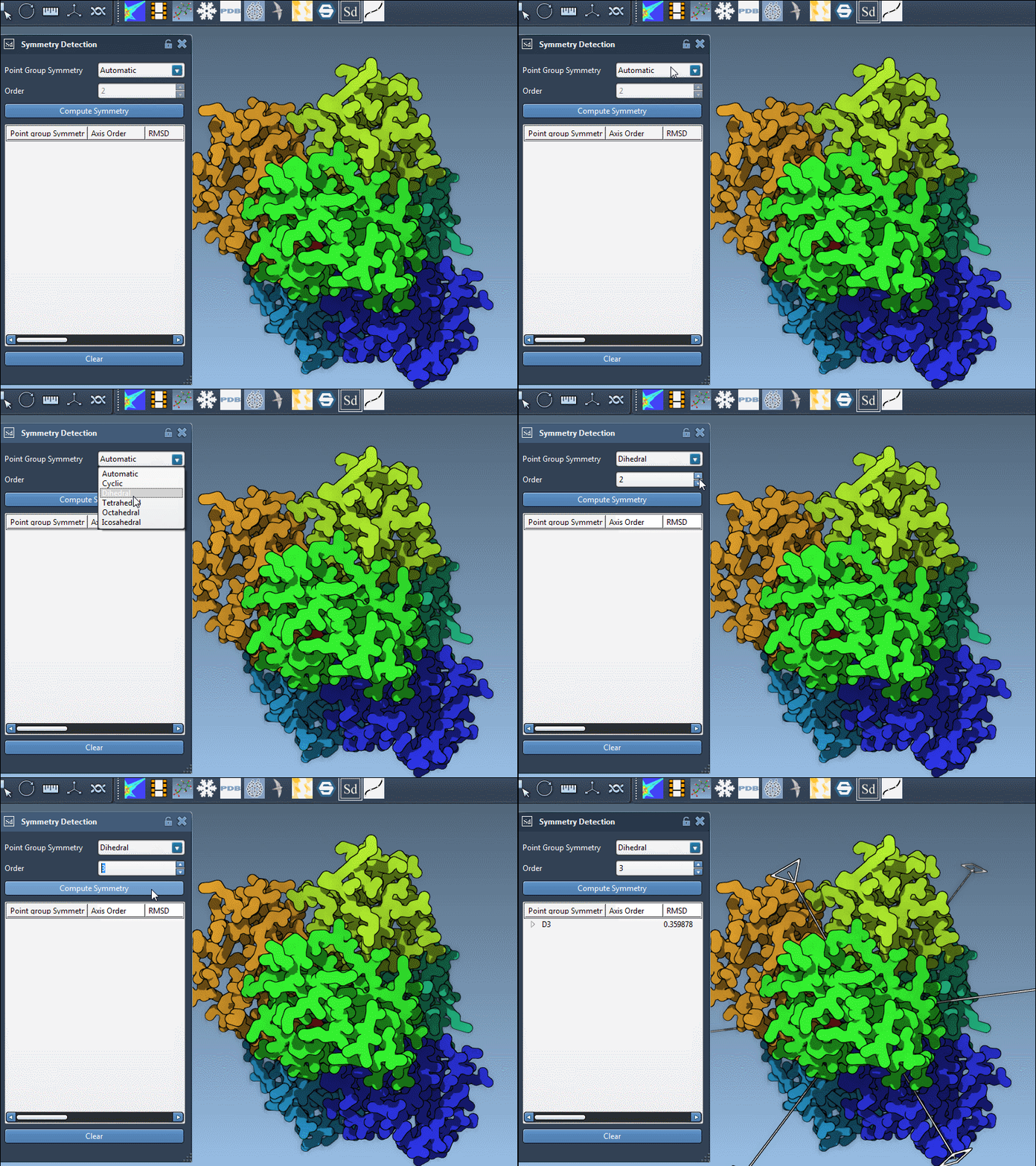
- Click Compute symmetry. The tool will analyze the assembly and list detected symmetry groups.
- Review the detected symmetries and explore their axes. You can visualize specific axes of interest directly in the SAMSON viewport.
Examples in Action
To better understand the features, let’s take a look at some examples:
Icosahedral Capsid (3NQ4)
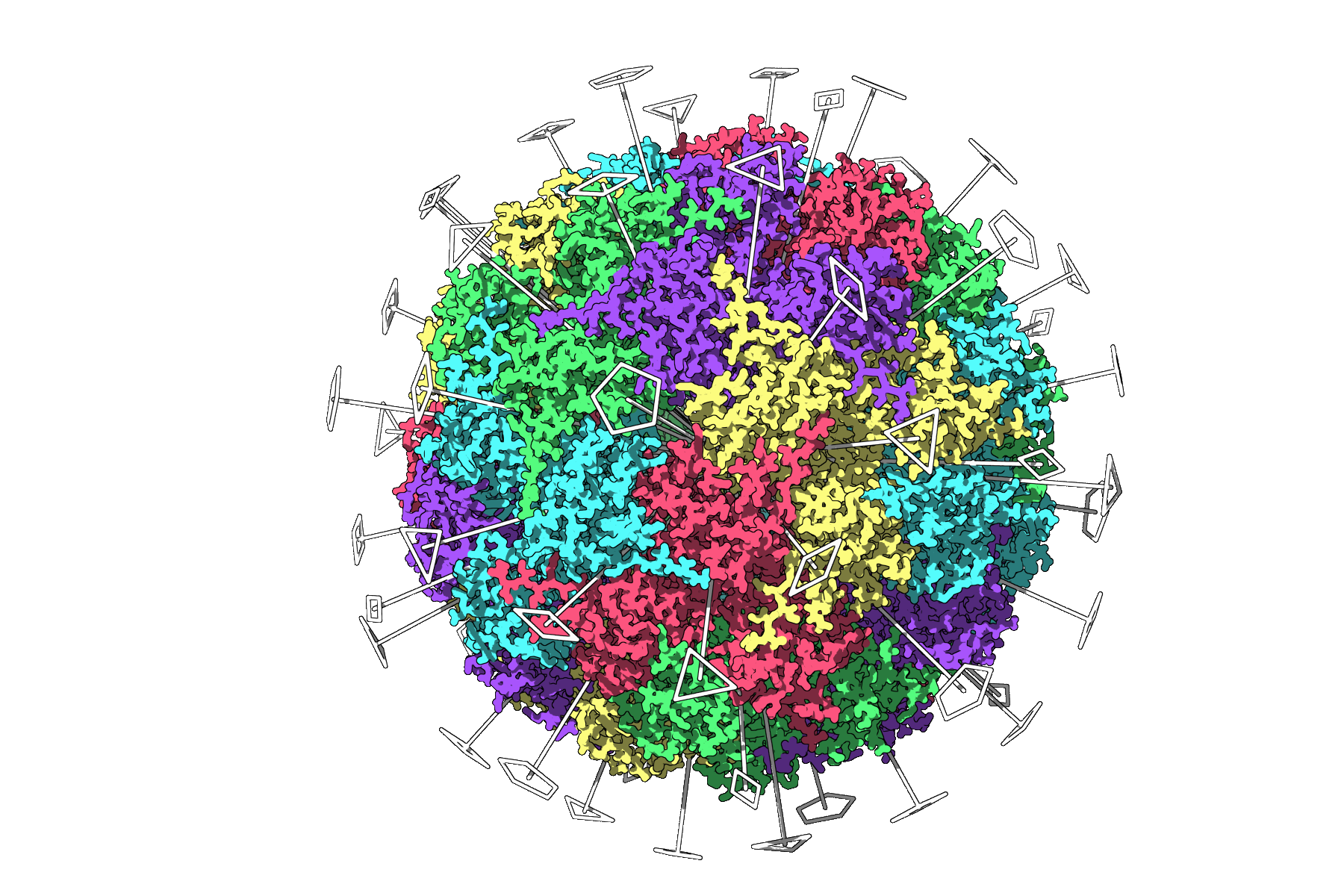
For a structure like the icosahedral capsid in 3NQ4, the extension identifies the full icosahedral symmetry, displaying all 2-, 3-, and 5-fold axes at once. This enables quick selection of a unique asymmetric unit for focused simulations. Here’s an image of the symmetry axes as detected by the tool:
Smaller Systems: 1B4B
For smaller proteins such as 1B4B, the app can identify dihedral symmetry (e.g., D3). Users can manually explore axes or select expected symmetry groups to guide their workflow:
Working with Multiple Symmetries
When dealing with large assemblies, the extension may detect multiple plausible symmetry groups. For example:
Choosing the Best Group
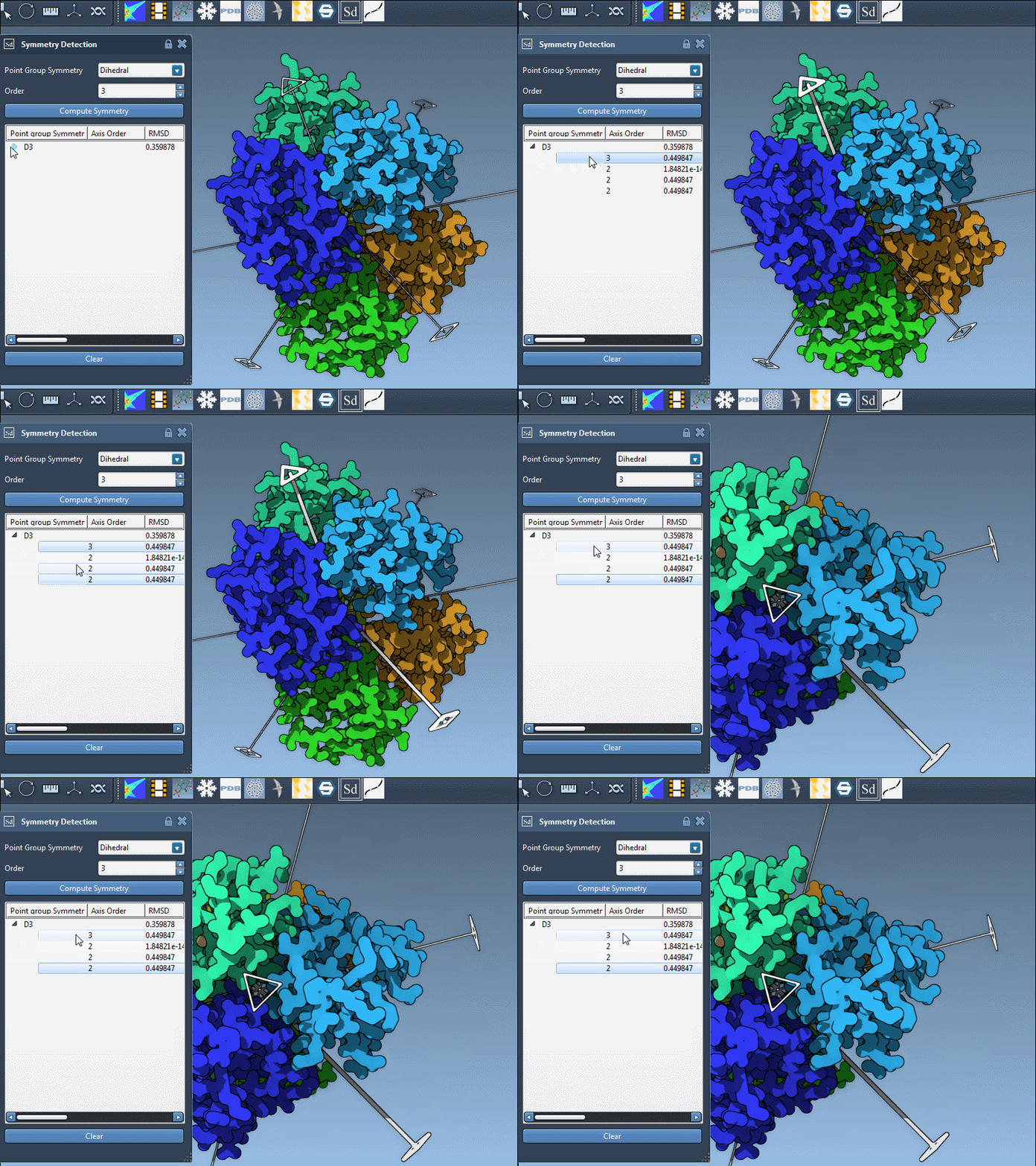
Analyze groups by their RMSD (Root Mean Square Deviation) values and symmetry order. Higher-order groups with smaller RMSD values are typically preferable. You can single-click to highlight a group’s primary axis or double-click to align the camera along it for a detailed view.
Here’s an example of axis selection for 1B4B:
Next Steps
Once symmetry detection is complete, a range of possibilities opens for molecular modelers:
- Export unique asymmetric units for efficient simulations.
- Design symmetric mutations or build molecular nanomaterials exploiting detected symmetry.
- Apply the same workflow to nanoparticle design or other studies.
To delve deeper into symmetry detection workflows and explore all features, refer to the official documentation.
SAMSON and all SAMSON Extensions are free for non-commercial use. Get started today by downloading SAMSON at samson-connect.net.