



Molecular modelers often encounter a significant challenge: effectively handling topological changes, such as bond formation and breaking, while editing molecular systems. These processes are traditionally cumbersome, requiring intricate setups and manual adjustments. If you’ve faced these difficulties, then you’ll want to explore the Interactive Modeling Universal Force Field (IM-UFF) in SAMSON.
The IM-UFF extension is a tool designed specifically to enhance molecular editing through physical, interactive simulations. IM-UFF extends the capabilities of the Universal Force Field (UFF) by allowing real-time, topology-aware manipulations, guiding users through changes that better reflect atomic interactions. This can be a game-changer for researchers designing or refining molecular structures.
How Does IM-UFF Work?
IM-UFF enables various topological modifications:
- Creating and breaking covalent bonds.
- Adjusting bond orders.
- Changing atom typizations.
The model responds smoothly to these topological transitions, enabling molecular structures to adapt and move toward configurations that align with their physical constraints. This framework not only saves time but also ensures accuracy by automatically updating bonds and topology during manipulations.
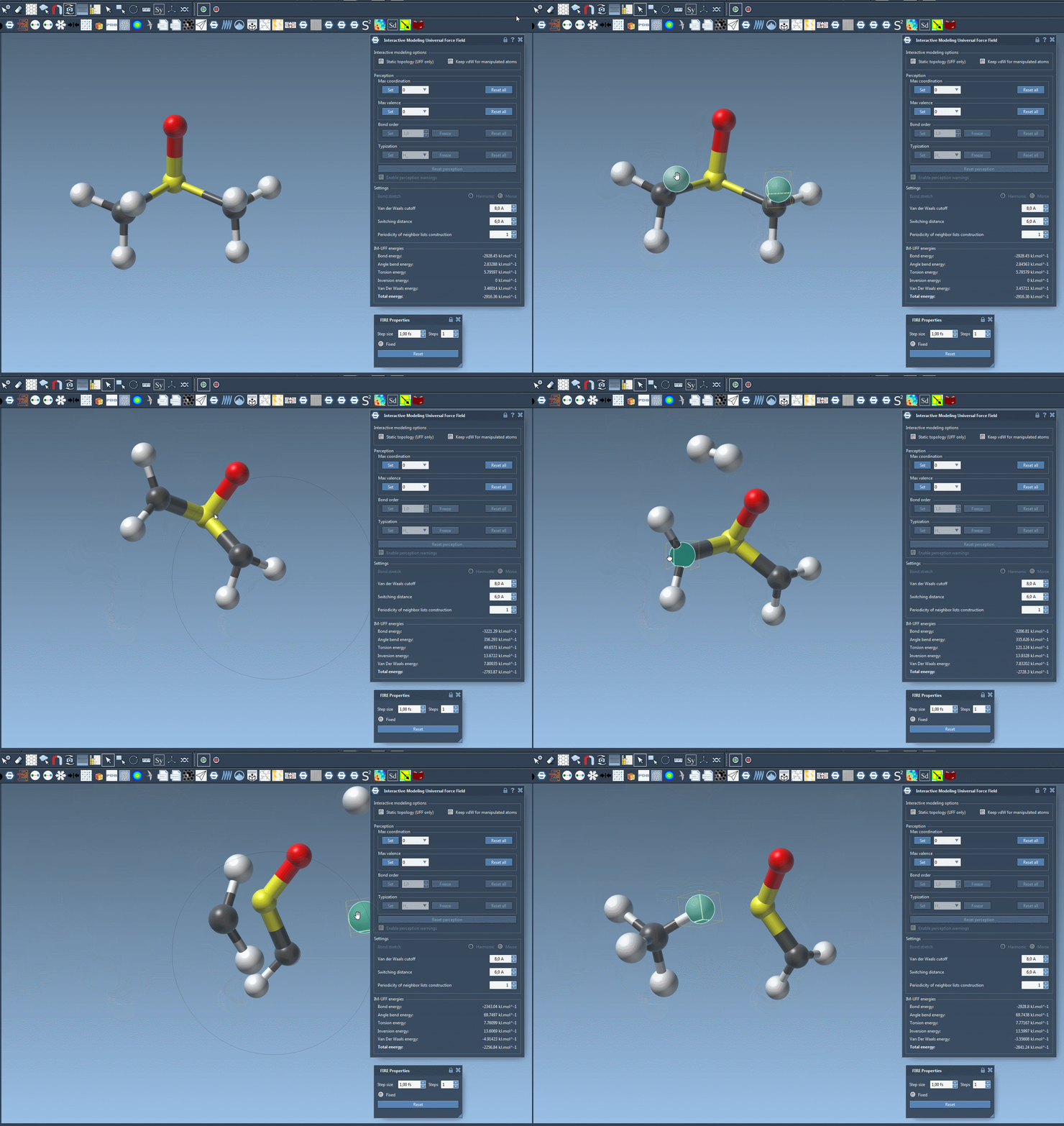
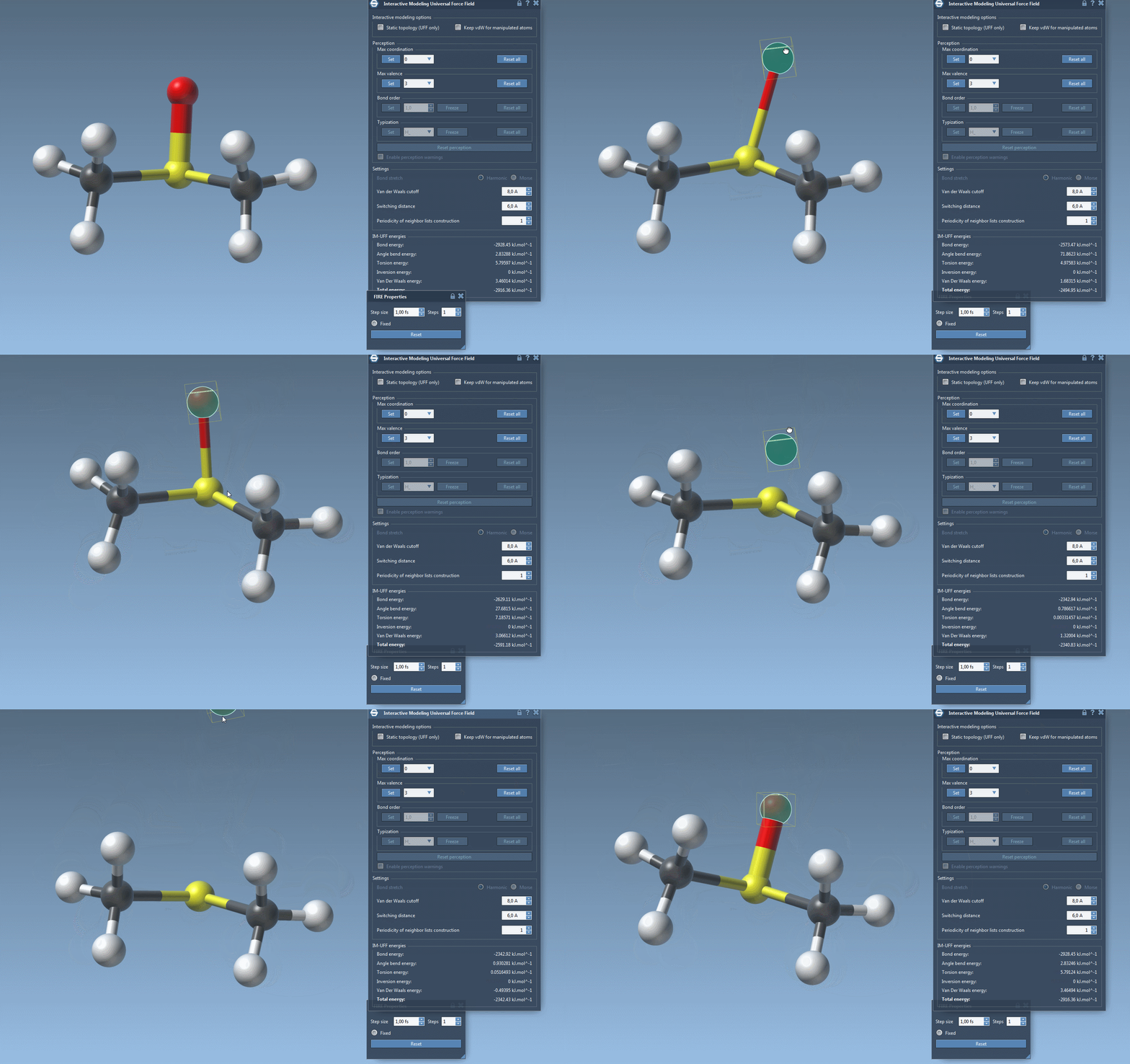
One core feature of IM-UFF is the ability to interactively guide physical changes in real time. By displacing atoms with the mouse, bonds will either stretch, adjust, or break depending on the extent of motion. Conversely, moving atoms closer together can form new bonds, dynamically updating the system’s topology. This approach simplifies building and refining complex molecular systems while leveraging interatomic forces for realistic modifications.
Setting Up and Running IM-UFF
Getting started with IM-UFF in SAMSON is straightforward:
- Add the IM-UFF extension to your SAMSON setup.
- Open a document containing the molecular system you wish to manipulate.
- Add a simulator via Edit > Simulate > Add simulator or use the shortcut
Ctrl+Shift+M(on Windows) orCmd+Shift+M(on Mac). - Select “Interactive Modeling Universal Force Field” from the list of available interaction models.
- Choose the state updater you’d like to use (e.g., FIRE).
- Begin your simulation by pressing Edit > Simulate > Start.
Once the simulation starts, use the IM-UFF interface to manipulate atoms directly. The parameter window displays real-time feedback, including total energy and individual energy terms, ensuring that you have a clear understanding of how your modifications are impacting the system.
Customization Features
IM-UFF also offers flexibility in adapting simulations to specific needs. You can customize parameters such as the van der Waals cutoff, switching distance, and neighbor-list periodicity. These customizations are applicable to both standard UFF and IM-UFF modes.
IM-UFF’s automatic typization adapts dynamically, providing continuous bond orders based on atomic positions for smooth transitions between different topologies. For those who desire even more control, atoms can be deleted or added dynamically “on the fly,” with automatic typization updates ensuring that the model remains consistent at all times.
Why Use IM-UFF?
If you’ve struggled with static interaction models in the past, IM-UFF can provide a fresh, streamlined approach to molecular modeling. By offering real-time, interactive tools for creating and breaking bonds, and integrating physically-based interatomic forces, IM-UFF helps transform a traditionally challenging process into an efficient and intuitive experience.
To explore IM-UFF further and see how it can streamline your molecular modeling workflows, visit the official documentation page here: IM-UFF Documentation.
Note: SAMSON and all SAMSON Extensions are free for non-commercial use. You can get SAMSON at this link.