



Molecular modelers frequently encounter challenges when working with dynamic structures. The ability to accurately manipulate molecular systems, including breaking and forming covalent bonds during interactive modeling, is a crucial aspect that many tools lack. SAMSON’s Interactive Modeling Universal Force Field (IM-UFF) extension presents an efficient solution to this pain point by smooth handling of topological changes in molecular systems.
The IM-UFF extension builds upon the Universal Force Field (UFF) and enables users to adjust molecular structures interactively with real-time guidance from physically-based inter-atomic forces. Whether you are trying to reorganize molecular arrangements, optimize geometries, or study transitions, IM-UFF helps streamline these workflows with seamless adjustments to molecular topologies.
What Makes IM-UFF Special?
Interactive modeling with IM-UFF is not just about visualization; it empowers precise control over the molecular structure. When engaging with IM-UFF, you can:
- Break and create covalent bonds.
- Adjust bond orders dynamically.
- Modify atom typizations in real time.
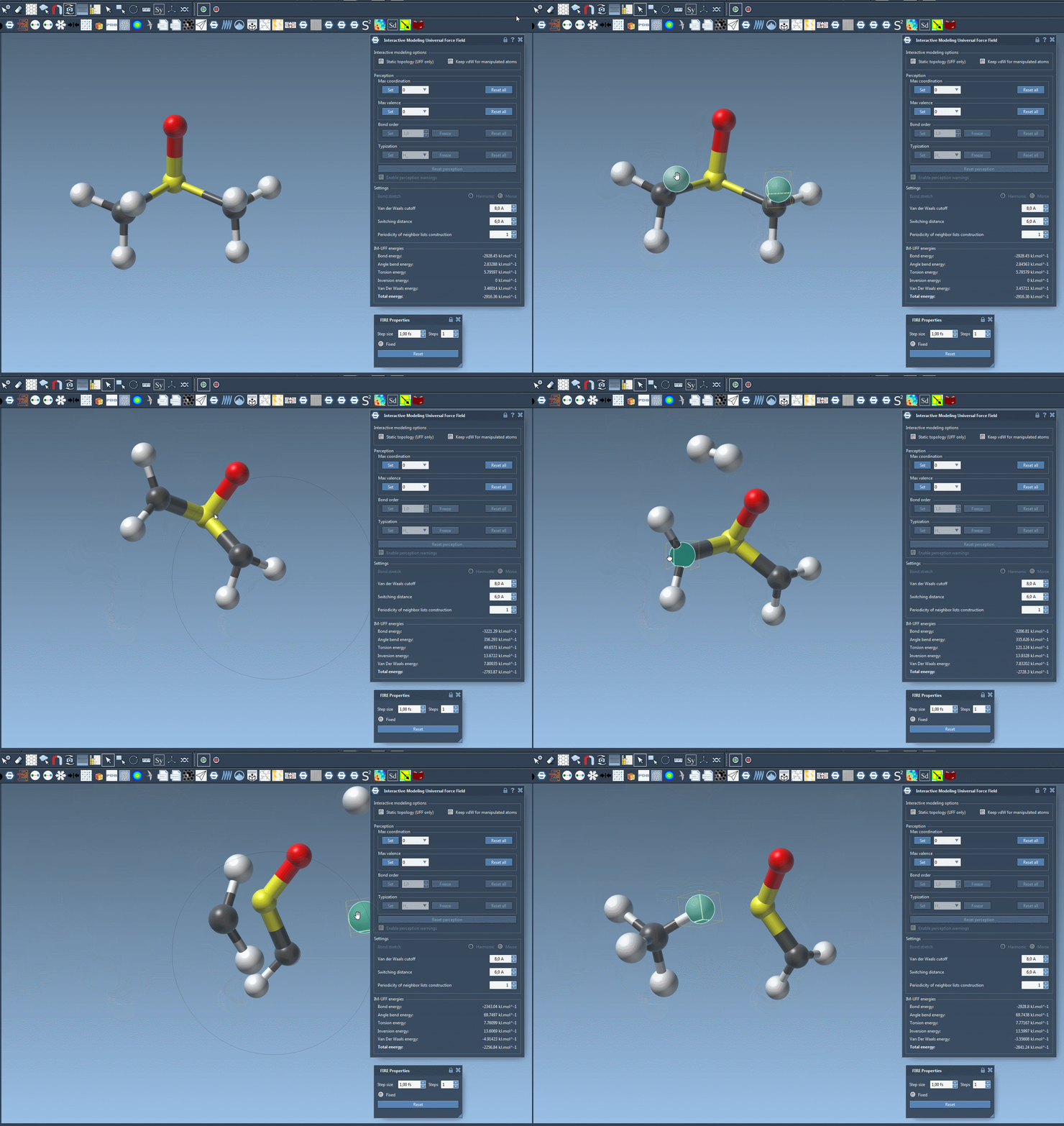
For instance, as you simulate or edit a molecule, atoms can seamlessly form new bonds or break existing ones as their proximity changes, making it significantly easier to construct or refine molecular systems. This behavior is built into an interactive workflow, perfectly suited for applications involving highly dynamic chemical systems.
Step-by-Step: Running an IM-UFF Simulation
To start with IM-UFF, follow these steps:
- Ensure the IM-UFF extension is added to your SAMSON installation. (Download IM-UFF)
- Open the molecular system you want to simulate in SAMSON.
- Add a simulator via
Edit > Simulate > Add simulator(or use shortcutCtrl+Shift+M/Cmd+Shift+M). - Select Interactive Modeling Universal Force Field in the interaction model list.
- Choose a state updater for simulation, such as the FIRE minimizer, and press OK.
Now, you can interact with your molecular system. Observe how the total energy and individual energy contributions update in real time within the IM-UFF parameter window. When you displace an atom slightly, the topology adjusts to preserve structures. But if you move an atom significantly, bonds break dynamically, and the updated topology reflects these changes.
Fine-Tuning for Better Results
IM-UFF provides options for greater control during simulations. For example, the Keep vdW for manipulated setting can be activated to compute full van der Waals (vdW) interactions, or toggled off for easier manipulations. This versatility ensures that you can adapt simulations to suit your specific needs.
Additionally, when working in IM-UFF mode, the bond order and typization transition smoothly based on changing atomic positions, enabling intricate molecule editing that reflects physical behaviors. This flexibility is extremely useful when studying systems undergoing large-scale transformations.
Start Exploring Today
IM-UFF simplifies interactive molecular modeling, making it easier for users to build, refine, and simulate molecular structures. Whether you’re working on small systems or handling complex topological changes, IM-UFF is designed to help you achieve more effective results. To dive deeper into its features, visit the complete documentation.
SAMSON and all SAMSON Extensions are free for non-commercial use. Download SAMSON today at SAMSON Connect.