



Generating lipid layers around proteins is a crucial step for molecular modelers working on membrane proteins. It can often be a time-consuming and complex task that involves multiple tools or hours of manual configuration. The Molecular Box Builder extension for SAMSON streamlines this process, enabling users to rapidly create lipid layers around proteins with minimal effort. Here’s how you can get started.
Why Build Lipid Layers?
Most experimental and computational studies of membrane proteins involve embedding these proteins in a lipid bilayer, which mimics their natural environment. A carefully crafted lipid layer helps ensure accurate simulations and realistic results. Setting up these lipid bilayers manually, however, can be challenging and error-prone.
Fortunately, the Molecular Box Builder for SAMSON provides a fast and intuitive way to construct lipid layers or bilayers around proteins, saving both time and effort.
Step-by-Step: Build a Lipid Layer Around a Protein
Follow these steps to create a lipid layer surrounding a protein such as the copper-transporting PIB-ATPase (e.g., 4BBJ):
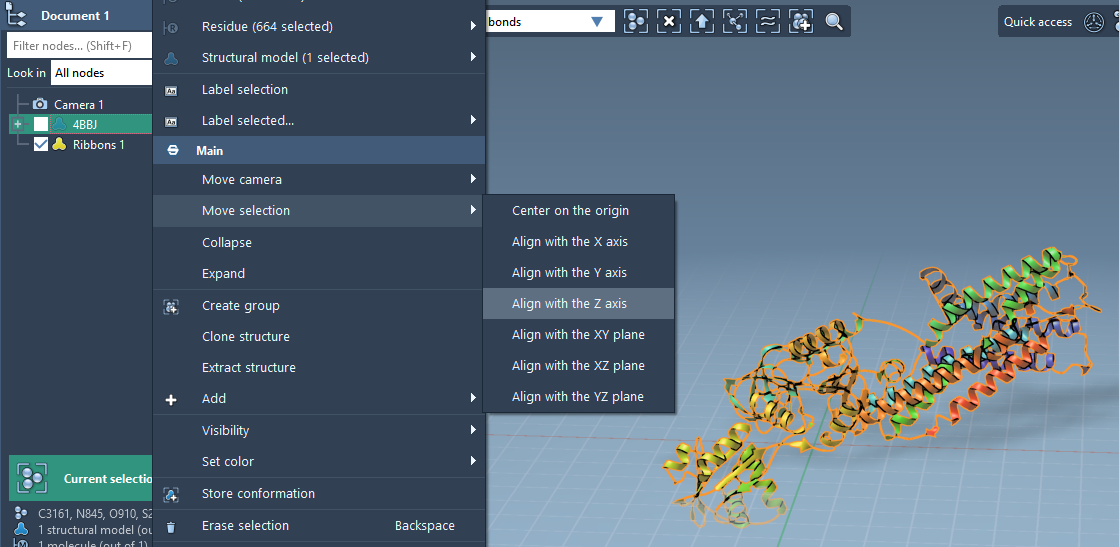
Step 1 – Align the Protein
First, align the protein to ensure it’s centered and properly oriented:
- Right-click the protein in the Document view in SAMSON.
- Select Move selection > Align with Z axis from the context menu.
- Next, choose Move selection > Center on the origin to properly center it.
Once aligned, your protein will be positioned optimally for lipid layer generation.
Step 2 – Set the Lipid Molecule
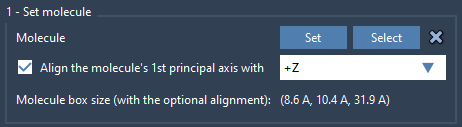
Next, choose the lipid molecule to create the layer:
- Import a lipid molecule into SAMSON and select it.
- Use the Set button in the Molecular Box Builder to define it as the molecule to insert.
- Align its principal axis with the
+Zdirection for consistent orientation.
Step 3 – Define the Box
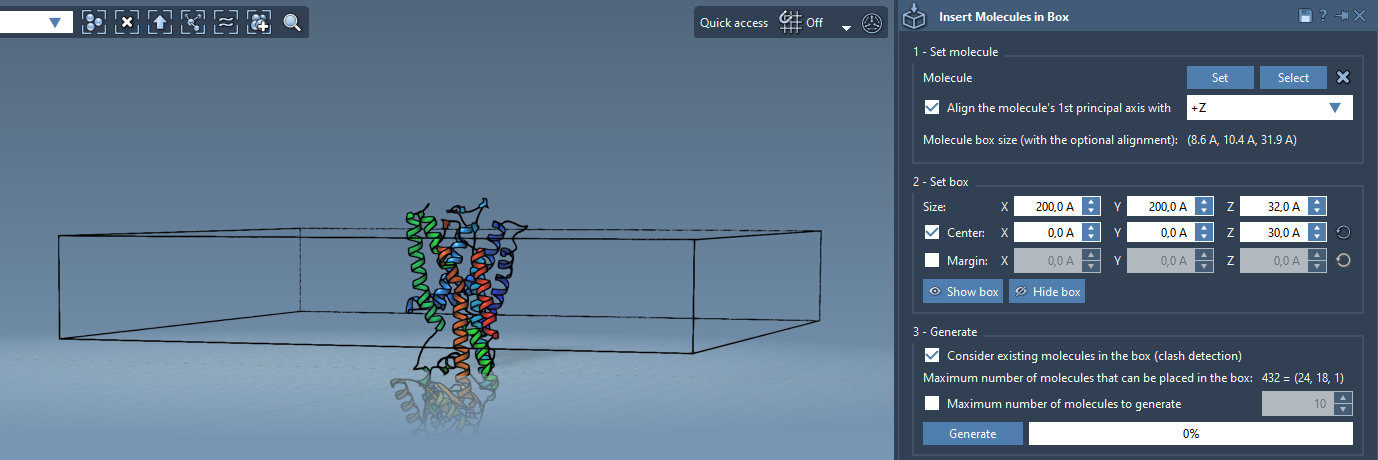
Define the box that will contain the lipid layer:
- Center the box around the protein for accurate placement.
- Adjust the box size to fit the dimensions of a single lipid layer.
- Optionally, specify a margin between the inserted molecules for controlled spacing.
Step 4 – Generate
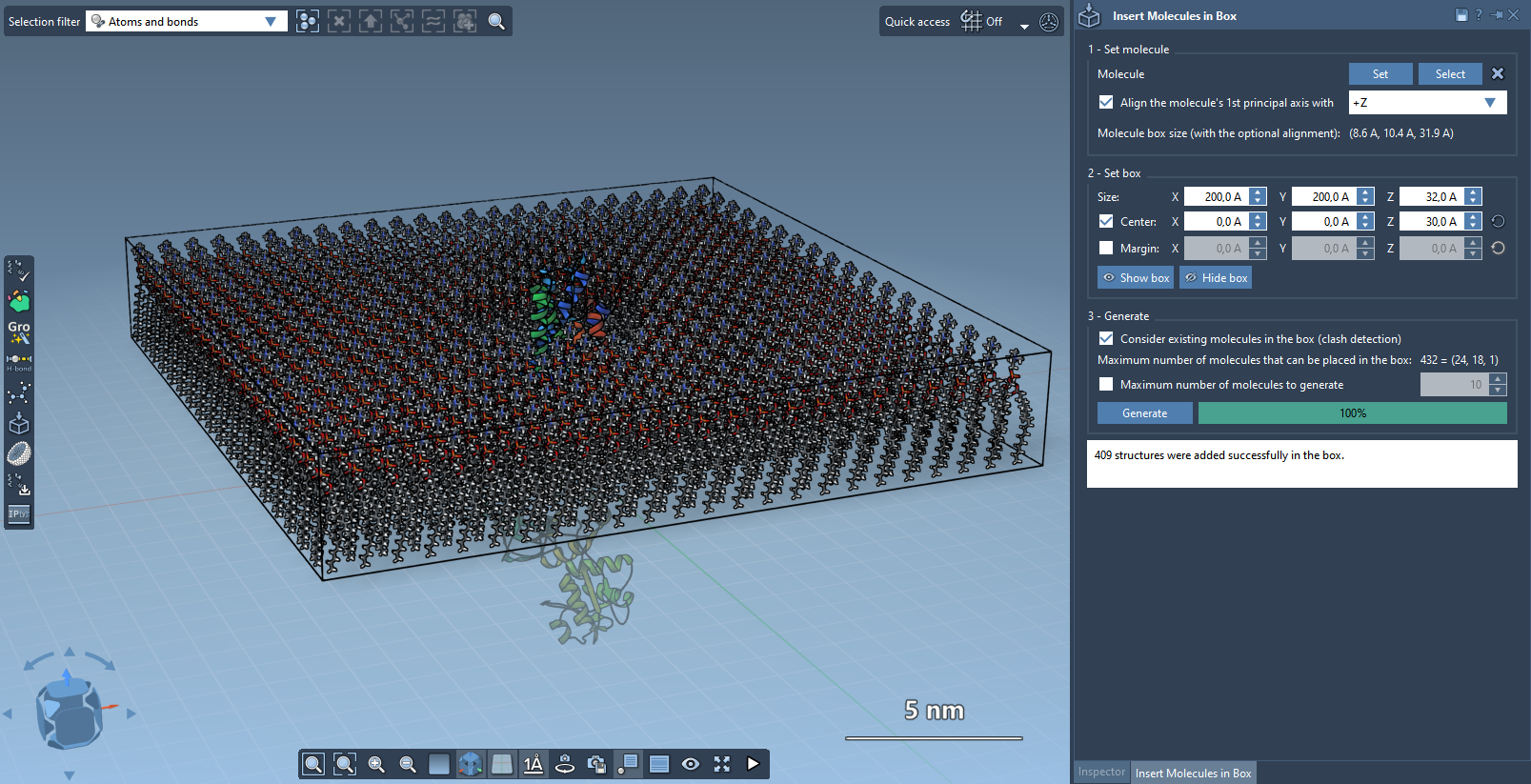
Finally, generate the lipid layer:
- Enable the Consider existing molecules in the box option to ensure lipids are added only to free spaces.
- Click Generate and let the tool populate the area with non-overlapping lipids around the protein.
The result is a single lipid layer surrounding your protein.
Optional: Generate a Lipid Bilayer
If you need a full lipid bilayer:
- Create the first layer with
+Zalignment. - Shift the box center along the
Z-axis. - Create the second layer with
-Zalignment.
With minimal effort, you now have a complete lipid bilayer tailored to your protein setup.
Next Steps
Once your lipid layer is ready, you can refine and simulate the system using tools like the GROMACS Wizard. This allows you to minimize, equilibrate, and simulate the structure for further analysis.
To learn more, explore the original documentation page: https://documentation.samson-connect.net/tutorials/molecular-box-builder/molecular-box-builder/
SAMSON and all SAMSON Extensions are free for non-commercial use. Download SAMSON at https://www.samson-connect.net.