



Building a biologically accurate environment for macromolecules is a common challenge faced by molecular modelers. Whether working with membrane proteins or simulating lipid-protein interactions, creating a lipid layer around a protein system can be a time-intensive process prone to errors. Fortunately, SAMSON’s Molecular Box Builder extension streamlines this task, making it easier than ever to assemble lipid layers around your protein of interest.
In this blog post, we will explore the process of building a single lipid layer around a protein using Molecular Box Builder. This practical guide walks you through each step to ensure your protein-centered system is ready for further modeling, all within a few clicks.
Why Create Lipid Layers?
Proteins embedded in cellular membranes often require a lipid bilayer or a single layer for accurate simulations. Lipids stabilize protein structures, mimic physiological conditions, and provide a realistic environment for experimentation. Manual customization of these layers, however, can lead to inconsistencies. This is where Molecular Box Builder comes in as a precise and efficient solution for the task.
Start by Aligning Your Protein
The first step to creating an accurate lipid layer is to correctly orient your protein structure. Here’s how to do it in SAMSON:
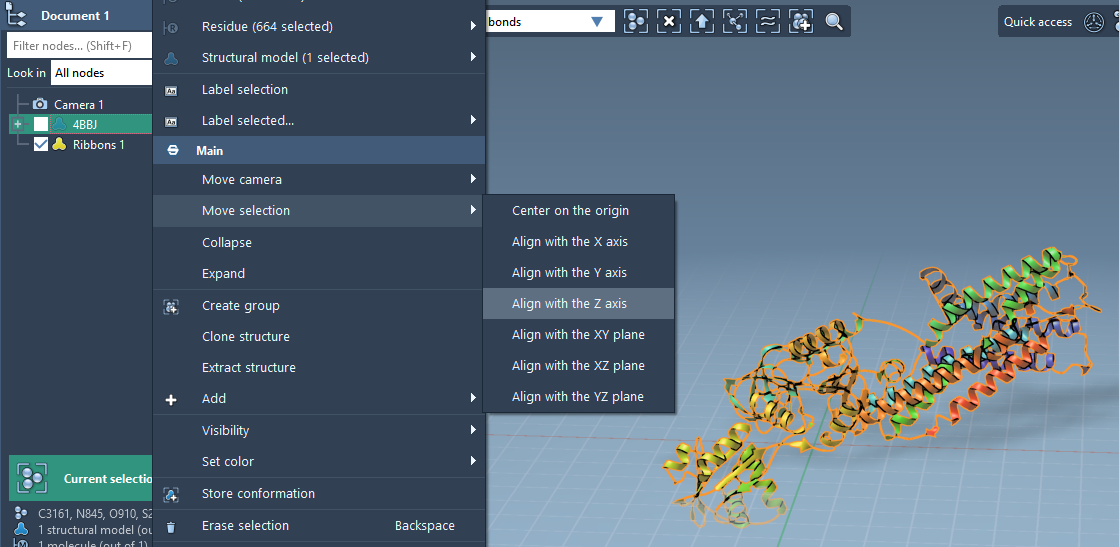
- Right-click the protein in the Document view.
- Select Move selection > Align with Z axis from the context menu to orient the protein along the Z-axis.
- Choose Move selection > Center on the origin to ensure the protein is positioned correctly.
Once aligned, the protein is ready for the lipid layer building phase.
Set the Lipid Molecule
Next, you’ll need to define the lipid molecule with which the system will be populated:
- Import a lipid molecule into SAMSON.
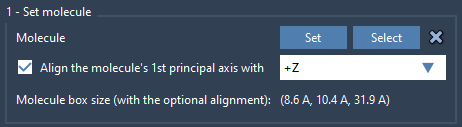
- Select the lipid molecule and click Set in the Molecular Box Builder extension.
- Align the lipid’s principal axis to the
+Zdirection for proper configuration.
Define the Lipid Layer Box
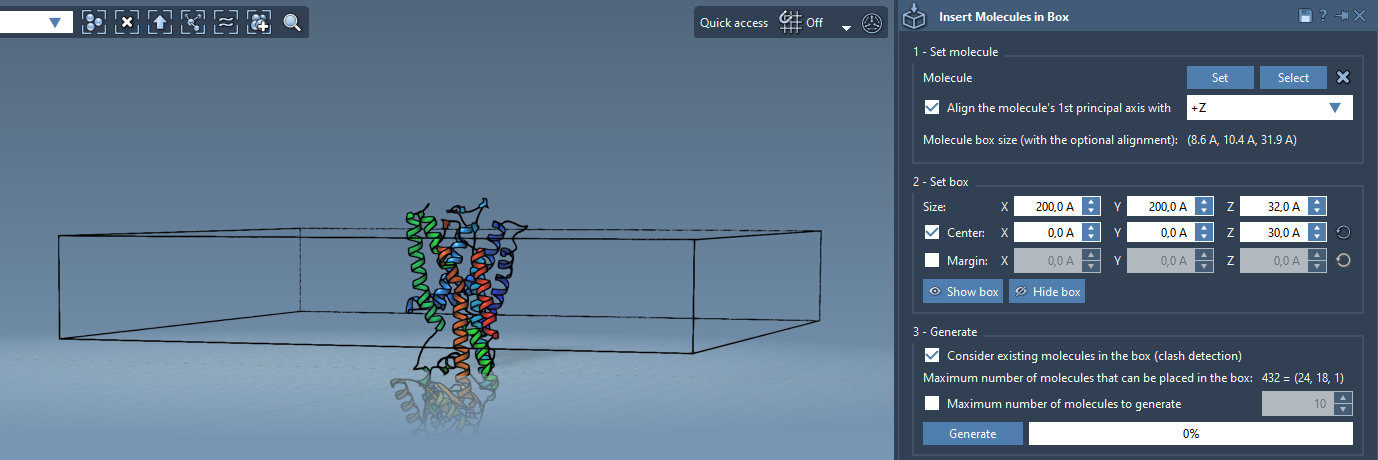
Now it’s time to define the 3D box that constrains your lipid layer. Follow these steps:
- Center the box around the aligned protein to confine the lipid placement accurately.
- Adjust the box dimensions to match the desired size of the lipid layer.
- Specify the margin between the inserted lipid molecules, ensuring a compact or spaced arrangement as needed.
Visualize your box in the interface and adjust until it perfectly encompasses the protein while leaving sufficient room for lipids.
Generate the Lipid Layer
Finally, populate the box with lipids to form the layer:
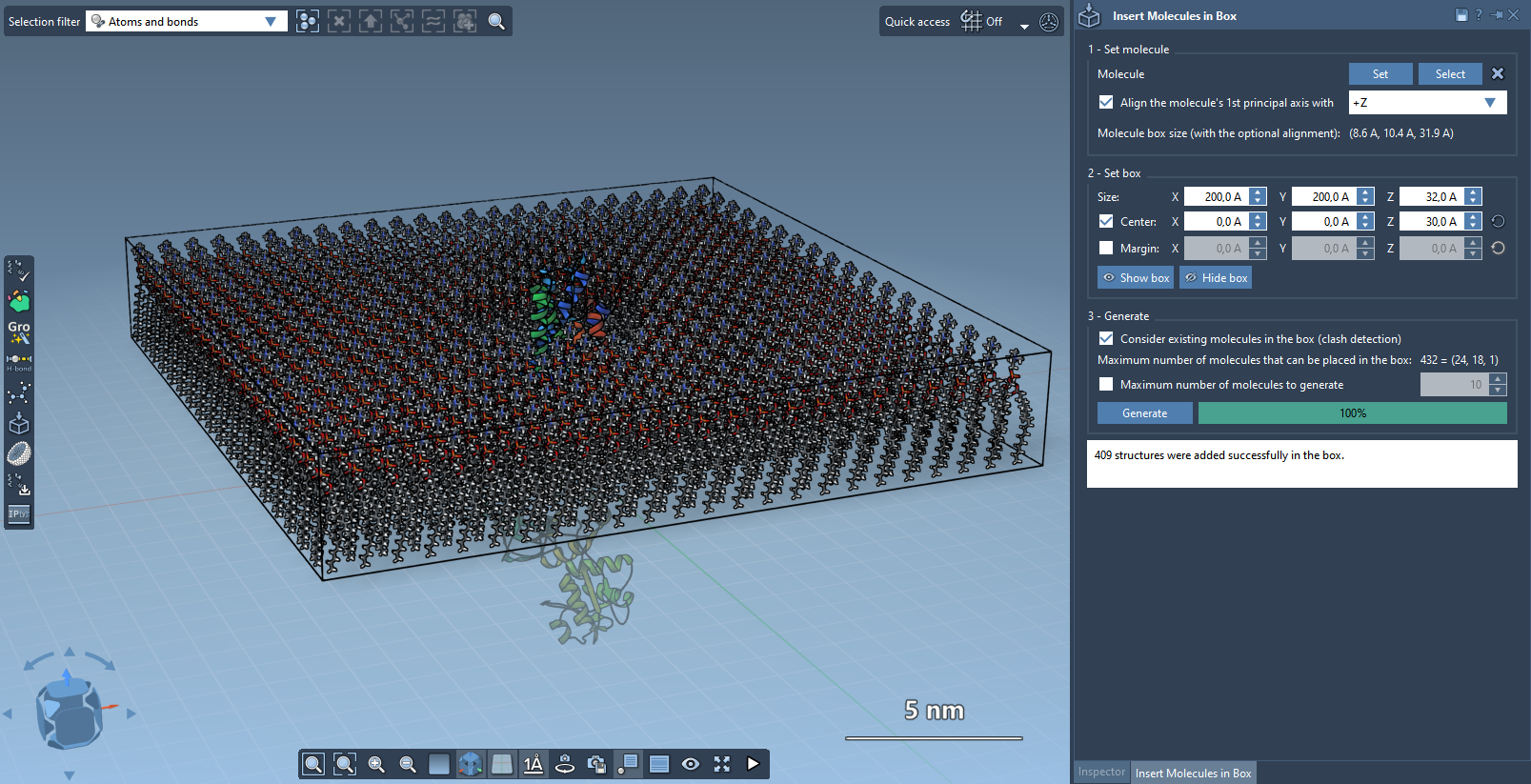
- In the Molecular Box Builder, enable Consider existing molecules in the box to prevent overlaps with the protein.
- Click Generate to create the lipid layer. The process is quick, and within seconds, you’ll have a lipid layer surrounding your protein.
The result is a single lipid layer accurately arranged around your protein, ready for further simulations or analysis.
What’s Next?
After generating the lipid layer, you can explore advanced configurations, such as creating a lipid bilayer by adding a second layer with -Z alignment. To achieve physiological relevance, minimize and equilibrate your system using SAMSON extensions like the GROMACS Wizard.
Want to dive deeper into Molecular Box Builder and its applications? Visit the complete tutorial at SAMSON Documentation.
Note: SAMSON and all SAMSON Extensions are free for non-commercial use. You can download SAMSON at SAMSON Connect.