



Building a realistic simulation system that includes lipid layers around a protein can be a challenging and time-consuming process for molecular modelers. This step is often required when simulating biological membranes, but the manual alignment of lipids and ensuring their proper placement is a tedious task. Fortunately, the Molecular Box Builder extension for SAMSON offers a streamlined solution to simplify the creation of lipid layers around proteins in just a few steps.
Why Build Lipid Layers?
Lipid bilayers play important roles in protecting proteins and facilitating their interactions. Many protein simulations require their structural and environmental context to be preserved, for instance, embedding a protein in a lipid membrane. However, preparing such systems manually can involve trial-and-error approaches to align lipids accurately around the protein and avoid overlaps or unrealistic placements.
With the Molecular Box Builder in SAMSON, users can easily construct single or double lipid layers around a protein. The process is straightforward, and the intuitive interface ensures clarity in every step.
Step-by-Step Overview
Step 1: Aligning the Protein
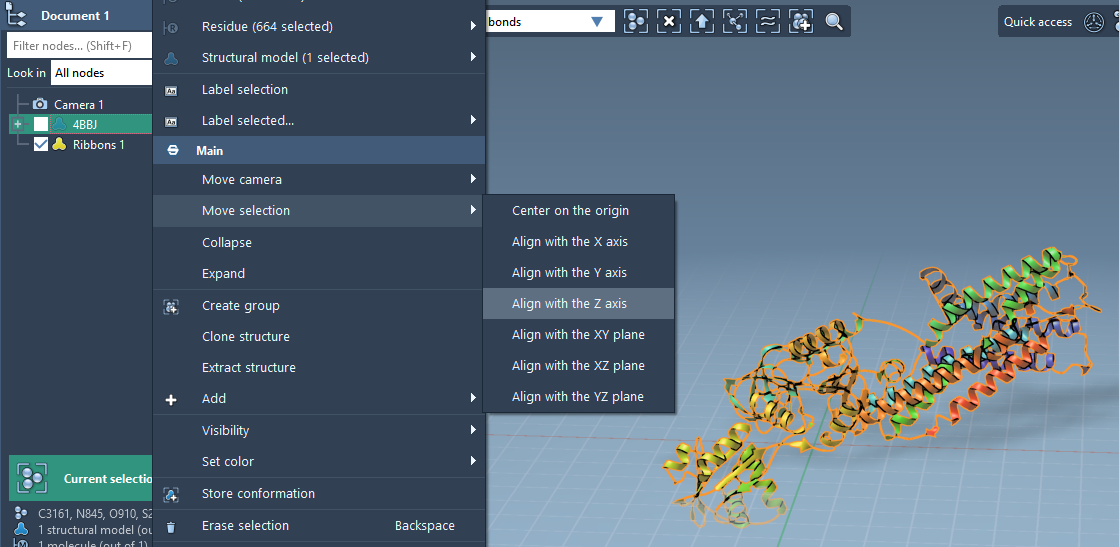
Before starting, make sure your protein is aligned correctly. With SAMSON, you can align the protein along the Z-axis in just a few clicks:
- Right-click the protein in the Document view.
- Select Move selection > Align with Z axis from the context menu.
- Then, choose Move selection > Center on the origin to ensure proper positioning.
Step 2: Setting the Lipid Molecule
The next step is to prepare and import a lipid molecule. Once imported:
- Select the lipid molecule in the Document view or Viewport.
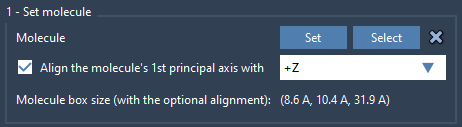
- Use the Molecular Box Builder to set the lipid by clicking Set in the app.
- Align the lipid’s principal axis to the Z-axis for proper orientation.
Step 3: Defining the Box
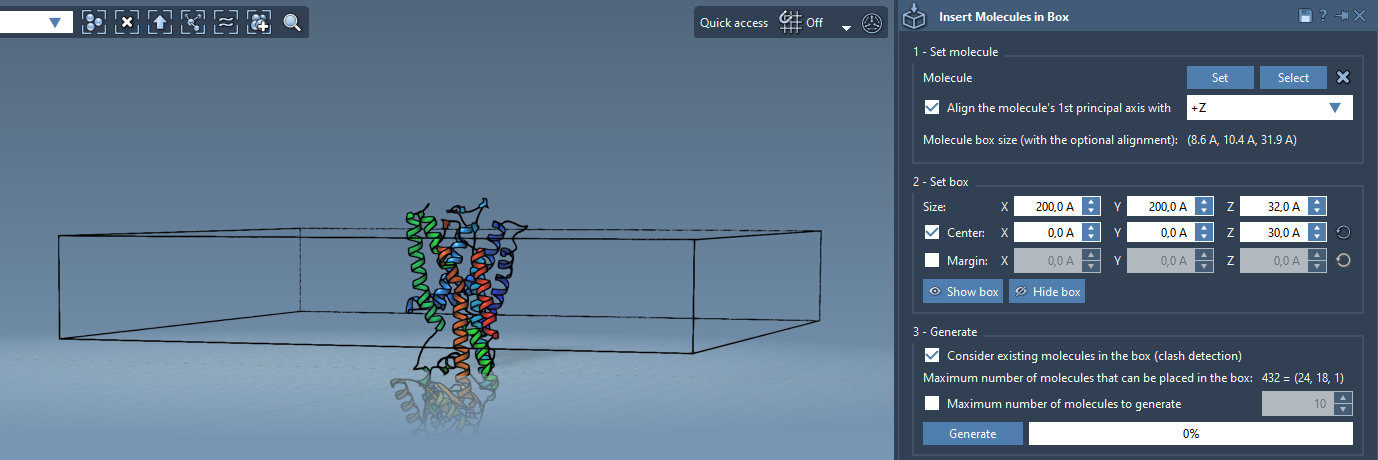
Now it’s time to define a box where the lipid layer will be generated:
- Center the box around the protein to ensure an evenly distributed lipid layer.
- Adjust the size of the box to match the dimensions of the desired lipid layer.
- If needed, specify a margin between inserted molecules to control their density and spacing.
Step 4: Generating the Lipid Layer
The final step is generating the lipid layer around your protein:
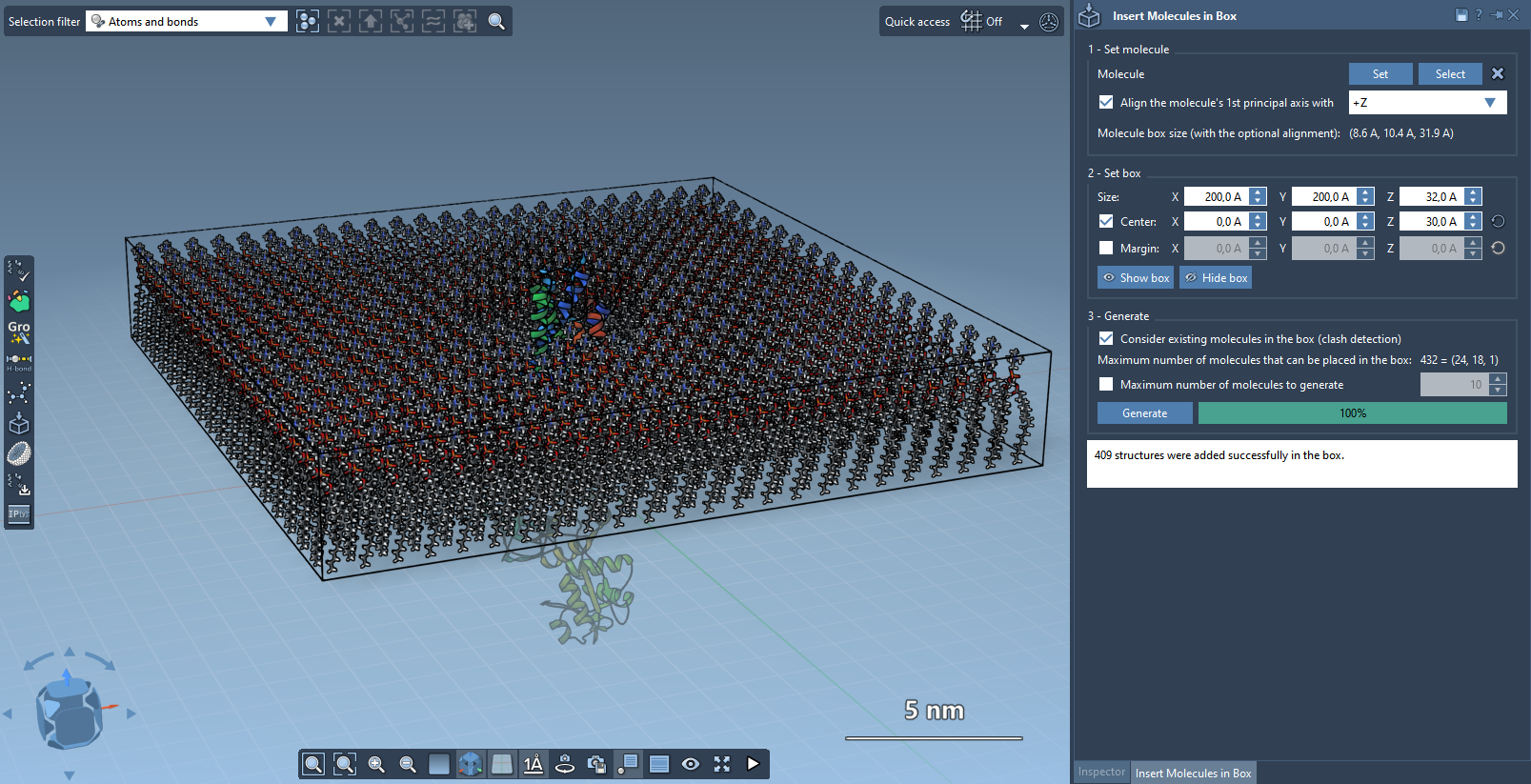
- Enable the option Consider existing molecules in the box in the Molecular Box Builder to ensure lipids only occupy available spaces around the protein.
- Click Generate, and within seconds, your system will be ready with a lipid layer accurately aligned to your protein.
You now have a lipid layer surrounding your protein, ready for further processing!
Optional: Creating a Lipid Bilayer
If you need a complete lipid bilayer, you can achieve this by generating a second layer:
- Generate the first layer aligned to the +Z axis.
- Shift the box center down the Z-axis.
- Create the second layer by aligning lipids to the -Z axis.
And just like that, you’ll have a full lipid bilayer around your protein system.
What’s Next?
After generating the lipid layer, you can further prepare your system by minimizing, equilibrating, and simulating it, for example, using the GROMACS Wizard. To dive deeper into these steps, access the full guide on the official Molecular Box Builder documentation page.
Note: SAMSON and all SAMSON Extensions are free for non-commercial use. You can get SAMSON at SAMSON Connect.