



Molecular modelers often face the challenge of designing custom polymers for various applications such as drug conjugates, molecular scaffolds, or materials modeling. Defining monomers, building sequences, and ensuring connections are chemically consistent can be a tedious and error-prone process. This is where the Polymer Builder extension in SAMSON can truly transform your workflow.
Streamlining Polymer Creation
With Polymer Builder, SAMSON enables modelers to design intricate polymers with ease by combining monomers and sequences in custom patterns. Whether you need linear or branched polymers, the flexibility and control provided by the extension allow you to:
- Utilize real chemical fragments to design polymers.
- Mix and match monomers and pre-defined sequences.
- Control bond types (e.g., single, double, triple) for detailed tailoring.
- Automatically avoid clashes at connection points for clean molecular structures.
The Polymer Builder also predicts molecular weight and length, helping you plan and validate your project in real-time as you create it.
How It Works: Generating a Custom Polymer
The process of building a polymer in SAMSON is surprisingly simple and intuitive. Here’s a step-by-step overview:
1. Register Monomers
Select a molecule segment in your project and use the “Register monomer from selection” option. Monomers are automatically assigned start and end atoms based on their structure, and you can manually fine-tune these.
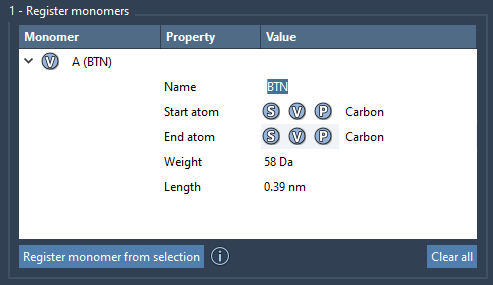
Monomers are uniquely labeled (e.g., A, B, C) and stored in a table, which also displays their molecular weights and distances between start and end atoms. This high-level view allows you to easily manage your monomer library.
2. Define Monomer Sequences
If your polymer requires repeating patterns, you can register sequences of monomers. Enter the sequence (e.g., ABBA) using the registered monomer identifiers. SAMSON automatically validates your sequence, and you can set custom names for easy tracking.
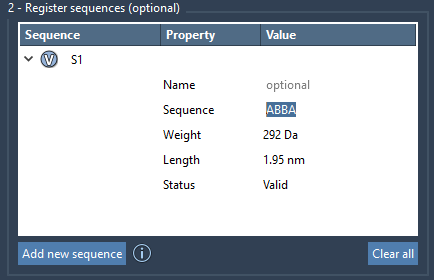
You can also specify bond types between monomers in your sequence. For example:
A=Bconnects A and B with a double bond.2*ABcreates a sequence with two repeats of AB (i.e., ABAB).
Sequences can be modified or deleted easily from their summary table, keeping your projects flexible and organized.
3. Generate a Polymer
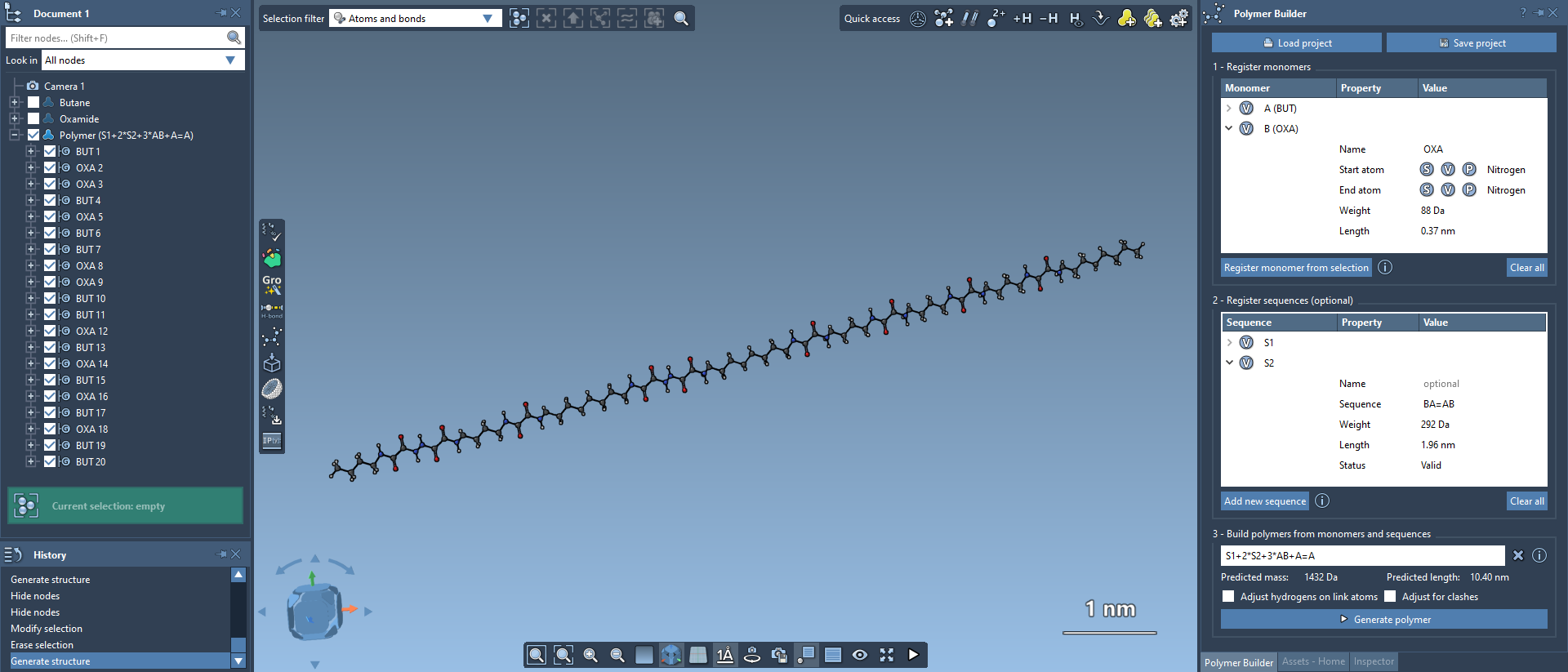
Once your monomers and sequences are ready, you can define a complete polymer structure using a custom expression. For instance, S1 + 2*S2 + AB=BA combines pre-defined sequences S1 and S2 with specific monomer linkages and bond types.

Click “Generate polymer” to build your structure. The tool calculates its molecular weight and length, while ensuring clean geometry by adjusting hydrogens and avoiding steric clashes where necessary.
Why Choose Polymer Builder?
Modelers save significant time and achieve higher accuracy when using SAMSON’s Polymer Builder. Its intuitive interface, real-time feedback, and flexible design options make it ideal for applications like synthetic polymer synthesis, drug-polymer conjugate generation, and coarse-grained modeling.
Want to learn more? Dive deeper into the Polymer Builder extension by visiting the original documentation page at https://documentation.samson-connect.net/tutorials/polymer-builder/polymer-builder/.
Note: SAMSON and all SAMSON Extensions are free for non-commercial use. You can get SAMSON today at https://www.samson-connect.net.