



For molecular modelers and nanotechnology researchers, creating carbon nanotube (CNT) models can be both integral and daunting. Precise control over parameters like chirality, radius, and length can directly influence simulation results, mechanical or electronic property studies, and even the design of nanodevices. If you’ve ever wished for a straightforward and efficient way to build single-walled or multi-walled CNTs, SAMSON’s Nanotube Creator Extension is here to address your needs.
Why Precision in CNT Modeling Matters
Whether you’re studying CNTs for molecular transport, drug delivery systems, or nanoelectromechanical systems (NEMS), the structural accuracy of your CNTs forms the foundation of your research. Misaligned or poorly defined parameters can lead to unreliable simulations, wasted time, and inaccurate conclusions. With the Nanotube Creator, SAMSON empowers you to build with confidence and precision.
Two Intuitive Methods for CNT Design
SAMSON’s Nanotube Creator offers flexibility in how you approach CNT construction, tailored to your preferred level of control:
1. Interactive Building in the Viewport
If you enjoy a hands-on, visual approach, this method lets you create nanotubes directly in the viewport:
-
Set the nanotube axis and length: Simply click and drag with your left mouse button in the viewport. The orientation and length are displayed in real-time in the status bar, guiding you as you adjust the parameters.
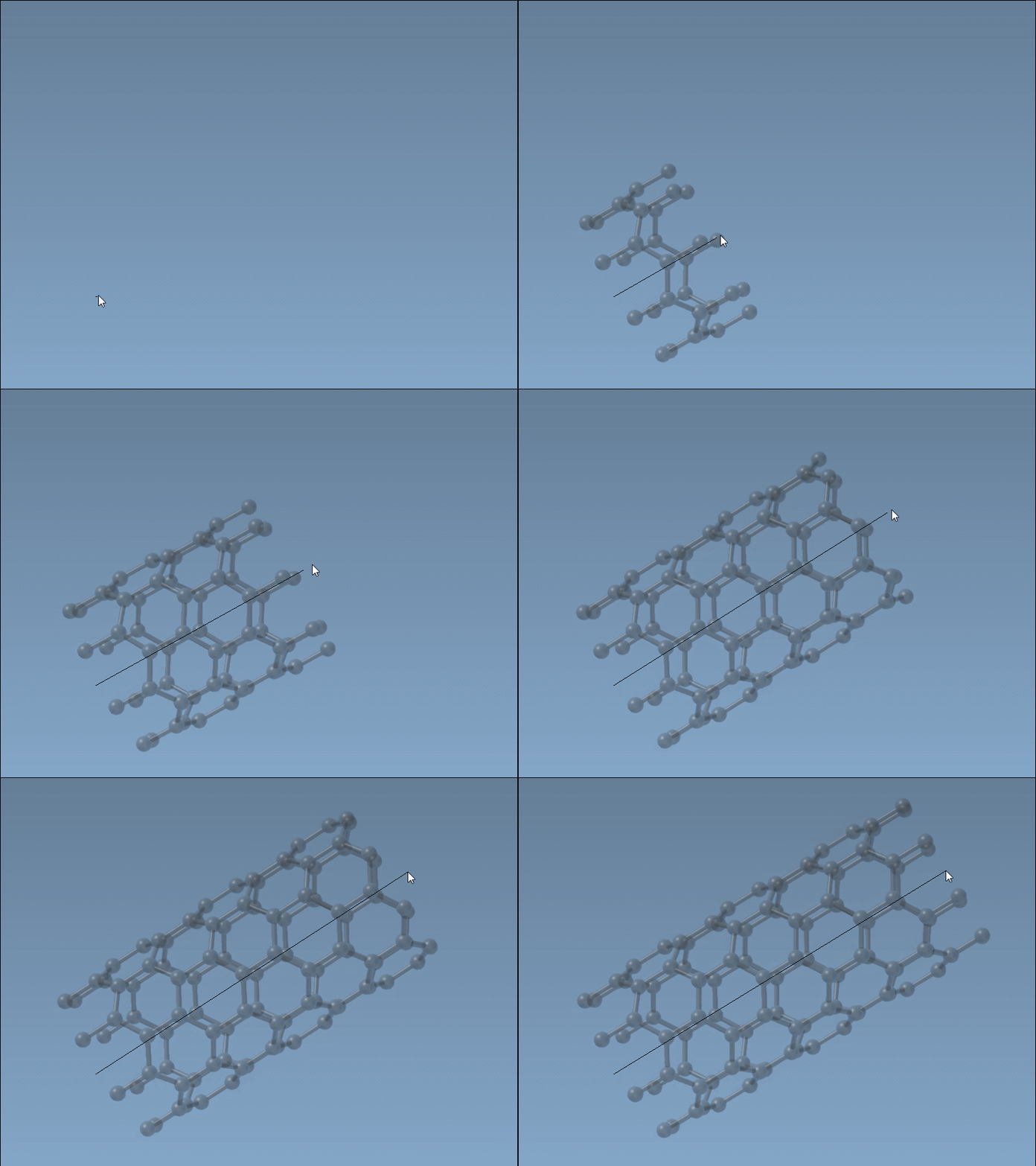
-
Define the radius: Release the mouse button, move your mouse to adjust the radius, and click again to confirm the selection.
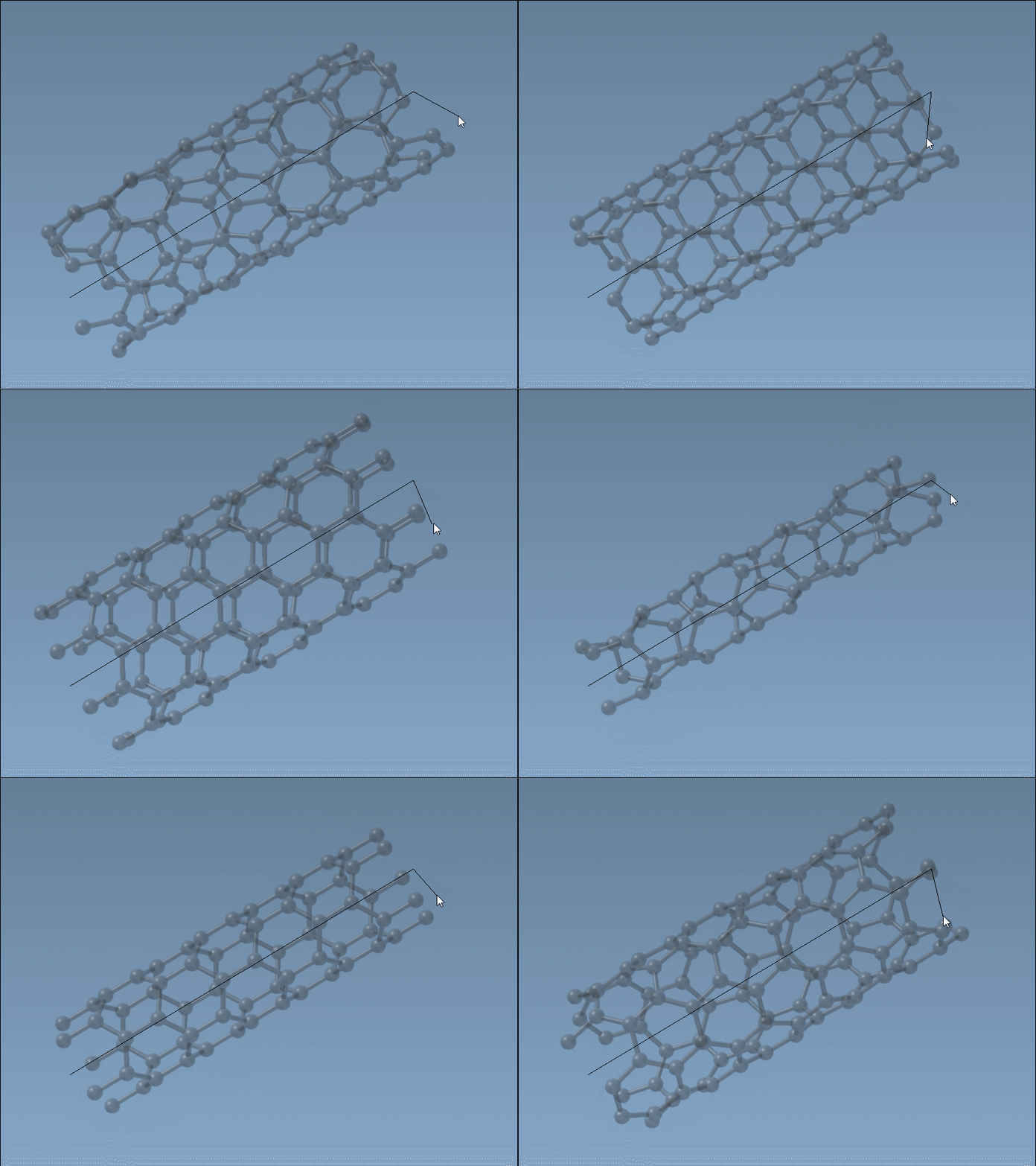
For molecular modelers, the ability to dynamically adjust these parameters with visual feedback is a powerful tool for experimentation and rapid prototyping.
2. Precise Control with the Graphical Interface
For those who prioritize detailed parameter entry, the Nanotube Creator’s graphical user interface (GUI) allows meticulous adjustments. Activate the editor and bring up the GUI, where you can fine-tune key parameters:
- Start / End Position: Define the axis of the CNT in 3D space.
- Chirality (n/m values): Specify the chiral vector to set the structure and radius of the nanotube.
Once set, click Build to generate your CNT. The GUI also supports creating multi-walled CNTs effortlessly, enabling advanced designs for complex research objectives.
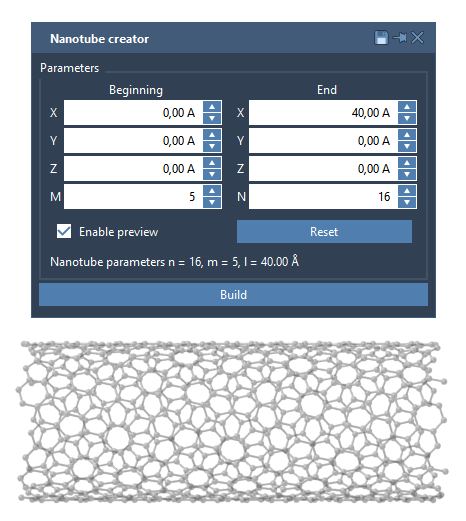
An Example: Creating a Multi-Walled CNT
Here’s a quick guide to building a concentric, three-layered CNT:
- Set start/end positions as
(0, 0, 0)to(40, 0, 0)for a length of 40 Å along the x-axis. - Create the first CNT with
n=6andm=6, and click Build. - Add the second CNT with
n=10andm=10, and click Build. - Add the third CNT with
n=14andm=14, and click Build.
This process results in a multi-walled CNT, ready for further study or integration into larger structures:
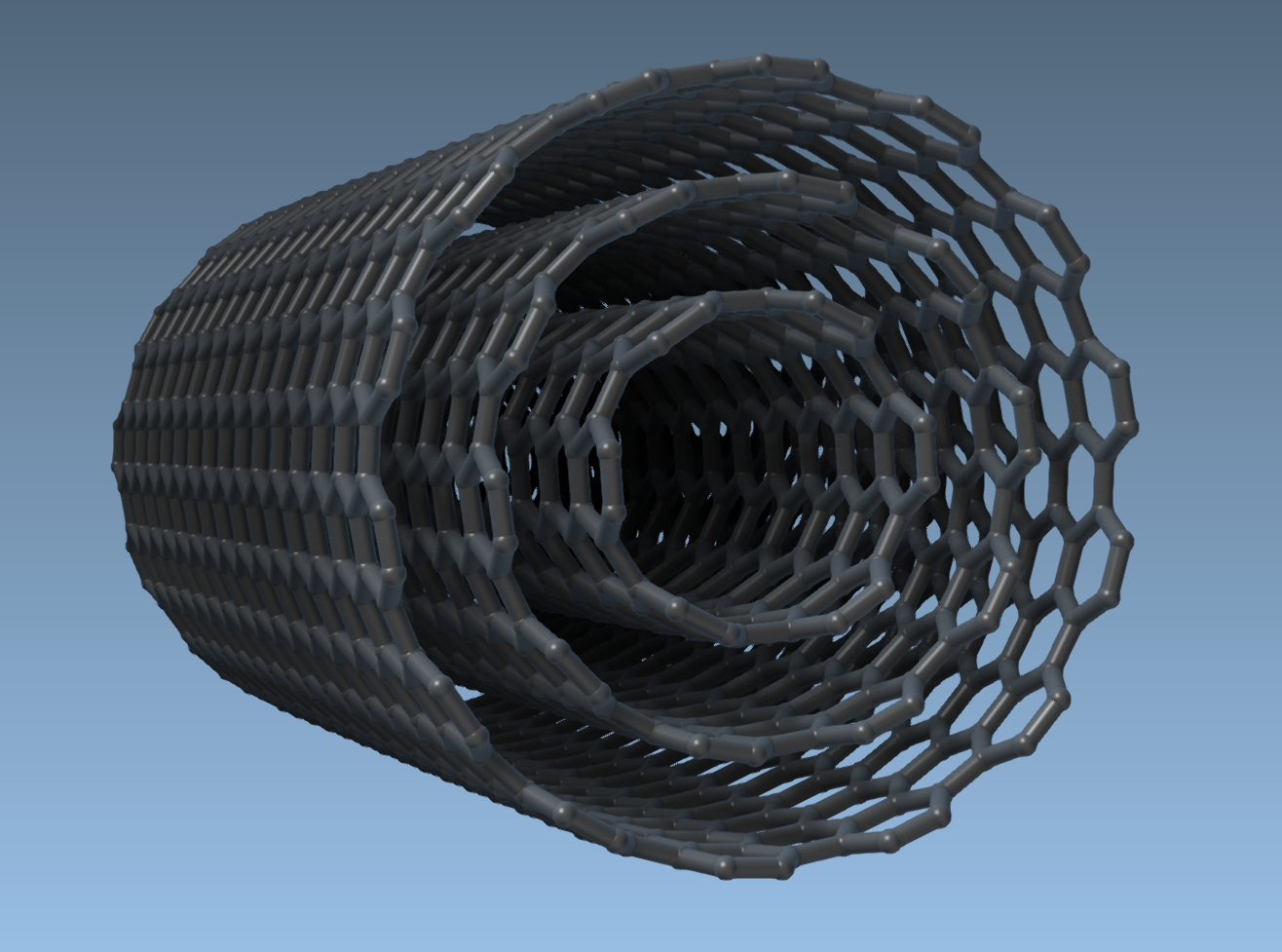
Applications of CNT Design
Once your CNT models are ready, SAMSON opens avenues for exploration:
- Simulate electronic, mechanical, or thermal properties with precision.
- Combine CNTs with molecules to create hybrid systems.
- Build nano-scale transport systems for drug delivery or filtration.
To get started, visit the original documentation page for more detailed instructions.
Note: SAMSON and all SAMSON Extensions are free for non-commercial use.