



For molecular modelers, understanding the interaction landscape between molecules in both 2D and 3D is crucial for a wide range of applications, such as drug discovery, protein-ligand analysis, and molecular design. While 3D visualization aids spatial comprehension, having a synchronized 2D interaction diagram provides an intuitive, simplified view—saving time and providing deeper insights. If you have been searching for an all-in-one tool to bridge this gap effortlessly, the Interaction Designer in SAMSON might just be the perfect solution.
Streamlined 2D Interaction Diagrams: Why They Matter
Creating 2D interaction diagrams can often involve repetitive and manual techniques in existing tools. The Interaction Designer in SAMSON simplifies this process by letting you automatically generate precise interaction diagrams that are synchronized with the 3D viewport. This means you can inspect molecular structures in both dimensions with ease, whether you’re focusing on a specific selection or the entire document.
Two Seamless Modes for Your Workflow
The Interaction Designer offers two main modes to match your specific needs:
- Creating interaction diagrams: With just a few clicks, use the
Home > Diagramcommand to generate interaction diagrams based on your current selection (or the whole document if nothing is selected). This provides insights into protein-ligand interactions, binding pockets, solvent accessibility, and more. - Creating new molecules in 2D: Jumpstart your designs from scratch with the
Edit > Designcommand. The interface allows you to seamlessly craft molecules while the 2D and 3D views stay perfectly synchronized. Add or remove atoms and fragments dynamically in both dimensions.
Take a look at what’s possible:

Customizing and Editing 2D Diagrams
The Interaction Designer offers flexibility and control to make your diagrams truly informative and visually clear. Here are some notable features:
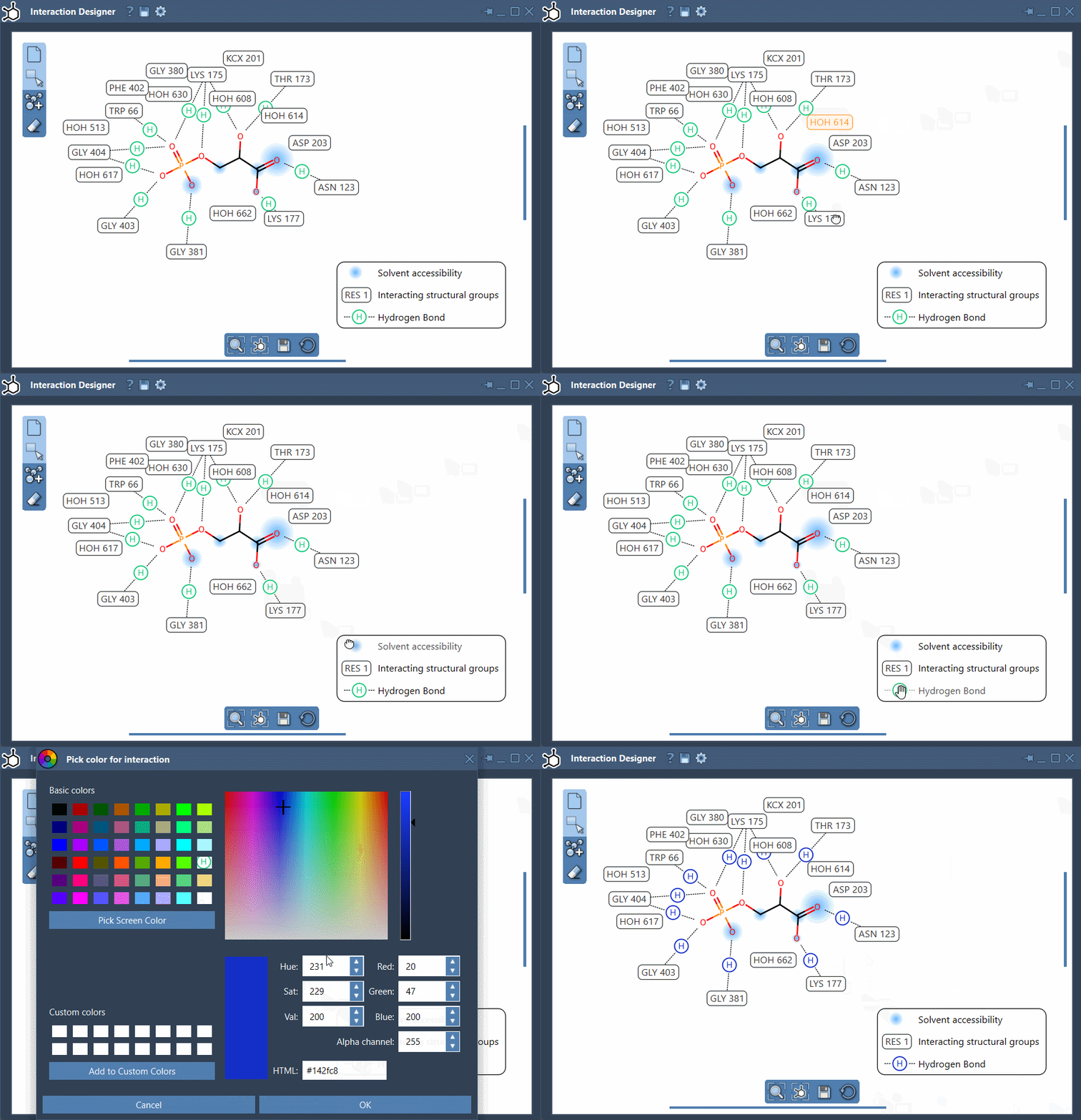
- Editable 2D diagrams: Move and reposition labels, interaction symbols, and captions to create the layout that works best for you. Easily hide or show specific interactions and adjust the colors by double-clicking their names or icons in the diagram legend.
- Tight integration with the 3D viewport: Clicking on atoms or structures in 2D highlights them in 3D and vice versa. Double-clicking zooms in on the selected structure, creating a fluid navigation experience.
- Interaction-focused visualization: The tool allows you to display binding pockets for protein-ligand interactions, solvent accessibility, interacting residues, and more.
Want to see these features in action? Here’s a short demonstration:
Export and Share Your Work
When you’re ready to share your results, the Interaction Designer allows you to export your 2D interaction diagrams and molecule sketches in various formats, including PNG, JPG, BMP, and SVG. Collaborating and presenting your findings has never been simpler.
Concluding Thoughts
The Interaction Designer in SAMSON is a game-changer for molecular modelers looking to streamline their workflows, synchronize 2D and 3D views, and elevate their interaction analysis. By simplifying complex workflows, it enables you to focus on key insights and design better molecules faster.
Take your molecular modeling to the next level by diving deeper into the Interaction Designer documentation and exploring the wide range of features available.
SAMSON and all SAMSON Extensions are free for non-commercial use. You can download SAMSON here.