



One of the most common challenges faced by molecular modelers is ensuring the accuracy of protein structures. Protein backbone conformations play a crucial role in their physical and functional properties. However, strained or disallowed residues can obscure simulation results or lead to flawed models. This is where the Interactive Ramachandran Plot Extension for SAMSON comes to the rescue!
The Ramachandran plot is a cornerstone tool in molecular modeling. It visualizes the energetically allowed regions for backbone dihedral angles (φ and ψ) in amino acid residues, helping you identify favored versus disallowed conformations based on steric and energetic constraints. The Interactive Ramachandran Plot in SAMSON goes a step further by letting you both analyze and edit protein backbone conformations in real-time.
How Does It Work?
Once you’ve added the Interactive Ramachandran Plot Extension (accessible through the SAMSON Extension page), you can use it to interact directly with any protein loaded in SAMSON. For instance:
- Click on any residue: Selecting a residue in the plot immediately highlights it in the 3D viewport, giving you a clear connection between the plot and your molecular model.
- Edit conformations in real time: Want to refine a strained residue? Simply drag its corresponding dot on the plot to adjust its φ and ψ angles. The 3D model updates instantly.
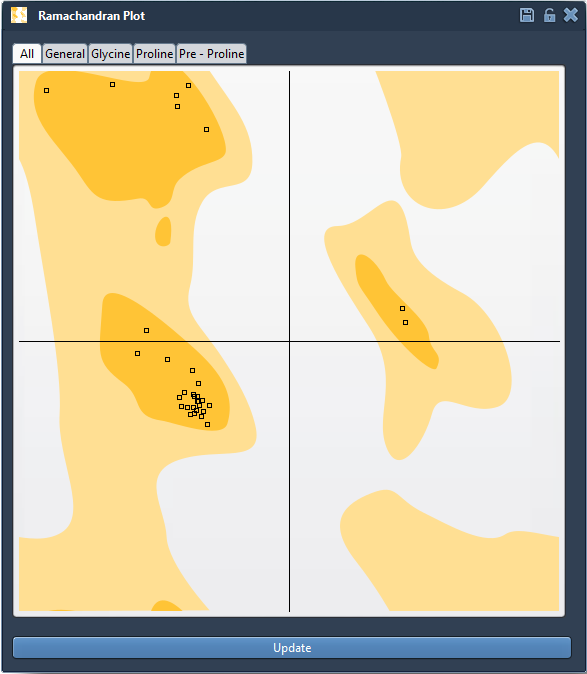
- Filter for specific residues: Tabs like All, General, Glycine, Proline, and Pre-proline help you focus on categories of interest.
Here’s an example view of the Ramachandran plot interface:
Interactive Editing: Achieve Optimal Backbone Conformations
Option 1: Drag Points in the Plot
Fine-tuning dihedral angles is straightforward. Simply drag a residue’s point on the Ramachandran plot to a favorable region (yellow). The corresponding residue in the 3D model adjusts immediately. Accidentally brought it to an unfavorable conformation? Use Ctrl/Cmd + Z to quickly undo your change.
Option 2: Use the Twister Editor
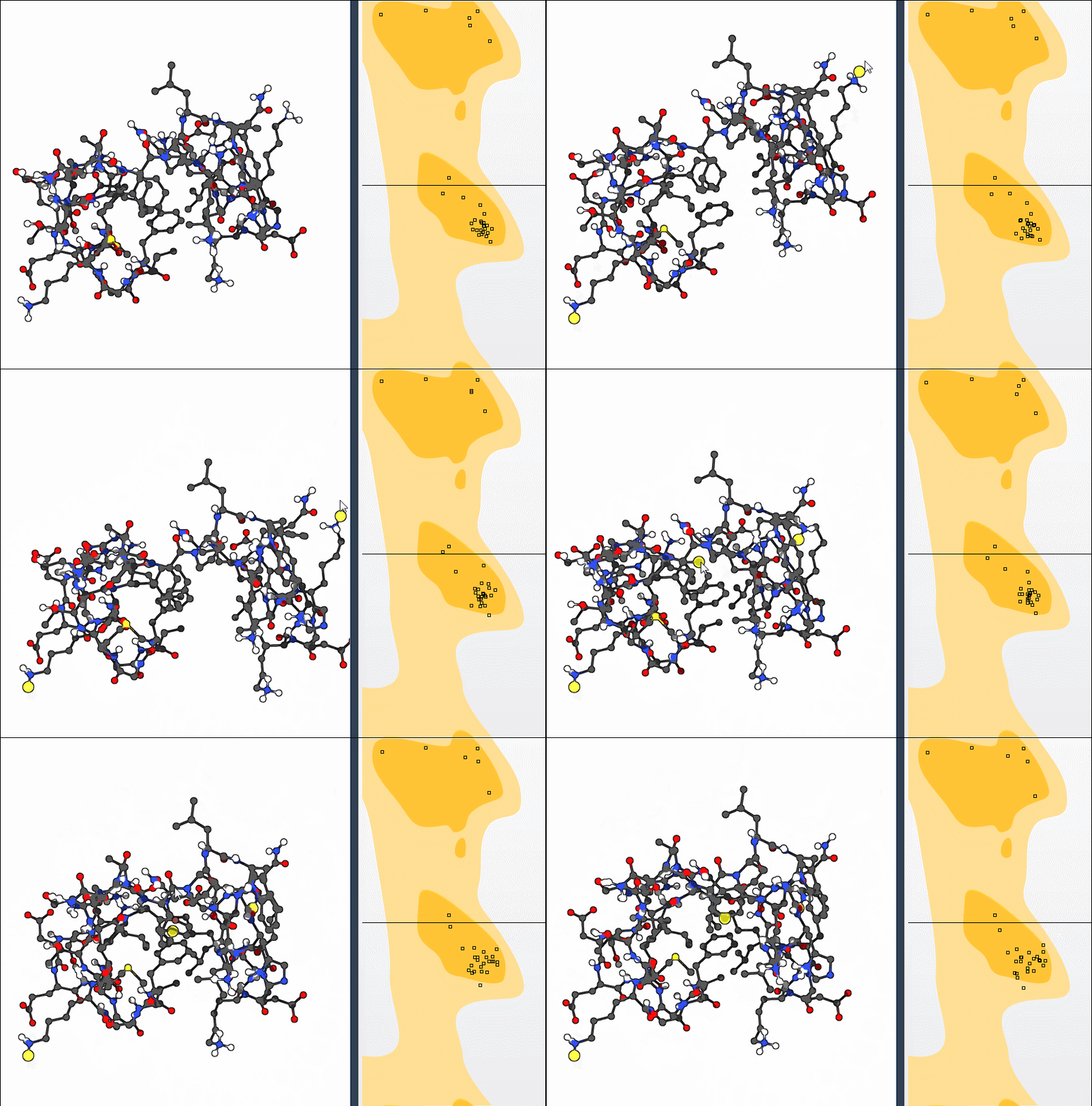
For a more dynamic approach, activate the Twister Editor from SAMSON’s viewport menu to explore larger conformational adjustments in 3D space. As you manipulate the structure, observe the live updates on the Ramachandran plot:
Bonus Challenge: Combine Normal Modes with Conformation Refinement
If you’re ready to take it a step further, try combining the power of nonlinear normal modes with the Ramachandran plot. For instance:
- Reload a protein like
1YRFas your starting structure. - Use SAMSON to compute the first 10 nonlinear normal modes (see how to calculate nonlinear normal modes).
- Apply global motion (e.g., shifting the first mode), then refine local conformations using the Interactive Ramachandran Plot to ensure residues all fall into allowed regions.
This advanced workflow allows you to combine global flexibility insights with local structural accuracy—key for preparing proteins for simulations or molecular design tasks.
Applications for Molecular Modelers
The Interactive Ramachandran Plot is a versatile tool suitable for various protein modeling workflows, including:
- Detecting and resolving strained residues before simulations.
- Refining homology models by addressing outlier conformations.
- Understanding flexibility in active or binding sites.
Learn More
To dive deeper into using the Interactive Ramachandran Plot, visit the detailed documentation page. Whether you’re validating structures or preparing for molecular simulation, this powerful tool can optimize your workflow!
Note: SAMSON and all SAMSON Extensions are free for non-commercial use. Get started today by downloading SAMSON from SAMSON Connect.