



A molecular structure can look plausible and still contain awkward geometry: atoms may be crowded, bonds may be strained, or a recent edit may leave the system far from a low-energy arrangement. Before a simulation or further modeling, it is often useful to relax the geometry. The challenge is that a simple minimization method can make progress slowly, especially when many atoms need to move together.
SAMSON’s FIRE (Fast Inertial Relaxation Engine) minimizer is an option for this kind of cleanup. It updates the molecular geometry using the interaction model selected for the system, and can be faster than steepest descent, particularly when the structure undergoes large-scale or collective motions. It is a geometry-optimization method—not a substitute for choosing an appropriate interaction model or checking whether the resulting structure makes scientific sense.
Why the choice of minimizer matters
Imagine that a set of atoms needs to shift together before local details can settle. Steepest descent can take many small steps in that situation. FIRE is designed to handle relaxation efficiently, including cases where the energy changes only modestly while the geometry continues to evolve. That makes it useful when you want to prepare a structure for simulation or continue interactive modeling without waiting through unnecessarily slow relaxation.
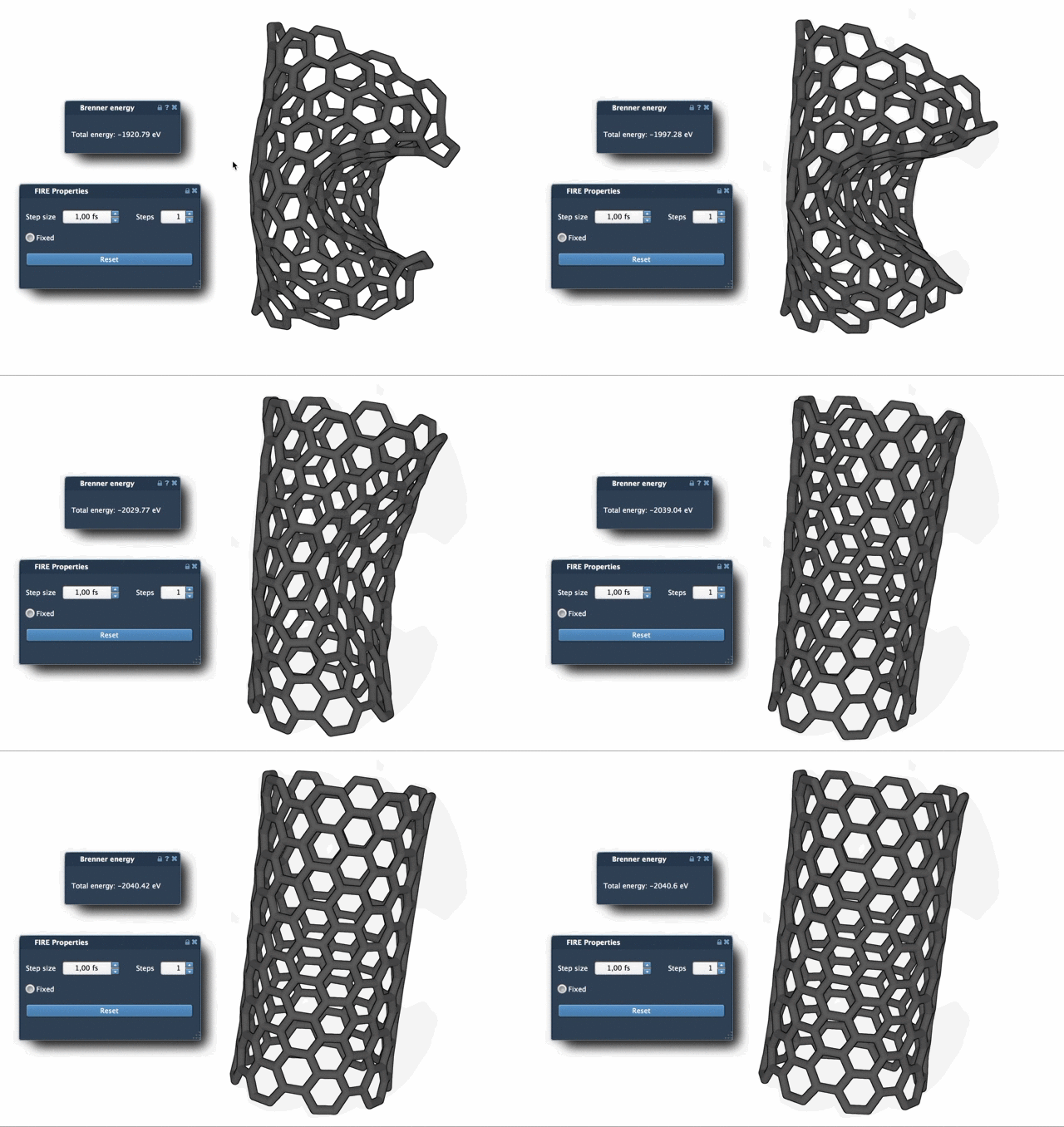
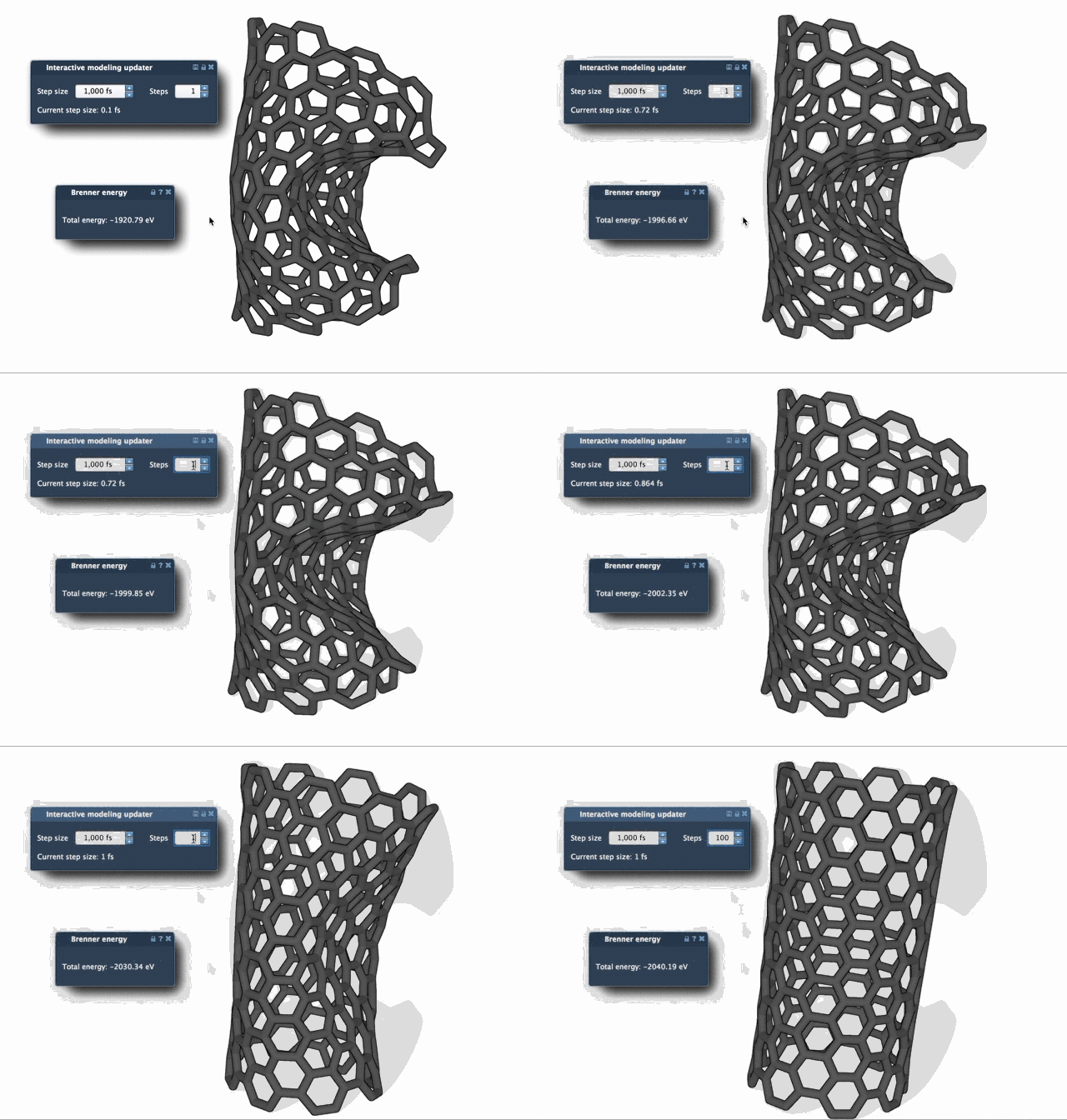
The comparison below illustrates the difference in relaxation behavior. It is a visual guide, not a promise that every molecular system will converge at the same rate: the result depends on the structure and the interaction model.
A straightforward setup in SAMSON
- Load the molecular system. Open a structure from a supported format such as PDB or MOL2. If you are new to the workflow or want to see the effect of the settings clearly, start with a small test system.
- Add a simulator. Choose Edit > Add Simulator, then select the interaction model you want to use.
- Select FIRE as the state updater. In the simulator’s State Updaters list, choose FIRE. The minimizer then works with the selected interaction model.
- Run the relaxation and observe the geometry. The Step size is the initial integration step for minimization. Steps controls how many FIRE steps occur between viewport updates. The optional Fixed setting keeps the step size constant.
These controls affect how the minimization proceeds and how often you see updates; they do not change what structure or interaction model you are optimizing. If viewport updates make the motion difficult to follow, increasing Steps gives less frequent, more pronounced updates. This can make progress easier to see while the minimizer runs.
One small but useful reset
Interactive work can interrupt a minimization. If you manually move atoms while FIRE is running, its history may no longer match the current geometry. Press Reset to clear that history before continuing. This is an easy step to overlook when switching between hands-on editing and automated relaxation.
Where FIRE fits in a modeling workflow
FIRE is implemented as a SAMSON State Updater, so it can be used wherever an app or extension needs to perform geometry optimization. For example, the Molecular Restrainer extension uses FIRE for energy minimization of NMR-derived structures. In each case, the underlying interaction model remains important: minimization finds a lower-energy geometry according to that model, so inspect the result and use the model appropriate to your task.
For the complete instructions and related workflow details, read the FIRE minimizer tutorial.
Note: SAMSON and all SAMSON Extensions are free for non-commercial use. Get SAMSON.