



A protein–ligand simulation can stall before the first minimization step for a surprisingly small reason: the ligand structure and its topology do not agree. The ligand may look correct in the molecular viewer, yet GROMACS still needs compatible parameters and a matching name to recognize it as part of the system.
This workflow focuses on the handoff that often causes confusion: preparing a non-covalently bound ligand, combining it with the protein, and supplying its topology in SAMSON’s GROMACS Wizard. The key is to treat the ligand structure and topology as a pair, and check their consistency before running preparation.
1. Start with the force field you intend to use
Ligand parametrization is not a one-size-fits-all step. Choose a parametrization tool that matches the force field planned for the simulation. Examples include Antechamber for AMBER, ATB for GROMOS96 54A7, CGenFF for CHARMM, and LigParGen for OPLS-AA. Check the chosen service’s accepted input formats before exporting the ligand.
Hydrogens matter at this stage: many parametrization tools require them to be present and correctly assigned. In SAMSON, use Edit > Add hydrogens. For ligands in the Chemical Component Dictionary, SAMSON can use the CCD’s hydrogen names. For other ligands, the result depends on information such as specified aromaticity and charges, so use a chemically informative input file when available. If the ligand is part of a larger complex, select it in the Document view and save the selection in a format accepted by your parametrization workflow.
Before moving on, check what the parametrization service returned. You will need the ligand include topology file (.itp). Some workflows also provide an updated ligand structure, which is useful for checking whether atom names, hydrogens, or other details changed. A custom force field may also be needed if the service uses one that is not included by default.
2. Keep the structure and topology in agreement
If parametrization changes the ligand’s atom names or adds hydrogens, the old ligand in the protein complex may no longer correspond to the new topology. Use the updated structure to verify what changed. If the ligand has changed, place the updated ligand at the binding site and remove the old version. If it has not changed and the complex is already assembled, you can keep the existing complex.
There is one small but essential check: the ligand name in the structure file must match the name used in the topology data. A mismatch can prevent the topology from being associated with the intended molecule. If you still need to add the ligand, SAMSON provides options such as manually moving it into place, docking with AutoDock Vina Extended, or appending its structure to the protein file. In the last case, ensure the structures do not overlap and use separate chains or consecutive sequence numbering.
3. Add the topology in GROMACS Wizard
Open GROMACS Wizard from Home > Apps > Biology > GROMACS Wizard and go to the Prepare tab. Select the protein–ligand system in the Document view and click Set system.

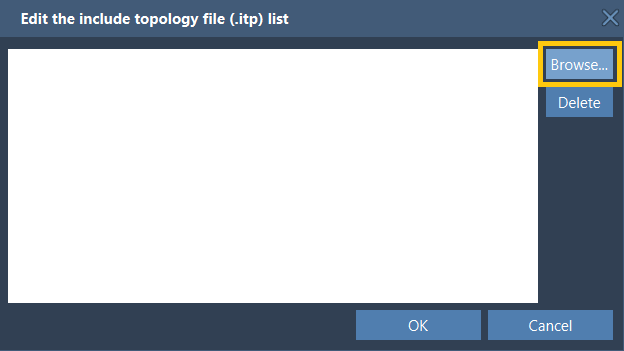
In the Choose model section, use Edit beside include topology files (itp), then browse to the ligand’s .itp file. If that file depends on a custom force field, add the corresponding force field using the Add button. For example, an ATB-generated topology may require the corresponding ATB force field. Added custom force fields are stored by GROMACS Wizard for later use.
A quick preflight before clicking Prepare
- Is the ligand parametrized for the force field you plan to use?
- Were hydrogens present when the ligand was submitted, as required by the chosen tool?
- Does the complex contain the same ligand structure represented by the topology?
- Does the ligand name match between the structure and topology?
- Have you added any custom force field required by the parametrization output?
Once these checks are complete, finish the other preparation settings—such as solvent model, periodic box, and ions—and click Prepare. Review any warnings and use the GROMACS Wizard’s Output button to inspect the log. Successful preparation creates the system files needed to continue with energy minimization, equilibration, and production molecular dynamics.
This tutorial covers non-covalent complexes. Covalent protein–ligand links require additional treatment of the linking bond during parametrization. For the full workflow and related details, see the SAMSON documentation on protein–ligand systems.
Note: SAMSON and all SAMSON Extensions are free for non-commercial use. Get SAMSON.