



You set a distance cutoff to inspect atoms near a residue, and SAMSON highlights far more than expected. The culprit may not be the distance: NSL can match different kinds of nodes in a molecular hierarchy. A document or group can contain atoms that meet a proximity condition, so a broad query may return the container as well as the atoms you meant to examine.
The fix is to make the query say both what kind of node you want and where it should be. This small habit makes spatial selections easier to predict, reuse, and explain to a collaborator.
Build the selection in two parts
Suppose you want atom nodes within 5 angstroms of the node named GLN 2, but you do not want atoms belonging to that residue itself. Use:
node.type atom within 5A of "GLN 2" out of "GLN 2"
The first condition, node.type atom, limits the results to atoms. The proximity condition finds atoms within 5 Å of the named target. The final out of removes the target node and its contents from the result. In short: define the result type, define the spatial relationship, then exclude what should not be included.
If you do want to include atoms in the target residue, leave off the final exclusion:
node.type atom within 5A of "GLN 2"
That distinction matters in contact analysis: “near this residue” and “near this residue, but outside it” are different selections.
Why a broad query can surprise you
NSL works with nodes at multiple levels, such as atoms, residues, groups, and the document itself. A query like * within 5A of "GLN 2" is not restricted to atoms. The documentation notes that it can select the document node because atoms inside the document—including atoms belonging to the target—are close to the target.
Likewise, not residue.type CYS does not mean “return only non-cysteine residues.” It can match nodes that are not cysteine residues, including nodes that are not residues at all. Scope the negation with a node-type condition:
node.type residue and not residue.type CYS
This is a general query-writing principle: when the intended answer is a specific kind of object, state that kind explicitly rather than relying on an exclusion alone.
Enter and inspect the expression
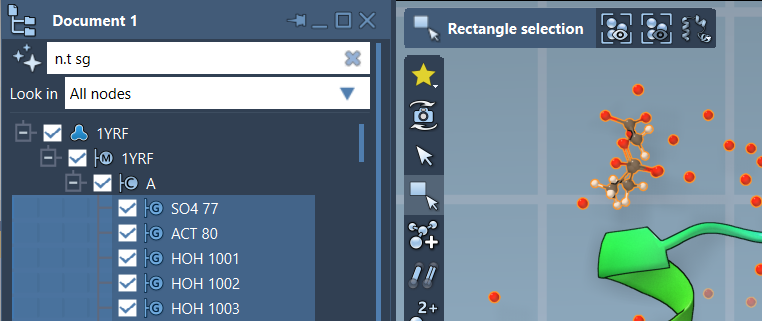
Use Select > Find to enter an NSL expression and select matching nodes in the active document. You can also type an expression into the Document view filter box; press Enter to select the filtered nodes. The Find command’s Tab completion can help when you are unsure of a node’s full name. For example, start with "GLN and press Tab to see matching names in the document.

Quoted names are useful when a node name contains spaces. A quoted string without wildcards matches the full name exactly; wildcards such as * can broaden a name search. If you are unsure which names exist in the current structure, completion is often more reliable than guessing.
A quick checklist for reliable selections
- Choose the result type. Add a condition such as
node.type atomwhen you want atoms, rather than any matching node. - Write the relationship. Use
within 5A offor a distance-based selection, and remember thatAmeans angstrom. - Decide whether the target belongs in the result. Add
out of "GLN 2"if you want nearby atoms outside the named target. - Scope exclusions. Combine
notwith a positive type condition when the result must contain only one node type. - Check the matches. Use Find completion or the Document view filter to verify names and results against the active document.
Once the query is explicit, it becomes easier to adjust the cutoff, switch the target, or share the selection logic with someone else. For the full syntax, operator details, and more examples, see the SAMSON Node Specification Language documentation.
Note: SAMSON and all SAMSON Extensions are free for non-commercial use. Get SAMSON.