



A large protein assembly can look orderly in the viewport while still leaving an important question unanswered: which symmetry, if any, should guide the next modeling step? Choosing the wrong interpretation can make it harder to identify repeated interfaces, isolate a useful asymmetric unit, or prepare a symmetry-aware workflow. A practical approach is to treat symmetry detection as a comparison and inspection task—not just a button to press.
Start with the right structure
Begin with a biological assembly or multimeric complex, rather than assuming that any structure file already contains the complete assembly. In SAMSON, fetch a structure or load one from a file; depending on the importer, you may need to enable an option to import biological assemblies. Examples used in the symmetry tutorial include PDB entries 3NQ4, 1CHP, and 1B4B.
Once the assembly is open, launch Home > Apps > Biology > Symmetry Detection and select Compute symmetry. The extension can detect cyclic groups such as C2 and C3, dihedral groups such as D2 and D3, and cubic groups including tetrahedral, octahedral, and icosahedral symmetry. An assembly may produce more than one plausible result, so the initial list is a starting point for evaluation.
Compare candidates instead of guessing
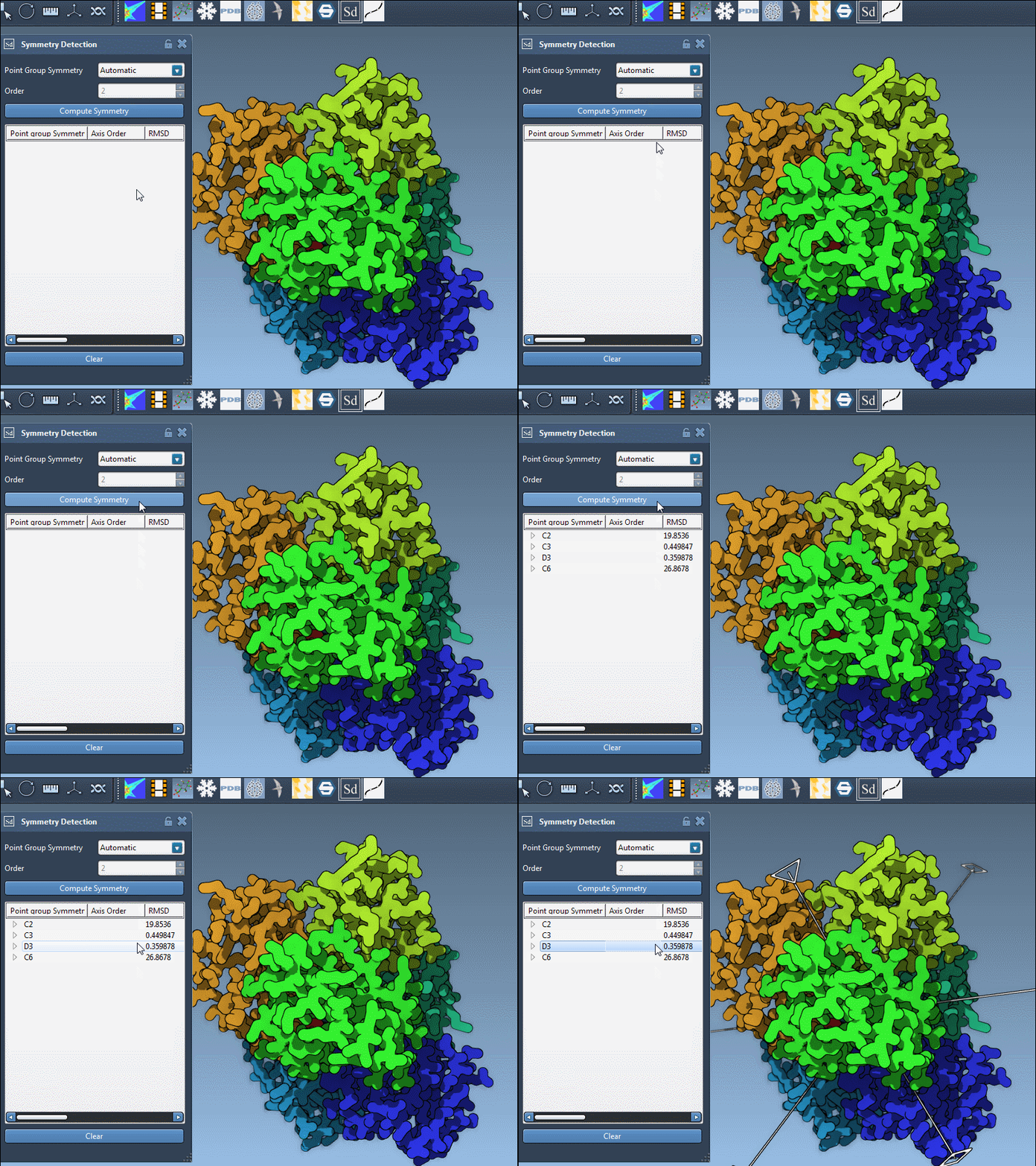
When several groups are proposed, the tutorial recommends preferring higher-order groups with small RMSD values. Use those values to compare the candidates presented for your structure; do not treat a group label alone as proof that it is the most useful interpretation. Expand a group to see its axes and individual RMSD scores, then click an axis to highlight it in the viewport. Double-clicking an axis aligns the camera so you can look directly along it.
This visual check helps connect the numerical result to the assembly you are modeling. Does the highlighted primary axis make sense for the arrangement of repeated copies? Can you recognize the other axes expected for the proposed group? These checks make it easier to decide which detected group is relevant to your next step, especially when a large complex produces multiple candidates.
Use familiar examples as reference points
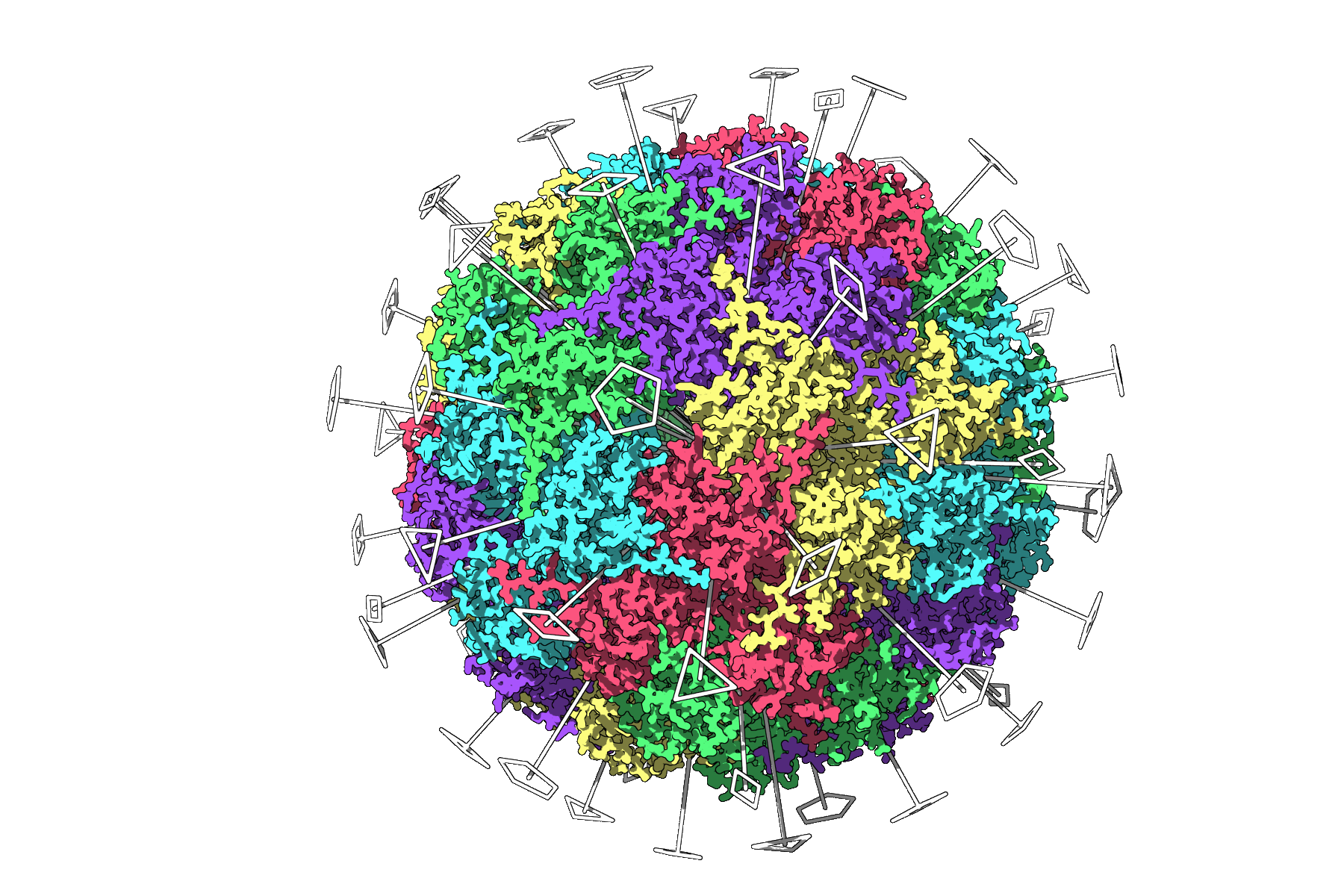
For the icosahedral capsid 3NQ4, the extension displays the 2-, 3-, and 5-fold axes. Seeing those axes together can help when selecting a unique asymmetric unit before a computationally demanding simulation.
The 1B4B example illustrates a different decision: the system has dihedral symmetry of order 3, or D3. If you already know the expected group, you can select the symmetry group and order manually from the drop-down lists, then inspect the resulting axes.
Turn a detection into a modeling decision
After selecting a group, use the axes as a guide for interpreting repeated interfaces and deciding whether an asymmetric-unit workflow is appropriate. Symmetry can also help validate whether an experimental structure has the expected symmetry elements, and can inform the design of symmetric nanomaterials or mutagenesis targets. For clearer inspection, combine the axes with Ribbons or Surface visual models, or color chains differently to make repeats easier to distinguish. Viewport snapshots can help preserve a useful view for a presentation or publication.
The key habit is simple: load the intended assembly, compare the proposed groups and RMSD values, then inspect the axes in context before using the result downstream. For the full walkthrough and additional examples, read the symmetry-detection tutorial.
Note: SAMSON and all SAMSON Extensions are free for non-commercial use. Get SAMSON.