



A molecular structure can look almost unchanged while a bond rotates enough to move it into a different conformation. The reverse can also happen: a large-looking movement elsewhere may have little to do with the torsion you care about. This makes it hard to answer a practical question when inspecting a path or trajectory: when did the rotation happen, and which torsional states did it visit?
The Dihedral analysis in SAMSON’s Path Analyzer helps make that motion measurable. It follows a torsion angle defined by four selected groups, producing a time series or a histogram. That can be useful for examining side-chain rotamers, backbone torsions, or other twisting motions along a path.
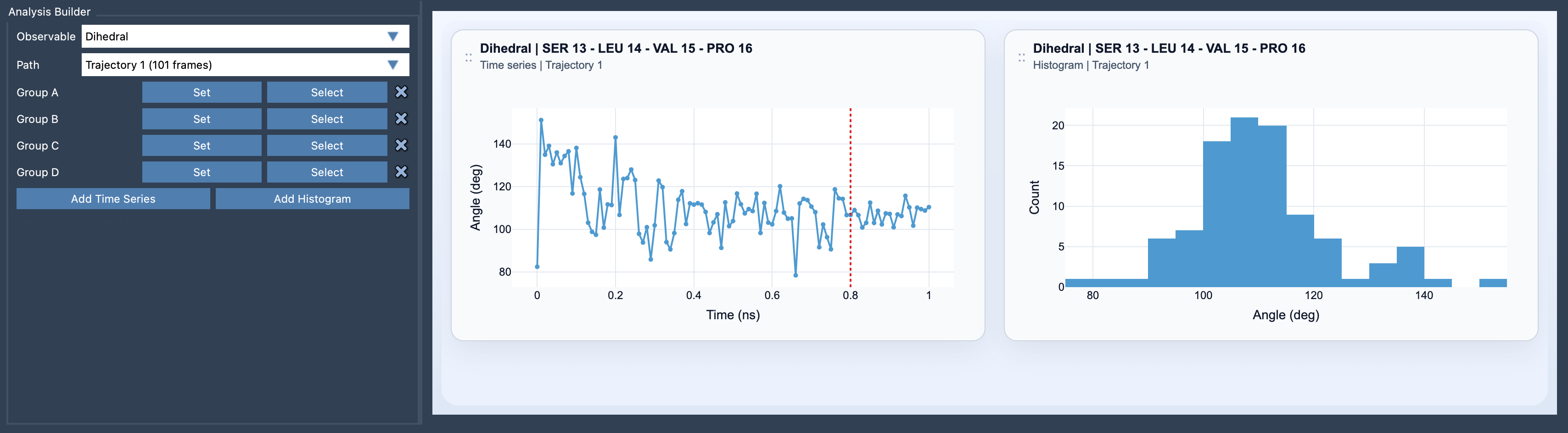
Start with the four groups
Open Path Analyzer, choose Dihedral as the observable, and select the path you want to analyze. Then define Group A, Group B, Group C, and Group D. The order matters geometrically: the second and third groups define the central bond or axis, while the first and fourth groups describe the positions on either side of it.
Think of the selections as four points that trace a sequence through the structure. Path Analyzer converts each group to one representative position, then calculates the torsion from those four positions. A group containing one atom uses that atom’s position. A group containing multiple atoms uses its center of mass.
That conversion is worth keeping in mind when choosing selections. A multi-atom group does not contribute every atom as a separate point; it contributes one center-of-mass position. So if the group is broad or spread across a flexible region, its representative position may not correspond to the atom you would intuitively associate with the rotation. For a chemically specific torsion, choose groups whose representative positions clearly describe the geometry you want to monitor.
Choose the view for the question
Use Add Time Series when the timing and order of changes matter. The plot follows the angle over time or across path images, helping you locate where torsional transitions occur. It is a good first choice when you want to compare a rotation with a particular part of a trajectory or pathway.
Use Add Histogram when you want a compact view of which torsional states appear in the sampled data. A histogram can help you spot preferred or metastable conformations without first inspecting every point in sequence. It does not show when a state occurred, so it complements rather than replaces the time series.
Connect the angle to the bigger structural picture
A dihedral plot answers a focused question about twisting; it does not, by itself, explain every structural or energetic consequence of that motion. If a transition is interesting, compare it with another observable. Pairing the dihedral with RMSD can help relate a torsional change to broader structural differences. Pairing it with Energy can help examine whether the change coincides with an energetic change.
A practical workflow is to define the four groups, make a time series to find transitions, and then inspect a histogram to see which states are represented. If the result seems surprising, revisit the group definitions first—especially whether multi-atom selections place their centers of mass where you expect.
Learn more in the Dihedral documentation.
Note: SAMSON and all SAMSON Extensions are free for non-commercial use. Get SAMSON.