



A protein structure can look convincing in 3D and still contain backbone conformations worth checking. Those local issues are easy to overlook when you inspect a structure residue by residue, yet strained residues can matter when preparing a model for simulation, refinement, or further analysis.
A Ramachandran plot offers a compact way to review backbone conformations. It maps residues by their φ (phi) and ψ (psi) dihedral angles, showing which combinations fall in energetically favorable or unfavorable regions. In SAMSON, the Interactive Ramachandran Plot connects that view to the 3D structure, so you can move between a point on the plot and the corresponding residue in the viewport.
Start with the overall pattern
Load a protein structure in SAMSON, open Home > Apps > Biology > Ramachandran plot, and click Update. The plot displays the residues in the structure. Yellow regions indicate energetically favorable conformations; white regions indicate energetically unfavorable ones.
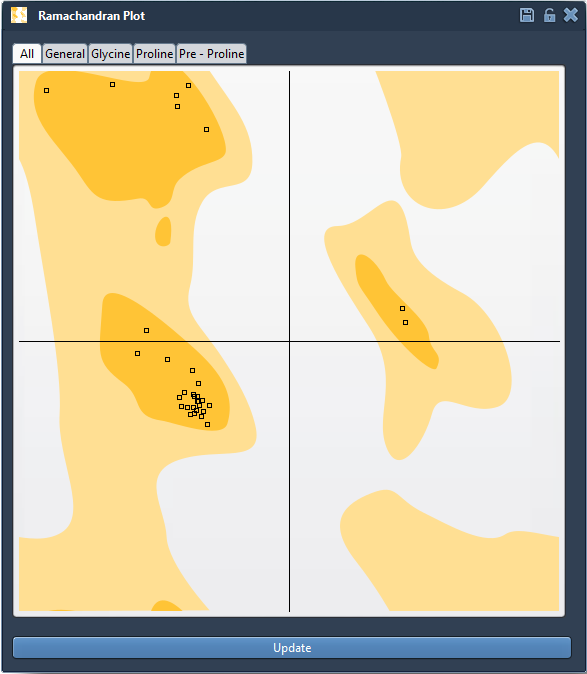
Begin by looking for points outside the favored regions. Treat these as prompts for inspection, not automatic proof that the structure is wrong. A plot can help you identify conformations to review, while the protein’s context and your modeling goals remain important.
Use residue categories to make the review more focused
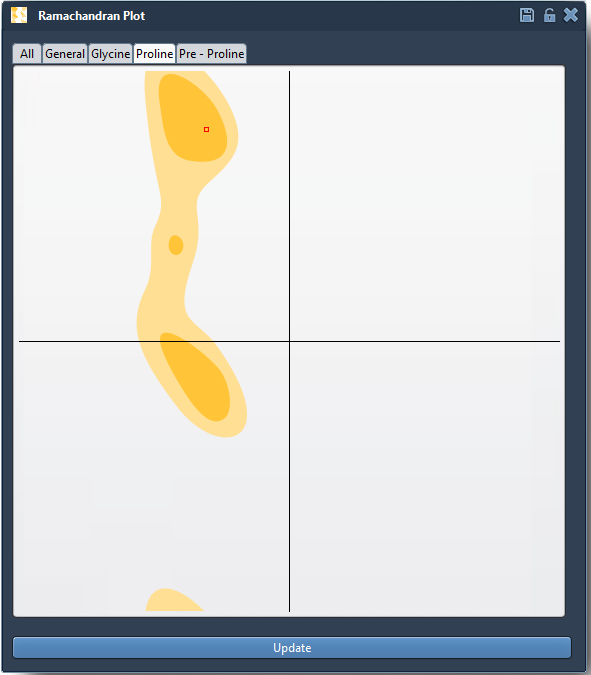
The plot’s tabs let you filter the display by All, General, Glycine, Proline, and Pre-proline residues. This matters because the plot provides separate categories for these residue types. Filtering helps you inspect a relevant group without losing track of which residues you are viewing.
For example, select the Proline tab when you want to examine proline conformations. Click a point to select that residue in the 3D viewport. SAMSON also reports its φ and ψ values in the status bar, giving you a direct link between the plotted position and the structure.
Edit deliberately, then check the result
If a residue needs adjustment, you can drag its point in the plot. The corresponding 3D structure updates as the dihedral angles change, making it possible to see the relationship between a local angle adjustment and the resulting conformation. If you want to revert an edit, use Ctrl+Z on Windows or Linux, or Cmd+Z on macOS.
You can also use the Twister editor: select it from the left-hand menu in the viewport, then twist the protein in 3D while observing the plot update. This gives you another way to explore how a structural change is reflected in the angle distribution.
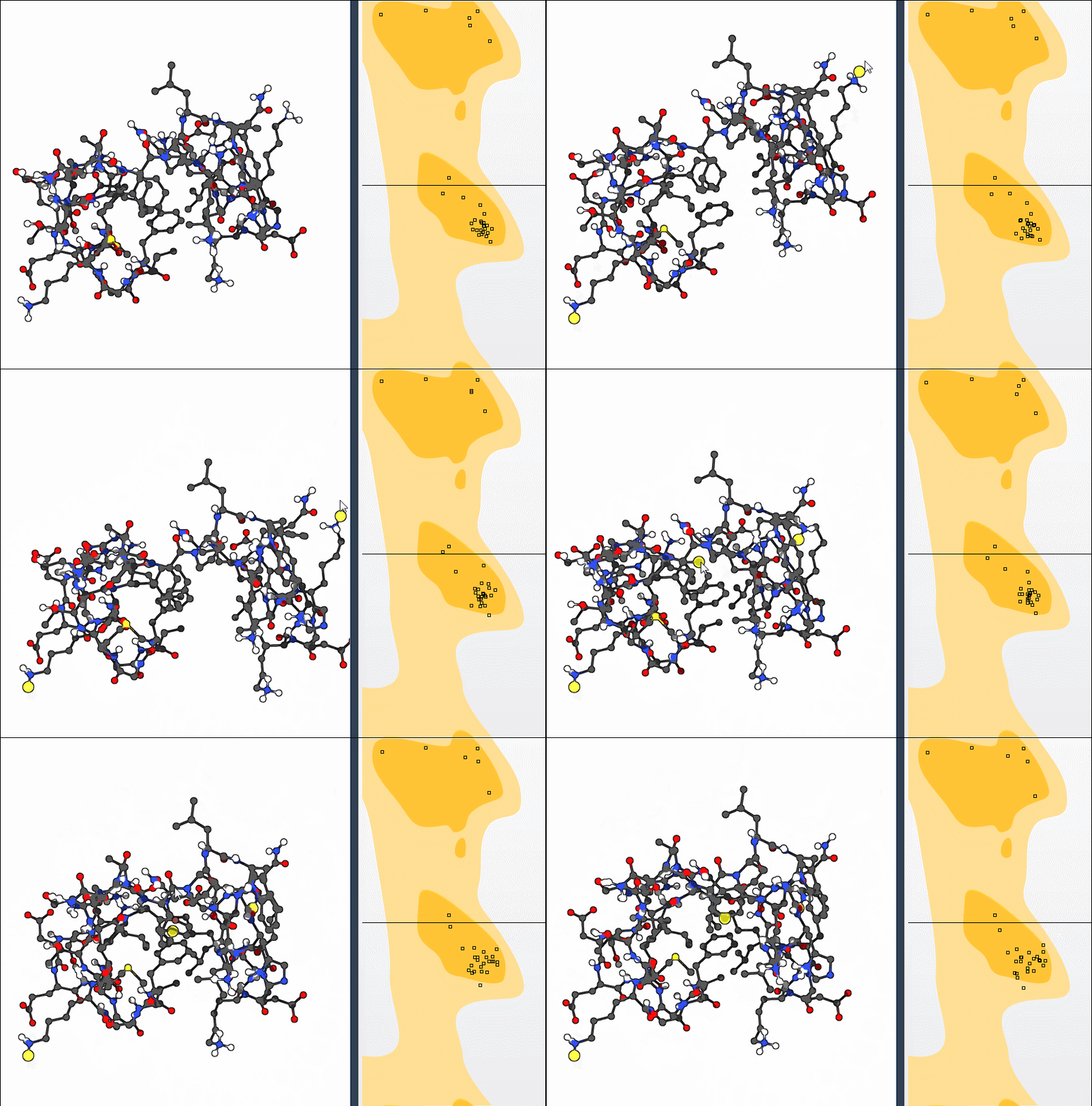
A practical review loop is simple: identify a point you want to investigate, select it to locate the residue, note its displayed angles, make a cautious adjustment if appropriate, and inspect the updated structure and plot. Revisit the relevant category after editing. The goal is not to force every point into a preferred region without context, but to make potential issues visible and support informed refinement.
This workflow is also useful after applying larger conformational changes. For instance, the tutorial’s bonus exercise combines nonlinear normal modes with Ramachandran-based adjustments, illustrating how global motion and local backbone review can be considered together.
For setup details and the complete walkthrough, see the Interactive Ramachandran Plot tutorial.
Note: SAMSON and all SAMSON Extensions are free for non-commercial use. Get SAMSON.