



A molecular structure can look plausible and still contain awkward local geometry: atoms may be poorly positioned, or a model may need relaxation before you continue interactive work or prepare a simulation. The challenge is not simply to move atoms, but to reduce the structure’s energy without turning a cleanup step into a slow, frustrating process.
In SAMSON, the FIRE (Fast Inertial Relaxation Engine) minimizer provides one way to relax a molecular system. It is particularly useful when many atoms move together, where steepest descent can make slower progress. FIRE is a geometry-optimization tool—not a guarantee that the resulting structure is biologically correct—so the interaction model and the purpose of the calculation still matter.
A focused cleanup workflow
- Load the structure. Open a molecular system in a supported format, such as PDB or MOL2. If you are new to the workflow, start with a small test system: it makes the effect of minimization settings easier to see.
- Add a simulator. In SAMSON, choose Edit > Add Simulator, select the interaction model appropriate to your task, and choose FIRE in the State Updaters list. The interaction model defines the forces being used, so it is an important part of interpreting the result.
- Run the minimization and observe. Let the geometry relax, then inspect the structure and decide whether it is suitable for the next stage of your workflow. Treat minimization as preparation and refinement, not as a substitute for validating the model or checking whether it represents the system you intend to study.
Make the settings work for your task
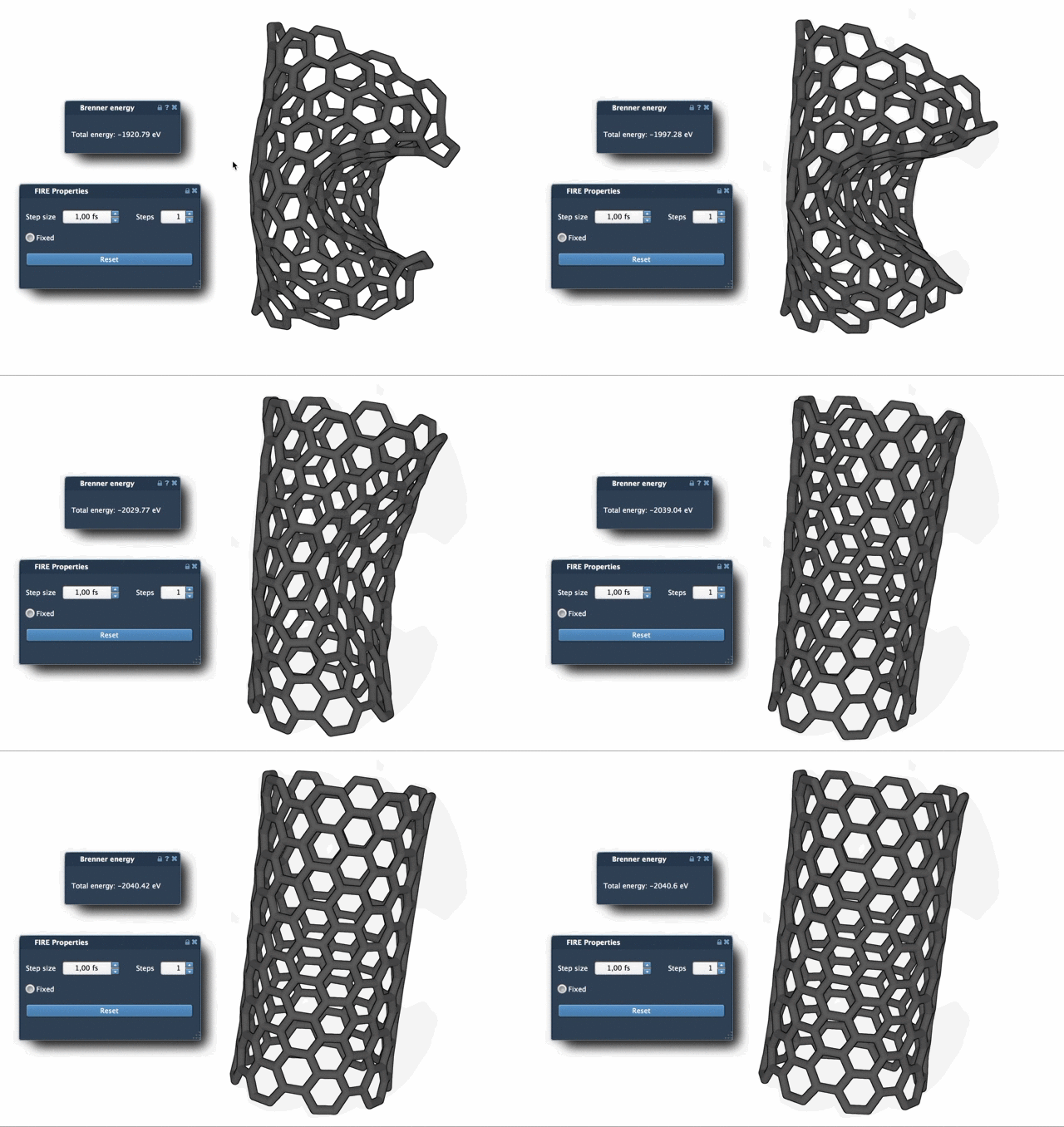
The FIRE settings expose three controls. Step size is the initial integration step for minimization. Steps is the number of FIRE steps between viewport updates; increasing it means updates appear less often, but each update can show a more pronounced change. If the animation seems too busy to follow, adjusting this value can make the visual progress easier to interpret. Fixed keeps the step size constant when enabled. The right choice depends on the system and the behavior you want to observe, so begin with a test structure rather than assuming one setting fits every model.
One small but useful detail: if you manually move atoms while minimization is running and want to clear the FIRE history, press Reset. This helps you restart the minimizer’s history after an interactive intervention instead of continuing with the previous history.
Why choose FIRE over steepest descent?
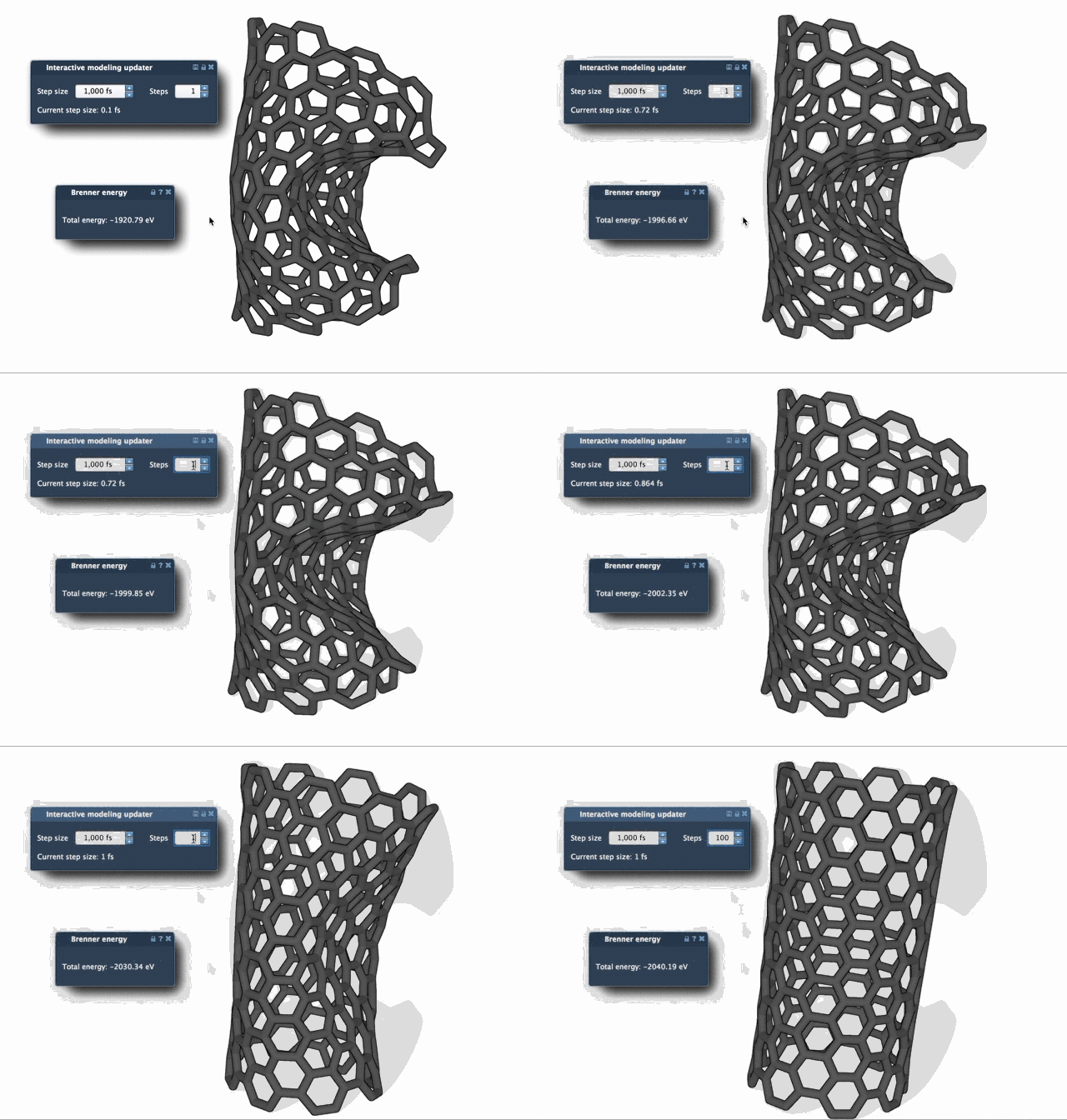
Both approaches can be used to relax geometry, but they do not make progress in the same way. FIRE is designed to converge faster than steepest descent in situations where energy changes are small even as the geometry continues to evolve substantially, such as large-scale or collective motions. The comparison below illustrates the difference in relaxation behavior. It is a useful visual reference, rather than a promise that FIRE will be faster for every structure or interaction model.
Where it fits in a modeling workflow
FIRE is implemented in SAMSON as a State Updater, which means it can be used in workflows and extensions that need geometry optimization. For example, the Molecular Restrainer extension uses FIRE for energy minimization of NMR-derived structures. In practice, that makes FIRE relevant not only for an initial cleanup, but also as a component in a larger modeling procedure.
The useful takeaway is simple: select an appropriate interaction model, use FIRE to relax the geometry, and inspect the result in the context of your scientific goal. For the full setup instructions and additional details, see the FIRE minimizer tutorial.
Note: SAMSON and all SAMSON Extensions are free for non-commercial use. Get SAMSON.