



When a molecular structure contains thousands of atoms, selecting a useful region one atom at a time is slow and difficult to reproduce. The challenge gets sharper when the target is not a residue or chain, but a geometric shape: a sphere, a cylinder, or even a recognizable outline cut from a sheet of graphene.
SAMSON’s Simple Script and Atoms Selector Extensions offer a more systematic approach. Instead of clicking individual atoms, describe the selection with a mathematical condition on atom properties such as position. The same idea can help you isolate a region, hide everything outside it, or edit selected atoms’ coordinates.
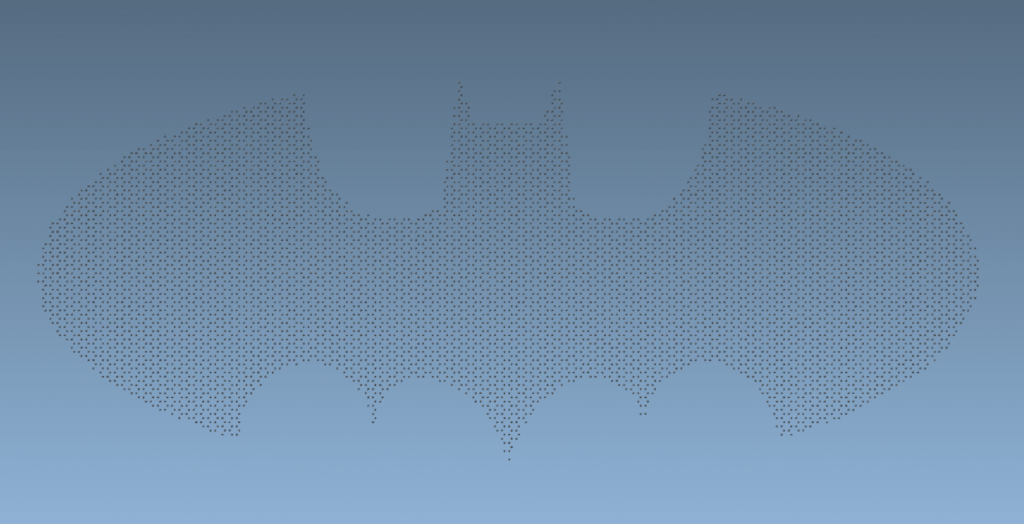
Start with a simple geometric rule
For example, suppose you want to show only atoms inside a sphere of radius 10, centered at (0, 0, 2). The squared distance from an atom at (x, y, z) to that center is a.x^2 + a.y^2 + (a.z - 2)^2. It is inside the sphere when that value is less than 100, the radius squared.
|
1 2 |
if ((a.x^2 + a.y^2 + (a.z - 2)^2) < 100) a.visibilityFlag:=1; else a.visibilityFlag:=0; |
This rule is useful because it expresses the shape directly, rather than relying on a manually assembled selection. In the Simple Script Extension, the condition is evaluated for atoms in the active document. The script changes each atom’s visibility flag based on whether it passes the test. The same distance expression can be adapted to other centers and radii.
If you only need to select atoms according to an expression, the Atoms Selector Extension is a more focused option: enter the condition that defines the desired atoms. For instance, a cylinder aligned with the z-axis can be described by a condition on x and y alone, because points along its length share the same distance from the z-axis:
|
1 |
(a.x^2 + a.y^2) < 100 |
This selects positions within a radius of 10 in the x-y plane. The example assumes the crystal’s coordinates and orientation are already understood; it does not determine where the cylinder should be placed automatically.
Build more complex outlines in stages
Not every useful selection is one smooth shape. The graphene batarang example combines several regions defined by inequalities: elliptical sections for the wings, separate conditions for the central part and head, and narrow ranges of x-coordinates for the ears. A script can test these conditions and set a temporary variable, such as iambatman, to true when an atom falls inside the intended outline. At the end, it sets the selection and visibility flags accordingly.
The practical lesson is to break a complicated boundary into pieces you can inspect. Start with a rough region, add one section at a time, and test the result on the structure before refining the inequalities. Symmetry can also reduce repetition: using abs(x) lets the same rule describe matching left and right sides.

Keep coordinates and edits in mind
Geometric expressions operate on the coordinates in the active document, so check the structure’s position, orientation, and length units before applying a rule. The batarang script, for example, divides x and y by two and notes that positions should be at least in nanometers. A shape’s numerical boundaries only make sense relative to the coordinates and scale being used.
There is also an important distinction between identifying atoms and modifying them. Simple Script can change only specific listed properties, including position, visibility, selection state, and element ID. Attributes such as aromaticity and element name can be used in conditions, but are not among the properties the extension can modify. For a reversible workflow, save or duplicate your structure before testing coordinate edits, and verify the selection visually before proceeding.
These tools are most useful when a selection must be repeatable or described by a clear rule. A sphere or cylinder is a good first test; a more detailed outline can be built from several smaller conditions. For the complete tutorial and further examples, see Making nano-batarangs (and more).
Note: SAMSON and all SAMSON Extensions are free for non-commercial use. Get SAMSON.