



A molecular path can contain a lot of motion to interpret. When a ligand moves through a protein—or a protein domain shifts between conformations—it is easy to lose track of the overall direction by watching every atom at once. A center-of-mass pathline offers a simpler view: it traces the position of a selected group’s center of mass along one or more paths.
This is useful when the question is not “Where did every atom go?” but “In which direction did this ligand or region move?” The pathline condenses the group’s movement into a trajectory that is easier to compare with the surrounding structure.
Start with atoms and paths that answer your question
Pathlines are created from atoms and paths selected in SAMSON’s Document view. For example, selecting the atoms of a ligand focuses the visualization on that ligand’s center of mass. Selecting a protein region instead lets you examine the movement of that group. You can select multiple nodes by holding Ctrl or Cmd while selecting.
Selection matters because it defines what the line represents. A center-of-mass trace for a whole protein can look quite different from one for a single ligand, even when both follow the same path. For meaningful comparisons, keep the selected atom group consistent across the paths you want to inspect.
If no atoms are selected, SAMSON uses the entire system. If no paths are selected, it uses all paths in the document. These defaults are convenient for an overview, but explicit selections are usually better when you want to answer a focused question.

Create the trace
With the desired atoms and path or paths selected, open Visualization > Visual model > More… (or use Ctrl/Cmd + Shift + V). Choose Pathline of the center of mass and click OK. SAMSON adds a visual model showing the selected group’s center-of-mass motion along the selected path or paths.
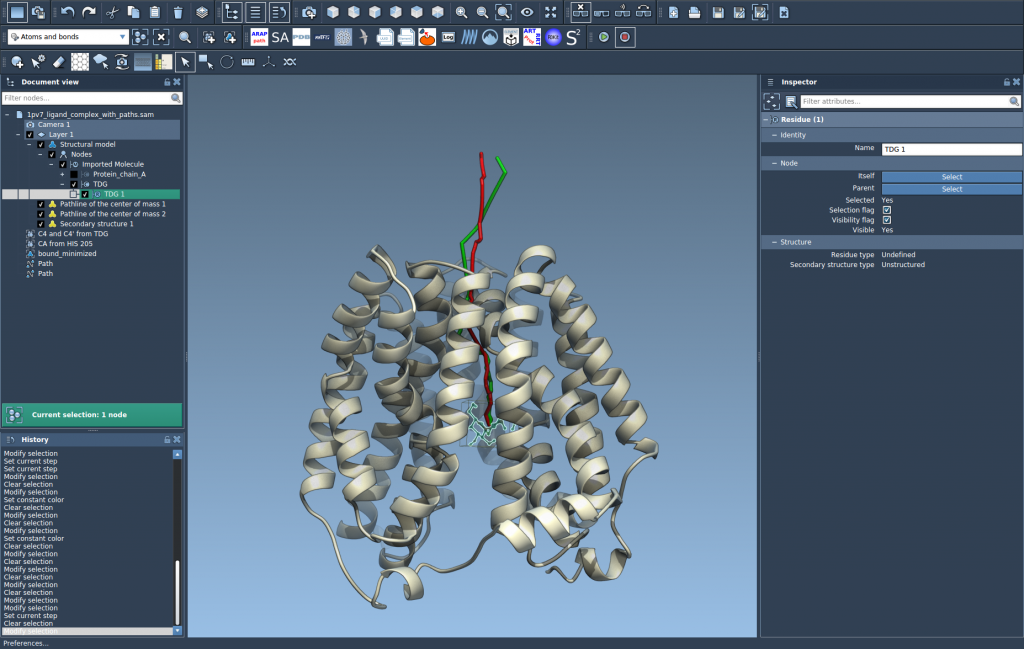
Keep in mind what this representation does—and does not—show. The trace summarizes the position of the group’s center of mass; it is not a separate trajectory for every atom. That makes it helpful for following overall displacement, but it cannot by itself reveal internal rearrangements within the selected group. If those details matter, inspect the atoms and the moving structure as well.
Explore and adjust the view
To inspect the path’s motion, double-click a path in the Document view to start or stop it. Right-click a path to find its Path > … options, or select it and open the Inspector to access its controllers. To change the pathline’s appearance, select the pathline visual model and adjust its color or thickness in the Inspector.
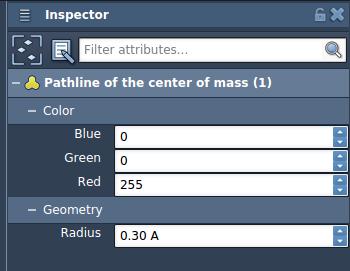
One practical detail: deleting a path also removes its associated pathline. Deleting atoms used by a pathline changes the visualization, so check the selected group before interpreting or sharing the result.
Where this view helps
A center-of-mass pathline can clarify a ligand’s unbinding or rebinding route, make collective domain movement easier to follow, or provide a compact view of movement in a reaction-coordinate workflow. It is also a useful complement to the underlying path: the line gives a quick spatial summary, while the structure and path animation provide the molecular context.
For a complete walkthrough and the sample lactose permease system, see the Pathlines tutorial.
Note: SAMSON and all SAMSON Extensions are free for non-commercial use. Get SAMSON.