



A molecular model can look plausible and still have bonds, bond orders, or atom types that need attention. That uncertainty is a common pain when preparing a structure for simulation: should you trust the bonds already in the file, let the force-field tool perceive them, or edit the assignments yourself?
SAMSON’s Universal Force Field (UFF) interaction model can automatically perceive bonds, bond orders, and atom types, so you can apply UFF to a molecular system without assigning every type by hand. But automation is a starting point, not a reason to skip checking the setup. This workflow helps you make that first run more deliberate.
Start with the bond information you have
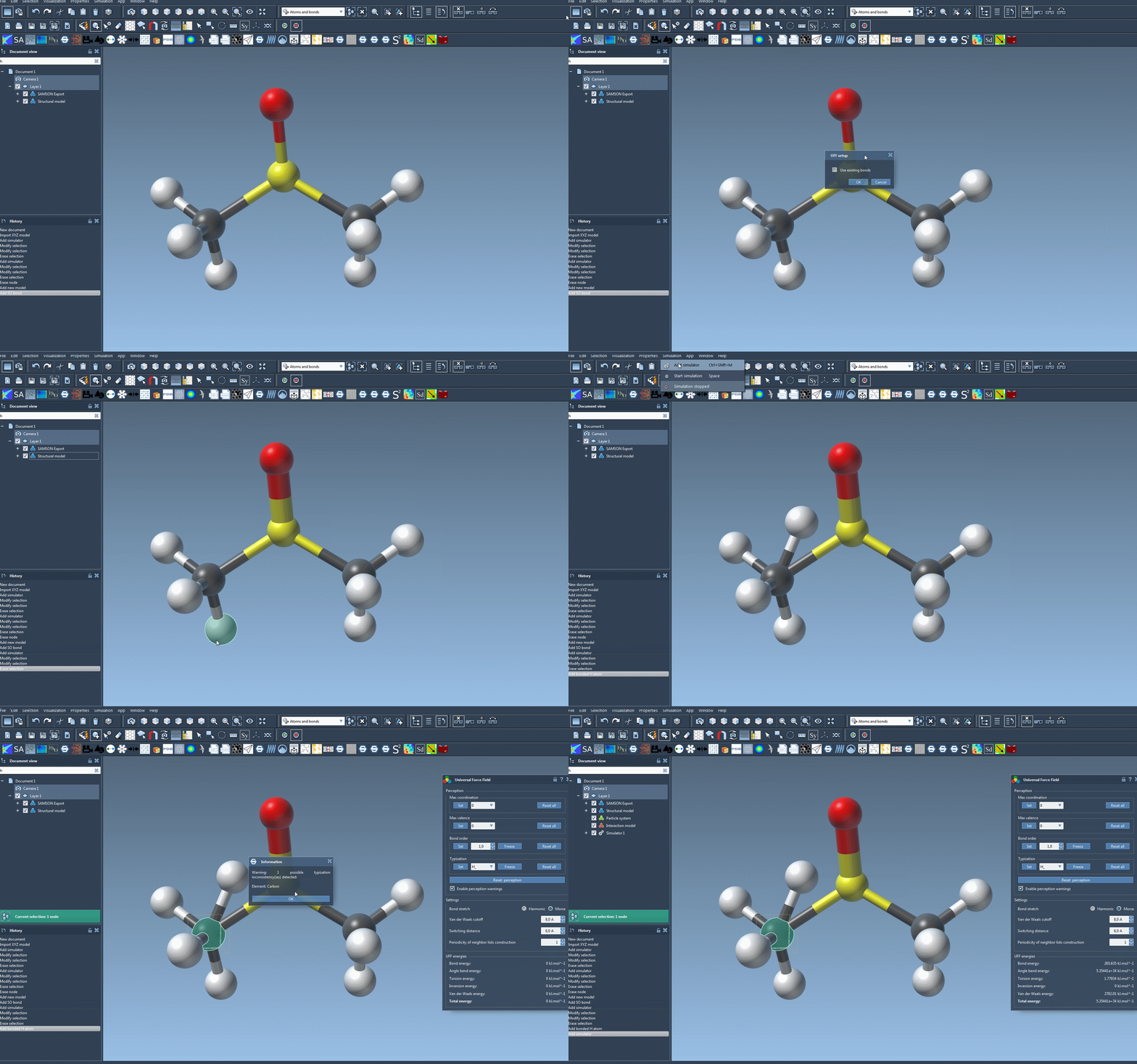
Open the molecular system you want to simulate, then add a simulator through Edit > Simulate > Add simulator (or use Ctrl+Shift+M on Windows/Linux, or Cmd+Shift+M on macOS). Select Universal Force Field, choose a state updater such as FIRE, and confirm.
In the UFF setup window, decide whether to check Use existing bonds:
- Check it when you want UFF to rely on the bonds already present in the model.
- Leave it unchecked when you want UFF to recompute bonds from atom types and positions.
After you confirm, UFF initializes the system. If existing bonds are not being used, it computes covalent bonds; it also computes bond orders and atom types. A warning may appear if the perception process detects inconsistencies. Treat that message as a cue to inspect the model rather than simply continuing by habit.
Use the first run to inspect, not just to simulate
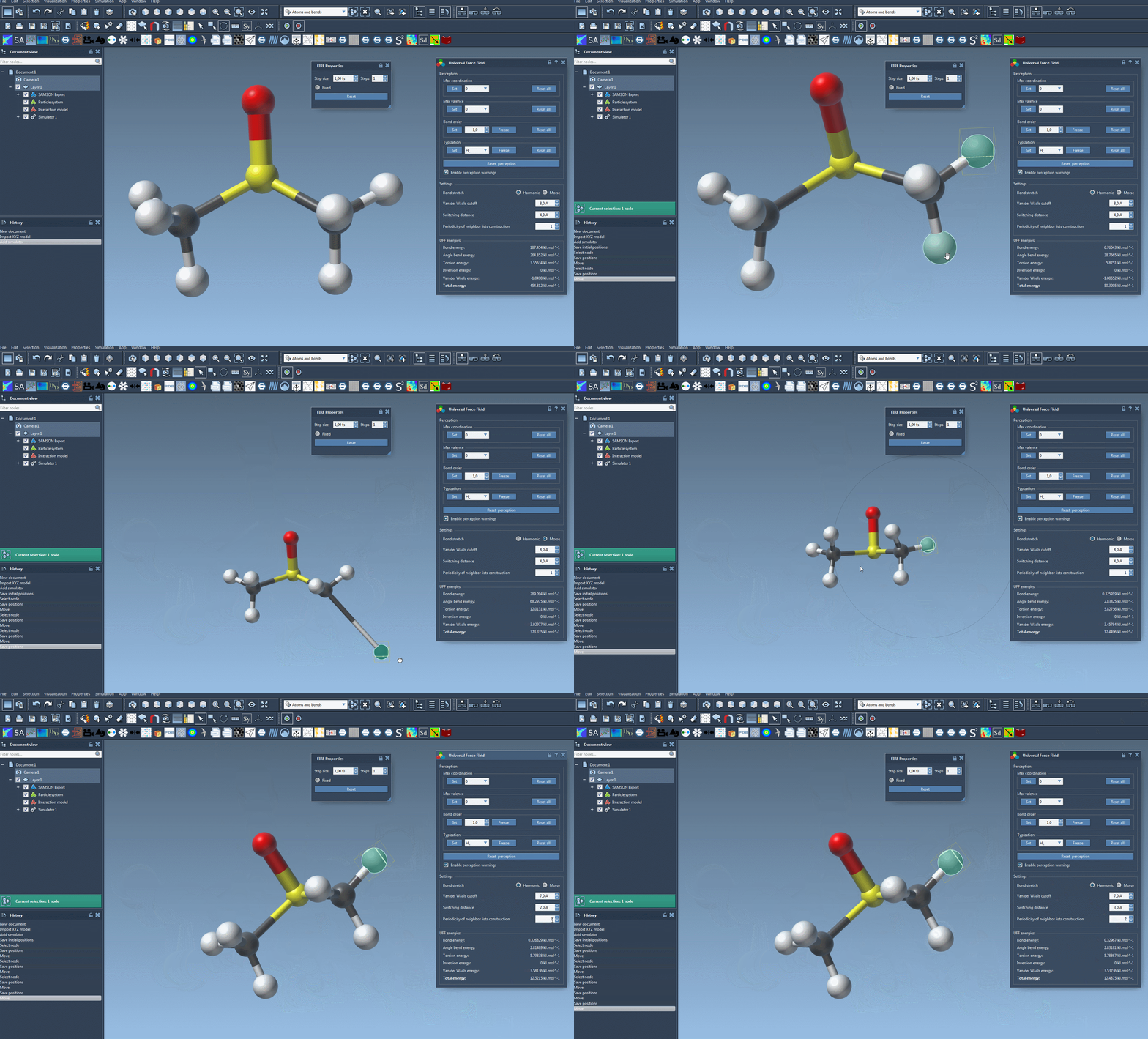
Once the UFF parameter window appears, start the simulation with Edit > Simulate > Start. The interface displays the energy of each UFF term and the total UFF energy. You can also interactively move atoms and observe how the model responds, including changes to the positions of other atoms.
That makes the initial run useful as a hands-on check: look for behavior that suggests the structure or its assignments deserve another look. The energy display provides information about the model’s terms, but it does not by itself establish that the molecular structure is chemically correct. If the setup is uncertain, review the bonds and perception before interpreting the motion.
Change one setting at a time
The UFF interface lets you adjust several simulation details. Bond stretching can use either Harmonic or Morse interactions. You can also set the van der Waals cutoff, choose the switching distance at which that term is smoothly brought to zero, and change how often neighbor lists are rebuilt. By default, neighbor lists are recomputed at each time step.
When you are learning the workflow, keep the defaults for your first pass, then change a setting only when you have a specific reason. This makes it easier to connect a change in the simulation behavior to the parameter you adjusted. The reference on UFF describes the distinction between Harmonic and Morse bond stretching in more detail.
Reserve typization edits for a reason
Advanced users can customize atom perception. Maximum coordination and maximum valence can be changed for individual atoms; these adjustments take effect in a new round of automatic perception only when the new limit is lower than the default. You can also force bond orders or atom types, and freeze those assignments so they do not change during a later perception pass. Bond orders need not be integers.
These controls can help with a specific assignment that needs to be preserved, but they can also produce incorrect structures if used casually. Make a targeted change, use the relevant Set or Freeze control, and use Reset perception when you want to recompute perception from the current settings and atom positions. The corresponding Reset all buttons clear customizations.
Atoms can also be added or deleted while UFF is running, with typization recomputed automatically. When adding an atom, create it bonded to an existing atom in the model. For more on building molecular systems, see the SAMSON building molecules guide.
A useful rule of thumb: begin with the bond information you trust, run with defaults, pay attention to warnings and structural behavior, and customize assignments only when you can identify what needs correcting.
For the full procedure and references, read the original UFF documentation.
Note: SAMSON and all SAMSON Extensions are free for non-commercial use. Get SAMSON.