



One of the frustrating parts of editing a molecular structure is that a useful change may require more than moving atoms. Pull two atoms apart and a bond may need to break; bring atoms together and a new bond may need to form. With a fixed-topology setup, the connectivity stays unchanged while you manipulate the structure, which can make some edits awkward to explore.
SAMSON’s Interactive Modeling Universal Force Field (IM-UFF) is designed for this kind of interactive work. It extends UFF so that bonds can form or break, bond orders can change, and atom typizations can update as the positions of atoms change. Rather than treating the current connectivity as permanent, the model can adapt the topology during simulation.
Why topology matters during an edit
A molecular structure is more than a set of coordinates: its topology describes which atoms are connected and how. If you are trying to explore a rearrangement, a static bond map can be a poor match for the structure you are creating. IM-UFF allows the topology to respond as you move atoms, while interatomic forces guide the surrounding structure.
The behavior is intended to be gradual where possible. A small displacement can leave bonds intact while nearby atoms adjust. A larger displacement may break bonds to neighboring atoms; moving atoms closer can allow new bonds to form. This makes it possible to explore substantial structural edits without manually rebuilding connectivity after every change.
Set up a focused test
Start with a small or medium molecular system so that changes are easier to observe. Open it in SAMSON, then choose Edit > Simulate > Add simulator. Select Interactive Modeling Universal Force Field, choose a state updater such as FIRE, and confirm.
In the IM-UFF parameter window, check the interactive modeling options before starting. For bond formation and breaking, leave Static topology (UFF only) unchecked. Checking it switches the interaction model to standard UFF with a static topology; unchecking it enables IM-UFF’s interactive topology behavior.
The Keep vdW for manipulated option is also worth understanding. When checked, van der Waals energies and forces are computed for all atoms. When unchecked, atoms being manipulated with the mouse are excluded from those van der Waals interactions. The documentation notes that this can make manipulation easier when repulsive van der Waals forces would otherwise hinder an attempted connection. It is a setting to test deliberately, not a general instruction to always leave it off.
Move, observe, and interpret
Start the simulation with Edit > Simulate > Start, then displace atoms with the mouse. Try modest movements first and watch whether the local structure adjusts while bonds remain. Then explore a larger displacement and observe whether neighboring bonds break or new ones appear as atoms approach one another.
The energy readout in the parameter window shows the total energy and its individual terms. Use it alongside the visible structure: the energy is useful context, while the changing coordinates and connectivity tell you what the model is doing during your edit. For a clearer comparison, repeat a similar manipulation with static topology enabled and then with it disabled. This helps distinguish ordinary structural relaxation from topology-changing behavior.
IM-UFF also provides controls for van der Waals cutoffs, switching distances, and neighbor-list construction, along with some automatic-typization options. During interactive modeling, bond order and typization are not directly set in the same way as in static UFF; they vary continuously with atom positions to support transitions between topologies. If you need a non-reactive workflow, use the companion UFF tutorial instead.
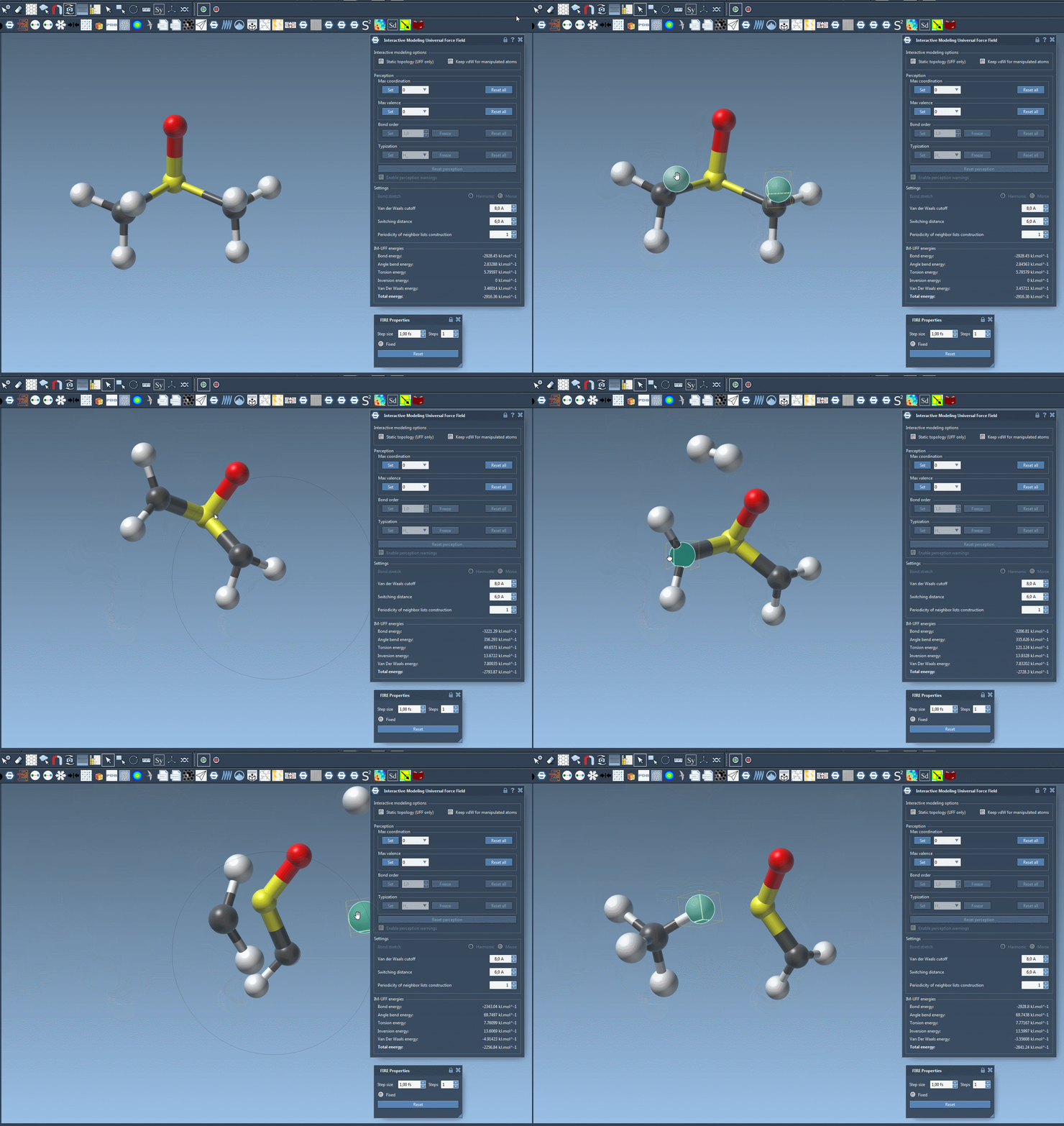
The most useful first experiment is a small, controlled edit: choose a system, move one region, and pay attention to when the structure relaxes and when its connectivity changes. For setup details and additional options, read the original IM-UFF tutorial.
Note: SAMSON and all SAMSON Extensions are free for non-commercial use. Get SAMSON.