



Two protein structures can show different conformations, but comparing the endpoints alone leaves an important question unanswered: what might the structural change between them look like? For molecular modelers, building a continuous path by hand can be tedious—and a direct interpolation may be difficult to interpret if the structures are not aligned or their atoms are not matched consistently.
SAMSON’s ARAP Interpolator provides a way to generate intermediate conformations between two structures. This is useful for visualizing a structural transition, preparing a candidate reaction coordinate, or creating a path to use in a later simulation workflow. The result is a geometric interpolation path, not by itself a molecular-dynamics trajectory or proof that the protein follows that route in nature.
Start with comparable structures
The example in the tutorial uses two conformations of diphtheria toxin, PDB entries 1DDT and 1MDT. The intended transition is from chain A of one structure to chain A of the other. Keeping the comparison focused on the corresponding chains matters: extra chains, waters, ions, or ligands can introduce disconnected components that prevent the interpolation from running.
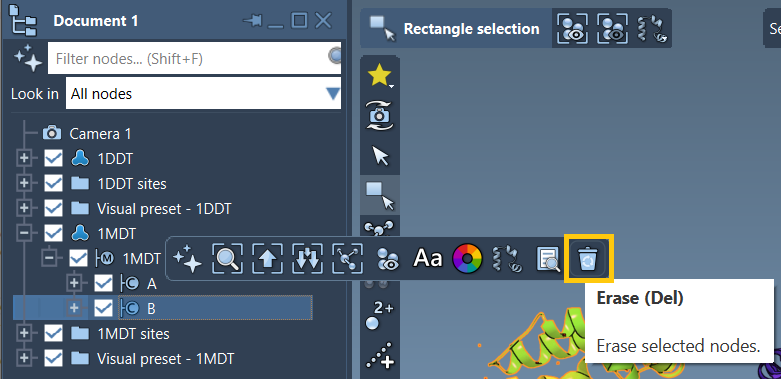
In SAMSON, fetch both structures, remove chain B from 1MDT, and run Home > Prepare on both structures. Preparation removes alternate locations, water, ligands, and ions. Then create a conformation for each cleaned structure using Edit > Conformation. These named conformations become the start and goal selected by the interpolator.
Make atom matching and connectivity explicit
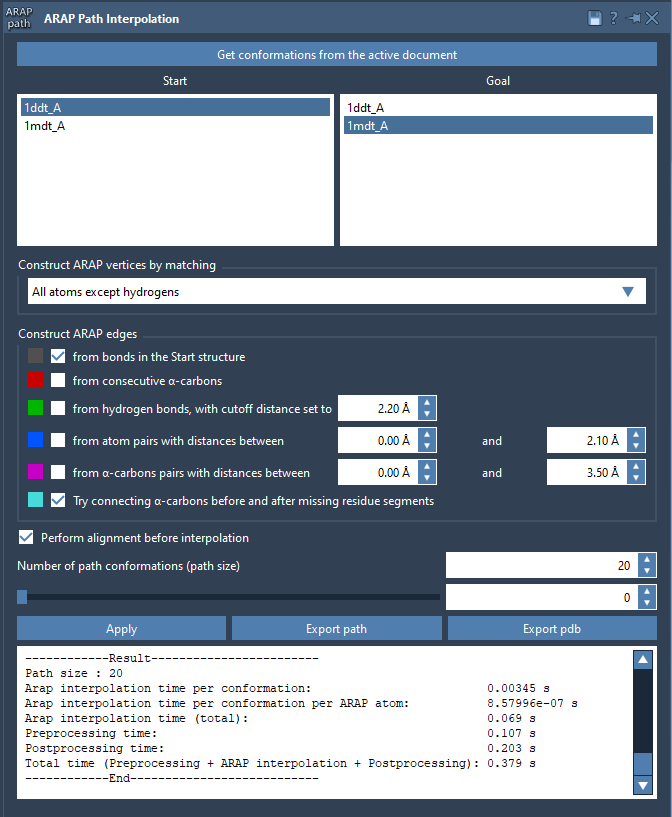
Open Home > Apps > Biology > ARAP Path Interpolation, retrieve the conformations from the active document, and select the start and goal. For the example, choose All except hydrogens for matching. That uses non-hydrogen atoms to match the structures and treats the matched atoms in the start conformation as ARAP vertices. Other available choices include all atoms, alpha-carbons only, or backbone atoms; the suitable choice depends on what level of structural detail you want the path to represent.
Next, define how the ARAP edges are constructed. For this example, enable edges from bonds in the start structure and the option to connect alpha-carbons before and after missing-residue segments. These settings describe the connectivity used by the interpolation; they are not interchangeable decoration. If several edge-generation options are enabled, they are applied from top to bottom.
Enable Perform alignment before interpolation so the start conformation is aligned with the goal before the path is computed. Set the number of path conformations to 20. This count includes both endpoints, so the result contains the start, the goal, and the intermediate conformations between them.
Inspect the path, not just the endpoints
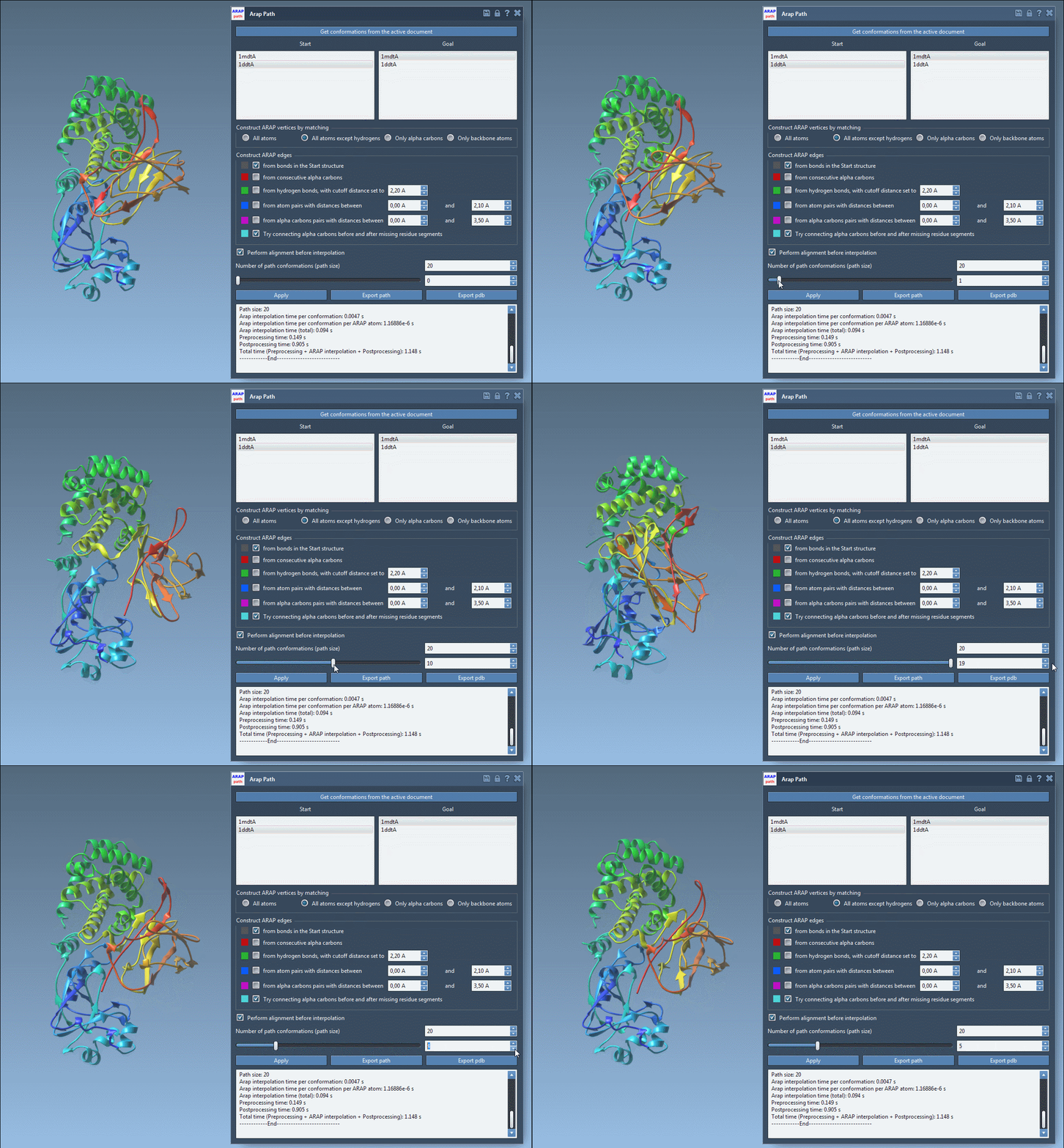
After clicking Run, use the app’s slider to move through the generated conformations. Scrubbing the path helps reveal where the structural change occurs and whether the intermediate shapes are useful for the question you are investigating. Treat this as an inspection step: a smooth-looking interpolation is a way to explore a possible structural route, not a substitute for physical validation.
The app also creates a visual model of the ARAP edges. Toggle it in the Document view to inspect the connectivity used to build the path. This can be helpful when interpreting how missing-residue segments were bridged or when checking which edge construction options contributed to the model.
Keep the result useful downstream
Choose Export path to save a path object in the current SAMSON document, or Export PDB to write the whole path and its individual conformations as sequential PDB files. The resulting path can serve as input to subsequent workflows, such as umbrella sampling setup with the GROMACS Wizard, or refinement with steered molecular dynamics or P-NEB. Those steps address questions beyond interpolation itself.
If the computation reports that the structure does not make one connected component, check both systems for remaining waters, ions, ligands, or other disconnected structures, and run Home > Prepare again. Cleaning and selecting the intended chains before creating conformations can save time when diagnosing this error.
For the complete walkthrough and option descriptions, see the ARAP protein-structure interpolation tutorial.
Note: SAMSON and all SAMSON Extensions are free for non-commercial use. Get SAMSON.