



Two protein structures can show the endpoints of a conformational change, but they do not explain how one conformation becomes the other. For molecular modelers, that gap is a practical problem: intermediate structures are needed to inspect the motion, build a reaction coordinate, or prepare a path for later simulation work. Simply placing the endpoints side by side does not provide those intermediates.
SAMSON’s ARAP Interpolator can generate a sequence of conformations between two structures using As-Rigid-As-Possible (ARAP) interpolation. The result is a geometric transition path that you can scrub through, inspect, and export. It can be a useful starting point for conformational analysis or simulation setup, while remaining distinct from a validated, minimum-energy reaction pathway.
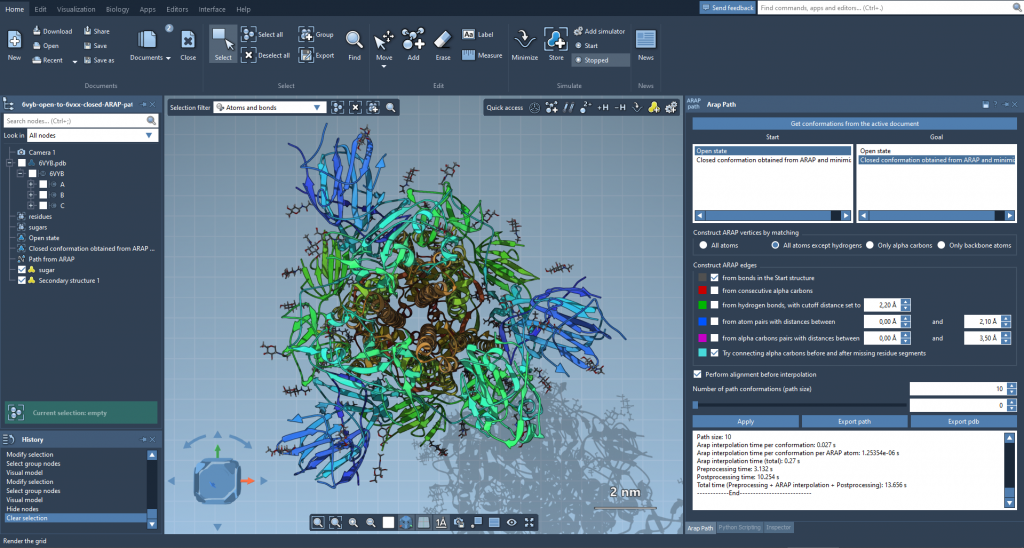
The example below uses two conformations of diphtheria toxin, PDB structures 1DDT and 1MDT. The key to a useful result is not just pressing Run: prepare the structures consistently, choose which atoms define the correspondence, and decide how structural connectivity should be represented.
Prepare matching endpoints
In SAMSON, fetch 1DDT and 1MDT from Home > Fetch. The tutorial focuses on chain A. In the Document view, remove chain B from 1MDT, then use Home > Prepare on both structures to remove alternate locations, water, ligands, and ions.
This cleanup is important for more than neatness. The interpolation setup expects a connected structure. Extra components can cause the error Cannot proceed because the structure does not make one connected component. If you encounter it, check both endpoints for unremoved water, ions, ligands, or other disconnected components, and prepare them again.
Create a conformation for each cleaned structure using Edit > Conformation. Give them clear names, such as 1DDT A and 1MDT A. These named conformations become the start and goal of the path.
Make the matching and connectivity choices explicit
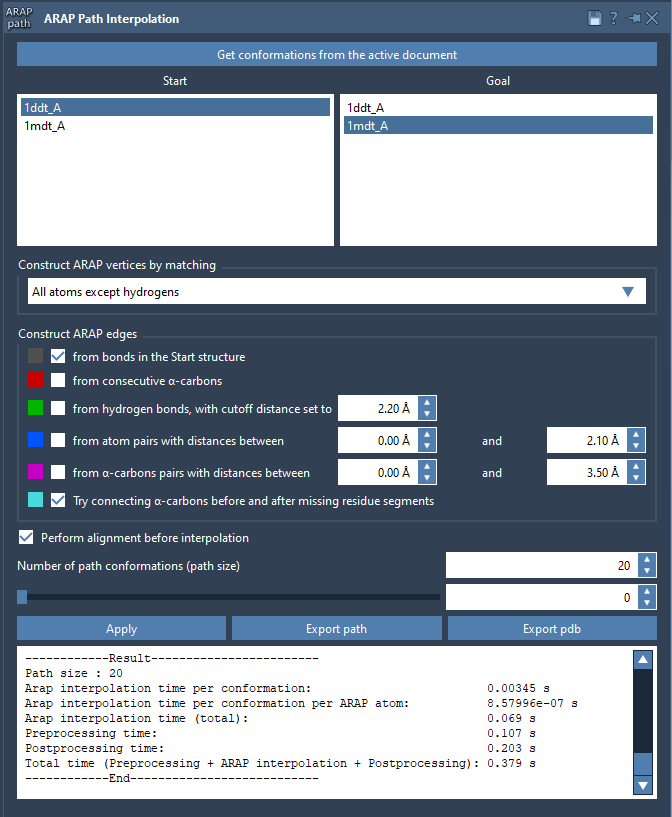
Open Home > Apps > Biology > ARAP Path Interpolation, retrieve conformations from the active document, and assign the start and goal. For this example, choose All except hydrogens under atom matching. That matches non-hydrogen atoms between the conformations and uses the matched start atoms as ARAP vertices. Other options include all atoms, alpha-carbons only, or backbone atoms; the right choice depends on which parts of the structures you want the correspondence to represent.
For edges, select from bonds in the Start structure and Try connecting alpha-carbons before and after missing residue segments. The first uses start-structure bonds to define local connectivity. The second adds connections across missing-residue segments where alpha-carbons are present on either side. These settings matter because they tell the interpolation which local relationships to preserve while the structure changes.
Also enable Perform alignment before interpolation, so the start conformation is aligned with the goal before the path is computed. Set Number of path conformations to 20; this count includes both endpoints. The resulting sequence therefore contains intermediate conformations as well as the start and goal.
Inspect before you export
After clicking Run, use the app’s slider to move through the conformations. Scrubbing the path is a simple way to spot where structural changes occur and whether the progression is useful for your analysis. The ARAP edges visual model can also be shown or hidden in the Document view; its colors indicate the selected edge-construction types.
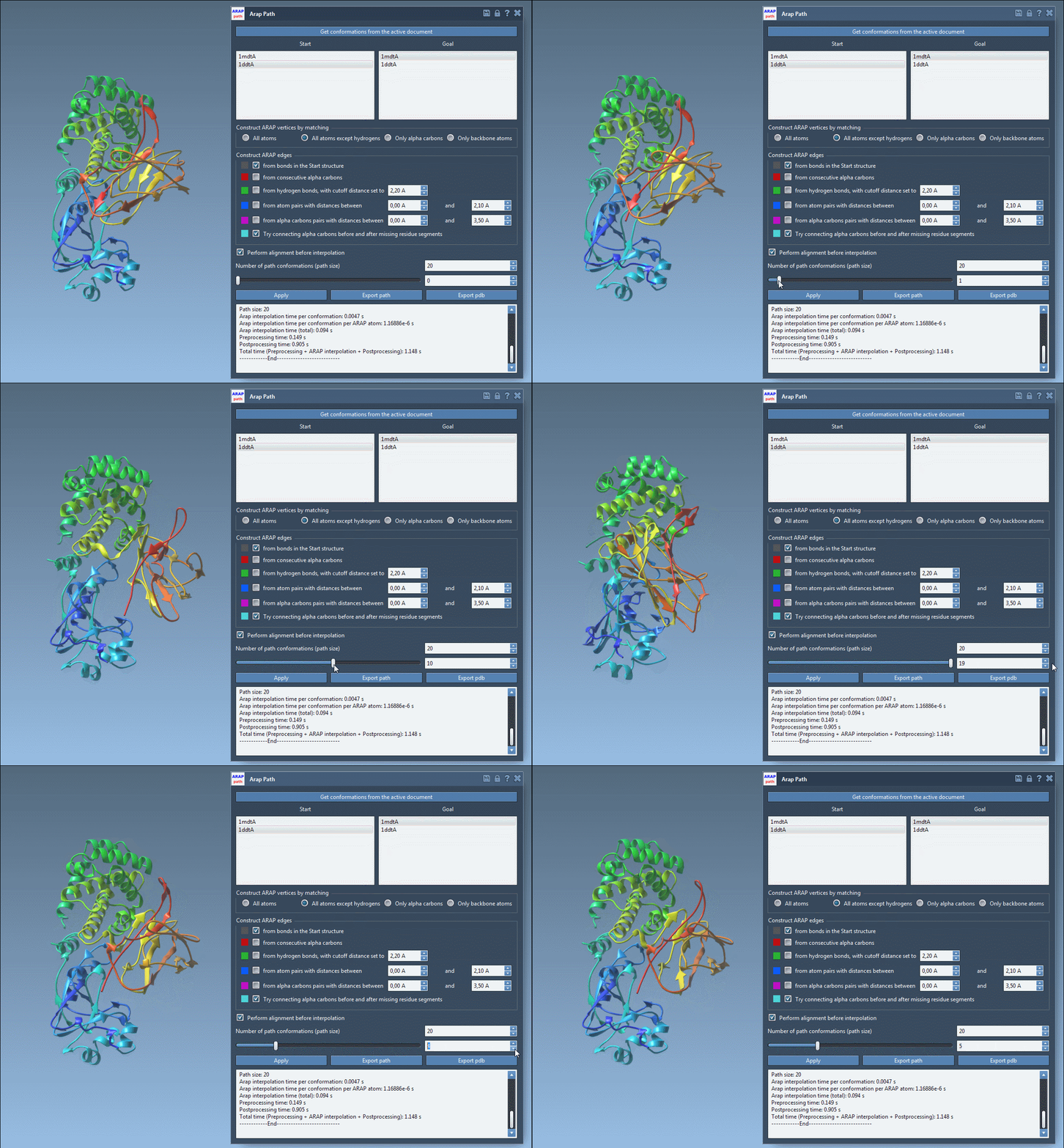
When you are ready to use the result elsewhere, Export path saves a path object in the current SAMSON document. Export PDB writes the whole path to a PDB file and saves each conformation as a sequential PDB file. A generated path can then serve as input for follow-up work such as umbrella sampling with GROMACS Wizard, steered molecular dynamics, or P-NEB refinement.
The practical takeaway: a useful transition path begins with clean, corresponding endpoints. Check the atom-matching and edge options, align before interpolation, and inspect the intermediate conformations before treating the path as input to another method.
For the complete walkthrough and additional option details, see the ARAP interpolation tutorial.
Note: SAMSON and all SAMSON Extensions are free for non-commercial use. Get SAMSON.