



Two protein structures can show different conformations, but the space between them is often where the modeling work begins. A pair of endpoint structures does not, by itself, provide intermediate states for visualization, conformational analysis, or preparing a simulation workflow. Simply blending atom coordinates may also produce intermediates that are difficult to interpret geometrically.
SAMSON’s ARAP Interpolator offers a way to construct a smooth geometric path between two conformations. ARAP stands for As-Rigid-As-Possible: the interpolation uses local structural relationships to help preserve shape while moving between endpoints. It is useful to think of the result as a set of candidate intermediate conformations—not as proof of a physical, energetically favorable pathway or a substitute for molecular dynamics.
Start with comparable structures
The example in the tutorial uses two conformations of diphtheria toxin: 1DDT and 1MDT. The goal is to interpolate between chain A in each structure. Both structures are fetched in SAMSON, and chain B is removed from 1MDT so the comparison focuses on the intended chains.
Before interpolation, run Home > Prepare on both structures. This removes alternate locations, water, ligands, and ions. That cleanup is not just cosmetic: extra or disconnected components can prevent the computation from running. If SAMSON reports that the structure does not make one connected component, check for these remaining components and prepare the structures again.
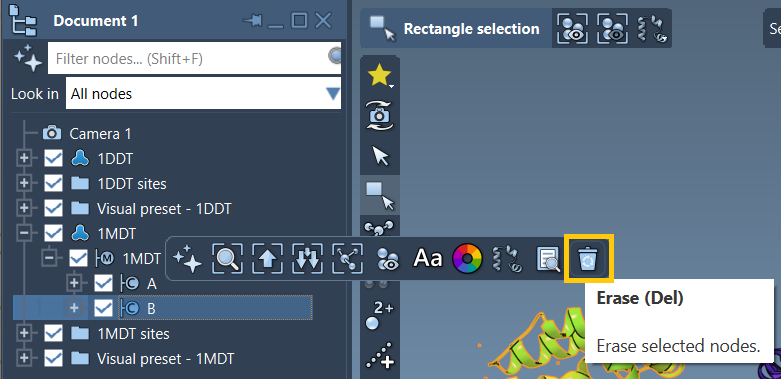
Make the endpoints explicit
Create a conformation for each cleaned structure using Edit > Conformation. In the example, name them 1DDT A and 1MDT A. These named conformations become the start and goal, making it easier to select and verify the endpoints before launching the calculation.
Open Home > Apps > Biology > ARAP Path Interpolation, retrieve conformations from the active document, and select the start and goal. For matching, the tutorial uses All except hydrogens. This matches non-hydrogen atoms between the endpoint conformations; the matched atoms in the start conformation are used as ARAP vertices. Other options include all atoms, alpha-carbons only, or backbone atoms. The right choice depends on the level of detail needed, but using the same intended chain and prepared structures is essential.
Choose how the structure stays connected
ARAP edges define which pairs of atoms contribute structural relationships to the interpolation. For this example, select from bonds in the Start structure and Try connecting α-carbons before and after missing residue segments. The first uses covalent bonds in the start structure; the second adds connections across missing-residue segments. This can help represent continuity where the structure contains gaps.
There are other edge-building choices, including consecutive alpha-carbons, hydrogen bonds below a cutoff, and atom pairs within a specified distance range. These are alternative ways to define relationships, not interchangeable guarantees of biological correctness. When multiple options are selected, edges are added in the order shown in the app.
Align, interpolate, then inspect
Enable Perform alignment before interpolation to align the start conformation with the goal before calculating the path. Set Number of path conformations to 20 for a path containing 20 conformations, including the start and goal, then click Run.
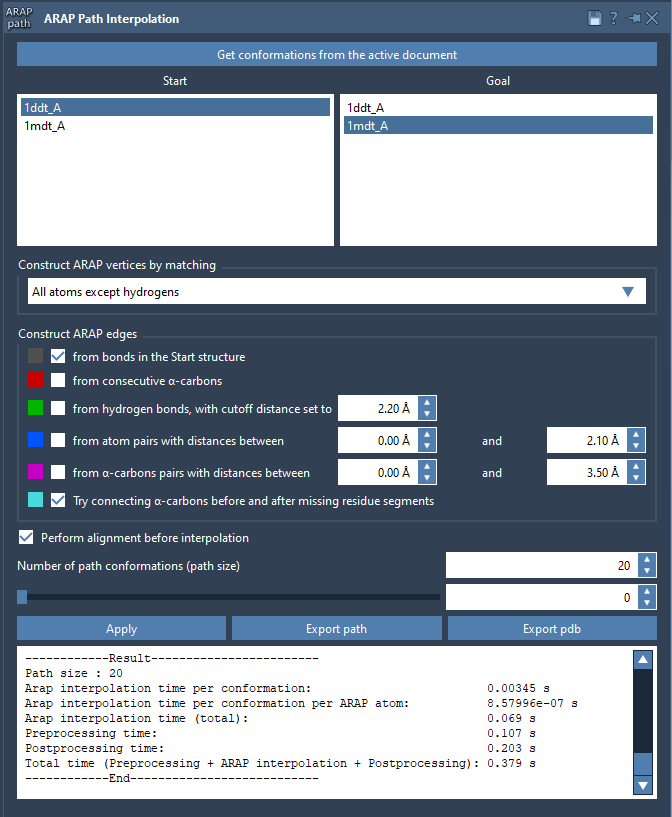
After calculation, use the app’s slider to move through the intermediate conformations. Inspect the full transition rather than judging it only from the endpoints: look for abrupt changes, unexpected structural behavior, or regions that may need additional modeling. The generated path is a geometric starting point for further analysis. Depending on the research question, it can be used as input for methods such as umbrella sampling, steered molecular dynamics, or P-NEB refinement.
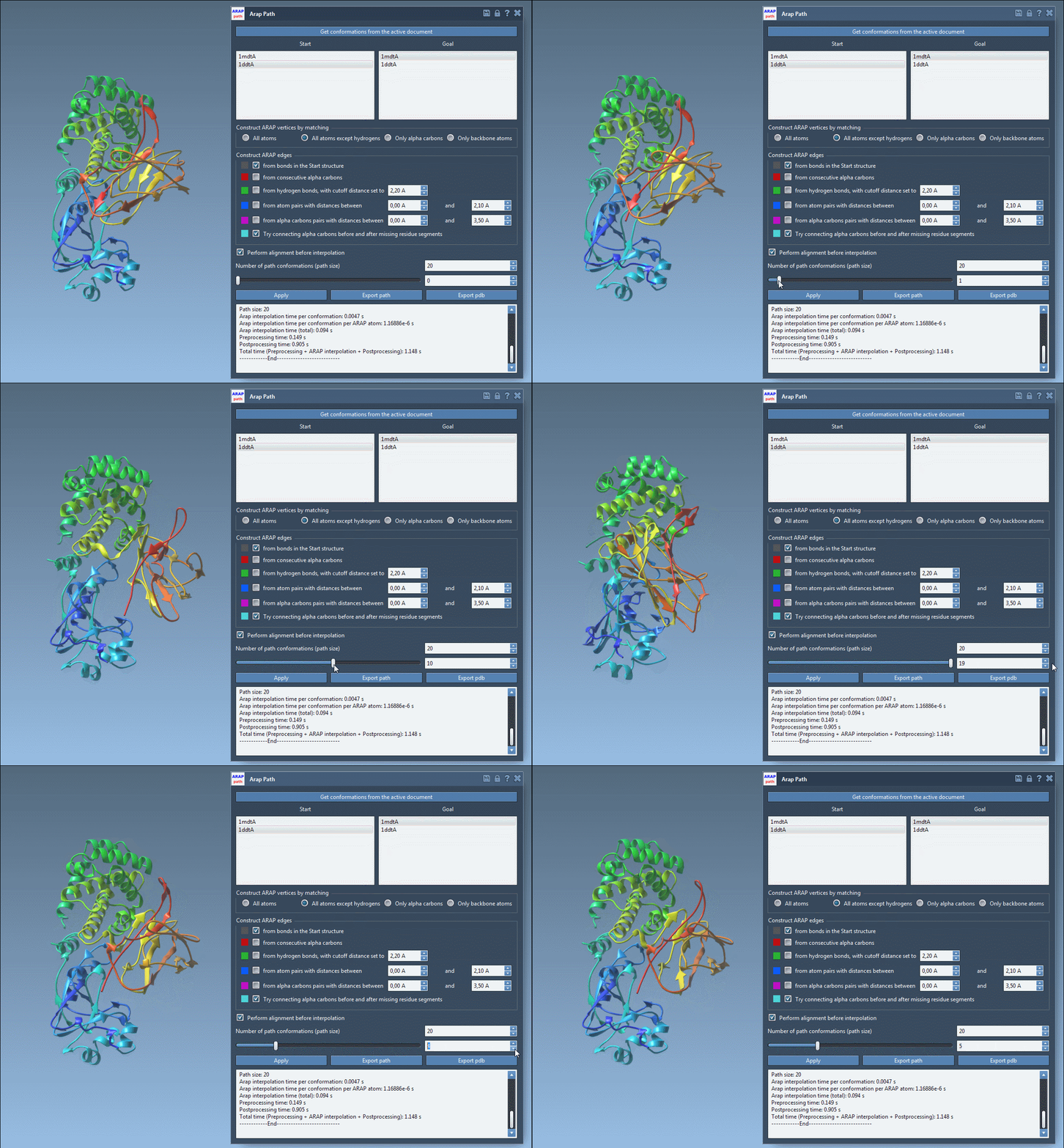
You can also show or hide the ARAP edge visual model in the Document view to inspect how connectivity was constructed. Export the path into the current SAMSON document, or export the complete path and individual conformations as PDB files.
For the complete walkthrough and additional options, see the ARAP interpolation tutorial.
Note: SAMSON and all SAMSON Extensions are free for non-commercial use. Get SAMSON.