



A crystal model can look structurally convincing and still miss an important detail: some sites are not occupied in every unit cell. In a CIF file, occupancy information can describe vacancies or substitutions. If that information is overlooked, a model may represent a perfectly occupied crystal instead of the imperfect structure you meant to study.
Here is a practical way to make that distinction visible in SAMSON with Crystal Creator, using a diamond CIF as an example. The key idea is to preserve the site’s occupancy in the CIF, then load the structure and inspect the resulting model rather than treating every listed site as certainly present.
Start with a reference model
First, load a diamond crystal from a CIF file in SAMSON and create its bonds. The Crystal Creator import dialog lets you choose how many unit cells to load, whether to import the data without symmetries, and whether to display the mesh. For a useful comparison, keep a copy of the original CIF before editing it. You can then compare the original structure with the version that includes an occupancy value.
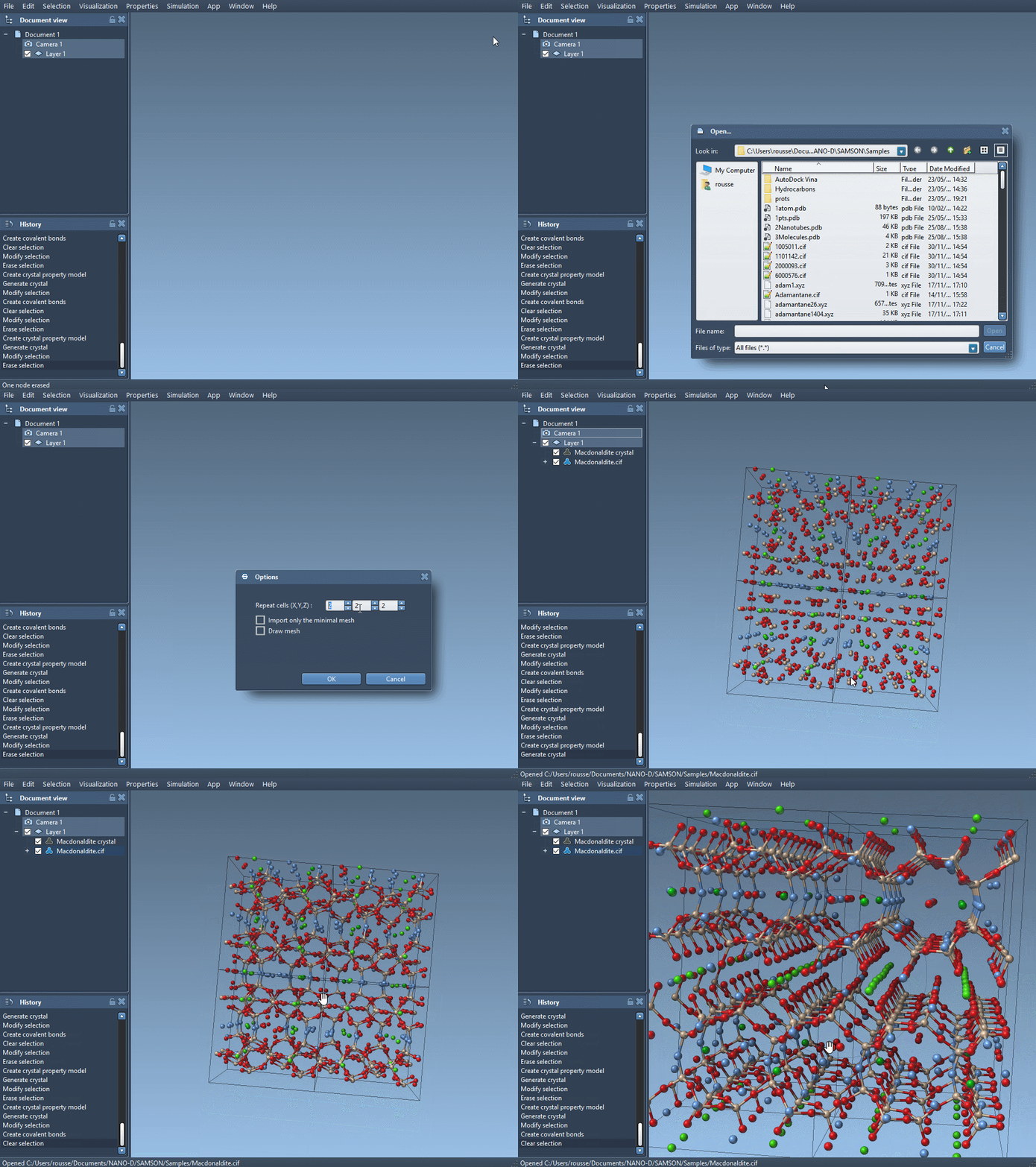
The model is built from unit-cell data, but the CIF can also describe imperfections. Crystal Creator uses the defects and substitutions described in the file when it creates a crystal. That means the input file is not just a list of atom positions: occupancy is part of the structural information you want to retain.
Encode a partially occupied site
Make a copy of the diamond CIF and open the copy in a text editor. In the atom-site loop shown in the tutorial, add an occupancy column and assign the carbon site a value of 0.95:
|
1 2 3 4 5 6 7 |
loop_ _atom_site_label _atom_site_fract_x _atom_site_fract_y _atom_site_fract_z _atom_site_occupancy C 0.00000 0.00000 0.00000 0.95 |
The value 0.95 means that the carbon atom at that site has a probability of 0.95 of being present. It does not mean that the atom should be replaced with a smaller or fractional atom. The occupancy describes the site’s presence or absence, which is why preserving it in the CIF matters when you want a model with defects.
Keep the original CIF unchanged so you can return to the reference structure. Also take care to add the occupancy field as part of the atom-site loop, with a corresponding value on the atom line. This makes the intended occupancy explicit in the file rather than relying on an assumption that every site is fully occupied.
Load, build bonds, and check
Open the edited CIF in SAMSON and create the bonds, as you did for the original diamond model. Then compare the resulting structure with the reference. The comparison helps you focus on what the occupancy information changes, rather than confusing a defect with a change in the unit-cell shape or the crystal’s overall orientation.
Crystal Creator also provides a way to check whether generated crystals contain the proper amount of defects and substitutions. Right-click the property model and choose Properties. In the second tab, use Check atoms ratio to inspect whether each atom site’s presence or absence ratio is respected. This check is especially useful when a structure contains multiple partially occupied sites: it gives you a way to verify the generated model against the probabilities described by the CIF.
The workflow is simple, but it addresses a common modeling pitfall: a file can contain disorder information that is easy to lose when you focus only on coordinates. Preserve the occupancy column, create the model from the edited CIF, and check the atom ratios before interpreting the structure. The same general approach applies when you explore CIF-described defects or substitutions in other crystals.
For the complete Crystal Creator workflow, examples, and additional details, see the original tutorial on generating crystal models.
Note: SAMSON and all SAMSON Extensions are free for non-commercial use. Get SAMSON.