



Placing lipids around a protein is a deceptively fiddly modeling task. A layer that is too small can crowd the structure; placing molecules without accounting for the protein can create overlaps. And if the protein and lipids are oriented differently, it becomes harder to define a useful membrane-like arrangement.
Molecular Box Builder offers a practical way to assemble a simple lipid layer: orient the protein and lipid, define a box around the protein, then generate lipids while considering the molecules already in the scene. Here is the reasoning behind each step, using the copper-transporting PIB-ATPase structure 4BBJ as the example from the tutorial.
1. Give the protein a clear orientation
Start by aligning the protein with the Z axis, then center it on the origin. In SAMSON, right-click the protein in Document view and choose Move selection > Align with Z axis, followed by Move selection > Center on the origin.
This gives you a consistent reference for the next steps: the membrane-like layer can be arranged around the protein, and its direction can be described relative to the same axis. It is a useful setup habit whenever the geometry of the system matters—not just a cosmetic adjustment.
2. Orient the lipid before setting its size
Import a lipid molecule, select it, and click Set in Molecular Box Builder. Choose +Z alignment for its principal axis. The app calculates the molecule’s bounding box based on the selected alignment, so setting the orientation first helps make the box’s predicted fit relevant to the arrangement you intend to build.
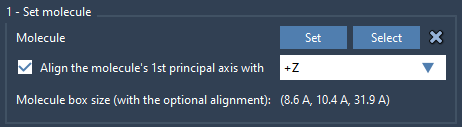
The principal axis is the first eigenvector of the molecule’s moment of inertia. You do not need to calculate it yourself: the alignment option handles that step. If a different orientation is needed, the app also offers alignment with the other positive and negative Cartesian axes, or no alignment.
3. Define a box around the protein
Enter the box dimensions and center it around the protein. Then adjust the box size to contain a single lipid layer. You can also set the margin between inserted molecules: a positive or negative margin changes their spacing, while the default arrangement aims to avoid clashes between the inserted copies.
Before generating, check the predicted number of molecules along each axis and the total shown in the Generate section. Treat this as a useful planning aid: if the count is not what you expect, revisit the box dimensions or molecule margin before creating the system.
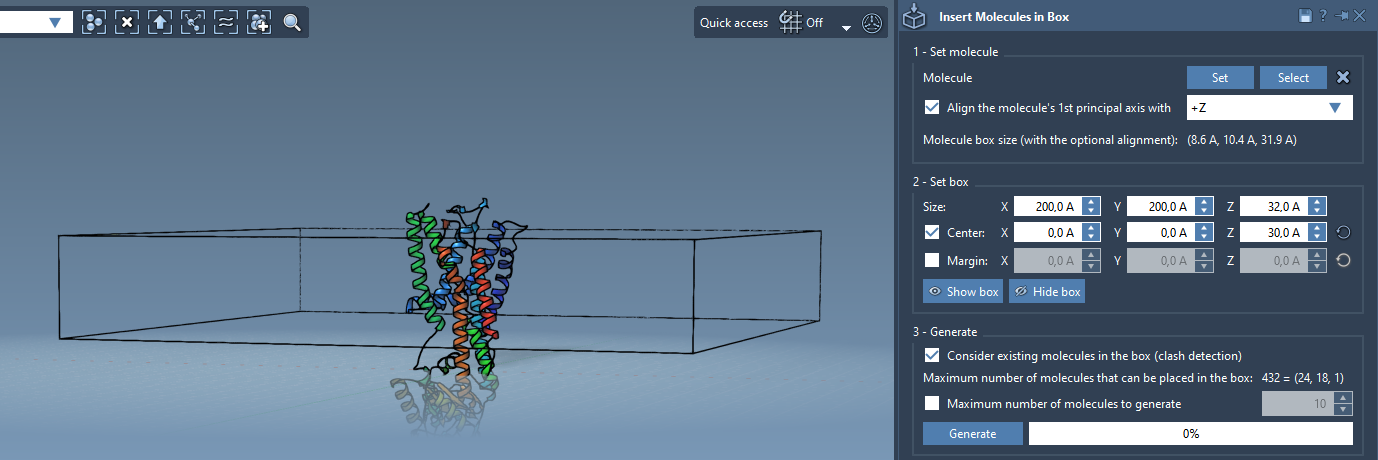
4. Make the protein part of the placement problem
The key setting for this example is Consider existing molecules in the box. Enable it before clicking Generate. This tells the builder to place lipids only in available space, rather than treating the box as empty. The result is a single lipid layer arranged around the protein.
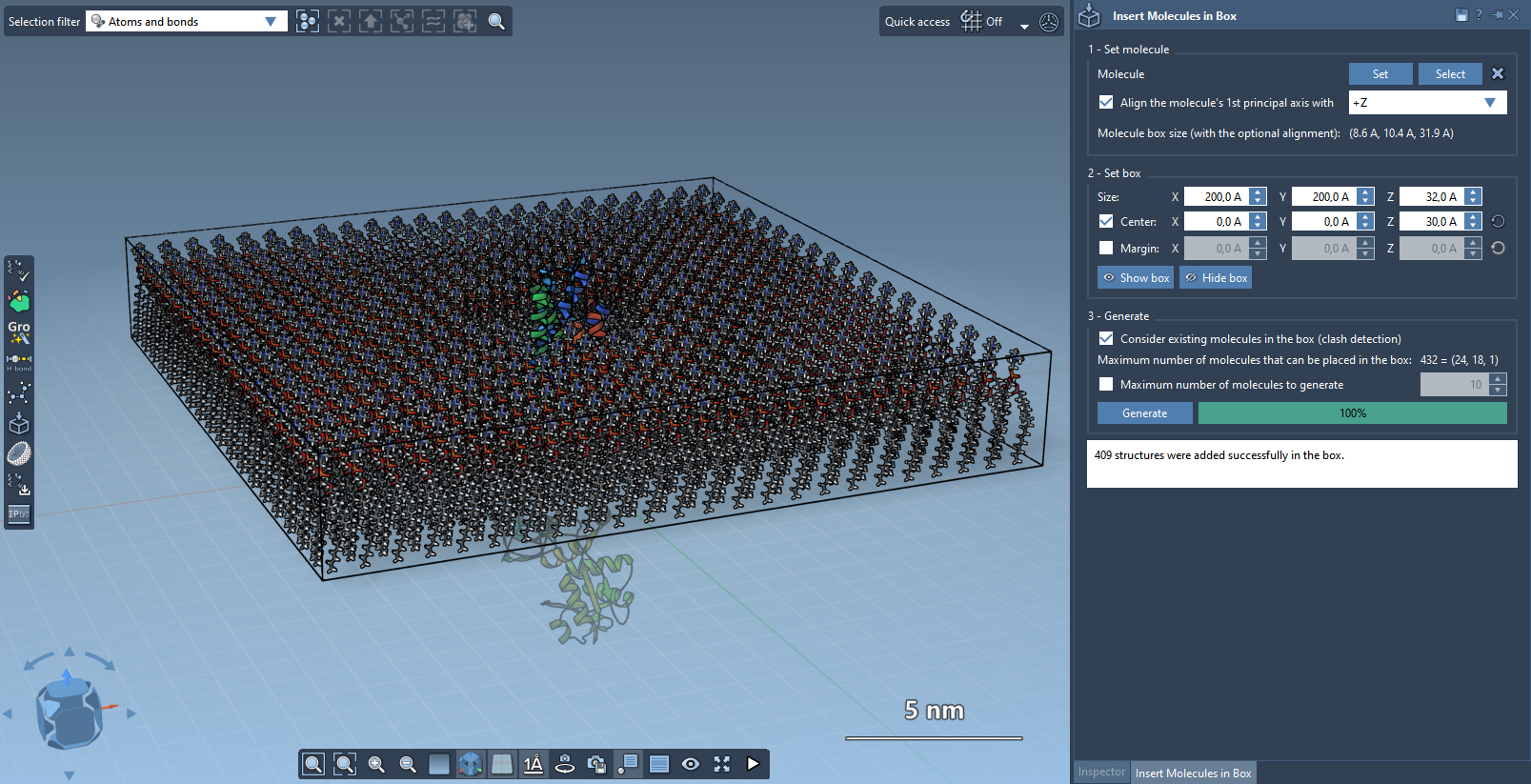
If you want to create a bilayer, the documented approach is to add one layer with +Z alignment, shift the box center in the Z direction, and add the second layer with -Z alignment. This separates the two placement steps and makes the opposing orientations explicit.
Once assembled, the system may need further preparation before simulation. For example, the documentation points to the GROMACS Wizard tutorials for preparing, minimizing, equilibrating, and simulating a system. For another route to building a membrane around a protein with water and specified ions, the PDBFixer extension is also noted in the tutorial.
Read the full Molecular Box Builder tutorial to learn more.
Note: SAMSON and all SAMSON Extensions are free for non-commercial use. Get SAMSON.