



Moving an atom in a molecular model can create an awkward dilemma: keep the existing bonds fixed and distort the structure, or stop editing to rebuild the topology by hand. That becomes especially inconvenient when you are exploring a possible rearrangement, bond formation, or bond breaking. IM-UFF is designed for this kind of interactive editing: as atoms move, the model can update its bonds and atom typizations instead of treating the starting topology as permanent.
IM-UFF extends the Universal Force Field (UFF) for interactive modeling. During a simulation, small movements generally preserve the existing topology while nearby atoms adjust. Larger displacements can break bonds, and bringing atoms together can allow new bonds to form. Bond orders and atom typizations can also change smoothly as the system’s geometry changes. This gives you a way to explore structural edits while the model responds to the positions of the atoms.
Set up a useful first test
Start with a small or medium molecular system. A compact test makes it easier to see which atoms are moving and when the topology changes. Open the system in SAMSON, then choose Edit > Simulate > Add simulator. Select Interactive Modeling Universal Force Field, choose a state updater such as FIRE, and confirm.
In the IM-UFF parameter window, check the two options that control how the interaction model behaves:
- Static topology (UFF only): leave this unchecked to use IM-UFF and allow the topology to change. Checking it switches to standard UFF with a static topology.
- Keep vdW for manipulated: this option is available for IM-UFF. When checked, van der Waals (vdW) energies and forces are computed for all atoms. When unchecked, atoms being manipulated with the mouse are excluded from vdW interactions. That can make it easier to bring atoms together when vdW repulsion would otherwise hinder the edit.
For an initial interactive editing session, the tutorial recommends leaving both options unchecked. Start the simulation with Edit > Simulate > Start, then move atoms with the mouse and observe both their positions and the energy terms shown in the parameter window.
Read the response, not just the picture
A useful way to work is to move an atom in stages. Begin with a small displacement and watch how the surrounding structure adjusts. If the original bonds remain, the system is relaxing locally while preserving its topology. If you move the atom farther away, bonds to its neighbors may break; if it approaches other atoms, new bonds may form. This staged approach helps distinguish a local adjustment from a change in connectivity.
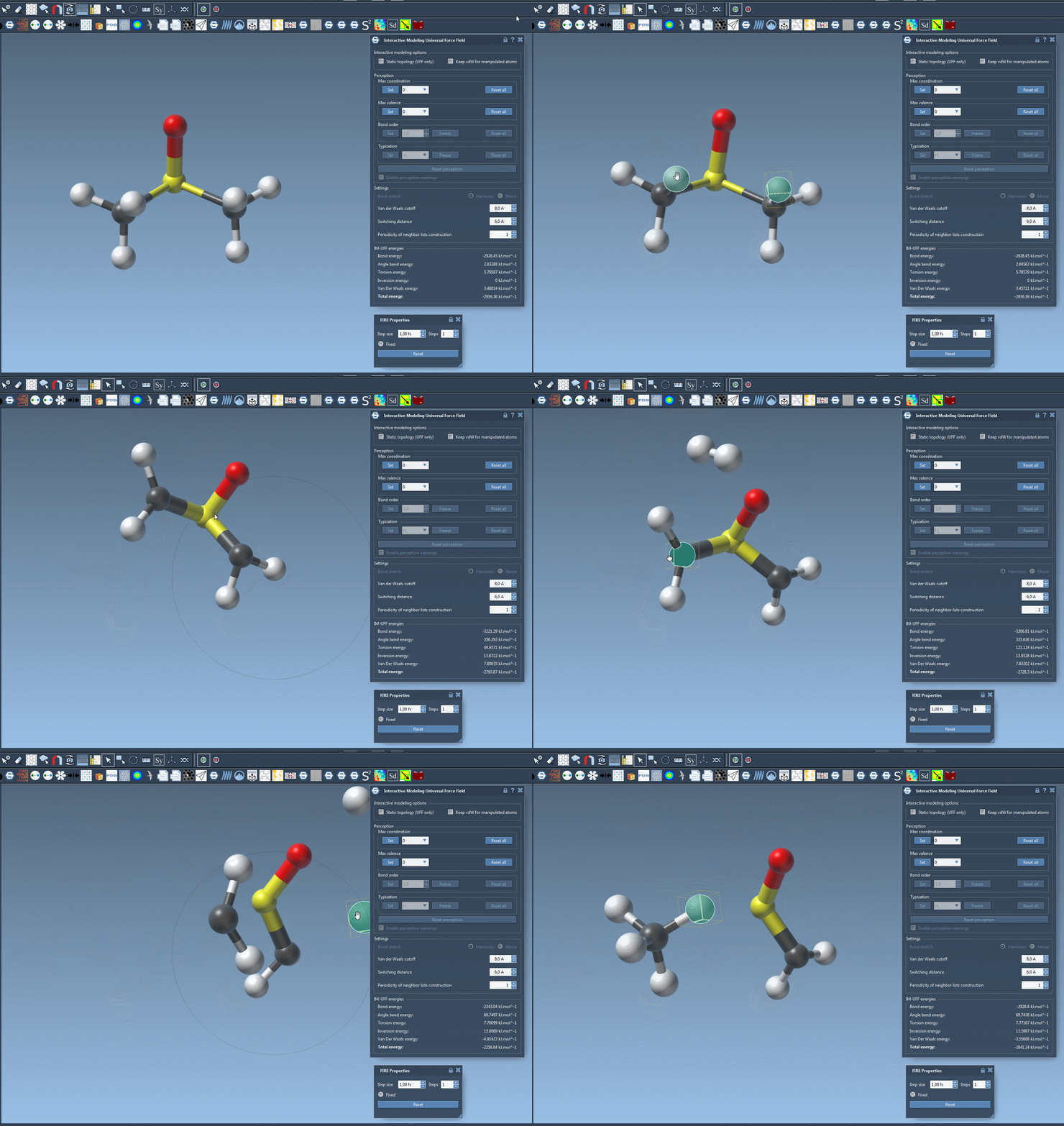
Keep the energy readout in view as you experiment. IM-UFF displays the total energy and its individual terms, which can help you follow how the modeled system responds to a manipulation. Treat the energy display as context for the edit—not as a substitute for inspecting the resulting structure and connectivity.
Choose the mode that matches the question
Static UFF and IM-UFF answer different modeling needs. Use static topology when you want to work with the existing connectivity; use IM-UFF when exploring edits that may involve bond formation, bond breaking, or changes in bond order and atom typization. There is also a detail worth remembering when comparing energy values: in the standard UFF mode inside the IM-UFF interaction model, bond energy is zero at infinite atom separation, whereas in the separate UFF interaction model it is zero at the equilibrium distance. The energy reference is therefore not identical between those implementations.
IM-UFF also offers settings for van der Waals cutoffs, switching distances, and neighbor-list updates. Its automatic typization options are described in the UFF tutorial. In dynamic IM-UFF mode, only maximum coordination and maximum valence can be set directly; bond order and typization vary continuously with atom positions. Atoms can also be added or deleted during modeling, with typization updated automatically.
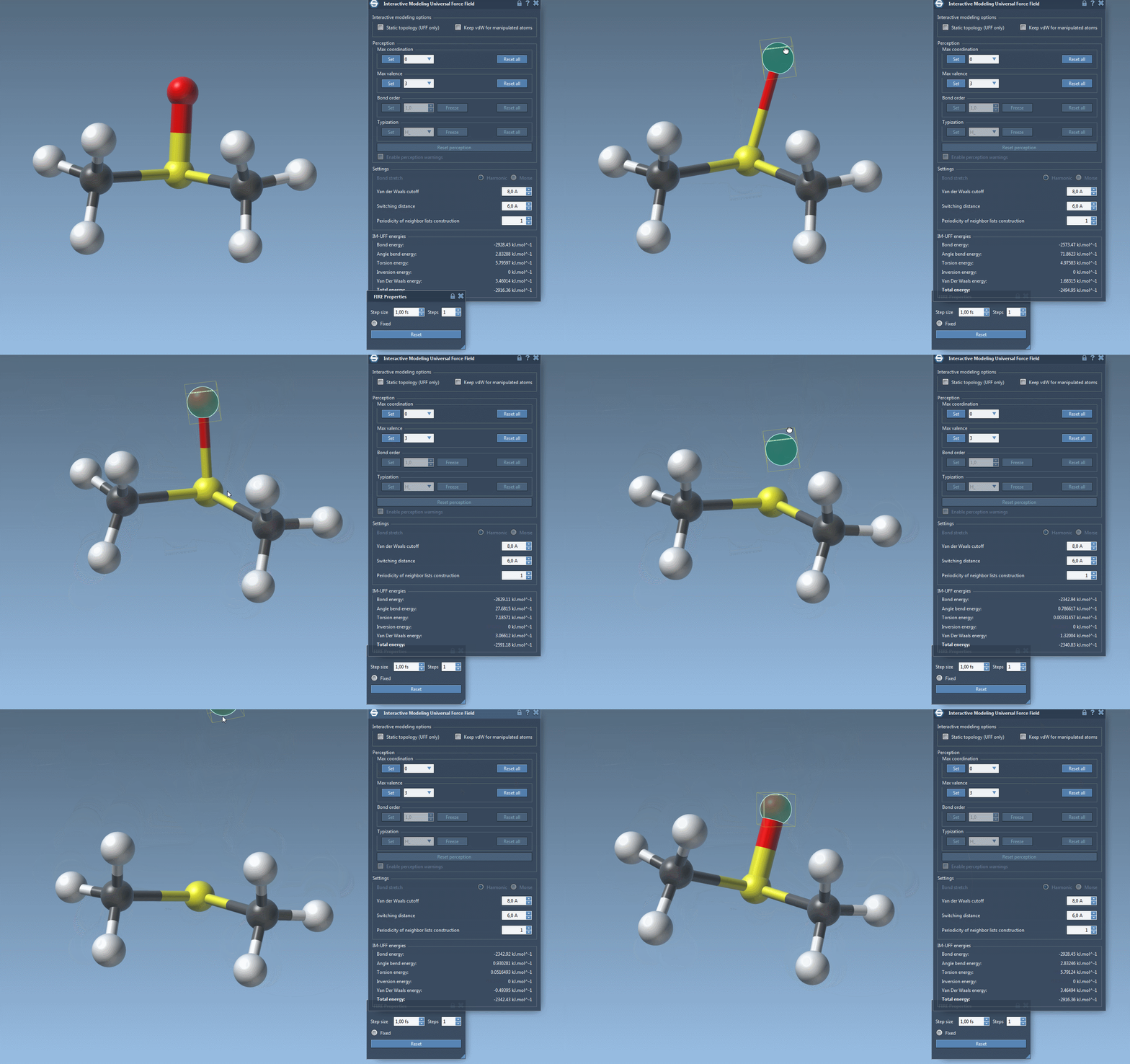
For a practical first session, try one deliberate edit in a small structure, observe which bonds persist or change, and then repeat with static topology enabled to compare the behavior. For setup details and references, read the original IM-UFF tutorial.
Note: SAMSON and all SAMSON Extensions are free for non-commercial use. Get SAMSON.